
fleetfinder PT2 Bedienungsanleitung

PERSONAL TRACKER
USER MANUAL
GPS/GSM/GPRS TRACKER
Version: 0.5
Australia Free call 1800 633 930
Outside Australia: +61 8 9383 7833
Website: www.fleetfinder.com.au
Tracking URL: http://tracking.fleetminder.com.au/neltronics
E-Mail: mohit.khanna@neltronics.com.au / [email protected]

P1
Operator Reminders
Power Supply Usage
•It is your responsibility as the device owner to charge the internal rechargeable battery for
a minimum of three (3) hours via the supplied AC power adapter under the power-off
condition. This is highly recommended for first time users.
SIM Card Notice
•It is your responsibility as the device owner to disable voicemail, call waiting, and call
forwarding. If not certain, contact your telecommunications service provider to disable
these features.
Battery Safety Precaution
yIt is your responsibility as the device owner to meet all battery operating parameters set
forth by the manufacturer’s specifications. Otherwise, operators exceeding the
recommended Li-Ion battery pack care may encounter a potential risk of heating, explosion,
and ignition leading to the risk of fire and burns. Do not disassemble, crush, puncture, short
contacts and dispose in fire or water. Do not use battery if the following is encounter: notice
physical damage, deformed, deformed or emissions a foul odor.
yDo not place PT2 in environments with temperatures exceeding 55 °C (131 °F). Standard
operating temperature range is -20°C and 55°C.
yOnly use original manufactured power charger.

P2
TABLE OF CONTENTS
1. Introduction ................................................................................................................3
1.1 Product Description .......................................................................................................... 3
1.2 LED Indicator...................................................................................................................... 4
1.3 Accessories .......................................................................................................................... 5
2 PT2 Operation...............................................................................................................6
2.1 Charge the device............................................................................................................. 6
2.2 Install SIM card.................................................................................................................. 7
2.3 Emergency button............................................................................................................. 8
2.4 Initialization......................................................................................................................... 8
2.5 Carry Bag.............................................................................................................................. 9
Appendix 1: GPRS Parameter.........................................................................................11
Appendix 2: Battery Spec...............................................................................................27
FCC Note........................................................................................................................28
European Union Notice ..................................................................................................29

P3
1. Introduction
PT2 is a personal tracking device with fast acquisition time. It is compact, portable and
stylish in design with GPS / GSM / GPRS wireless network. User can easily remotely
configure PT2, and then displays the location by specific map software. Plus voice
monitoring function, geo-fence function, data logger function, this is simply your best
choice for remote tracking.
1.1 Product Description
1 SIM card holder
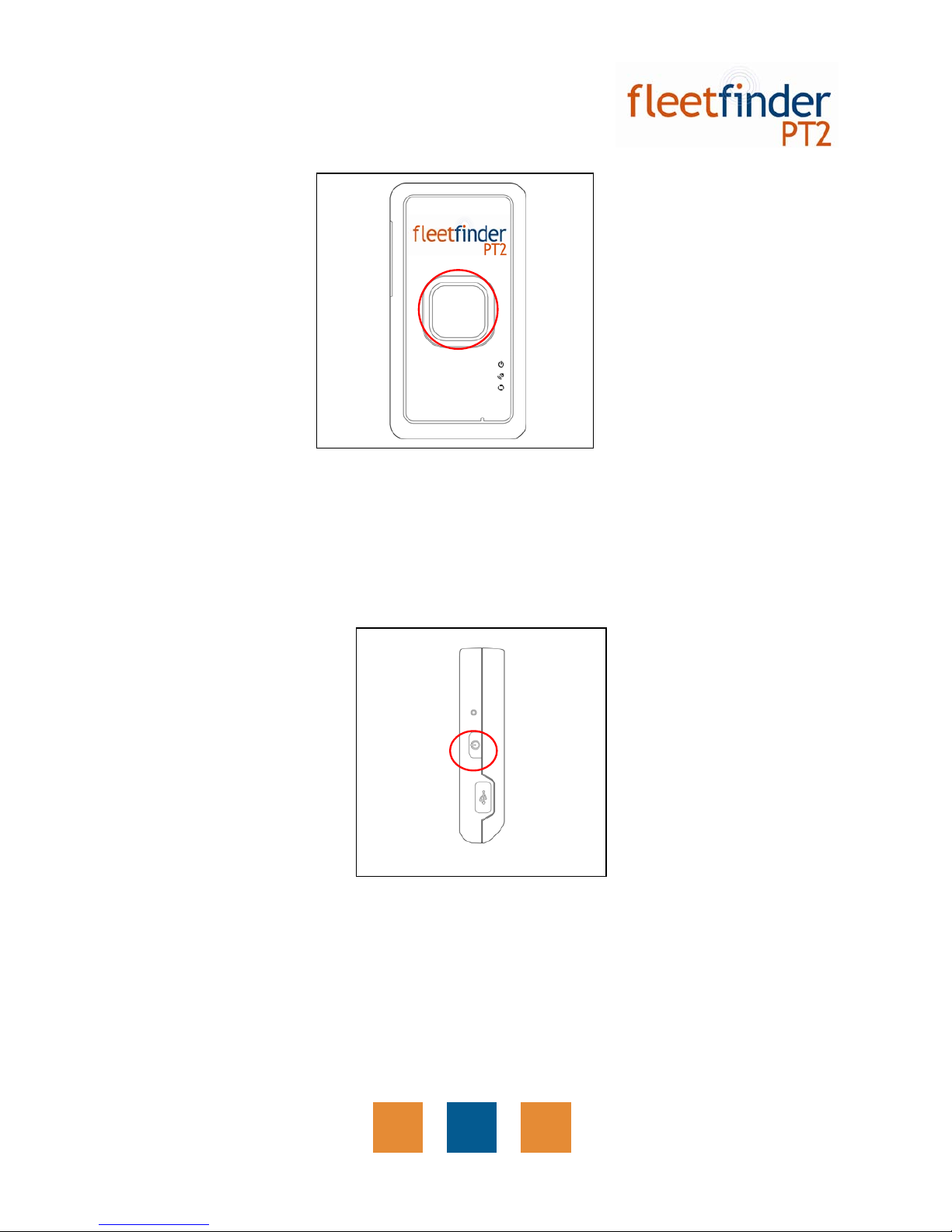
2 SOS button
3 Power status LED
4 GPS LED
5 GSM LED
6 Reset key
7 Power Key
8 Mini USB port
2
7
8
6
3
4
5
1

P4
1.2 LED Indicator Power Status LED
LED Orange Red
State PT2 is being charged. Battery power is low
GPS LED
LED Blink Quickly (Once per second) Blink Slowly (Once every 3 seconds)
State PT2 does not get GPS fix PT2 gets GPS fix
GSM LED
LED Blink Quickly (Once per second) Blink Slowly (Once every 3 seconds)
State 1. No SIM card inserted
2. PT2 is searching GSM network
3. SIM card is registering to GSM
network
Standby Mode

P5
1.3 Accessories
PT2 ACcharger
USBcable CDUtility
CarryBag

P6
2. PT2 Operation
2.1 Charge the device
Initially, the enclosed rechargeable battery requires a complete charge before device
usage. Therefore, to maximize your device’s battery life it is highly recommended to
proceed by performing the steps listed below.
METHOD 1: Using the AC adapter cable charge method:
1.Connect PT2 to its supplied AC adapter cable.
2.Allow a 4 hour battery charge time. (PT2 in power-off condition)
METHOD 2: Using the USB cable charge method:
3.Connect PT2 to its supplied USB to Mini-USB cable to PC or Notebook. (Computer
requires to be turned “ON”)
4.Allow a 4 hour battery charge time. (PT2 in power-off condition)

P7
2.2 Install SIM card
With the cooper contacts facedown, align the notch on the SIM card with the notch on the
SIM slot and insert the SIM card. If SIM is inserted correctly, you will not be able to see
the copper contacts after inserting the card. To eject SIM card, simply, use your finger nail
and apply slight pressure.
Note: Refer to your mobile phone manual to disable the SIM PIN entry function by your
mobile phone.
Note: Before installing or taking out SIM card, please power off PT2.
P8
2.3 Emergency button
Press and hold the emergency button until you feel the device vibrating. PT2 will send the
emergency report to the preset phone or TR Management Center.
2.4 Initialization
To turn the device “ON”, press and hold the power button until you feel the device
vibrating. To turn the device “OFF”, press and hold the power button until you feel the
device vibrating. The vibration effect indicates the user requests have been
acknowledged.

P9
2.5 Simple commands
Command list Purpose Default
Setting Example
PH2 XX,SS Sets the primary number for voice
interrupt and SOS reporting. No default
PH2 XX,SS where XX is the primary phone
number and SS will be the number of seconds set
to listen in. PH2 without the number, will disable
this feature.
PH2 0412345678 will set the primary number to
0412345678
SPEED KKK To notify the primary identity when the
Speed limit is exceeded. Default is off SPEED KKK where KKK is the speed in Kmh.
SPEED 00 disables Speed alerts.
SPEED 65 will trigger when the speed of vehicle
goes over 65kmh.
LOCATION LOCATION command when sent alone will report the current location.
PDS=TIME
[seconds],DIST[meters]
Eg., PDS=60,100 means that the PT will report every 60 seconds in case it travels 100 Meters. This will make is easy for you and will fit in with the parameters your device
supports.
INI A,B,C,D,E,F,G
A DEVCODE
B APN OF THE NETWORK PROVIDER
C USERNAME OF THE NETWORK PROVIDER, BLANK IF NOT REQUIRED
D PASSWORD OF THE NETWORK PROVIDER, BLANK IF NOT REQUIRED
E SERVER IPADDRESS.
F SERVER PORTADDRESS.
G TO TOGGLE 3 VALUES I.E 1,2,3 THEREFORE,
G1 REPORTING VIASMS ONLY
G2 REPORTING VIA GPRS ONLY
G3 REPORTING VIABOTH
Inhaltsverzeichnis
Andere fleetfinder GPS Handbücher


