
Global IP G100 Bedienungsanleitung

G100 (P100) VoIP Phone
User Manual
Global IP Telecommunications, Inc • 92 Derrick Road • Bradford, PA 16701 • U.S.A.

G100 User Manual
G100 User Manual Page 1 of 31
Index
Introduction 2
Suitable Uses of G100 IP Phone 3
Appearance 4
Performance and Features 5
Maintechnicalindex 6
Standard and Protocol 7
Electric requirements 7
Operating requirements 7
Installation 8
Configuration 9
1. Phone keypad set 9
2. Configured by WEB 15
Usage of the Phone 30
Upgrade G100 IP Phone 32
View Records 33

G100 User Manual
G100 User Manual Page 2 of 31
Introduction
IP is the abbreviation of Internet Protocol. An IP phone is a telephone that
transports voice data through the internet by using the IP protocol. It can be used
for audio communication through LAN, Cable Modem or XDSL and wherever else
the internet is available.
IP telephony generally comes with a cost advantage. The G100 IP phone
features furthermore excellent sound quality.
G100 User Manual
G100 User Manual Page 3 of 31
Appearance
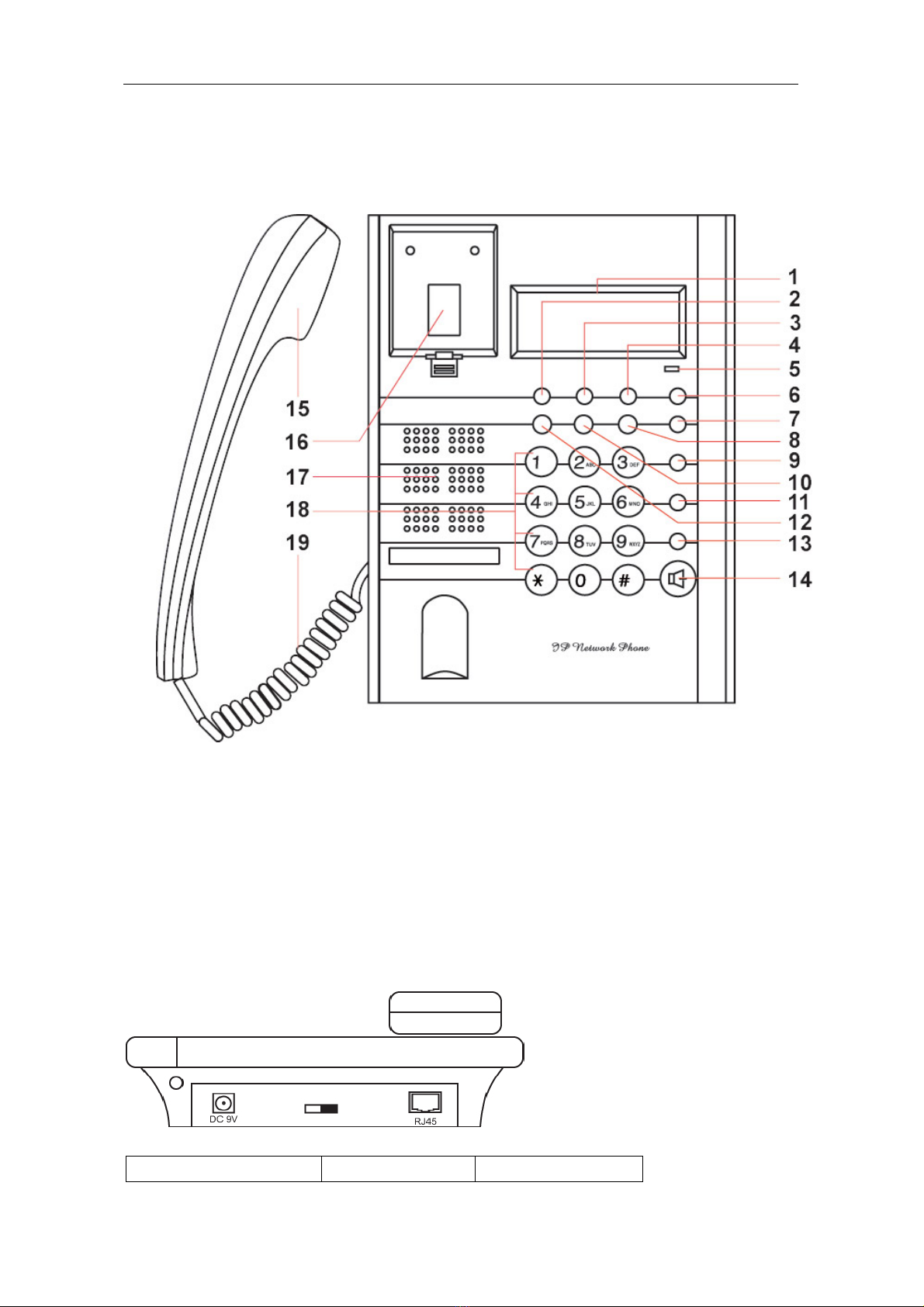
1. Front Panel
Figure 1 Front Panel
2. Rear view
Figure 2 Backside view
1. Power adapter port 2. Power switch 3. RJ-45 port
1. LCD 2. Phone Book 3. Dialed
4. Missed 5. Indicator light 6. Volume +
7. Volume - 8. Answered 9. Back Space
10. Local IP 11. Speed Dial 12. Local Number Call
13. Redial 14. Spk/hand free 15. Handset
16. Cradle 17. Speaker 18. Number buttons
19. Cord

G100 User Manual
G100 User Manual Page 4 of 31
3. Function Keys
Key Function
Missed With handset on hook, press this key to review missed number
Local Num With handset on hook, press this key to check your phone number
Local IP With handset on hook, press this key tocheck phone ip address
Dialed With handset on hook, press this key to review dialed number
Answered With handset on hook, press this key to review answered number
Redial IP phone dials the last dialled number when button is pressed
Speak Press this key to place a call without taking handset from hook
Volume+ Increase the volumes of handset or speaker
Volume- Decrease the volumes of handset or speaker
Keypad With handset picked up or after pressing pressing the “Spk/hand
free” button, pressing these keys dials number
Performance and Features
zSupports H.323 v4,compatible with most H.323 v1-v4 system and devices;
zBuilt in H.323 proxy support to pass NAT;
zSupports MGCP RFC2705
zSupports SIP RFC3261
zSupports Net2phone private protocol
zFast start and H.245 tunneling;
zOutband DTMF transmit by H.245 user input or Q.931 keypad;
zIEEE 802.3 /802.3 u 10 Base T / 100Base TX
zCaller ID send and receive by Q.931;
zProvides direct IP address to IP address call mode, direct PSTN call by a
voice gateway ,E.164 phone number call under the mode of GK;
zAutomatic gatekeeper discovery in LAN;
zCall PSTN by ITSP’s prepaid card (eTalk,italk,ringtec etc);
zDHCP support for automatic IP address assignment;
zPPPoE support for ADSL or Cable modems;
zSetup of all parameters through standard web browser (such as IE6.0), phone
keypad or telnet;
zSupports G.723.1 5.3k/6.3k ,G.729 ,G.711 A-Law µ-Law audio codec
algorithms;
zDynamic voice detection; Echo cancellation; Comfort noise generation;
zDynamic voice jitter buffer for high audio quality;
zTone generation and Local DTMF generation/detection according with ITU-T;
zE.164 dial plan and customized dial rules;
z80 entries each for missed call, answered call and dialed call;
z100 phonebook entries;

G100 User Manual
G100 User Manual Page 5 of 31
z2×16 LCD with backlight;
zStatus LED;
zSpeed dialing;
zAdjustable volume for both handset and speaker;
Technical parameters
zVoIP chip: Signal processor, 50Mhz with built-in coprocessor
zData storage: 2MB SDRAM;
zProgram memory: 1MB Flash memory;
zNetwork interface: 10Base-T/100Base-T, RJ-45 port;
zEcho cancellation: G165 16ms;
zPower consumption: 2.7W(max);
zPower adapter: input AC 110V or 220/230V, output DC 9V
500mA;
zOperating conditions:
Ambient temperature: 0-40° C (32-104°F)
Humidity: 10-90% non condensing
zOverall size: 215×190×70 mm (L×W×H).
Storage conditions
zAtmospheric pressure: 86-106Kpa;
zStorage temperature: -30° to 65° C (-22° to 149° F)
zHumidity: 10 to 90% non condensing
G100 User Manual
G100 User Manual Page 6 of 31
Installation
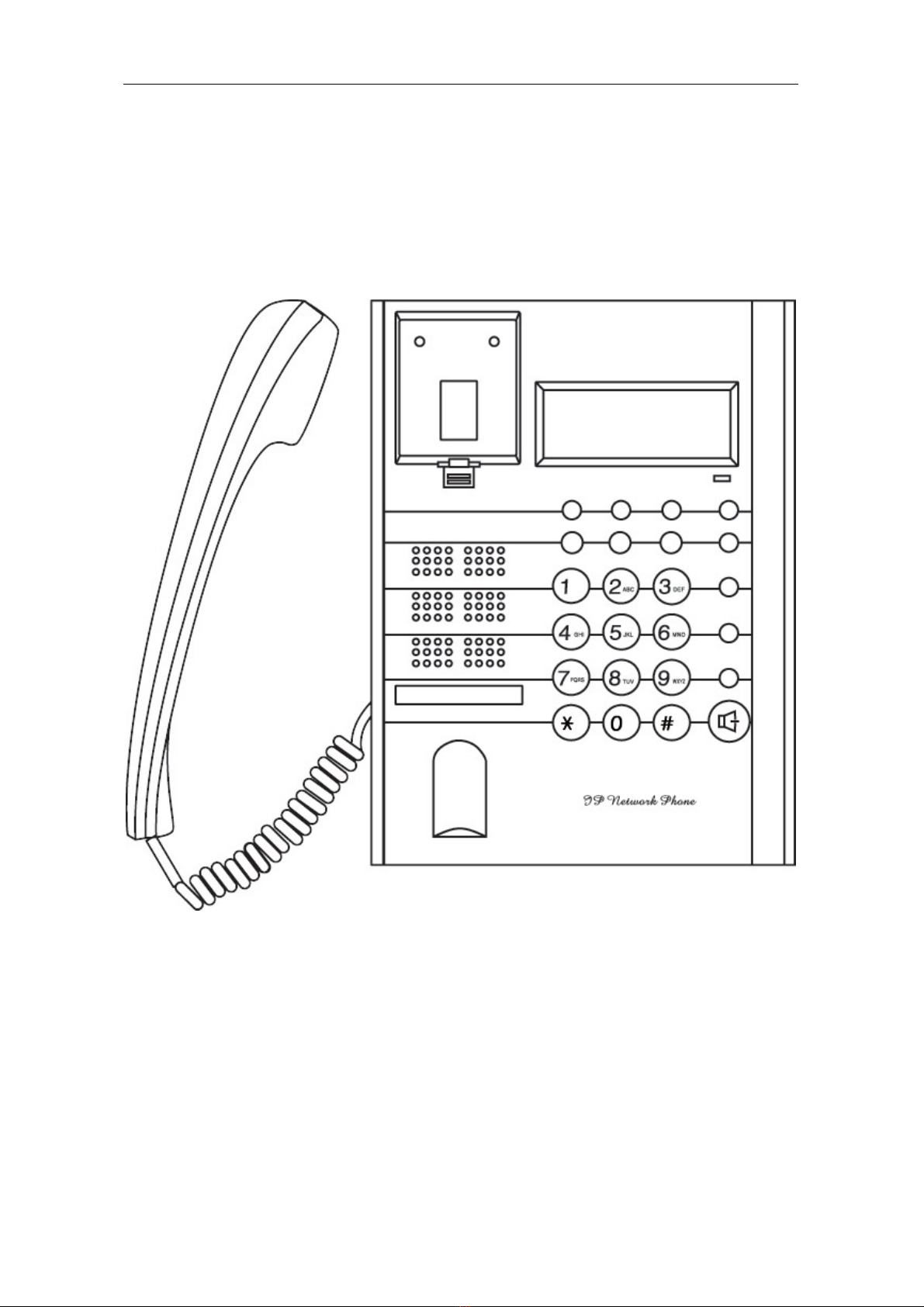
1. How to connect Handset and Phone
Insert Handset cord into handset cord jack of the base.
Figure 3 Handset and base of Phone connection
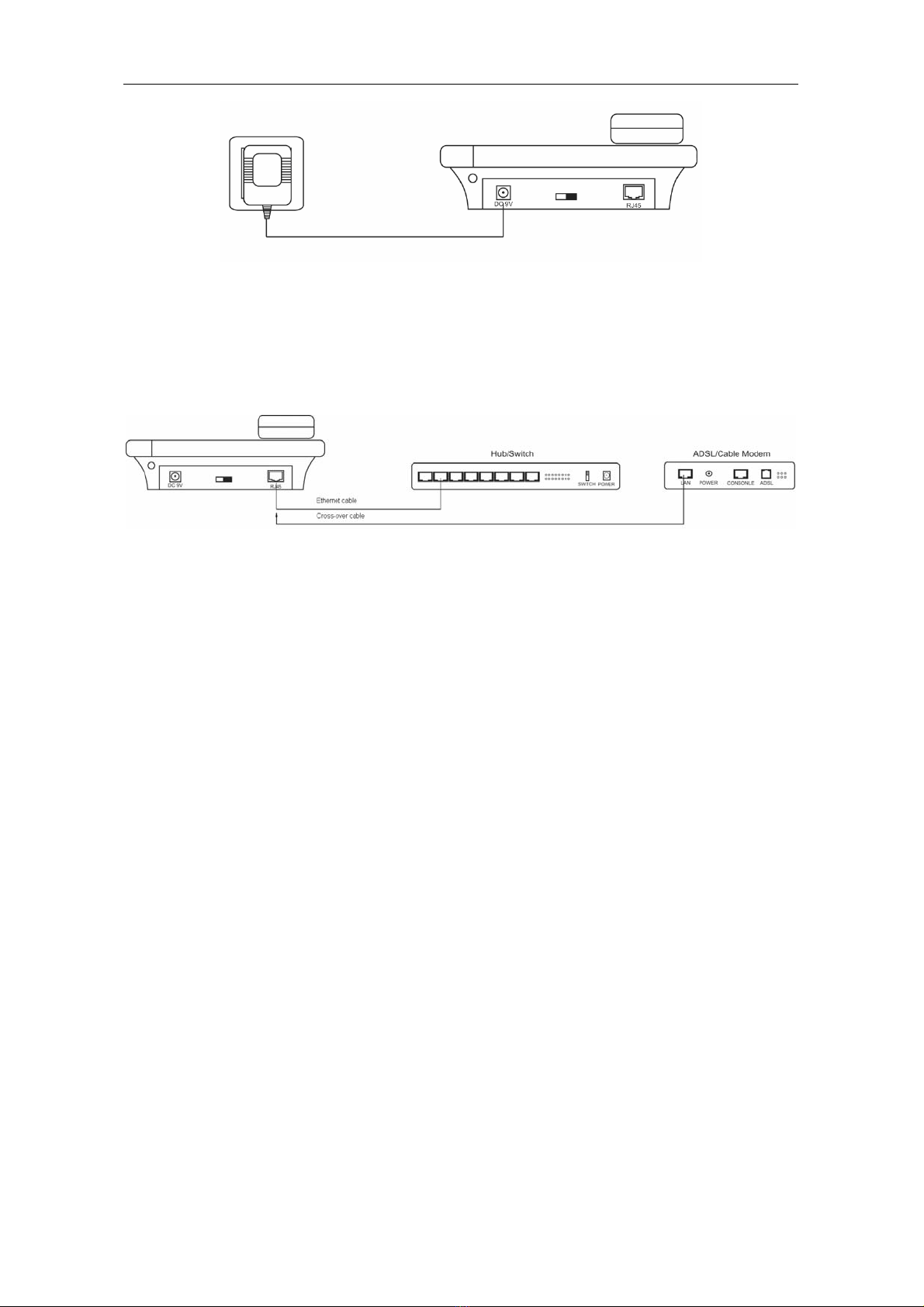
2. Connect Phone and Power
Place the phone nearby of Power socket. Plug the power cord adapter into
the Power Jack. Then plug the other end of the power cord adapter into the
appropriate power socket. Please refer to Figure 4.
G100 User Manual
G100 User Manual Page 7 of 31
Figure 4 Connect Power
3. Connect the phone to the net
LAN users: Plug one end of the direct-connecting cable into RJ-45 jack which
is located on the back of phone, then connect the other end of cable to a network
hub or a network switch . Please see figure5.
Figure 5 LAN Phone connected to net
ADSL/Cable Modem users: Plug the RJ-45 Ethernet cross-over cable into the
RJ-45 Ethernet Jack. Plug the other end of the cable into an ADSL/Cable modem
router port.
4. Start Phone
Turn on the phone by setting the switch on the back of the IP phone to “ON”.
The LC-Display shows the status of the phone. After displaying “Booting...”, it
shows that the phone is searching an IP telephony server. If no server can be
found, please check your network connection and set up network and IP provider
settings.
G100 User Manual
G100 User Manual Page 8 of 31
Configuration
There are three different ways to configure the G100 IP Phone: By using
the phone keypad, a standard web browser or through Telnet.
1. Setup through phone keypad
Note: Default password for G100 phones is 1234.
(1)Entering into setting mode
Use the keypad to enter the password of the phone (when debug is not
disabled (0[disable]), the default password is 1234; when debug is set to
0[disable], please use the super password 19750407, and then press”#” until this
prompt is displayed: .
Then enter the super password again and press the red “Spk” button to let
the phone enter setting mode.
(2)Introduce of the function of keypad in the keypad setting mode
Press key Function
Spk /Hand free Enter into submenu of the current menu ;Acknowledge
modification
Volume/+ Scroll menu forward
Volume/- Scroll menu backward
Local Number Press to change a setting
Speed Dial Cancel current setting; return to parent menu
Back Space Backspace during entering of setting
Number keypad Input new setting. Please see appendix for character
represented by each key
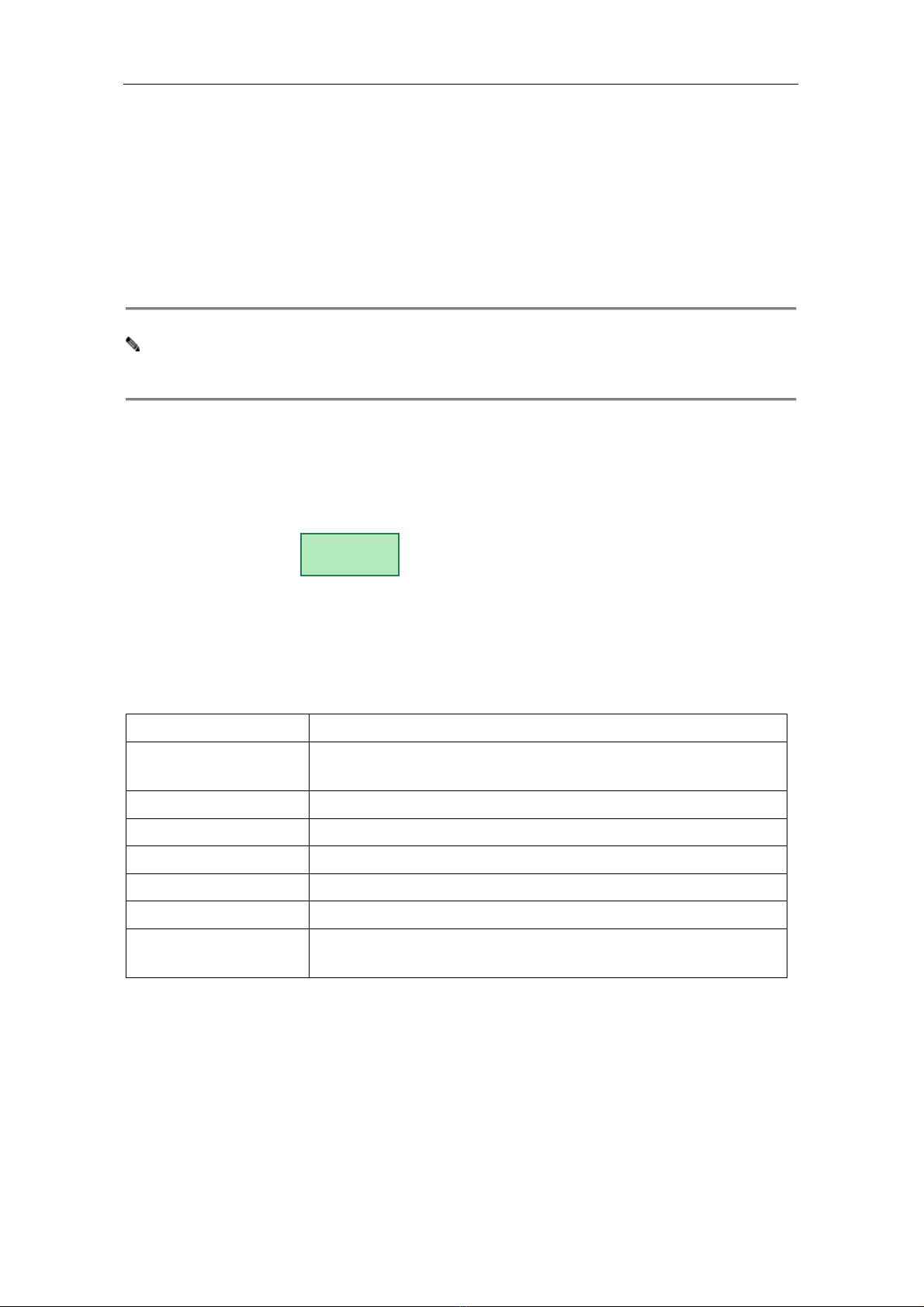
Password:

G100 User Manual
G100 User Manual Page 9 of 31
(3) Menu Structure
Dieses Handbuch passt für folgende Modelle
1
Inhaltsverzeichnis
Andere Global IP IP-Telefon Handbücher


