
GWC FA1210 Bedienungsanleitung

1
USB-to-Serial Hub
(FA1210/1220/1240/1280)
User’s Manual

2
Copyright Statement
No part of this publication may be reproduced in any form by any
means without the prior written permission. Other trademarks or brand
names mentioned herein are trademarks or registered trademarks of
their respective companies.
Disclaimer
Information in this document is subject to change without notice. The
manufacturer does not make any representations or warranties
(implied or otherwise) regarding the accuracy and completeness of
this document and shall in no event be liable for any loss of profit or
any commercial damage, including but not limited to special, incidental,
consequential, or other damage.
Safety Instructions
Always read the safety instructions carefully
Keep this User’s Manual for future reference
Keep this equipment away from humidity
If any of the following situation arises, get the equipment checked
by a service technician:
•The equipment has been exposed to moisture.
•The equipment has been dropped and damaged.
•The equipment has obvious sign of breakage.
•The equipment has not been working well or you cannot get it
work according to User’s Manual.

3
Table of Contents
1. Introduction...............................................................................................................4
Features....................................................................................................................................4
Package Content.......................................................................................................................4
System Requirement................................................................................................................5
2. Specification.............................................................................................................5
USB to 1-port RS-232 Hub......................................................................................................7
Hardware Dimension...............................................................................................................7
Hardware Introduction.............................................................................................................8
USB to 2-port RS-232 Hub......................................................................................................9
Hardware Dimension...............................................................................................................9
Hardware Introduction...........................................................................................................10
USB to 4-port RS-232 Hub.................................................................................................... 11
Hardware Dimension............................................................................................................. 11
Hardware Introduction...........................................................................................................12
USB to 8-port RS-232 Hub....................................................................................................13
Hardware Dimension.............................................................................................................13
Hardware Introduction...........................................................................................................14
3. Installation...............................................................................................................15
On Windows®2000/ Windows®XP/ Windows Vista®/........................................................15
Windows®7............................................................................................................................15
Installation Verification..........................................................................................................17
On Mac®OS X ......................................................................................................................18
Installation: ..................................................................................................18
Connect Serial Port Device....................................................................................................22
4. Regulatory Compliance .........................................................................................23
FCC Conditions .....................................................................................................................23
CE ..........................................................................................................................................23

4
1. Introduction
USB-to-Serial converter provides an easy solution connection serials ports as
needed for systems. USB-to-Serial functions as a converter between a USB
port and standard serial ports. We can easily connect this converter to the USB
port on your PC or USB hub and get access to any RS-232 devices such as
PDAs, scanners, printers, etc. This device is suitable for portable devices,
equipments, sales-end applications.
Features
Compliant with USB 2.0 specification,Hi-Speed USB data transmission
rate can up to 480 Mbps
No extra U/O or IRQ required
Support Serial port data transmission rate up up to 921.6 Kbps
Serial ports with 512 byte FIFO,Hardware and Software flow control
support
Support USB plug-and-play
USB bus-power, no external power adapter required (FA1210/1220/1240)
15KVDC ESD immunity to serial interface
Wall mount support
Package Content
Before installation, please check the package contains the following items:
USB-to-RS232 Device x1
USB cable x1
CD (Driver and User’s manual) x1
Extra for FA1280 only
RJ-45 to RS-232 Cable x8
Power Adapter x1

5
System Requirement
IBM compatible computer or Mac
Windows®2000, Windows®XP, Windows Vista®32/64-bit,
Windows®7, Mac 10.x
Built-in USB port computer
64 MB RAM or higher
Pentium®233 MHz or higher
2. Specification
1xRS-232 (FA1210)
2xRS-232 (FA1220)
4xRS-232 (FA1240)
Ports
8xRS-232 (FA1280)
DB9 male (FA1210/1220/1240)
Connector 8-pin RJ-45 (FA1280)
FIFO 512 bytes
ESD Protection 15 KV ESD
Serial Communication Speed 50 bps~921.6Kbps
Interface USB2.0
Interface Connector USB-B female
Bus-Power (FA1210/1220/1240)
Power Requirements 5V/3A DC (FA1280)
Operation Temperature 0℃to 55℃
Operating Humidity 5 to 95% RH)

6
100x60x29mm (FA1210/FA1220)
Dimensions(LxWxH) 195x80x38mm (FA1240/FA1280)
Regulatory Approvals FCC/CE
* Specification is subject to change without further notice.

7
USB to 1-port RS-232 Hub
Hardware Dimension
100mm
60mm
28.9mm

8
Hardware Introduction
USB
Port
Power
LED Status
LED Serial Port
Wall mount
hole
9
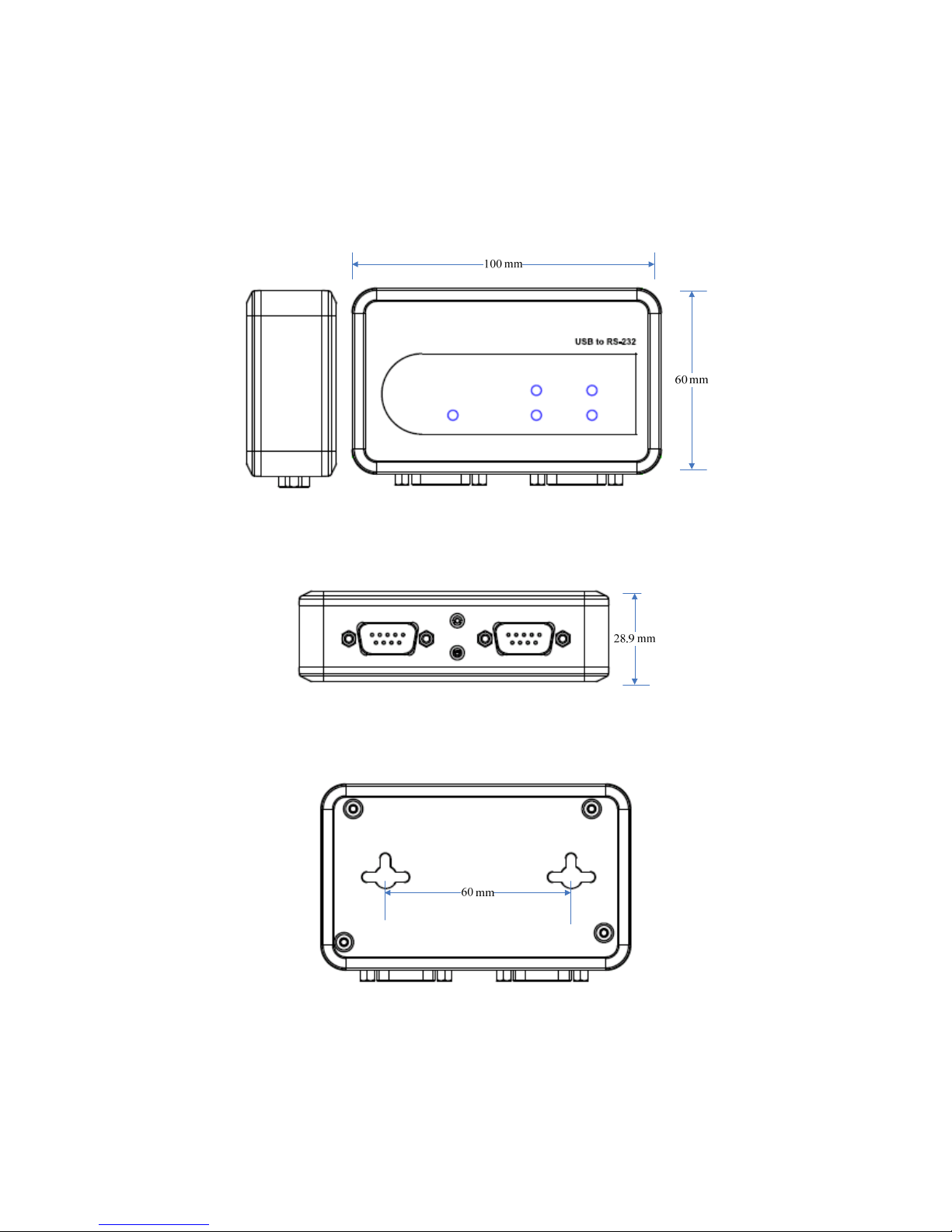
USB to 2-port RS-232 Hub
Hardware Dimension
10
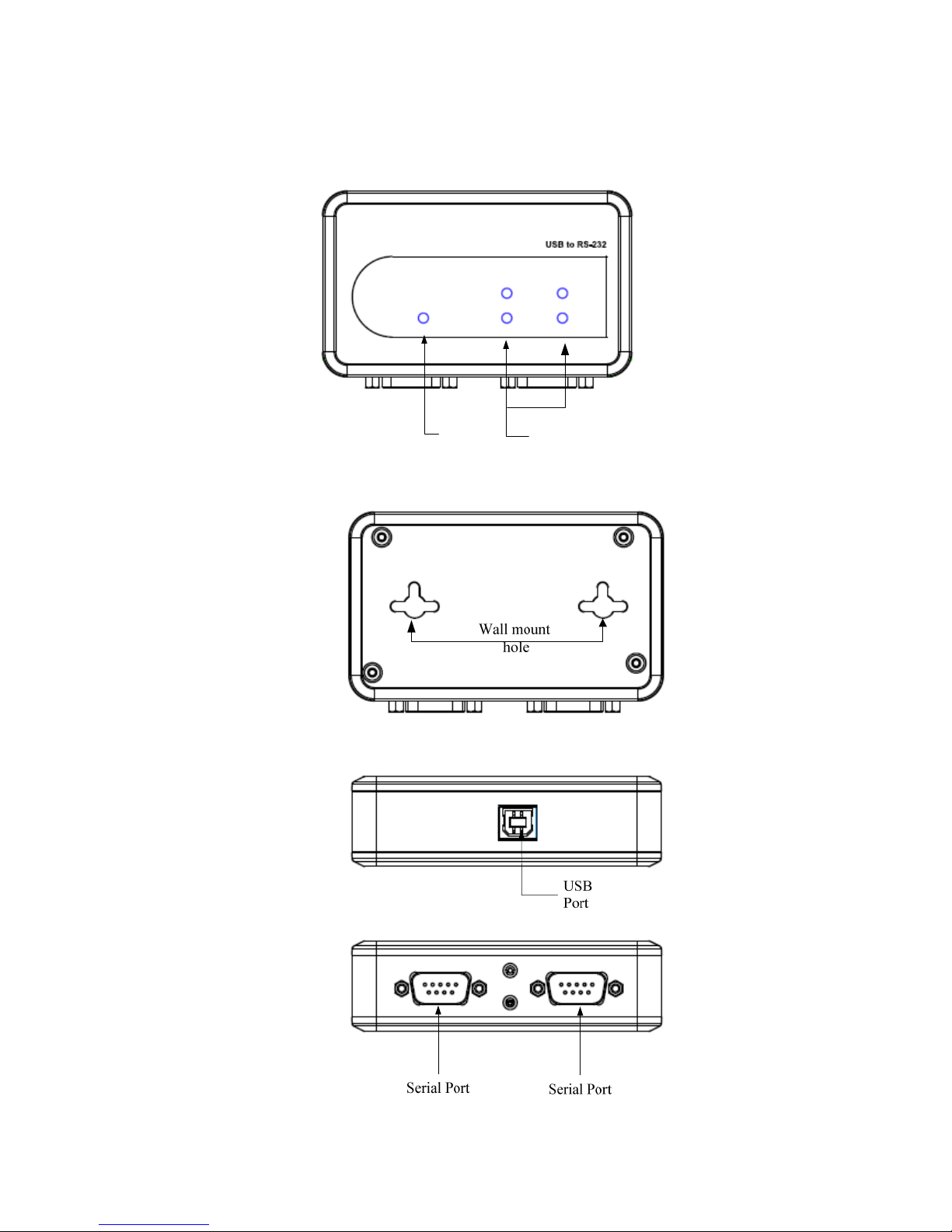
Hardware Introduction
Power
LED Status
LED
Dieses Handbuch passt für folgende Modelle
3
Inhaltsverzeichnis
Andere GWC Medienkonverter Handbücher


