Hagerman Technology Bugle Pro Bedienungsanleitung

HAGERMAN
T E C H N O L O G Y
Bugle Pro
Phono Preamp Kit

Bugle Pro Phono Preamp Kit Manual
2
Warnings
This product uses dangerous and potentially lethal voltages. Extreme care must be taken
while assembling this amplifier and should only be attempted by a skilled technician.
The instructions in this manual are a suggested guide only and no liability is assumed by
Hagerman Technology LLC.
Copyrights & Trademarks
©Copyright Hagerman Technology LLC 2004. All rights reserved. No part of this
document may be photocopied, reproduced, or translated to another language without the
prior written consent of Hagerman Technology LLC.
Disclaimer
The information contained in this document is subject to change without notice.
Hagerman Technology LLC shall not be liable for errors contained herein or for
consequential damages in connection with the furnishing, performance, or use of this
material. See Chapter 6 for warranty information.

Bugle Pro Phono Preamp Kit Manual
3
1 Before You Begin
Description
Congratulations! You have just purchased one of the highest performance-per-dollar
audiophile products available. The Bugle Pro was designed to be a simple yet flexible
phono stage capable of achieving very good sound quality comparable to far more costly
units. Variable equalization and a mono switch accommodate all older (pre-1955)
recordings. The circuit topology uses dual audio opamps to implement passive split
equalization filters and provide a low output impedance to drive interconnects. Gain can
be selected (fixed) to accommodate virtually any moving magnet or moving coil
cartridge. With a built-in power supply, the Bugle Pro offers a complete solution for
your vintage phono amplification needs.
The Bugle Pro half-kit comprises two blank circuit boards; two professionally cut and
screened chassis panels, and these instructions. To complete, you must purchase the
remaining components from Digi-Key (www.digikey.com).
Features
• Fully adjustable equalization
• Mono switch
• Built-in power supply
• Professional looking chassis
• 40dB to 60dB gain
• Clean, quiet solid-state design
• Quality components
Tools
You will need a few basic shop tools (screwdriver, pliers, wire cutters, etc.) and a fine-tip
soldering iron to build this kit.

Bugle Pro Phono Preamp Kit Manual
4
2 Parts to Buy
Parts List
This parts list is for a stock 40dB gain RIAA phono stage. You can order components
directly from www.digikey.com.
Component Qty DigiKey Reference Designators
4700uF 25V 4 P5159-ND C1, C2, C4, C5
470uF 25V 6 P5155-ND C3, C6, C7, C10
100nF 50V (2) 10 P4525-ND C8, C11
220nF 4 P3224-ND C1, C3, C4, C6
15nF 2 P3153-ND C2, C5
10nF 2 P3103-ND C2, C5
8.2nF 2 P3822-ND C2, C5
6.8nF 2 P3682-ND C2, C5
2.7nF 2 P3272-ND C2, C5
1.0 1W 2 1.0W-1-ND R1, R11
10 1W 2 10W-1-ND R2, R12
1k 1W 6 1.0KW-1-ND R4, R3, R6, R7, R9, R10
10k 1W 2 10KW-1-ND R5, R8
316 5 316XBK-ND R7, R13, R25, R31
1.00k 10 1.00KXBK-ND R9, R11, R12, R27, R29, R30
1.30k* 5 1.30KXBK-ND R3, R5, R21, R23
1.43k 10 1.43KXBK-ND R1, R14, R19, R32
1.82k 5 1.82KXBK-ND R14, R32
2.43k 5 2.43KXBK-ND R14, R32
3.65k 5 3.65KXBK-ND R14, R32
4.53k 5 4.53KXBK-ND R14, R32
8.45k 5 8.45KXBK-ND R8, R26
13.0k 10 13.0KXBK-ND R2, R4, R6, R10, R20, R22, R24, R28
47.5k 5 47.5KXBK-ND R15, R17, R33, R35
Diode, schottky 10 MBR1100-ND D1, D2, D3, D4, D5, D6, D7, D8
LED, panel 1 67-1148-ND
OPA2134 3 OPA2134PA-ND U1, U2, U3
LM7815 1 NJM78M15FA-ND U1
LM7915 1 NJM79M15FA-ND U2
RCA, red 2 CP-1412-ND
RCA, black 4 CP-1413-ND

Bugle Pro Phono Preamp Kit Manual
5
Ground jack 1 J587-ND
Socket, DIP 8 3 A400-ND
Ac input 1 Q205-ND
Fuse 2 F963-ND
Heat sink 2 HS191-ND
Transformer 1 TE70023-ND
Switch, mono 1 EG2351-ND
Switch, power 1 EG2350-ND
Switch, rotary 2 EG1954-ND
Power cord 1 Q120-ND
Knob 2 451-1121-ND
Standoff 8 1903CK-ND
Chassis 1 377-1152-ND
Screw, #6 100 H354-ND
* Depends on gain! Use 392 ohm for 60dB, 681 ohm for 50dB.

Bugle Pro Phono Preamp Kit Manual
6
3 Assembly
Step by Step
Please follow this systematic procedure for assembling the amplifier. Make sure you
have purchased all necessary components before you begin.
Chassis
Use the blank circuit boards to mark mounting holes on the bottom chassis cover (see
Figure 4). Boards should be centered within plastic bosses. Drill 9/64” holes (#6
screw).
Add eight standoffs using #6 screws.
Add a ground ring (from spare RCA jack) to the mounting threads of the mono/stereo
switch. Use the other spare ring on the ground lug.
Install all of the panel-mounted components. Set the stop ring on the rotary switches
to position # 6.
Add knobs to the rotary switches. Insure rotation is correct so labelling is proper.
Figure 1. View of back panel.
Connect resistors and capacitors to rotary switches per schematic. Keep leads as
short as possible. Wires will be added later.

Bugle Pro Phono Preamp Kit Manual
7
Circuit Boards
Bend and form the leads on the resistors and install into their proper places. Solder in
place and trim leads.
Install sockets.
Install diodes.
Install capacitors.
Mount regulators to heat sinks using #4 hardware. Use #4 washers under the heat
sinks as small spacers. Solder in place.
Install transformer.
Add jumpers to S1 switch location on phono board. See Figure 3.
Figure 3. Jumpers for S1.
Locations R14, R32, C2, and C5 on phono board should be EMPTY. It is recommended
you remove solder flux from the circuit boards by soaking in 99% isopropyl alcohol for
½ and hour. Use a soft paintbrush to scrub. Rinse with clean alcohol and blow dry.
Install opamps.
Integration
Use the schematic at the back of this manual as reference for wiring the boards and panel
components.
Mount circuit boards into chassis. See Figure 4.
Connect the power supply outputs (+/-15V) to the battery terminals on the phono
board. B1 is positive; B2 is negative (connect + to ground).
Connect a ground wire from phono board (input side) to ground jack on rear panel,
and to the body of the mono/stereo switch.
Connect twisted pair wires (or coaxial) from the input RCA jacks to their respective
inputs on the phono board.
Connect output RCA jacks to phono board.
Connect TURNOVER switch to R14 and R32 locations on phono board.

Bugle Pro Phono Preamp Kit Manual
8
Connect CUT switch to C2 and C5 locations.
Connect LED to power supply.
Connect NEUTRAL terminal on ac input connector to the power supply transformer
primary. The dual primaries are wired in parallel for 115Vac operation (as shown in
schematic), and in series for 230Vac.
Connect LINE terminal on ac input connector to power switch. Connect other
terminal on power switch to transformer primaries.
There is no need to connect EARTH ground since the chassis is plastic and all secondary
voltages are isolated. This helps to reduce ground loops.
Figure 4. Wiring of components.

Bugle Pro Phono Preamp Kit Manual
9
4 Testing & Installation
Testing
Performance testing is possible if you have access to laboratory test equipment, but is
typically unnecessary. You can do a basic test with a DVM by checking supply voltages
on the opamps and insuring there is no dc offset at the outputs.
Connections
Connect the Bugle Pro just like any other phono stage. The input and output jacks are
RCA types. Make sure the ground lead from the turntable is connected to the grounding
screw between the input jacks. Close proximity to large electric or magnetic fields may
induce hum or buzz into the signal.
Set the equalization switches to the “•” setting for modern RIAA. Information on settings
for various older records can be found at http://www.shellac.org/wams/wequal.html.

Bugle Pro Phono Preamp Kit Manual
10
5 Specifications
The following specifications are subject to change without notice. Values given are for
stock components at 40dB gain.
Item Specification
Gain 40dB to 60dB (fixed)
Input Impedance 47k ohm
Output Impedance 330 ohms
RIAA Response +/-0.5dB from 30Hz to 60kHz
Bandwidth (-3dB) 15Hz to 150kHz (minimum)
Distortion 0.05% @1kHz
SNR 74dB ref 5mV A-weighted*
Overload 55mV @1kHz
Fuse 0.125 amps
Size 8 x 7 x 3.5 inches
* Shorted inputs in absence of stray powerline fields.
Inhaltsverzeichnis
Andere Hagerman Technology Verstärker Handbücher

Hagerman Technology
Hagerman Technology Bugle Bedienungsanleitung

Hagerman Technology
Hagerman Technology Clarinet Bedienungsanleitung

Hagerman Technology
Hagerman Technology The Ripper Bedienungsanleitung

Hagerman Technology
Hagerman Technology Cymbal Bedienungsanleitung

Hagerman Technology
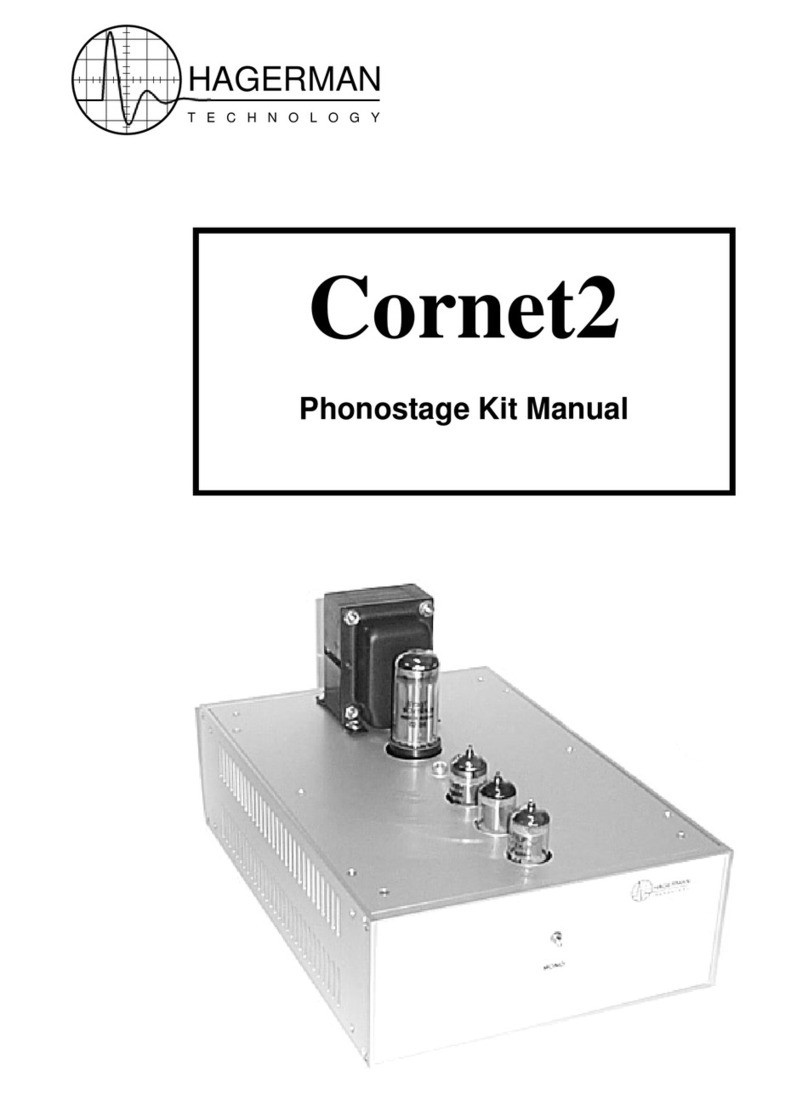
Hagerman Technology Cornet2 Bedienungsanleitung

Hagerman Technology
Hagerman Technology Archiver Bedienungsanleitung