
KeeLog KeyGrabber TimeKeeper Bedienungsanleitung
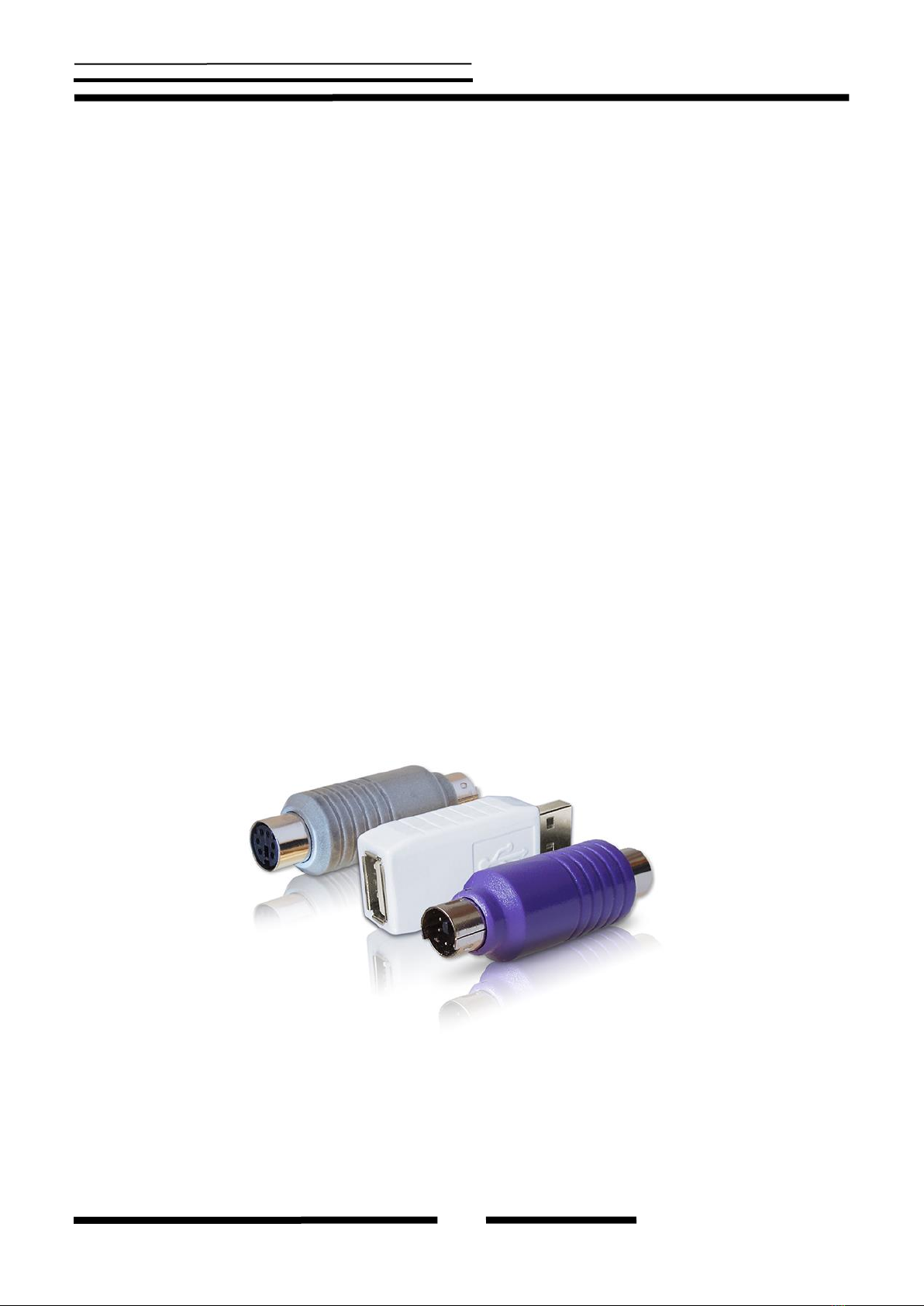

KeyGrabber TimeKeeper
Copyright © 2013 KeeLog
2
Table of contents
Table of contents......................................................................................................................2
Getting started..........................................................................................................................2
Introduction ..............................................................................................................................3
About the product .................................................................................................................3
Features ...............................................................................................................................3
Requirements .......................................................................................................................3
Applications ..........................................................................................................................4
Quick Start ...............................................................................................................................5
Recording keystrokes...............................................................................................................7
Viewing recorded data..............................................................................................................8
Flash Drive mode..................................................................................................................8
Text Menu mode (PS/2 version only)..................................................................................10
Clock configuration................................................................................................................. 11
Configuration files...................................................................................................................13
CONFIG.TXT......................................................................................................................14
TIME.TXT ...........................................................................................................................15
Mac Compatibility Pack (USB version only) ...........................................................................16
National keyboard layouts......................................................................................................17
Using KL Tools....................................................................................................................... 18
Specifications......................................................................................................................... 19
Troubleshooting...................................................................................................................... 20
List of special keys.................................................................................................................22
Legal disclaimer .....................................................................................................................23
Getting started
Already familiar with KeyGrabber keyloggers?
Start key-logging in 3 simple steps: section Quick Start
New to KeyGrabber hardware keyloggers?
Learn about keystroke recording first: section Recording keystrokes
Then learn to retrieve the recorded data: section Viewing recorded data
Finally, configure the internal clock: section Clock configuration
Questions or problems?
Go through the Troubleshooting section.

KeyGrabber TimeKeeper
Copyright © 2013 KeeLog
3
Introduction
About the product
The KeyGrabber TimeKeeper is a special version of the KeyGrabber USB and KeyGrabber
PS/2, with an additional time-tracking module powered by an internal battery. The
KeyGrabber TimeKeeper inherits all the powerful features of the USB and PS/2 series, adding
the capability to create date and time-stamps in the log file. All TimeKeeper series devices
have a huge 2 Gigabyte flash disk, ensuring years’ worth of keystroke logging without any
maintenance. Both the USB and PS/2 versions are accessible via the Mass Storage Device
technology, guaranteeing super-fast and easy data access. This hardware keylogger is 100%
transparent for computer operation and no software or drivers are required.
Features
Internal clock and battery with over 7 years lifetime guaranteed
Built-in time-stamping module
Huge 2 GB memory capacity, organized as a flash file system
Compatible with all USB and PS/2 keyboards (including Linux & Mac)
Mac Mode ensuring full compatibility with Apple keyboards (MCP version only)
Ultra fast memory contents retrieve through USB
Transparent to computer operation, undetectable for security scanners
Memory protected with strong 128-bit encryption
Quick and easy national layout support
Flash Drive mode available both in USB and PS/2 versions
Ultra compact and discrete, less than 2 inches (5 cm) long
Complete functionality of the KeyGrabber USB or KeyGrabber PS/2
Requirements
Compatible keyboard:
USB version: USB HID-compliant keyboard (Low-Speed, Full-Speed, or High-Speed)
PS/2 version: PS/2 compliant keyboard
Computer with USB Mass-Storage device support

KeyGrabber TimeKeeper
Copyright © 2013 KeeLog
4
Applications
Employers:
Monitor acceptable internet usage
Monitor employee productivity
Detect unauthorized access attempts
Backup typed text
Collect computer usage statistics
Parents:
Monitor your family's computer activity
Protect your child from on-line hazards and predators
Observe WWW, E-mail, and chat usage
Save a copy of written documents
Investigators:
Monitor remote computers
Retrieve unknown passwords, operating system independent
Collect computer-related evidence
Detect unauthorized use of computer equipment
KeyGrabber TimeKeeper
Copyright © 2013 KeeLog
5
Quick Start
This section assumes you are already familiar with basic hardware keylogger handling, such
as recording and retrieving data. If you need detailed instructions, please refer to sections
Recording keystrokes and Viewing recorded data.
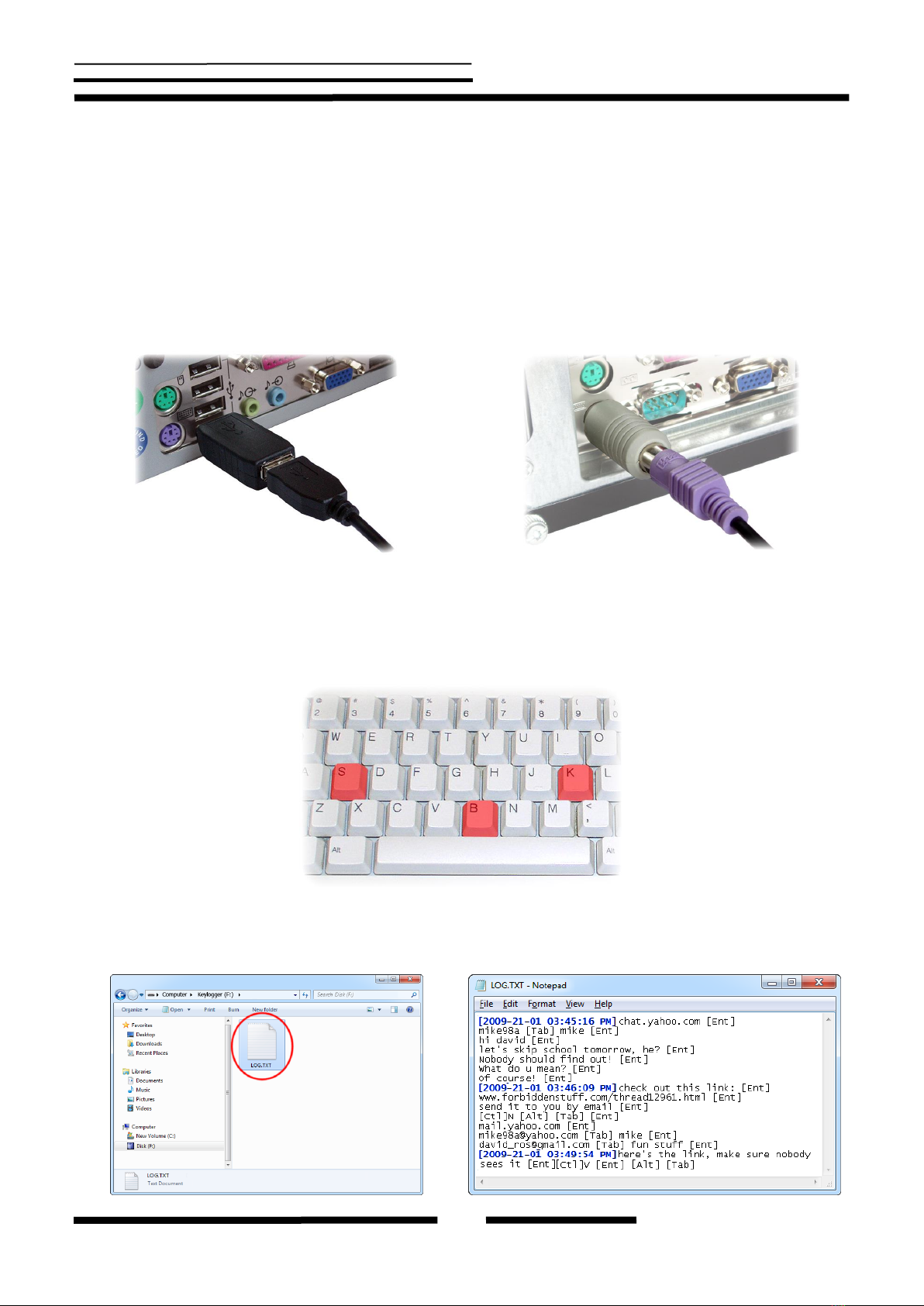
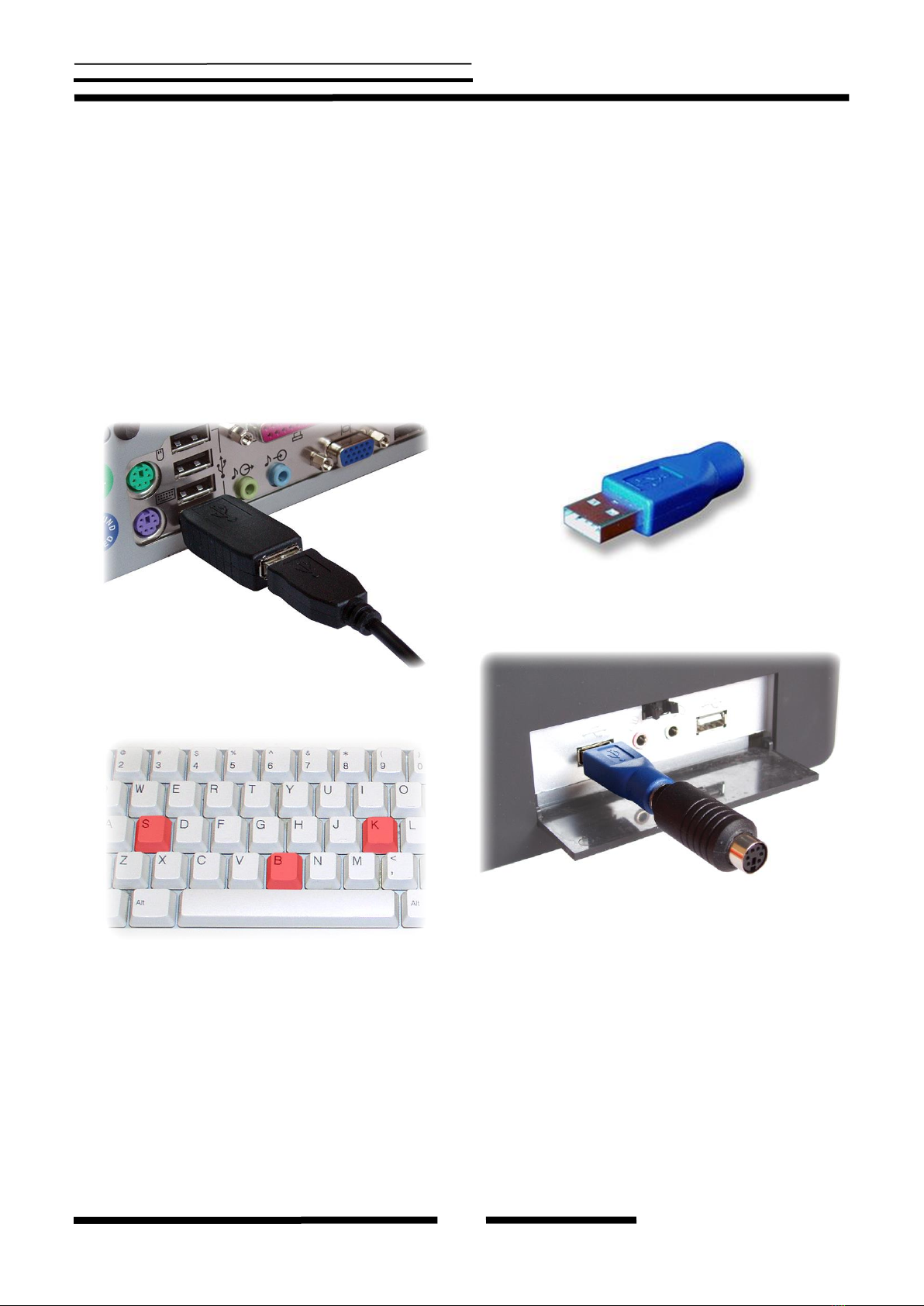
To record keystrokes, plug the device in-between the keyboard and USB or PS/2 port.
USB version
PS/2 version
Plug the USB keylogger in-between the
keyboard and USB port.
Plug the PS/2 keylogger in-between the
keyboard and PS/2 port.
To view recorded data using the USB version, plug the device in-between the keyboard
and USB port, and then press the 3-key combination simultaneously (by default K, B, S)
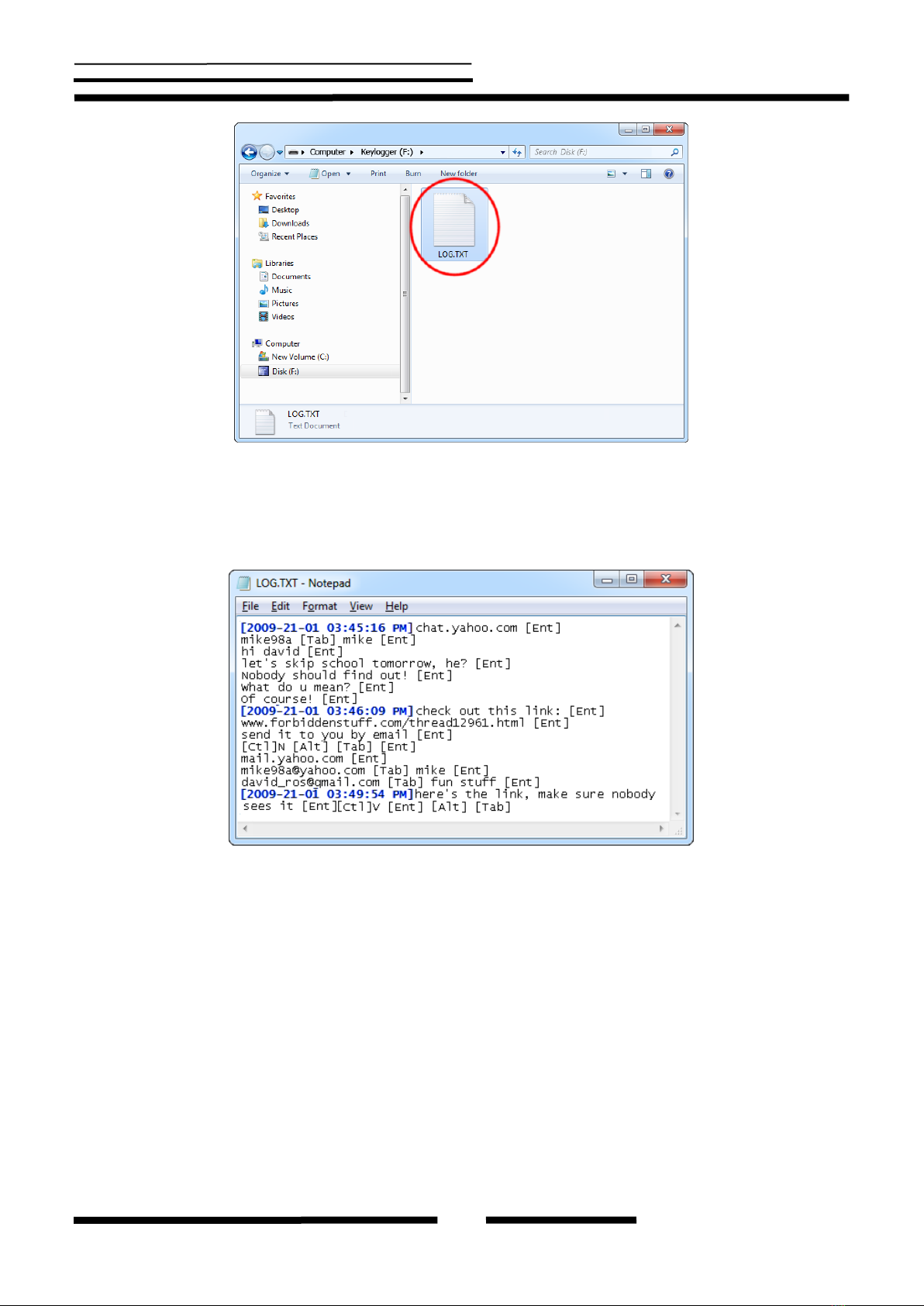
The keylogger will pop-up as a removable drive, containing the file LOG.TXT. This file will
contain all recorded keystroke data.
KeyGrabber TimeKeeper
Copyright © 2013 KeeLog
6
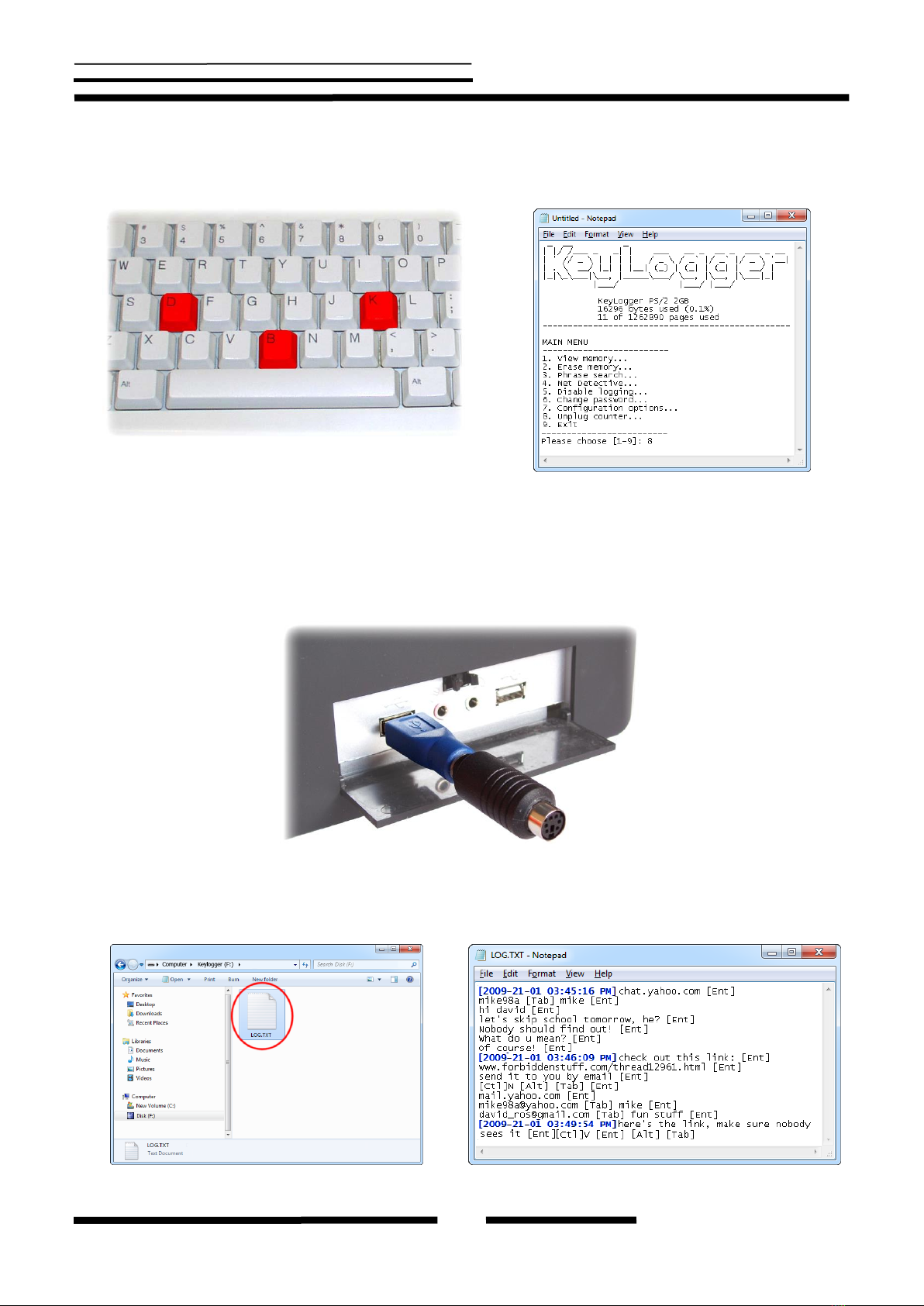
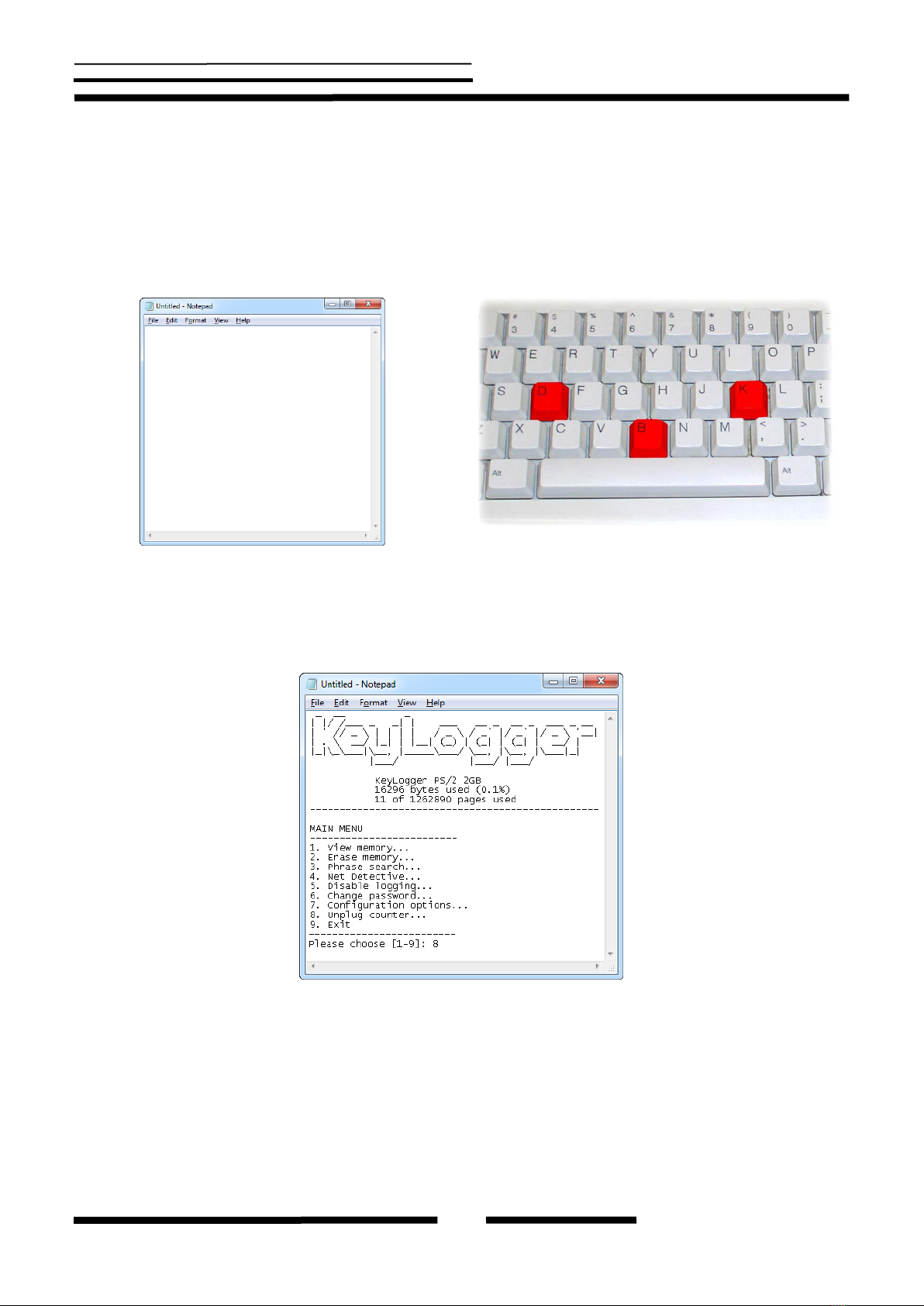
To view recorded data using the PS/2 version, plug the device in-between the keyboard
and PS/2 port, and open a text editor (such as Notepad). Then press the 3-key combination
simultaneously (by default K, B, D)
A text menu will pop up, showing available options. Use the text menu to browse recorded
keystroke data.
Alternatively, to gain instant access to the entire log, connect the keylogger to a USB port
using the USB Download Accelerator.
The keylogger will pop-up as a removable drive, containing the file LOG.TXT. This file will
contain all recorded keystroke data.
KeyGrabber TimeKeeper
Copyright © 2013 KeeLog
7
Recording keystrokes
Recording mode is the default mode of operation for the KeyGrabber TimeKeeper keylogger.
In record mode, the device will silently monitor all keystrokes coming from the keyboard and
store them on the internal Flash Drive in file LOG.TXT.
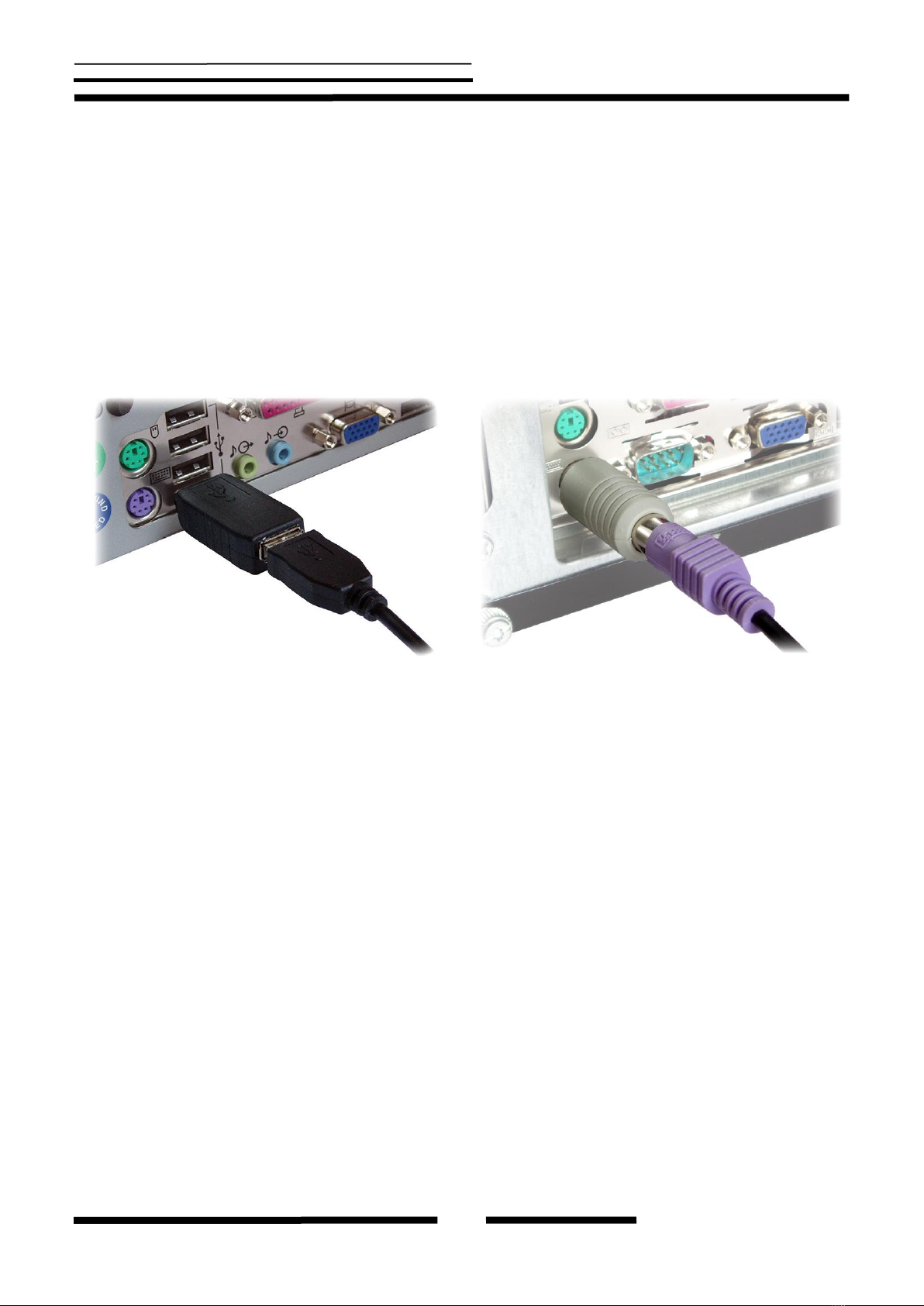
Installation of the keylogger in record mode is quick and easy, no software or drivers are
required. Simply plug it in between the keyboard plug and keyboard port. Recording will start
automatically on power-up.
USB version
PS/2 version
Plug the USB keylogger in-between the
keyboard and USB port.
Plug the PS/2 keylogger in-between the
keyboard and PS/2 port.
Note: If an external hub is being used, connect the keylogger between the hub and the USB
keyboard.
KeyGrabber TimeKeeper
Copyright © 2013 KeeLog
8
Viewing recorded data
Once keystroke data has been recorded, it may be accessed directly by switching to Flash
Drive mode. The PS/2 version has an additional option of displaying a text menu, described in
section Text Menu mode.
Flash Drive mode
The primary method for viewing recorded data is Flash Drive mode. The keylogger will act as
a mass-storage device and pop-up as a removable drive. Follow the instructions below.
USB version
PS/2 version
Plug the USB keylogger in-between the
keyboard and USB port...
...and press the 3-key combination
simultaneously (by default K, B, S).
Use the supplied USB Download
Accelerator...
...and connect the device to a USB port.
After a few seconds, the hardware keylogger will automatically get detected as a mass
storage device. The operating system will use the standard built-in mass storage driver (MS
Windows 7 in the following examples).
Note: During the first switch to Flash Drive mode, the operating system can ask for drivers. In
such case choose automatic driver installation (usually default option).
KeyGrabber TimeKeeper
Copyright © 2013 KeeLog
9
The Flash Drive will contain the file LOG.TXT with a text log of all captured data. Keystroke
data is formatted in the same as it would appear on the screen, with special keys in brackets
([Ent], [Esc], [Del] etc.). This file can be viewed and searched with any text editor, such as
Notepad or MS Word.
Switching back to record mode can be achieved by a safe software removal of the flash disk.
Use the systems standard disk removal procedure. For MS Windows, left-click on the Safe
Removal icon in the system tray and select the appropriate drive.
For additional information, refer to the KeyGrabber USB User’s Guide and the
KeyGrabber PS/2 User’s Guide.
KeyGrabber TimeKeeper
Copyright © 2013 KeeLog
10
Text Menu mode (PS/2 version only)
The PS/2 version features an alternative approach for memory viewing called Text Menu
mode. This mode does not require unplugging the device from the PS/2 keyboard, however is
a lot slower than Flash Drive mode. To enable Text Menu mode, the keylogger and PS/2
keyboard should be connected in the same way, as in record mode. A text editor is required,
such as Notepad.
Run the text editor and make it the active
application.
Press the 3-key combination simultaneously
(by default K, B, D)
The keylogger responds by simulating the PS/2 keyboard and will display a text-menu in the
editor window.
The displayed main menu shows a summary of memory usage in bytes and pages. The text
menu offers a variety of view, search, and configuration options. Use the digit keys to browse
around the menu.
Note: do not change the active application while in text-menu mode.
For additional information, refer to the KeyGrabber PS/2 User’s Guide.
Inhaltsverzeichnis


