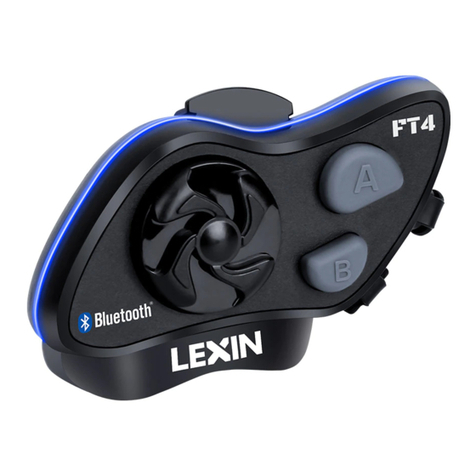
LEXIN LX-R6 Bedienungsanleitung


Table of Contents
1.Introduction...................................................................................1
2.Package Contents.......................................................................2-3
3.Installation Instructions............................................................3-4
4.General Operation Instructions..................................................5
-Powering On/Off and Charging
-Pairing LX-R6 with a Bluetooth Device
5.Controls and Functions...........................................................6-9
6.Maintenance and Care................................................................9
7.Certification and Safety Approvals......................................9-10
8.Warranty......................................................................................10
9.Waiver and General Release..................................................10-11

1
1. Introduction
Thank you for choosing the LX-R6, Motorcycle 6 Rider Large Group 1200M
full-duplex stereo Bluetooth wireless helmet headsets, designed for installation into
most open-face, flip-front and full-face style helmets.
With the LX-R6, you can call hands-free on your Bluetooth mobile phone, listen to
stereo music or voice instructions of GPS navigations by Bluetooth wirelessly, and
have intercom conversations in full duplex with a passenger or multi-pair up to 6
Riders in a large group and talk between any 2 of them in a range of 1200M (1 Mile)
distance.
The LX-R6 is compliant with the Bluetooth Specification v3.0 supporting the
following profiles: Headset Profile, Hands-Free Profile (HFP), Advanced Audio
Distribution Profile (A2DP). Please check with the manufacturers of other devices to
determine their compatibility with this headset.
Superior audio fidelity has been achieved with our wide-fidelity, non-ported and
ultra-slim helmet speakers. This headset also provides the industry's best combination
of wind and ambient noise reduction with the miniature boom microphone.
Main unit is powered by a rechargeable Lithium Ion/Polymer power cell providing
8-12 hours of use from a full charge.
Please read this user manual carefully before using the headset.

2
How it Works
2. Package Contents

3
• LX-R6 Main Unit
•Slim 5mm Hi-Fi Stereo Speaker
•Boom Microphone for both full-face and half-face style helmet
• Mounting Bracket & Clamp& 3M Tape
• USB Cable
• 3.5mm Audio Cable
• User Manual
3. Installation Instructions
3.1 Insert the back plate of the clamp between the internal padding and external shell
of the helmet, then attach the front bracket in the proper position on the left bottom
edge of the helmet and tighten the clamp with the supplied screws.
Clip Bracket and 3M Tape Bracket

4
3.2 Locate an area in the nose section just to the left of center to mount the
microphone. If you are installing into an open face helmet, please adjust the direction
of the microphone so that the triangular mark on the microphone is pointing towards
your mouth.
Boom Microphone for Open Face Helmet and Full Helmet
3.3 Place the speakers into the cheek pads. Push the speakers and microphone firmly
against the Velcro pads.
3.4 Push the wires into the gap between the helmet liner and shell.
3.5 Mount the LX-R6 main unit on the bracket.
3.6 Plug the headset into the main unit.

5
4. General Operation Instructions
4A. Powering On/Off and Charging
• Power On
Press & hold the POWER/RIDER A Button for about 6 seconds to power on. The
blue LED turns on.
• Power Off
Just short press the Reset Button one time for quick power off, or press and hold the
POWER/RIDER A Button for about 6 seconds to power off. The blue LED will stop
blinking but keep on, then release the button.
• Charge
The LED turns on red while charging, and turns off when the main unit is fully
charged. It takes about 2.5 hours to be completely charged.
4B. Pairing the LX-R6 with a Bluetooth Device
Before using the LX-R6 Bluetooth headset with any of Bluetooth devices for the first
time, you need to do the pairing operation. It can be paired with Bluetooth mobile
phones, Bluetooth audio devices such as MP3 or GPS, and with other LX-R6
Bluetooth headsets. This pairing operation is only required once for each Bluetooth
device, and the headset will remain paired with the devices and automatically
connects to the paired devices again when they are within range.
• Pairing a Mobile Phone
1. Press & hold the POWER/RIDER A Button for about 8 seconds until the LED
flashes red and blue alternately.
2. Search for Bluetooth devices on your mobile phone. The headset will be listed on
your mobile phone as Motor Phone.
3. Enter 0000 for the PIN.
4. Your mobile phone will confirm that pairing is complete. Then only the blue LED
blinks every 5 seconds.
• Pairing a Stereo Bluetooth Adaptor
1. Turn on audio source and prepare Stereo Bluetooth Adaptor for pairing
2. Put LX-R6 main unit in Bluetooth pairing mode (see above)
3. Turn on or plug in Stereo Bluetooth Adaptor
4. Audio source will automatically start playing though LX-R6 main unit when
pairing is complete.
• Pairing Bluetooth GPS Navigation
1. You can listen to Bluetooth voice instructions from a Bluetooth GPS navigation.
2. The paring procedure is the same with the procedure of “Pairing Mobile Phone”.
3. Please refer to the manual of the Bluetooth GPS navigation for details.

6
5. Controls and Functions
5.1 Volume and Music Control
5.1 Volume Adjustment
You can easily adjust the volume by short pressing Volume - & Volume + Button.
You will hear a beep when the volume reaches maximum or minimum level.
5.2 Safe Mobile Phone Calls - Incoming and Outgoing
5.2.1 Answer incoming call:
5.2.1. When you have an incoming call, you can wait 3-5 seconds and the headset will
answer the call automatically. Or you can simply short press the Phone/Play Button to
answer the call.
5.2.2 Reject incoming call:
press & hold the Phone/Play Button for 2 seconds.
5.2.3 End active phone call:
short press the Phone/Play Button
5.2.5 Last phone call number redial:
press & hold the Phone/Play Button for 2-3 seconds.
Note: In some cases (e.g. high-power RF radio influence or metal blocking), the
headset might disconnect from the mobile phone. Please short press the Power button
to reconnect.
5.3 Bluetooth Intercom Talk
5.3.1 Pairing with the other LX-R6 headsets for Intercom Conversation
The LX-R6 can be paired with up to five other headsets for a large group Bluetooth
Intercom conversation.
1) Pairing two LX-R6 headsets to talk
1.Start with power off status, press and hold Power Button on both headsets for 6
seconds until the LED flashes red and blue alternately.
2. Short press the power button on either headset (A or B) and wait until the LEDs of
both headsets turn to blue blinking and intercom connection is automatically
established. (Headset A is paired with Headset B)
3. Press the power button to start or quit the Intercom. Wait three to five seconds for
the units to connect when starting a conversation. When in an Intercom conversation
you can see both blue and red led blinks simultaneously.
2) Paring Six LX-R6 headsets to talk
1. Turn on the two headsets (A and B) that you would like to pair with each other.
2. Press and hold the Button B of the Headsets A for 6 seconds until the LED flashes
red and blue alternately. Meanwhile, press and hold the Button A of the Headsets B
for 6 seconds until the LED flashes red and blue alternately.
3. Short press the Button A of Headset B or Button B of the Headsets A and wait until
the LEDs of both headsets turn to blue blinking and intercom connection is
automatically established. (Headset A is paired with Headset B)

7
4. You can make other pairings between the headset A and C, A and D, A and E, A
and F, then the headsets B and C, B and D, B and E, B and F, then the headset C and
D, C and E, C and F, then the headset D and E, D and F, then the headset E and F by
following the same procedure as above.
Note:
1.If you have purchased LX-R6 Dual Pack, the 2 units are pre-paired already, you
can simply press the power button to initiate or quit the intercom talking with the
other.
2.There is no Rider F Button on the headset, so for Headsets A, we use Rider A Button
as Rider F Button, and so forth.)
To get the overall pairing details, please refer to the following table:
INTERPHONE
PAIRING
BUTTON
STATUS
BEFORE
PAIRING
WHEN RED AND
BLUE LED FLASH
ON BOTH UNITS,
SHORT PRESS
BELOW BUTTON
ON LEFT
HEADSET
<---pair each
other in 5-9
seconds--->
INTERPHONE
PAIRING
BUTTON
STATUS
BEFORE
PAIRING
Headset A
B
powered on
B
<---pairing--->
Headset B
A
powered on
Headset A
C
powered on
C
<---pairing--->
Headset C
A
powered on
Headset A
D
powered on
D
<---pairing--->
Headset D
A
powered on
Headset A
E
powered on
E
<---pairing--->
Headset E
A
powered on
Headset A
A
powered on
A
<---pairing--->
Headset F
A
powered on
Headset B
C
powered on
C
<---pairing--->
Headset C
B
powered on
Headset B
D
powered on
D
<---pairing--->
Headset D
B
powered on
Headset B
E
powered on
E
<---pairing--->
Headset E
B
powered on
Headset B
B
powered on
B
<---pairing--->
Headset F
B
powered on
Headset C
D
powered on
D
<---pairing--->
Headset D
C
powered on
Headset C
E
powered on
E
<---pairing--->
Headset E
C
powered on
Headset C
C
powered on
C
<---pairing--->
Headset F
C
powered on
Headset D
E
powered on
E
<---pairing--->
Headset E
D
powered on
Headset D
D
powered on
D
<---pairing--->
Headset F
D
powered on
Headset E
E
powered on
E
<---pairing--->
Headset F
E
powered on
5. Six headsets are completely multi-paired as a large group and switch to talk
between any 2 of them in a range of 1200M (1 Mile) distance.
Note: Please make sure that during the pairing procedure, only two headsets are in
power on status, and the other four ones are in power off status.

8
5.3.2 Start intercom talk
You can start an intercom conversation with the other Intercom Riders by
pressing the POWER/RIDER A or RIDER B or RIDER C or RIDER D or RIDER E
Button.
5.3.3 Disconnect the intercom talk
To terminate an intercom conversation, short press again the POWER/RIDER
A or RIDER B or RIDER C or RIDER D or RIDER E Button.
Note: (As there is no Rider F Button on the headset, so if you are the Headset A, you
need to press Rider A Button on the main unit to talk with the Headset F, and so
forth.)
Note:
1.When in 6 Rider large group conversation, to initiate an intercom conversation,
short press the RIDER B Button on the Headset A to talk with the Headset B, and so
forth.
2.When you try to start an intercom conversation with an Intercom rider who is
already having an intercom conversation or a mobile phone call with another person,
you can’t make it and will hear low tone double beep as a busy signal. In this case,
you have to try again later.
3.If your Intercom rider goes out of range while having an intercom conversation,
you may hear static noise and eventually the intercom will be disconnected. In this
case, the LX-R6 automatically tries to reconnect the intercom every 8 seconds and
you will hear high tone double beeps until the intercom is reestablished. If you don’t
want to make a reconnection, short press the POWER/RIDER A Button to stop the
attempt .
5.4 Stereo Music
• By Bluetooth Wireless Stereo
The Bluetooth audio device must be paired with the LX-R6 by following the
Bluetooth Audio Device Pairing instructions described in the previous chapter. The
LX-R6 supports the Advanced Audio Distribution Profile (A2DP), so if your
Bluetooth audio device also supports the A2DP, you can use the LX-R6 to remotely
control music playback. You may not only adjust the volume but also use the
functions such as play & pause.
- Press Volume + or Volume – Button to adjust the volume
- Press Phone/Play Button to play/pause the music
• By Stereo Audio Cable
Plug your stereo MP3 player directly to the LX-R6 by using the enclosed 3.5mm
audio cable. You may adjust the volume and control the music playback on the MP3
player.

Inhaltsverzeichnis
Andere LEXIN Gegensprechanlage Handbücher