
LMHOME LM002 Bedienungsanleitung

1
GPRS/GPS gps Tracker
LM002 User Manual
Preface
Thank you for purchasing the tracker. This manual shows how to operate the device
smoothly and correctly. Make sure to read this manual carefully before using this product.
Please note that specification and information are subject to changes without prior notice
in this manual. Any change will be integrated in the latest release. The manufacturer
assumes no responsibility for any errors or omissions in this document.
1. Summary
Working Based on existing GSM/GPRS network and GPS satellites, this product can
2
locate and monitor any remote targets by SMS or internet.
Content
Specs
Dim.
70*45*20MM
Weight
103g
Network
GPRS
Band
850/1900Mhz
GSM chip
MTK6261D
GPS chip
U-blox 7020
GPS sensitivity
-159dBm
GPS accuracy
5m
Time To First Fix
Cold status 45s
Warm status 35s
Hot status 1s
Work voltage
3.6V~5V DC
Battery
Chargeable changeable 3.7V 3780mAh Li-ion battery
Storage Temp.
-40°C to +85°C
Operation Temp.
-20°C to +55°C
Humidity
5%--95% non-condensing
2.Main functions
·GSM quad-band frequency;
·Real time tracking by SMS/GPRS
·Low battery alarm;
·Geo-fence alarm ;
·move alarm

3
·Add Smart sleep save power Mode
·Add AGPS function,receive GPS signals faster
·Add waterproof and dust proof
·patented product
·Add Roll call positioning
·Add app set
3. Notices:
1).GPS tracking can be worked outdoor. Must have mobile phone gsm signal and have
GPS signal, It can block GPS satellite signal when there are metal or building above the
GPS tracker
2).Please make sure GSM 2g SIM card or compatibility 2G GSM network sim card,
supports making calls, sending messages, GPRS network.have money,Cancel the PIN
code
3.1Quick using
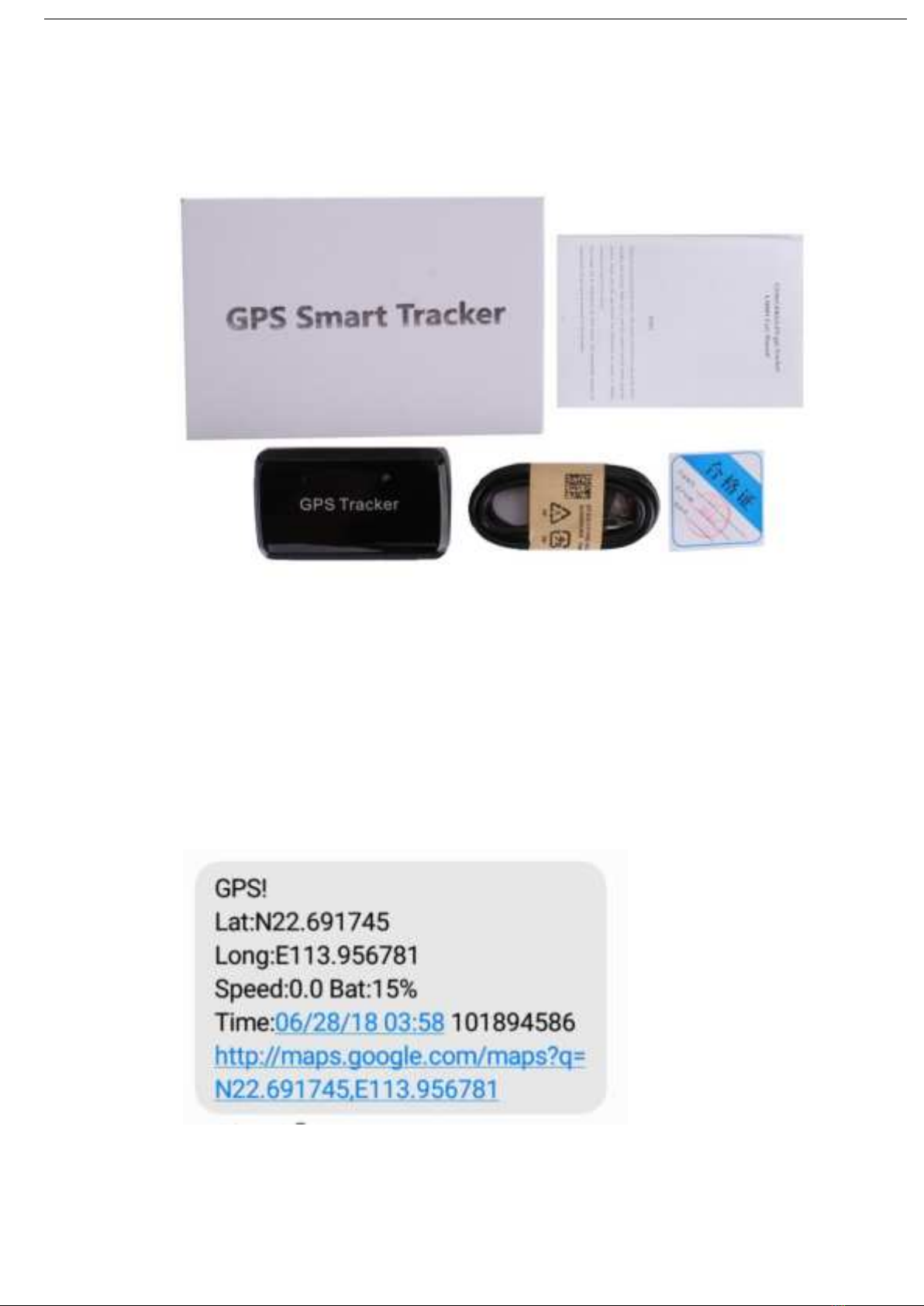
3.2 Accessories Name:
4
3.3 Use mobile phone call the device and hang up or sending message
“smslink123456” to sim card in tracker , and respond to a real-time latitude and
longitude information as following:
Picture (1) have gps signal

5
Picture (2) no gps signal
Pic(1):Replied real-time tracking information
Lat:22.691789 lon:113.957028: Positioning of the latitude and longitude
Speed:000.1: device moving speed. The unit is km/h.
Time:06/28/18 03:58 : real-tracking time, the default is London time. You can
set a time zone by sms command
Google Link: This is the link to the google map showing the position of the device.
Pic( 2) :Replied last time position information. Now is LBS position
information. no gps signal
smcc:460 sMnc:0 sLac:9786 Cellid:3552 Real-time LBS data.
Time:06/01/15 00:01 LBS positioning time.
If you received positioning information as picture 2, please take gps tracker go to
outdoor and Walking ,then you can receive the satellite signal.
4. Initialization
Send SMS “begin+password” to the unit, it will reply “begin OK” and initialize
all the settings to default factory settings.(default password: 123456)
For example: send SMS “begin123456”, it will reply “begin ok”. (no quotation marks”” when
sending all the SMS)

6
5 Change Password
5.1 Send SMS “ password+old password+space+new password” to the unit to change the
password. For example: send SMS “password123456 888888” to the unit. If
succeeded,“password OK” will reply to your cell phone from the device tracker.
5.2 Be sure to keep the new password in mind, you have to upload the software to restore
the original setting in case of losing the new password.
5.3 Attention: Make sure the new password is in 6 digits, or else the tracker cannot
recognize the password.
6.Device Resetting
Send SMS “reboot123456” to tracker device to reset the GSM module and GPS module
of the tracker device, it will reply “ reboot ok ”. (default password: 123456)
7. Authorization
There are 3 numbers to be allowed to authorize in the tracker at most
7.1Send SMS “admin+password+space+cell phone number” to set up an authorized
number, the other authorized numbers should be set by the first authorized number, if the
number is authorized, the unit will reply” admin OK” by SMS.
7.2Delete authorization: Send SMS“noadmin+password+space+authorized number” to
delete the authorized number.
8. Successive Locating Automatically
Send SMS “ upload123456 10” to the tracker device, it will reply the geo-info continuously
at 10 seconds intervals.( Set upload interval,Range (10-60),the set value must be a
multiple of 5.) the unit will reply “upload ok” by SMS.
9. Monitor In this mode, the user can dial up the tracker device to monitor the voice
Send SMS command "jt#" to tracker device of vehicle terminal, it will reply "SET:ON!" and
use mobile phone call the device, and can monitor
7
10. Alarms
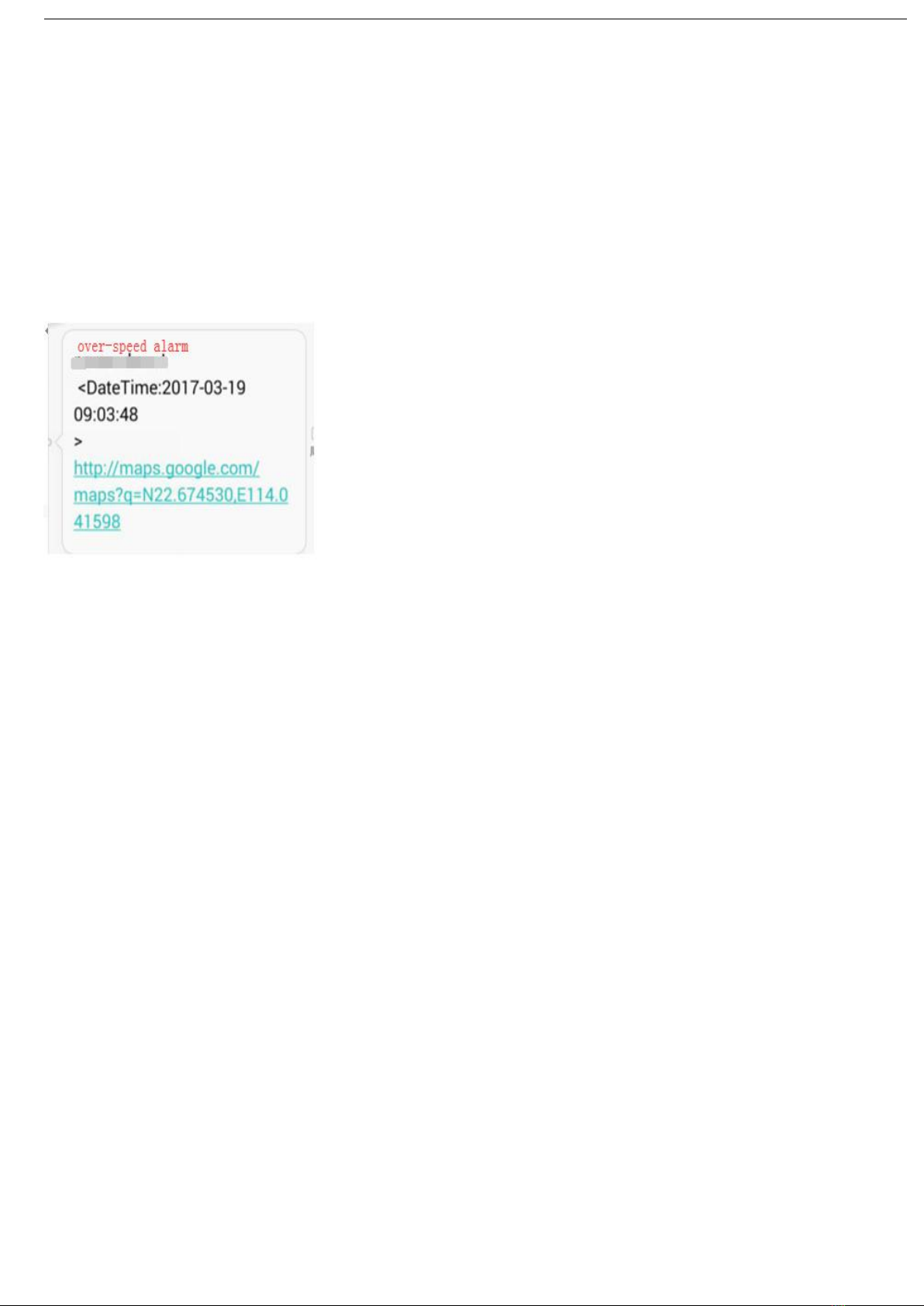
10.1 OVERSPEED ALARM
Set up: Send SMS “speed+password+space+080” to the unit(suppose the speed is
80km/h),and it will reply “speed OK!”.When the target moves exceeding 80km/h.the unit
will send SMS “speed+080!+Geo-info” to the authorized numbers. It will alarm one time in
3m interval.
Cancel: Send SMS “nospeed+password” to deactivate the overspeed alarm. Remark: It is
recommended that the speed alarm is set at not less than 30km/h.For below that rate; it
may cause the excursion of the GPS signal influenced by clouds etc.
10.2 MOVEMENT ALARM
Set up: when the unit stays immobile in a place for 3-10 minutes, the user can send SMS
“move+password” to the tracker device. It will reply “move OK”. In case of such a
movement (the default distance is 200m), it will send SMS “Move123456” along with a
Geo-info to the authorized numbers, it will alarm in 3minute interval.

8
Cancel: Send SMS “nomove+password” to deactivate the movement alarm.
10.3 LOWBATTERY ALARM
SMS format: lowbattery+password+space+off(or on)
Command: lowbattery123456 off (cancel lowbattery)
lowbattery123456 on (lowbattery ok)
10.4 Vibration alarm
SMS format: “shock+password ” send the command to the tracker: “shock123456”, the
unit will reply “shock ok” by SMS.
Vibration sensitivity level
SMS format: “ vibration,3#” , the unit will reply “vibration 3 OK”.( The number can be between 1-5,
1 is the highest sensitivity, and 5 is the lowest sensitivity.)
Cancel: Send SMS“noshock+password”example: noshock123456, the tracker will reply
“noshock ok”
10.5 Geo-fence
Setting the electronic fence can limit the working range of the device. Once the device
runs beyond the set range, the device will automatically send the information back to the

9
authorized number.
Settings: When the car stays stable for 3-10 minutes in a place, you will be able to send a
text message order "stockade+password, radius #" to the device to set a limit. Once the
device is out of limits, the device will send The text message "stockade!+latitude and
longitude" is in the authorization number. Stockade123456, 10# ,10 is the radius, which is
100 meters, and 10 is 1000 meters. Note: Once the limit is exceeded, the device will send
an alarm message every 3 minutes (3 consecutive times).
Cancel: Send SMS “nostockade+password” to deactivate this function.
11. Check the Vehicle State.
Send SMS command “check+password” to the tracker device in the vehicle。For example:
Send SMS “check123456” to the tracker,device in the vehicle, It will reply following SMS.
12 Time Setting
12.1 Send SMS command “time+space+zone123456+space++time” to the tracker unit, If
succeed, It will reply “time OK”
12.2 For example: Send SMS “time zone123456 +8”, +8 is Chinese time zone, If your
country time zone is minus, send SMS “time zone123456 -8”.
13.Set APN
13.1 APN standards for Access Point Name and differs from country to country. For more
information about your local APN, please inquire with your local GPRS network operator.

10
13.2 Text the tracker a SMS “APN123456 + Space + your local APN” via a cell phone and
if succeeded, the tracker will return the message “APN OK”.
13.3 E.g. Send SMS command “APN123456 CMNET”. If succeeded, “APN OK” is
returned by the tracker in SMS.
Notes: 123456 refer to password of tracker and CMNET is the APN of one of china GPRS
Network Operator (China mobile).
14. IP and Port Setup
14.1. Send SMS as below via a cell phone: adminip + 123456 + Space + IP Address +
Space + Port Number. If succeeded, “adminip OK” is returned by the device in SMS.
14.2 E.g. Send SMS command “adminip123456 47.88.137.243 7700” to the tracker device,
If succeeded, “adminip OK” is returned by the device in SMS.
(123456 is default password,47.88.137.243 is IP,7700 is port).
15.Support Website tracking and APP tracking
15.1 android version: scan below QR code
15.2 ios version: search “homegps”in app store
Inhaltsverzeichnis


