
Navico SIMRAD AI50 Gebrauchsanweisung

MANUAL
SIMRAD AI50
Class B Transceiver
988-0168-003 Iss.3.0
English

2 Contents
The technical data, information and illustrations contained in this publication were to the best of
our knowledge correct at the time of going to print. We reserve the right to change specifications,
equipment, installation and maintenance instructions without notice as part of our policy of
continuous development and improvement.
No part of this publication may be reproduced, stored in a retrieval system or transmitted in any
form, electronic or otherwise, without prior permission from Navico UK Ltd.
No liability can be accepted for any inaccuracies or omissions in the publication, although every
care has been taken to make it as complete and accurate as possible.
© 2007 Navico UK Ltd
988-0168-003 Iss.3.0 Sep 07 WP

Contents 3
Contents
1 Introduction 9
1.1 General overview 9
1.2 About this manual 10
1.3 SimNet/NMEA2000 10
1.4 WR20 Remote (not supplied) 10
2 Installation 13
2.1 General 13
2.2 Panel mounting 13
2.3 Bracket mounting 14
2.4 GPS antenna 14
2.5 VHF antenna 16
2.6 Power/data cable 18
2.7 SimNet cable 18
2.8 SD card (not supplied) 19
3 Keypad Overview 21
3.1 Layout 21
3.2 PWR/Lights key (powering on/off) 22
3.3 Navigation keys 22
Display mode 22
Menu mode 22
Data entry mode 23
3.4 Zoom keys 23
3.5 ENTER/MENU 23
3.6 INFO/STATUS 23
3.7 TRACK/CLR TRK 23

4 Contents
3.8 HOME/DSC 24
3.9 VIEW/DISPLAY 24
3.10 PWR/ (backlight adjustment) 24
4 Menu Navigation 25
4.1 General operation 25
4.2 Navigation keys 25
4.3 Data entry mode 25
4.4 ENTER/MENU 25
5 Initial Configuration 27
5.1 Window display convention 27
5.2 Initial start up sequence 28
5.3 Ship configuration procedure 29
MMSI Entry 30
Vessel type entry 32
Vessel dimensions & GPS reference 32
Call sign entry 34
Vessel name entry 34
6 Menu Mode 35
6.1 General 35
6.2 Display mode settings 35
Coastline detail 35
Tracking offset 36
Display offset 36
Show range rings 37
6.3 Display settings 37
Display brightness 38

Contents 5
Keypad brightness 38
Keypad color 38
Display palette 38
6.4 Favorites List 39
Adding an entry 39
Edit entry 41
Delete entry 41
6.5 Alarm setup 41
Collision alarms 42
Lost vessel alarms 45
Favorites alarm 46
6.6 System setup 46
Units of measure 46
Set local time 47
Ship configuration 48
Key beeps 48
Set language 48
Data logging 49
Transmit enable 51
Reset options 51
6.7 SimNet/NMEA2000 52
Data sources 52
Network management 53
Network list 54
Remote enable 54
DSC Radio select 54
6.8 Product info 55

6 Contents
7 AIS Map Mode 57
7.1 General 57
7.2 Vessel icon detail 57
7.3 Range rings/info 58
7.4 Point of view 59
7.5 Coast line detail 59
7.6 Cursor 60
7.7 Transmit legend 60
7.8 Vessel information 60
Own vessel 61
Other vessel’s info (reduced list) 61
Other vessel (full list) 62
Other vessel (minimal list) 62
7.9 Features for vessel information 63
7.10 Making a DSC call (map mode) 63
7.11 Text mode 64
Changing the sort order 65
7.12 Making a DSC call (text mode) 65
7.13 Tracking individual vessels 65
7.14 Tracking your own vessel 66
7.15 Clearing down all trails 66
7.16 Light adjustment (short cut) 67
7.17 KeyLock function 67

Contents 7
8 Alarms 69
8.1 General 69
8.2 Collision avoidance alarms 70
CPA/TCPA alarm 70
Lost vessel alarm (1) 72
Guard zone alarm 72
8.3 BIIT alarm 73
8.4 Lost vessel alarm (2) 73
8.5 Favorites alarm 74
8.6 Loss of compass heading data 74
8.7 Safety message alarm 75
9 Appendix 77
9.1 Maintenance 77
9.2 Troubleshooting 77
9.3 Accessories 78
9.4 Product specifications 78
9.5 Dimensions 80
9.6 Service and warranty 80
9.7 Declaration of Conformity (EU) 81
10 Index 83

8 Contents
Blank page
Introduction 9
1 Introduction
1.1 General overview
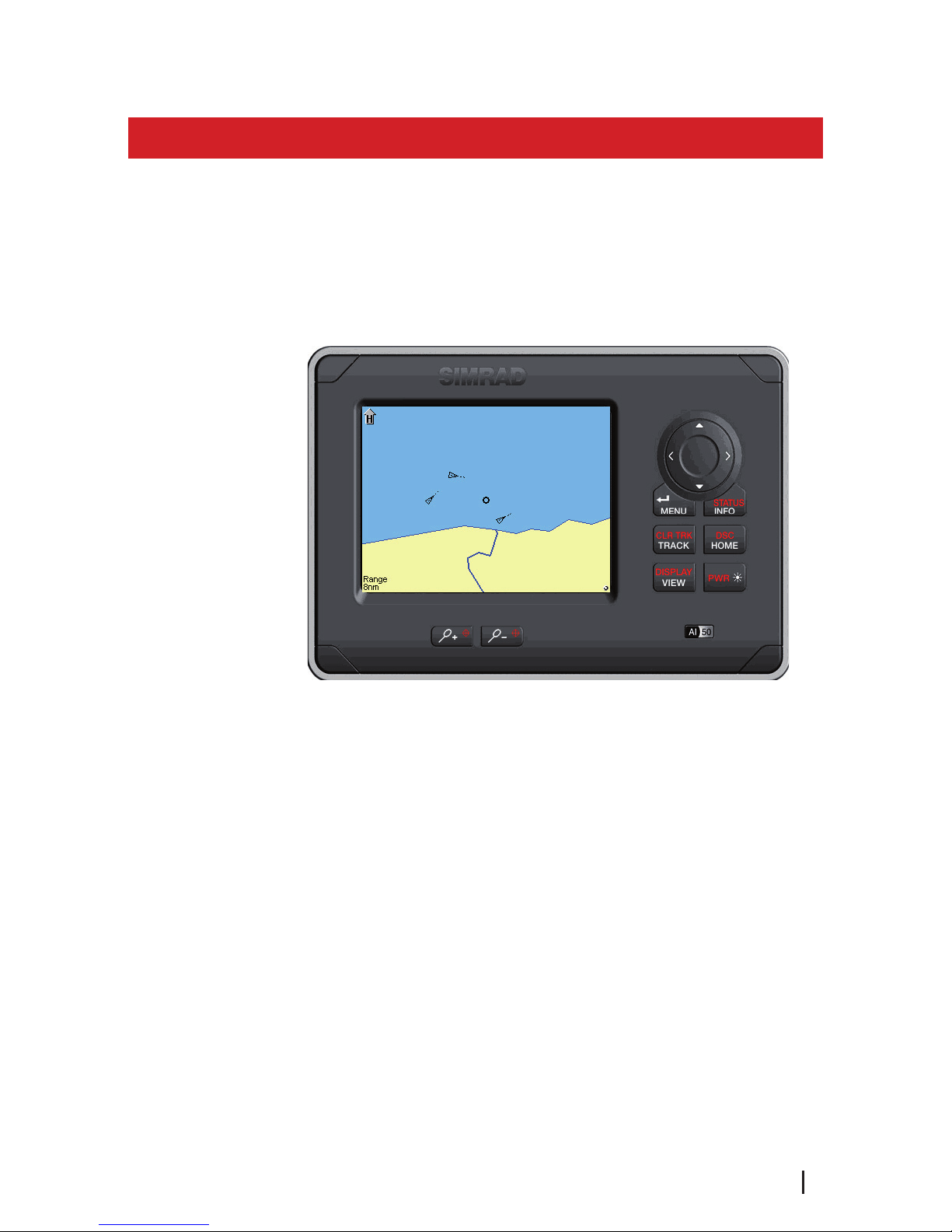
The AI50 is a collision warning device that has been
designed for maximum safety. It is housed in a rugged
waterproof enclosure to withstand the rigors of the
marine environment and it has a bright, crystal clear,
color display for easy viewing.
Figure 1.1 - AI50 Class B Transceiver
It displays the position of other AIS transmitting vessels
within VHF range and allows other vessels and shore based
stations to see you - even at night or in poor visibility.
With safety in mind it is very easy to initiate calls to target
vessels via a networked DSC VHF Radio.
The AI50 can be flush mounted or bracket mounted and
be located at any convenient position such as the helm
pod or at the navigation table.
The AI50 uses a sophisticated automatic digital time sharing
technology which enable the exchange of static information
like; MMSI (Maritime Mobile Service Identifier) Number,
Vessel’s Name, Call Sign and Type. Also dynamic data like;
Position, Course, Distance and more, from ship to ship,
and from ship to shore based traffic stations.

10 Introduction
The advantages of the AI50 are:
Increased awareness of the current shipping
situation within your VHF range through the
exchange of data between vessels.
Improving traffic management in busy shipping
lanes through exchanging information between
vessels and shore based traffic stations.
Reporting information automatically in shipping
areas where it is mandatory.
As with all electronic navigational equipment, it is
only an aid to navigation and should not be used as
a substitute for good seamanship.
Remember - Maritime law requires that you keep a
good lookout at all times.
The position of a vessel on the screen is the
position of the most recent transmission and may
not be the current position.
1.2 About this manual
The manual combines operating and installation
information for the AI50. Operation is sub-divided into
main working categories for easy reference.
1.3 SimNet/NMEA2000
SimNet is Simrad’s proprietary high speed data bus
network complete with NMEA2000. It provides intelligent
sharing of data and control information between a wide
range of marine electronics and instruments.
1.4 WR20 Remote (not supplied)
The WR20 Remote Commander is a handheld wireless
command centre, which enables you to remotely control
your AI50, as well as all of your other SimNet electronics,
such as Plotters/Radar, Autopilots and Instruments. It will
also control the VHF with the advanced features of voice
•
•
•
Inhaltsverzeichnis
Andere Navico Transceiver Handbücher


