
OUKITEL B2000E Bedienungsanleitung
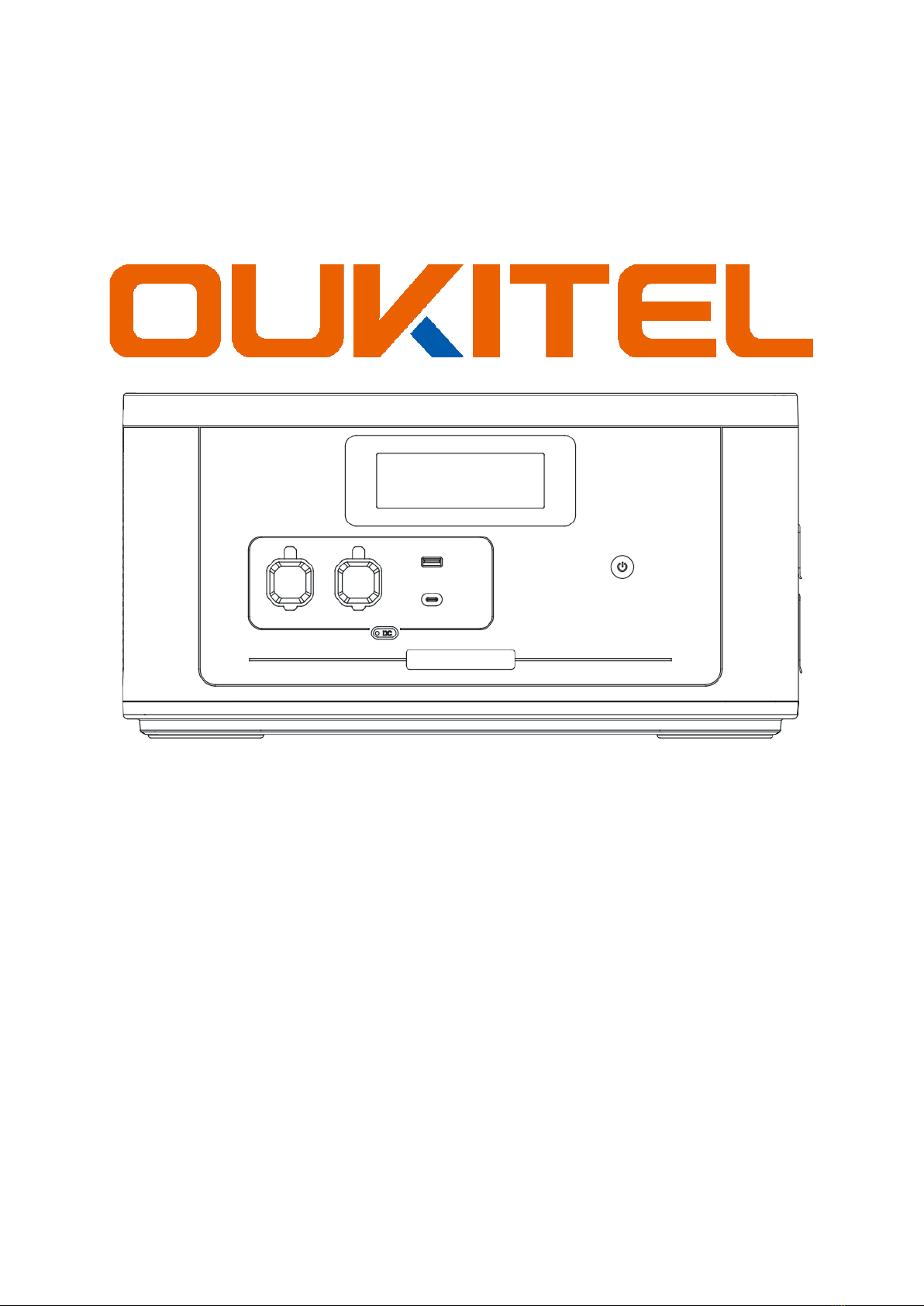
Smart Battery Expansion
B2000E
User Manual • Uživatelský manuál •
Užívateľský manuál • Használati utasítás •
Benutzerhandbuch

2
English
3 –15
Čeština
16 –28
Slovenčina
29 –41
Magyar
42 –54
Deutsch
55 –68

3
Dear customer,
Thank you for purchasing our product. Please read the following instructions carefully
before first use and keep this user manual for future reference. Pay particular attention
to the safety instructions. If you have any questions or comments about the device,
please contact the customer line.
www.alza.co.uk/kontakt
✆+44 (0)203 514 4411
Importer Alza.cz a.s., Jankovcova 1522/53, Holešovice, 170 00 Praha 7, www.alza.cz

4
Specifications
Model
B2000E
Battery Type
LiFePO4
Capacity
2048Wh, 3.2V, 640000mAh (51.2V,
40000mAh)
Input
AC (XT60)
Adapter (200W)
Solar charging
(XT60)
12V –48V / 10A,
200W Max
Car charging
12V –8
24V –8.3A
Recharging with BP2000E / BP4000
Output
USB-A
5V –2.4A, 12W
USB-C
5V –3A / 9V –3A /
12V –3A / 15V –3A
/ 20V –5A
100W PD
Cigarette lighter
socket
12V –10A, 120W
XT90
48V –15A, 720W
MPPT Control System
Maximum power point tracking
Battery Life Cycles
3500
Discharging Temperature
-10°C –40°C (20°C - 30°C recommended)
Charging Temperature
0°C –40°C (20°C - 30°C recommended)
Dimensions
47.5 × 29.6 × 24.15 cm
Weight
18.6 kg

5
Packaging
1× Smart battery expansion
B200E
1× XT60 –Car charging
cable
1× XT60 –MC4 Solar
charging cable
1× Cable for parallel
connection
1× User’s manual

6
Diagram
1. LCD Display
2. 12V –10A, Cigarette lighter socker
3. 48V –15A, XT90 Output
4. 5V –2.4A, USB-A Output
5. PD100W, USB-C Output
6. DC Switch
7. Main power switch
8. 12V –48V, 10A max, 200W max, XT60 Input
9. First battery expansion port
10. Second battery expansion port
Power Functions and Charging Instructions
Main Power Switch
To operate the device, press the power button for 3 seconds to turn it on, and press it
again for 3 seconds to turn it off. Additionally, a short press on the switch controls the
activation or deactivation of the LCD display. If there's no activity for 30 minutes, the LCD
display will automatically turn off, and subsequently, the power will be switched off as
well.

7
DC Switch
1. Activation: Press and hold the main power switch for 3 seconds to power up the
station. Use a short press on the DC button to toggle the DC / USB output ports
on or off.
2. Battery Check: Regularly check the remaining battery power. If the battery level
drops below 10%, it's advised to recharge the battery promptly.
3. Power Output: Connect the device to the DC cigarette lighter socket with a 48V
XT90 Output. Notably, it's recommended to turn off the DC output switch when
the port is not in use to conserve power.
XT60 Input Port Recharging
AC Wall Outlet Charging
1. Plug the adapter into a wall outlet and connect the other side to the XT60 input
port for automatic charging, even when the main power is off. During charging,
the LCD screen will display the remaining power percentage, and the battery
indicator will blink. It will also provide details on XT60 input, input power, and the
estimated time for a full charge.
Solar Panel Charging
1. Place a compatible Solar Panel (not included) in direct sunlight and connect it (in
series or parallel) with an open circuit voltage range of 12V - 48V for charging. The
maximum input current for solar charging is 10A, with a max input power of
200W. If the input power exceeds 200W, it will cap at 200W. However, charging is
only possible within the 12V - 48V range. Ensure proper connection using an MC4
plug to the solar panel and XT60 to the input port for automatic charging, even
when the power is off. Similar to AC charging, the LCD screen will provide
charging details such as remaining power, input power, and estimated full charge
time.

8
Car Charging
1. Use the provided XT60-Car Charging Cable to connect the B2000E device to the
car's cigarette lighter port. During charging, the LCD screen will display details
regarding power input and the estimated time for a full charge.
BP2000E / BP4000+B2000E Smart Expansion Battery
1. For expanded charging options, connect the B2000E expansion battery with
BP2000E / BP4000, then connect them to a wall outlet. The maximum input
power for charging the B2000E / BP4000 and B2000E battery is 1800W. Use the
parallel cable to connect the Battery Expansion Port of BP2000E / BP4000 to the
Battery Expansion Port 1 of B2000E, then connect the Battery Expansion Port 2 of
B2000E to the Battery Expansion Port 1 of another B2000E. The LCD display will
showcase the remaining power and charging status during this process.

9
LCD Display
1. Remaining time for charge / discharge
2. High temperature warning
3. Low temperature warning
4. Power percentage indicator
5. XT60 input status
6. Cumulative input power
7. Total output power consumption
8. 48V XT90 output status
9. Cigarette lighter (12V) output indicator
10. Battery expansion symbol
11. Silent mode activation
12. Overload safeguard
13. USB-A output status
14. USB-C output status
15. Voltage protection mechanism
16. Current protection feature
17. Short circuit safety
18. Battery pack protection status
Discharging
Remaining
Input
Output
Mins
Hours
Overload

10
1. When the LCD screen displays it indicates correct connection between
BP2000E and B2000E.
2. If the B2000E is linked with the BP2000E and the LCD screen shows , it confirms
a proper BP2000E + B2000E connection, allowing for mutual recharging and
discharging capabilities.
Note:
•If the remaining power is below 5% when connecting the BP2000E with B2000E,
paralleling is not feasible due to significant battery voltage differences. However,
activating the input power source allows successful activation and recharging of
both the BP2000E and B2000E.
•Typically, after connecting the BP2000E and B2000E, the higher battery device will
autonomously charge the lower battery. Yet, if one device is below 5%, the
system identifies a substantial voltage gap, impeding a successful connection.
•In such cases, activating the input power source enables successful activation
and recharging of both the BP2000E and B2000E.
Enhancing Power Expansion with BP2000E / BP4000E
1. Multi-Battery Expansion: The BP2000E / BP4000 accommodates connection with
up to 7 expansion batteries, amplifying the total capacity to 16384Wh.
2. Unified Power Activation: Upon connecting the BP2000E / BP4000 with the
B2000E, a long press on either unit's main power button will simultaneously
power ON both devices.
3. Quick Power Toggle: A short press of the main power button turns off the LCD
screen and prompts the indicator to blink.
Guidelines for Connection
1. Prior to connecting the B2000E expansion battery, ensure both the BP2000E /
BP4000 and B2000E are powered off.
2. Verify the display of the parallel power icon on both the BP2000E/BP4000E and
B2000E screens after connecting the B2000E expansion battery before use.
3. Before connecting or disconnecting the B2000E expansion battery, first turn off
the B2000E.
4. Avoid direct contact between hands and the wire's metal terminal; use a dry cloth
for handling.
5. Ensure secure connections between the parallel wires and ports to prevent
terminal heat, potential device functionality issues, or fire hazards.
Inhaltsverzeichnis
Sprachen:
Andere OUKITEL Tragbarer Generator Handbücher


