PhaseOne PAS Pana Bedienungsanleitung

Version: 1.1
Date: November 10, 2023
PAS Pana
Operation Guide

PAS Pana Operation Guide
Page 2 of
50
Legal Notice
The company disclaims all liability and warranties in relation to this manual, including warranty of merchantability, fitness for
particular purpose and accuracy, and may amend it without further notice.
Trademarks
All trademarks or registered trademarks are the property of their respective owners.
Contact Support
You can contact Phase One Technical Support directly by creating a support case at
https://support.phaseone.com/
Visit https://geospatial.phaseone.com/ for additional information.
Copyright © 2023 Phase One. All Rights Reserved.
Doc No. 80113000 Rev 1.1 PAS Pana Operation Guide 10/11/2023

PAS Pana Operation Guide
Table of Contents
Page 3 of
50
Table of Contents
1Introduction ................................................................................................................................................................................... 5
1.1 Scope ................................................................................................................................................................................. 5
1.2 Applicable Documents.......................................................................................................................................................5
2PAS Pana Overview ........................................................................................................................................................................ 6
2.1 Hardware ........................................................................................................................................................................... 7
2.1.1 PAS Pana Controller ...........................................................................................................................................7
2.1.2 Cameras .............................................................................................................................................................7
2.1.3 SOMAG GSM 4000 Mount ................................................................................................................................. 9
2.1.4 Applanix GNSS/IMU .........................................................................................................................................10
2.1.5 Trimble AV39 Antenna ..................................................................................................................................... 10
2.1.6 Monitor Kit ....................................................................................................................................................... 10
2.2 Software .......................................................................................................................................................................... 12
2.2.1 iX Flight Pro ...................................................................................................................................................... 12
2.2.2 Licensing...........................................................................................................................................................12
2.3 PAS Pana Dataflow...........................................................................................................................................................13
3Unboxing the PAS Pana................................................................................................................................................................ 14
3.1 Product Identification ...................................................................................................................................................... 14
4PAS Pana Height Adjustment and Testing in the Office ...............................................................................................................15
4.1 Adjusting the PAS Pana Mount Ring Height.....................................................................................................................16
4.1.1 Adjusting the PAS Pana System Case Mount Plate Height...............................................................................18
4.2 Connecting a PAS Pana in the Office................................................................................................................................ 19
4.2.1 Connecting PAS Pana Components ..................................................................................................................19
4.3 Powering the PAS Pana and Mount in the Office ............................................................................................................21
4.4 Configuring the PAS Pana ................................................................................................................................................ 22
4.4.1 Changing Monitor Orientation .........................................................................................................................22
4.4.2 Changing the Mouse Pointer Color ..................................................................................................................24
4.4.3 Configuring Touch Monitors ............................................................................................................................25
4.4.4 Check Camera Firmware for Updates ..............................................................................................................27
4.4.5 Configuring GNSS/IMU Parameters .................................................................................................................27
4.4.6 Configuring Screen Recorder Pro .....................................................................................................................27
4.4.7 Configuring iX Flight Pro...................................................................................................................................29
4.4.8 Checking the PAS Pana.....................................................................................................................................29
4.4.9 Configuring Lever Arms....................................................................................................................................29
4.5 Disconnecting the PAS Pana in the Office........................................................................................................................ 30
5Installing the PAS Pana in the Aircraft.......................................................................................................................................... 31

5.1 Required Tools................................................................................................................................................................. 31

PAS Pana Operation Guide
Table of Contents
Page 4 of
50
5.2 Installing the Trimble AV39 Antenna............................................................................................................................... 31
5.3 Securing the Interface Plate to the Aircraft ..................................................................................................................... 31
5.4 Securing the Mount to the Interface Plate ......................................................................................................................32
5.5 Installing the PAS Pana on the Mount .............................................................................................................................33
5.6 Installing the Pilot Monitor .............................................................................................................................................. 34
5.7 Installing the Operator Monitor ...................................................................................................................................... 34
5.8 Connecting a PAS Pana and Mount in the Aircraft ..........................................................................................................35
5.8.1 Connecting PAS Pana Components ..................................................................................................................35
5.8.2 Powering the PAS Pana and Mount in the Aircraft ..........................................................................................35
5.9 PAS Pana Installed in Aircraft........................................................................................................................................... 36
6Recommended Flight Operation Procedure.................................................................................................................................37
7Post Flight Operations.................................................................................................................................................................. 38
8Disassembling the PAS Pana ........................................................................................................................................................ 39
9Troubleshooting ........................................................................................................................................................................... 40
Appendix A Technical Data ............................................................................................................................................................. 41
A.1 PAS Pana Weight .............................................................................................................................................................41
A.2 Power Specifications........................................................................................................................................................ 41
A.2.1 Power Requirements........................................................................................................................................ 41
A.2.2 Power Consumption......................................................................................................................................... 41
Appendix B Data Storage Management ......................................................................................................................................... 42
B.1 Disk Management............................................................................................................................................................ 42
B.2 Locking the Carrier........................................................................................................................................................... 42
B.3 Removing the SSD Drive Carrier ...................................................................................................................................... 43
B.4 Inserting the SSD Drive Carrier ........................................................................................................................................44
B.5 Replacing SSD Drives........................................................................................................................................................ 44
Appendix C Connecting the PAS Pana – Operator Monitor Cable to the Monitor ........................................................................46
Appendix D Declarations of Conformity .........................................................................................................................................48
D.1 PAS Pana Controller......................................................................................................................................................... 48
D.2 iXM-RS150F Camera ........................................................................................................................................................ 49
D.3 iXM-RS150F Achromatic Camera ..................................................................................................................................... 50

PAS Pana Operation Guide
1. Introduction
Page 5 of
50
1Introduction
1.1 Scope
This manual describes how to install and use the PAS Pana as follows:
•Section 2 - PAS Pana Overview
•Section 3 - Unboxing the PAS Pana
•Section 4 - PAS Pana Height Adjustment and Testing in the Office
•Section 5 - Installing the PAS Pana in the Aircraft
•Section 6 - Recommended Flight Operation Procedure
•Section 7 - Post Flight Operations
•Section 8 - Disassembling the
•Section 9 - Troubleshooting
•Appendix A - Technical Data
•Appendix B - Data Storage Management
•Appendix C - Connecting the PAS Pana – Operator Monitor Cable to the Monitor
•Appendix D - Declarations of Conformity
1.2 Applicable Documents
Item
Manual
Applanix GNSS/IMU
GNSS Configuration Guide for PAS Systems
Phase One iX Flight Pro
iX Flight Pro Operation Guide
Phase One iX Process
iX Process Operation Guide
Somag GSM 4000 Mount
SOMAG GSM 4000 Manual
Trimble AV39 Antenna
Trimble AV39 Antenna Datasheet

PAS Pana Operation Guide
2. PAS Pana Overview
Page 6 of
50
2PAS Pana Overview
Note
•There are no user serviceable parts inside the PAS Pana or PAS Pana Controller. All warranties are void if access panels are
opened or cables not supplied by Phase One are connected, unless specifically instructed by Phase One personnel.
•Installation of the PAS Pana in an aircraft must be performed by certified personnel while following the relevant Civil Aviation
Authority regulations in the country of aircraft registration and operation. A Supplemental Type Certificate or Minor Change
may be required.
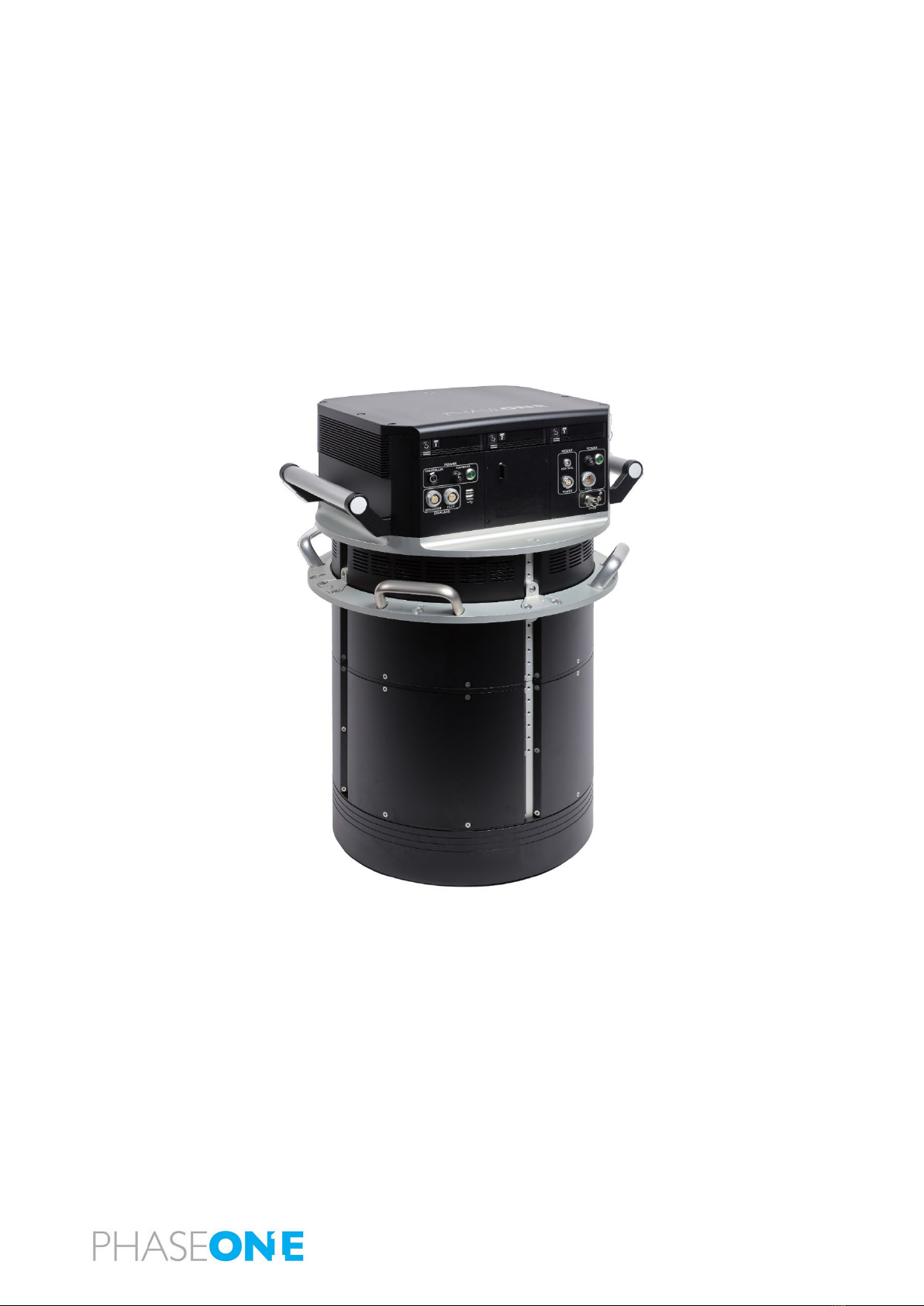
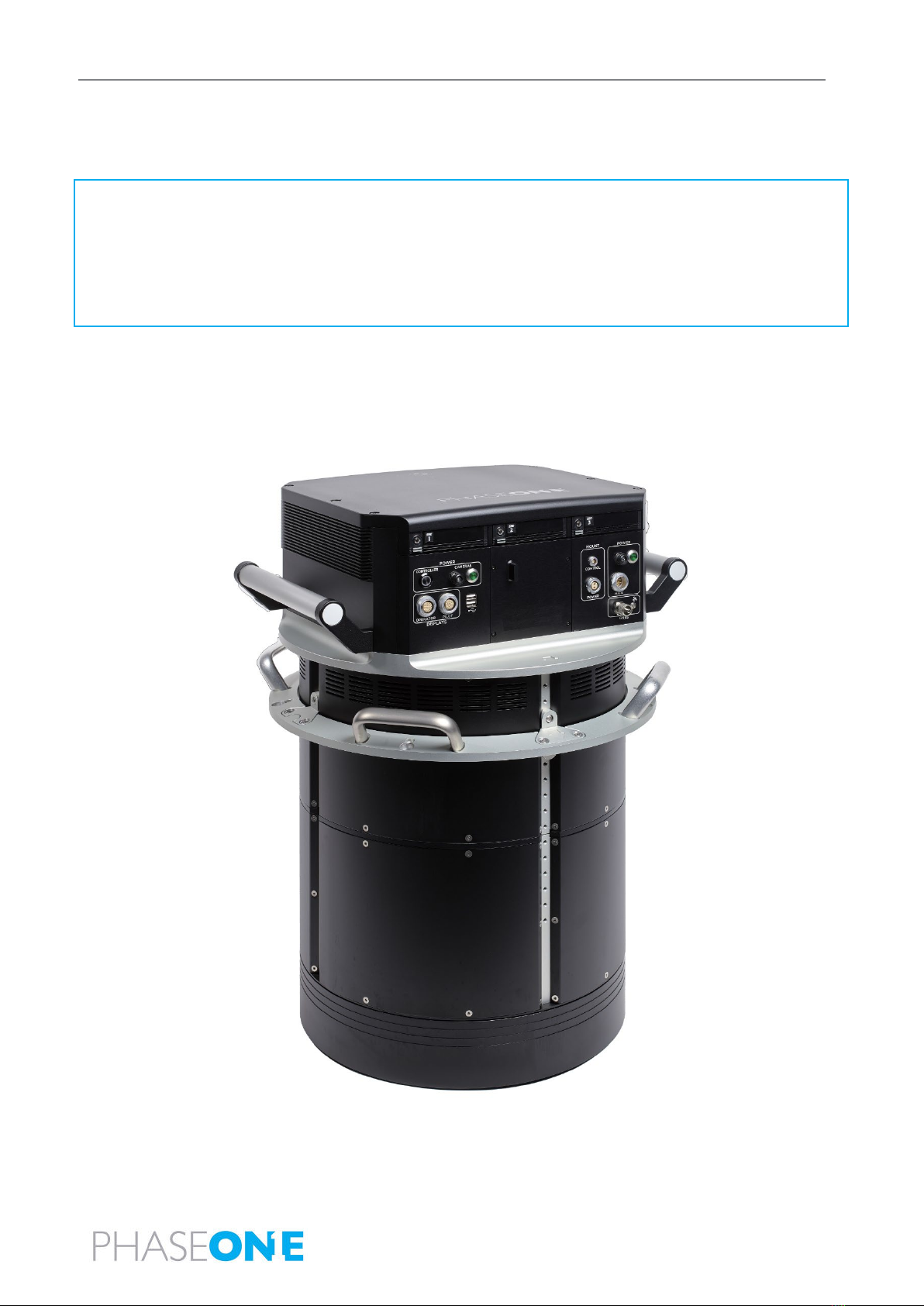
PAS Pana is a derivative of the PAS Pod family of products. The PAS Pana utilizes five RGB cameras and two NIR cameras to
maximize swath coverage.
PAS Pana provides 48,000 pixels across line of flight and 10,000 pixels along line of flight. With its high frame rate and large
coverage, high project efficiency is attained.

PAS Pana Operation Guide
2. PAS Pana Overview
Page 7 of
50
2.1 Hardware
2.1.1 PAS Pana Controller
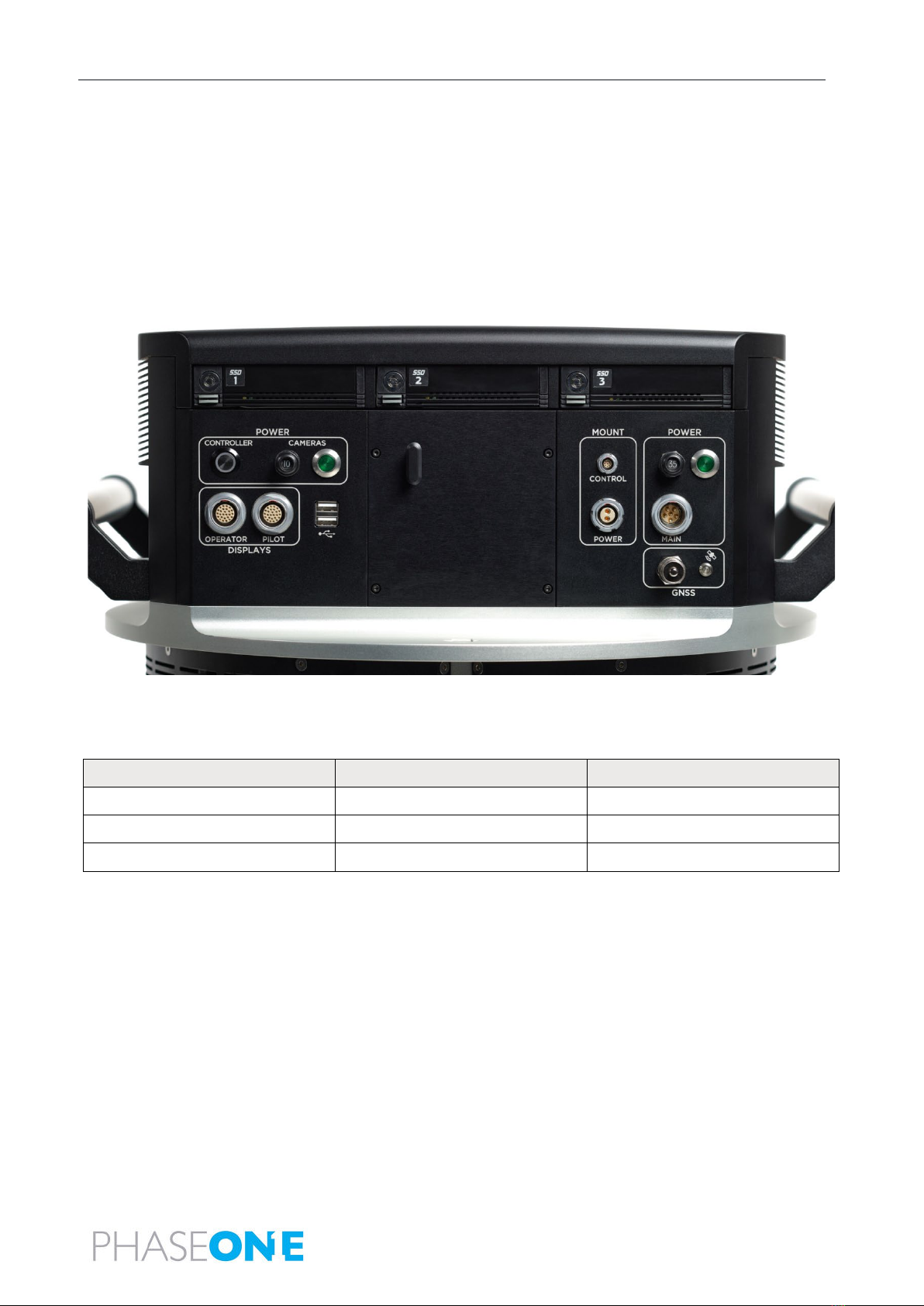
The PAS Pana Controller is the communication center, and data storage for the PAS. Based on Microsoft Windows 10, it is
responsible for controlling power and communication for all ancillary systems.
A preconfigured precision GNSS-Inertial (AP+ AV) is integrated in the PAS Pana Controller.
The PAS Pana Controller contains three SSD drive bay frames that contain removable carriers with SATA SSDs that store the
captured images. Each carrier holds two 4 TB SSDs.
2.1.2 Cameras
The PAS Pana camera configuration is as follows:
Camera Location
iXM-RS150F RGB
iXM-RS150F Achromatic
Nadir
1 camera
-
Right
2 cameras
1 camera
Left
2 cameras
1 camera

PAS Pana Operation Guide
2. PAS Pana Overview
Page 8 of
50
The following figure shows the orientation of the PAS Pana cameras.
2.1.2.1 iXM-RS150F Camera
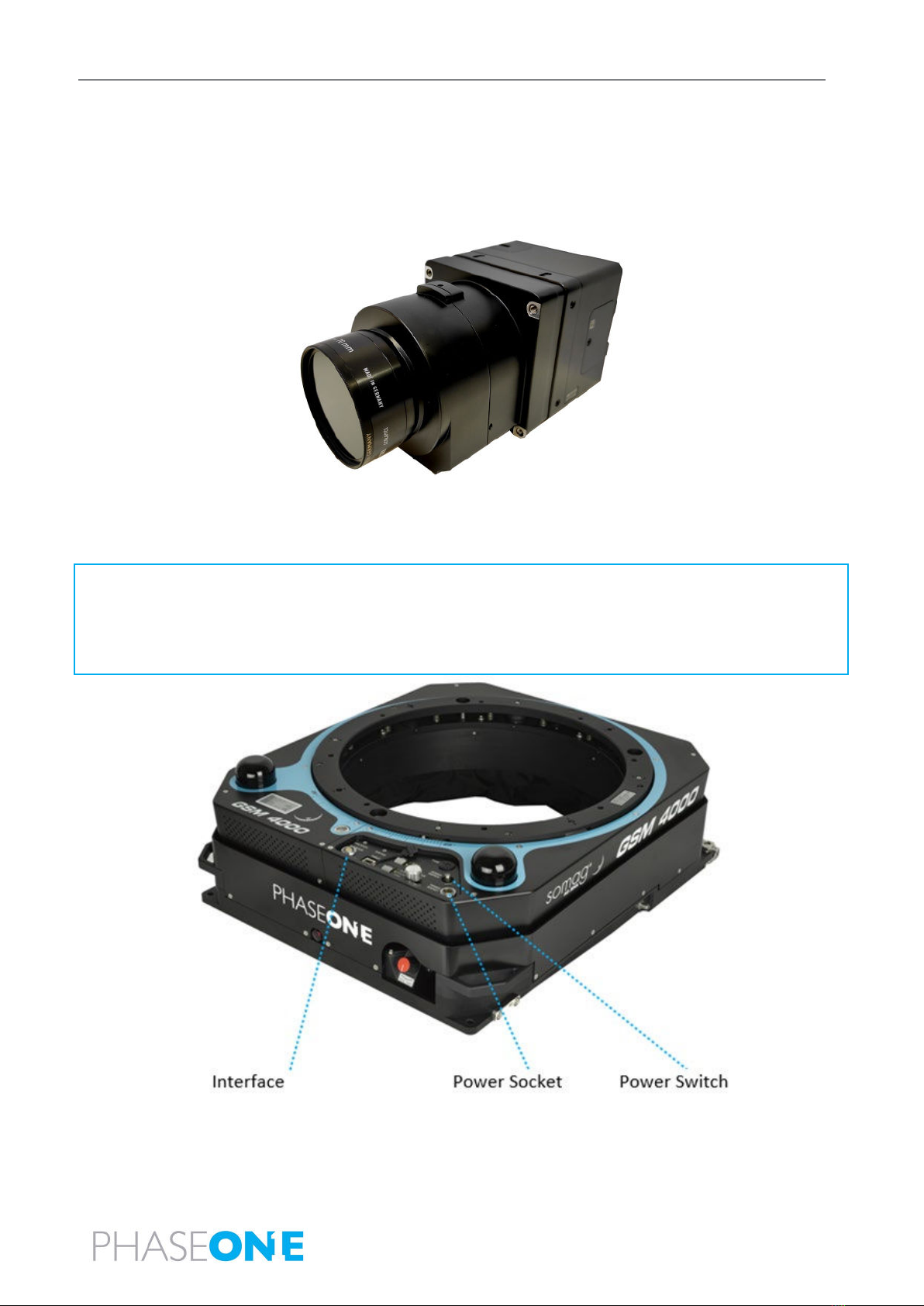
The iXM-RS150F camera is equipped with a full-frame sensor (14,204 x 10,652 pixels), using 3.76-micron pixel technology that
enables high ground resolution from high flight altitudes. It provides large aerial coverage resulting in higher aerial survey
productivity.
The PAS Pana iXM-150F cameras are fitted with RS150 mm lenses.
Designed and built for aerial photography by Rodenstock and Schneider-Kreuznach, the lenses are factory calibrated for infinity
focus and equipped with a central leaf shutter with a speed to up to 1/2500 sec.

PAS Pana Operation Guide
2. PAS Pana Overview
Page 9 of
50
2.1.2.2 iXM-RS150F Achromatic Camera
The iXM-RS150F achromatic camera provides NIR data in the spectral range of 720 nm-1000 nm.
The PAS Pana iXM-150F achromatic cameras are fitted with RS70 mm lens.
Post processing this data in combination with the iXM-RS150F RGB data allows output imagery as IRG/RGBi CIR products or NDVI.
2.1.3 SOMAG GSM 4000 Mount
The PAS Pana is mounted on a SOMAG GSM 4000 mount, a hydraulic gimbal containing four cylinders and two servo pumps.
Note
•PAS Pana can only operate with SOMAG GSM 4000 mounts with serial numbers 090236 and higher, or with earlier mounts that
were refurbished by SOMAG to the dual communication port configuration.
•
If you are providing the SOMAG GSM 4000, you also need to provide Vibration Damping Ring P/N 112300-228-02/04.

PAS Pana Operation Guide
2. PAS Pana Overview
Page 10 of
50
2.1.4 Applanix GNSS/IMU
The Applanix GNSS/IMU contains a precision GNSS receiver and inertial sensor components, logging capability, and interfaces for
cameras and flight management systems.
Data such as geographic position (latitude, longitude and altitude), velocity, acceleration, angular rate, orientation (roll and pitch),
ground track and performance metrics are available in real-time and through post-processing.
The Applanix GNSS/IMU is comprised of the Applanix AP+ card located in the PAS Pana Controller and the IMU-57.
The Applanix GNSS is configured and managed via a browser-based application supported by the Applanix AP+ card. You can access
the application through the shortcut on the PAS Pana Controller software taskbar.
2.1.5 Trimble AV39 Antenna
The Trimble AV39 antenna is a lightweight, TSO certified antenna that provides centimeter precision with superior phase center
repeatability. The antenna is connected to the PAS Pana Controller via a coaxial cable supplied with the antenna.
2.1.6 Monitor Kit
The monitor kit allows full control and flight feedback of the PAS Pana and includes the following:
•pilot monitor
•operator monitor
Inhaltsverzeichnis
Andere PhaseOne Kamerazubehör Handbücher

PhaseOne
PhaseOne PAS 150 Bedienungsanleitung

PhaseOne
PhaseOne H 5 Bedienungsanleitung

PhaseOne
PhaseOne FlexAdaptor Bedienungsanleitung

PhaseOne
PhaseOne iX Bedienungsanleitung

PhaseOne
PhaseOne H 25 Bedienungsanleitung

PhaseOne
PhaseOne PAS 150MP MK2 Bedienungsanleitung

PhaseOne
PhaseOne PhotoPhase 85280002 Bedienungsanleitung

PhaseOne
PhaseOne P+ Series Bedienungsanleitung

PhaseOne
PhaseOne H 10 M645 Bedienungsanleitung

PhaseOne
PhaseOne P+ Series Bedienungsanleitung