
Planar Dome M2/PCI Bedienungsanleitung

Dome
®
M2/PCI
Display Controller
INSTALLATION GUIDE
www.planar.com
Windows XP
Windows 2000
Windows NT 4.0
Solaris 2.5.1 or later

Copyright © DOME®imaging systems, inc., 2002. All rights reserved.
This document contains proprietary information of DOME imaging systems, inc. It is
the exclusive property of DOME. It may not be reproduced or transmitted, in whole or
in part, without a written agreement from DOME. No patent or other license is
granted to this information.
The software, if any, described in this document is furnished under a license
agreement. The software may not be used or copied except as provided in the
license agreement.
DOME imaging systems, inc. provides this publication as is without warranty of any
kind, either express or implied, including but not limited to the implied warranties of
merchantability or fitness for a particular purpose. DOME may revise this document
from time to time without notice. Some states or jurisdictions do not allow disclaimer
of express or implied warranties in certain transactions; therefore, this statement may
not apply to you.
Information in this document about products not manufactured by DOME is provided
without warranty or representation of any kind, and DOME will not be liable for any
damages resulting from the use of such information.
DOME imaging systems, inc.
400 Fifth Avenue
Waltham, MA 02451-8738
(781) 895-1155 phone
(781) 895-1133 fax
Internet address for documentation:
Internet address for product information:
i
Internet address for sales:
Internet address for technical support:
World Wide Web site:
www.dome.com
Part No. 40-M2PCI-04
Product No. 55-M2PCI2
June 2002
DOME, the DOME logo, Calibration TQA, DIMPL, DimplX, DimFileX, and M2/PCI
are either registered trademarks or trademarks of DOME imaging systems, inc.
Microsoft, DirectDraw, Windows, and Windows NT are either registered trademarks
or trademarks of Microsoft Corporation in the United States and/or other countries.
Sun, OpenWindows, and Solaris are trademarks or registered trademarks of Sun
Microsystems, Inc. in the United States and other countries. SPARC is a registered
trademark of SPARC International, Inc. Products bearing SPARC trademarks are
based upon an architecture developed by Sun Microsystems, Inc. UNIX is a registered
trademark of The Open Group in the United States and other countries. VGA is a
trademark of International Business Machines Corporation. X Window System is a
trademark of The Open Group.

iii
FCC Compliance Statement
This equipment generates, uses, and can radiate radio frequency energy
and, if not installed and used in accordance with the instruction manual,
may cause interference to radio communications. It has been tested and
found to comply with the limits of a Class A computing device pursuant
to Subpart J of Part 15 of FCC rules, which are designed to provide rea-
sonable protection against interference when operated in a commercial
environment. Operation of this equipment in a residential area is likely
to cause interference, in which case the user will be required at his or
her own expense to take whatever measures may be required to correct
the interference.
If the equipment does cause interference to radio or television reception,
which can be determined by turning the equipment on and off, one or
more of the following measures may reduce or eliminate the problem.
• Move the equipment and the receiver to different branches of your
AC electrical system.
• Move the equipment away from the receiver with which it is
interfering.
• Reposition the equipment or receiver. Reposition the receiver’s
antenna.
• Be sure that the equipment is plugged into a grounded outlet and
that the grounding has not been defeated with a cheater plug.
If none of the measures resolves your interference problems, write to
the U.S. Government Printing Office, Washington, DC 20402, for the
booklet
Interference to Home Electronic Entertainment Equipment Handbook
,
Stock Number 004-000-000498-1.
This equipment is a Class A digital apparatus that complies with the
Radio Interference Regulations CRC C.1374.
In addition, this equipment has been tested and found to comply with
the limits for a Class B digital device, pursuant to Part 15 of the FCC
rules. These limits are designed to provide reasonable protection against
harmful interference in residential installations.

iv
EU Declaration of Conformity
The M2/PCI display controller (model 55-M2PCI2) meets the essential health
and safety requirements, is in conformity with and the CE marking has been
applied according to the relevant EU Directives listed below, using the rele-
vant section of the following EU standards and other normative documents;
EU EMC Directive 89/336/EEC
EU Electromagnetic Compatibility Directive
EN 60601-1-2 (Draft 1-
March 18, 1996) Medical
Electrical Equipment
Part 1. General requirements for safety
Section 1.2. Collateral standard electro-
magnetic compatibility requirements
EN 55011 (Class B) Limits and methods of measurements
for radio interference characteristics
of industrial, scientific, and medical
equipment
IEC 1000-3-2 Harmonic emissions
IEC 1000-3-3 Voltage fluctuations/flicker emissions
IEC 1000-4-2 Electrostatic discharge requirements for
industrial process measurement and
control equipment
IEC 1000-4-3 Radiated electromagnetic field
requirements for industrial process
measurement and control equipment
IEC 1000-4-4 Electrically fast transients for industrial
process measurement and control
equipment
IEC 1000-4-5 Surge requirements
IEC 1000-4-6 Conducted immunity
IEC 1000-4-8 Magnetic field immunity
IEC 1000-4-11 Voltage variations/dips/interrupts
Name and Title of Authorized Signatory: Date:
Marlin Cobb
Vice President of Product Development
DOME imaging systems, inc.

v
Contents
About This Guide
vii
1
System Requirements 1
Platform Specifications 1
Display Device 2
Order of Installation 2
2
Installing the Board and Display 3
Setting DIP Switches 4
Installing the M2 Board 6
Connecting the Display 9
3
Windows 2000 Driver (also for Windows XP) 11
Installing the Driver 11
Configuring Display Settings 17
Determining screen assignments 17
Changing display properties 17
Changing the screen settings 19
Setting palette options 20
Setting display preferences 20
Setting driver options 20
General information 21
On-board status 21
Uninstalling a DOME Device 22
4
Windows NT 4.0 Driver 27
Installing the Driver 27
Configuring Display Settings 29
Changing display properties 33
Using the online help 34
Changing the screen settings 34
Setting the screen configuration 35
Setting palette options 35
Setting display preferences 35
Setting driver options 36
On-board status 37
DOME information 37

vi
| Contents
Additional Configuration Options 38
DOME large fonts 38
Customizing item and font size 40
DOME DlgFix software 41
DOME DPMS screen saver 43
5
Solaris Driver 49
Installing the Driver 49
Setting Up Stereo Mode 51
Panning/scrolling and screen position 52
Setting the environment variables 54
Configuring Display Settings 55
Using the default display mode 55
Overriding the default display mode 56
Using Visual Classes 59
Setting the default display 60
Checking the default visual 61
Configuring the Windowing Environment 64
Running OpenWindows 64
Configuring the Common Desktop Environment 65
Using the DPMS screen saver with CDE 66
Changing the Console 69
Using Calibration TQA 70
Appendix A: Resolutions and Refresh Rates 71
Appendix B: Palette Options 81
Appendix C: Troubleshooting the
Windows 2000 Driver 87
Index 91

vii
About This Guide
The
M2/PCI Display Controller Installation Guide
contains all
the procedures you need to set up the DOME
®
M2/PCI™
display controller (board) and driver.
Purpose
This guide explains how to unpack the M2 board and install
it into these computers:
• PC system
• Sun™ PCI workstation
This guide also describes how to install and configure the
DOME drivers for these operating systems:
• Microsoft
®
Windows
®
XP
• Microsoft Windows 2000
• Microsoft Windows NT
®
4.0
• Sun Solaris™ 2.5.1 or later
Audience
This guide assumes you are experienced with installing and
configuring hardware and software, and familiar with your
computer and its operating system.

viii
| About This Guide
What’s Inside
This table summarizes the organization of this guide.
This section… Provides…
Chapter 1
System Requirements Requirements for the PC Windows
system and the Sun Solaris system,
along with the order of installation for
board, display, and driver
Chapter 2
Installing the
Board and Display
Tips for unpacking the board,
procedure for disabling VGA mode,
instructions for installing the M2
board in a PC system or a Sun PCI
workstation, and attaching a display
Chapter 3
Windows 2000 Driver Instructions for installing and
configuring the M2 driver for
a Windows 2000 or XP system
Chapter 4
Windows NT 4.0 Driver Instructions for installing and
configuring the M2 driver for
a Windows NT 4.0 system
Chapter 5
Solaris Driver Instructions for installing and
configuring the M2 driver for
a Solaris 2.5.1 or later system
Appendix A
Resolutions and
Refresh Rates
Resolutions and refresh rates
supported by the M2 board in PCs
and in Sun PCI workstations
Appendix B
Palette Options Explanations of palettes available on
Windows 2000 and NT 4.0 systems
Appendix C
Troubleshooting Solutions for problems with displays on
a Windows 2000 system

About This Guide |
ix
Conventions
The M2 documentation uses the conventions in this table.
This
convention... Indicates...
Monospaced
type
Computer code or directory; backslash (
\
)
indicates continuation of previous line of
UNIX
®
code.
Italic type
New or technical term, book title, or variable
such as
x.
Bold type
File > Open
Menu choice:
Select the
File
menu, then choose
Open
.
<Key>
Key name, such as
<Enter>.
A note of important information about a
particular topic or procedure.
A caution that can prevent potential damage to
hardware or software.
A warning that can prevent injury to you, such
as electric shock.
A helpful tip or an alternative method of
performing a procedure.

x
| About This Guide
Related Documentation
For more information about the board and its driver,
related DOME products, or your operating system, refer
to these books:
• Stereo Library Installation and Developer’s Guide
• DIMPL Library Reference
• Microsoft Windows XP, 2000, or NT 4.0 documentation
• Sun Solaris documentation
Andere Handbücher für Dome M2/PCI
1
Inhaltsverzeichnis
Andere Planar Controller Handbücher
Planar
Planar DOME Md5/DFP Bedienungsanleitung

Planar
Planar P1 Bedienungsanleitung
Planar
Planar AX3 Bedienungsanleitung
Planar
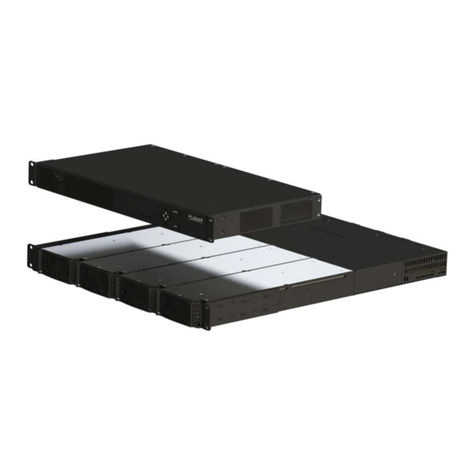
Planar RPS Bedienungsanleitung

Planar
Planar Dome Md2/PCI Bedienungsanleitung

Planar
Planar Dome Md2/PCI Bedienungsanleitung

Planar
Planar DX/PCI Bedienungsanleitung

Planar
Planar RX/PCI Bedienungsanleitung

Planar
Planar Dome Md5/PCI Bedienungsanleitung

Planar
Planar DOME Md4/PCX Bedienungsanleitung


