
Python 424 Bedienungsanleitung


Congratulations
Congratulations on the purchase of your state-of-the-art remote start
and keyless entry system. Reading this Owner’s Guide prior to using
your system will help maximize the use of your system and its many
features. For more information please visit the below website:
http://www.pythoncarsecurity.com – For general and additional
guide information.
For any additional questions please contact your authorized Directed
dealer or contact Directed at 1-800-753-0600. (U.S. only)
What you get
Welcome to the best generation of keyless entry with remote start.
Your system contains everything you need.
s One Responder LE 2-way SuperCode remote control
s 1-way companion remote
s Owner’s guide
s Warranty card
AUX
AUX

Important information
Government Regulations and Safety information
Read the Government Regulations and Warning! Safety
First sections of this manual prior to operating this system.
Warning! Failure to heed this information can result in
death, personal injury or property damage and may also
result in the illegal use of the system beyond its intended
purpose.
Your Warranty
Your system comes with a warranty. Please make sure you receive the
warranty registration card and proof of purchase from your dealer
indicating the product was installed by an authorized Directed dealer.
You can validate it online at www.prodregister.com/directed or com-
plete and return the warranty registration card.
Replacement remote controls
Your system comes with one Responder LE remote control (P/N
7251P) and a 1-way companion remote (P/N 7152P). If additional
remotes are desired, please see your authorized dealer or visit us at
www.directedstore.com to order.

Contents
Getting Started.................................................................................................... 3
Keys to using this manual...................................................................... 3
Remote Control Information.................................................................................. 4
Control Center..................................................................................... 5
Using your System............................................................................................... 6
Commanding the system....................................................................... 6
Performing Commands ......................................................................... 6
Remote Control Command table ............................................................ 7
Basic Commands (Direct Access) .......................................................................... 8
Lock ................................................................................................... 8
Unlock................................................................................................ 8
Remote Start........................................................................................ 8
AUX/Trunk.......................................................................................... 9
Advanced Commands: (Level 1) ........................................................................... 9
Silent Lock........................................................................................... 9
Runtime Reset .................................................................................... 10
AUX 1.............................................................................................. 10
Temperature Request .......................................................................... 10
Advanced Commands: (Level 2) ......................................................................... 10
Remote Valet .................................................................................... 11
Timer Start ........................................................................................ 11
AUX 2.............................................................................................. 11
Advanced Commands: (Level 3) ......................................................................... 12
Car finder......................................................................................... 12
Smart Start........................................................................................ 12
AUX 3.............................................................................................. 12
Runtime Remaining ............................................................................ 12
Advanced Commands: (Level 4) ......................................................................... 13
Defogger .......................................................................................... 13
AUX 4.............................................................................................. 13
Remote Control Configuration ............................................................................ 14
Remote Programming ......................................................................... 14
Remote Pairing .................................................................................. 14
Remote Features ................................................................................ 15
Keypad Lock ..................................................................................... 16
Page Mode....................................................................................... 17
Car 2............................................................................................... 17
Remote Beep..................................................................................... 17
Emergency Override......................................................................................... 18
Remote Start Features ........................................................................................ 19
Pit Stop Mode ................................................................................... 19
Key Takeover..................................................................................... 19

Remote Start Safe-lock ...................................................................... 20
Disabling Remote Start ..................................................................... 20
Advanced Start ................................................................................. 20
Temperature Reporting........................................................................ 21
Remote Start Time-out Alert.................................................................. 21
Manual Transmission Start (MTS mode) ................................................ 22
Turbo Timer Mode.............................................................................. 23
Remote Start Faults............................................................................. 24
Remote and System Operations.......................................................................... 25
Passive Locking ................................................................................. 25
Auto Re-locking ................................................................................ 25
Valet Mode ....................................................................................... 26
Power Save....................................................................................... 26
Rapid Resume ................................................................................... 26
Automatic Remote Updates ................................................................. 26
Car Select......................................................................................... 27
System Expansion Options................................................................................. 28
Battery Information............................................................................................ 29
Low Battery....................................................................................... 29
Low Battery Alerts .............................................................................. 29
Battery Life........................................................................................ 29
Battery Replacement........................................................................... 30
Battery Disposal ................................................................................ 30
Glossary of Terms.............................................................................................. 31
Government Regulations .................................................................................... 32
Warning! Safety First......................................................................................... 33
Installation ........................................................................................ 33
Remote Start Capable ........................................................................ 33
Manual Transmission Vehicles ............................................................. 33
Interference....................................................................................... 35
Upgrades ......................................................................................... 35
Water/Heat Resistance ...................................................................... 35

3
© 2011 Directed Electronics. All rights reserved.
Getting Started
Keys to using this manual
Specific actions (in bold type) and style conventions are used consis-
tently throughout this manual, they are as follows:
s Press: implies pushing in and releasing a button.
s Hold: is used after Press actions when a button needs to be held
in position for an extended period of time, typically several sec-
onds.
s Italicized words denote section/sub headings in this guide and
can be located through the table of contents.
s An asterisk (*) when used after a word or phrase denotes that
additional details can be found in related sections usually noted
at the bottom of the page or end of the section.

4© 2011 Directed Electronics. All rights reserved.
Remote Control Information
Transmit
LED
Internal
Antenna
Ghost
LED’s
Command
Buttons
Function
Button
AUX
Feature Description
Internal Antenna Used for transmitting and receiving*information
Command buttons (4) Used to perform locking, unlocking, auxiliary channel and
remote start commands
Function button Used to access function levels for commands, configura-
tion menus for programming, Car Selection, and to request
reports.
Ghost LED’s** Each button has an associated LED next to it that are active
during related operations. These LED’s are labeled respec-
tively as:
Lock LED, Unlock LED, Remote Start LED, Aux LED, and
LED
*2-way communication is only applicable to the Responder LE
remote control
** Term denotes that these LED’s are only visible when On (Ghost
LED’s are only applicable to the Responder LE remote control).

5
© 2011 Directed Electronics. All rights reserved.
Control Center
Control button
Status LED
Anten
n
The Control Center, typically located on the upper part of the front
windshield. It consists of:
s The In-vehicle system antenna.
s The Status LED, as a visual indicator of the system’s status.
s The Control button, for placing the system into Valet Mode* and
to perform the Emergency Override operation.
* See “Remote and System Operations” on page 25.

6© 2011 Directed Electronics. All rights reserved.
Using your System
Commanding the system
Commands, Basic or Advanced, are used to activate system features
and are performed by pressing one of the Command buttons. Basic
commands control the most often used keyless entry and remote start
features while Advanced commands control more specialized fea-
tures.
Confirmations for Basic or Advanced commands are indicated
by horn honks* and parking light flashes. A description of each fea-
ture confirmation is found in the following Basic command and Ad-
vanced command sections.
Performing Commands
Perform Basic commands by pressing a Command button.
Perform Advanced Commands by first accessing Levels 1-4 using the
button and then by pressing a Command button while within a
level.
Advanced command example: Silent Lock
1. Press the button once to access Function Level 1, The trans-
mit LED single flashes for 3 seconds.
2. Press the button while the transmit LED is still flashing to
perform the Silent Lock command.
3. The system will lock the doors and flash the parking lights,
without horn honks.*
* The optional Horn Honk feature must be connected.

7
© 2011 Directed Electronics. All rights reserved.
Remote Control Command table
Basic
Commands
Advanced Commands
Button
Level Direct Access x 1 x 2 x 3 x 4
Lock Silent Lock
Unlock Silent Unlock Valet Mode Car Finder
Remote Start Reset Runtime Timer Mode Smart Start Rear
Defogger
AUX
Trunk Release AUX 1 AUX 2 AUX 3 AUX 4
Function Shift Cabin Temp.
Request
(2- way only)
Lock
Status
(2- way
only)
Runtime
Check
(2- way only)
Inhaltsverzeichnis
Andere Python Fernstartsystem Handbücher

Python
Python 1400XP Bedienungsanleitung

Python
Python 592 Bedienungsanleitung

Python
Python 951 Bedienungsanleitung

Python
Python 5303 Bedienungsanleitung

Python
Python 1401 Bedienungsanleitung
Python
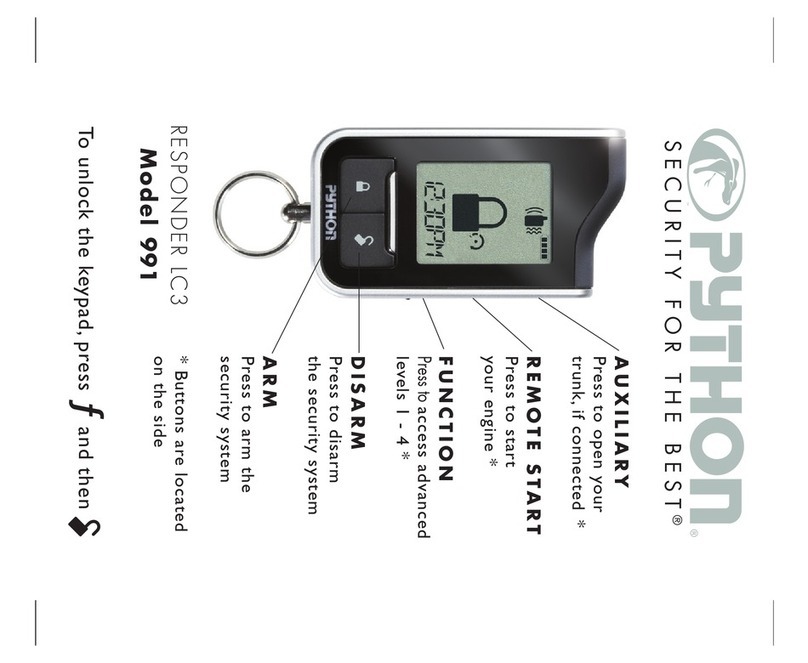
Python RESPONDER Lc3 991 Bedienungsanleitung

Python
Python 474 Bedienungsanleitung

Python
Python Responder LC Model 991 Bedienungsanleitung

Python
Python 514 Bedienungsanleitung

Python
Python 4810P Bedienungsanleitung


