
R&S TSMA6 Bedienungsanleitung
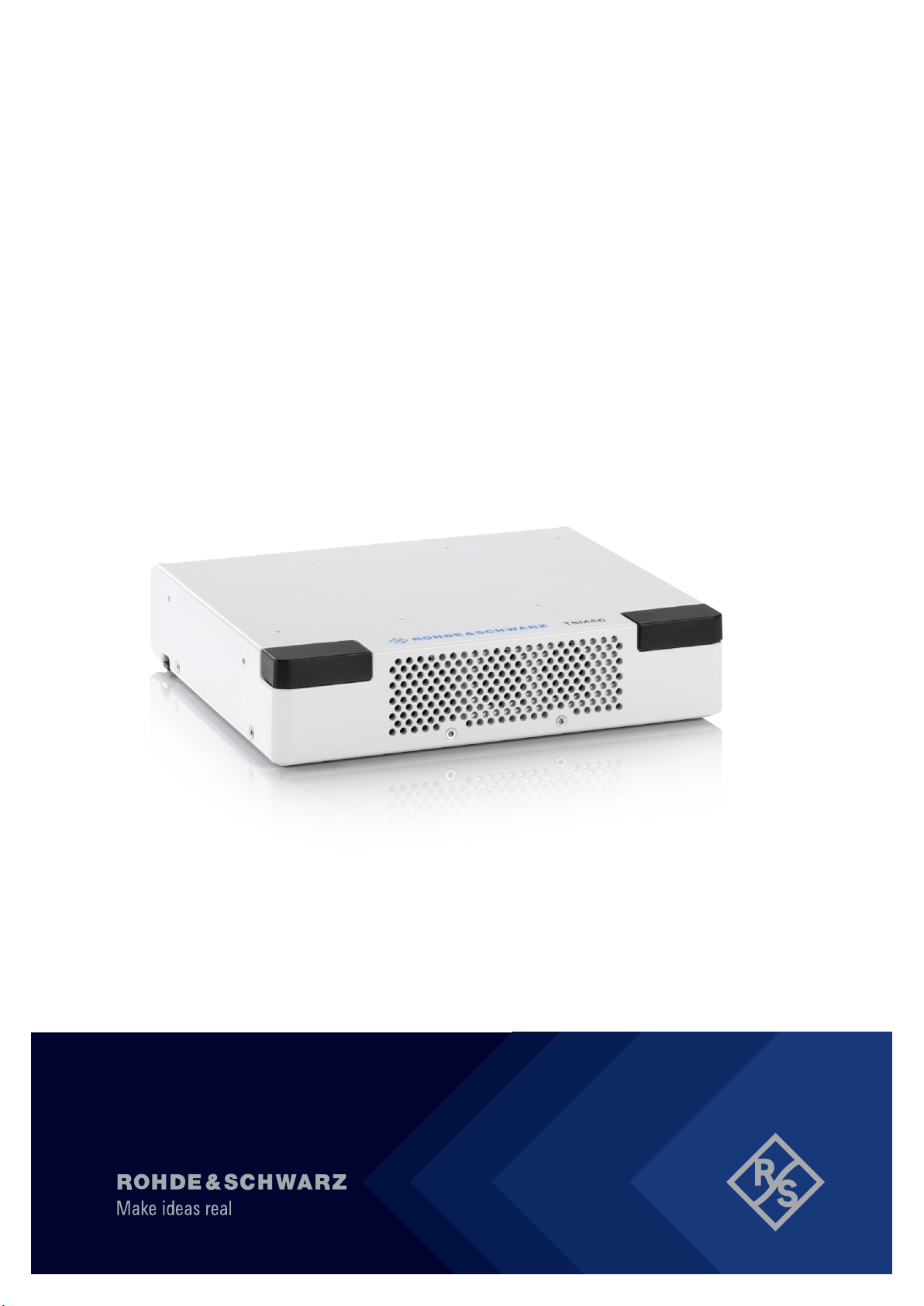
R&S®TSMA6
Autonomous Mobile
Network Scanner
Getting Started
4900804002
Version 10
(a0ÞX2)

This manual describes the following R&S®TSMA6 models:
●R&S®TSMA6 (4900.8005.02)
The software contained in this product uses several valuable open source software packages. For infor-
mation, see the "Open Source Acknowledgment" document, which is available for download from the R&S
TSMA6 product page at www.rohde-schwarz.com/product/tsmx > "Downloads" >"Firmware".
Rohde & Schwarz would like to thank the open source community for their valuable contribution to embed-
ded computing.
© 2022 Rohde & Schwarz GmbH & Co. KG
Mühldorfstr. 15, 81671 München, Germany
Phone: +49 89 41 29 - 0
Email: [email protected]
Internet: www.rohde-schwarz.com
Subject to change – data without tolerance limits is not binding.
R&S® is a registered trademark of Rohde & Schwarz GmbH & Co. KG.
Trade names are trademarks of the owners.
4900.8040.02 | Version 10 | R&S®TSMA6
Throughout this manual, products from Rohde & Schwarz are indicated without the ® symbol , e.g.
R&S®TSMA6 is indicated as R&S TSMA6.

Contents
R&S®TSMA6
3Getting Started 4900.8040.02 ─ 10
Contents
1 Safety and regulatory information....................................... 5
1.1 Safety instructions................................................................................5
1.2 Labels on the product.......................................................................... 8
1.3 WLAN/Bluetooth adapter..................................................................... 9
1.4 Warning messages in the documentation........................................ 11
1.5 Korea certification class A................................................................. 11
2 Welcome............................................................................... 12
2.1 Documentation overview................................................................... 12
2.1.1 Getting started manual..........................................................................12
2.1.2 User manuals and help......................................................................... 12
2.1.3 Printed safety instructions.....................................................................12
2.1.4 Data sheets and brochures...................................................................12
2.1.5 Release notes and open source acknowledgment (OSA).................... 13
2.2 Key features........................................................................................ 13
3 Preparing for use................................................................. 15
3.1 Unpacking and checking....................................................................15
3.2 Preparing for outdoor usage............................................................. 15
3.3 Setting up indoors.............................................................................. 15
3.3.1 Placing the product on a bench top...................................................... 15
3.3.2 Mounting the product in a rack..............................................................16
3.4 Considerations for test setup............................................................ 16
3.5 Connecting antennas......................................................................... 18
3.6 Connecting devices for local operation............................................18
3.7 Connecting to power.......................................................................... 18
3.7.1 Connecting to a vehicle DC power supply via cigarette lighter............. 18

Contents
R&S®TSMA6
4Getting Started 4900.8040.02 ─ 10
3.7.2 Connecting to the vehicle power supply via terminal............................ 19
3.7.3 Connecting to an AC power supply.......................................................20
3.7.4 Connecting to a battery pack................................................................ 20
3.8 Switching on or off R&S TSMA6........................................................23
3.9 Connecting with R&S TSMA6 WLAN access point..........................24
3.10 Connecting to LAN/WAN from a remote PC..................................... 27
3.11 Connecting USB to LAN adapter TSPC-U2L2 / TSPC-USL (optional)
.............................................................................................................. 28
3.12 Connecting test mobile phones (optional)....................................... 28
3.13 Calibrating GPS for dead reckoning................................................. 29
4 Instrument tour.................................................................... 31
4.1 Front panel view..................................................................................31
4.2 Rear panel view...................................................................................31
4.3 Built-In GPS receiver.......................................................................... 34
4.4 Built-In WLAN / Bluetooth adapter.................................................... 35
4.5 Status LEDs.........................................................................................35
5 Transporting.........................................................................38
6 Maintenance, storage and disposal................................... 39
7 Contacting customer support............................................ 41
Index..................................................................................... 42

Safety and regulatory information
R&S®TSMA6
5Getting Started 4900.8040.02 ─ 10
1 Safety and regulatory information
The product documentation helps you use the product safely and efficiently. Fol-
low the instructions provided here and in the following chapters.
Intended use
The R&S TSMA6 is intended for the development, production and verification of
electronic components and devices in industrial, administrative, and laboratory
environments. Use the R&S TSMA6 only for its designated purpose. Observe the
operating conditions and performance limits stated in the data sheet.
Observe the operating conditions and performance limits stated in the data sheet.
Where do I find safety information?
Safety information is part of the product documentation. It warns you of potential
dangers and gives instructions on how to prevent personal injury or damage
caused by dangerous situations. Safety information is provided as follows:
●In Chapter 1.1, "Safety instructions", on page 5. The same information is
provided in many languages as printed "Safety Instructions". The printed
"Safety Instructions" are delivered with the product.
●Throughout the documentation, safety instructions are provided when you
need to take care during setup or operation.
1.1 Safety instructions
Products from the Rohde & Schwarz group of companies are manufactured
according to the highest technical standards. To use the products safely, follow
the instructions provided here and in the product documentation. Keep the prod-
uct documentation nearby and offer it to other users.
Use the product only for its intended use and within its performance limits. Inten-
ded use and limits are described in the product documentation such as the data
sheet, manuals and the printed "Safety Instructions". If you are unsure about the
appropriate use, contact Rohde & Schwarz customer service.
Using the product requires specialists or specially trained personnel. These users
also need sound knowledge of at least one of the languages in which the user
interfaces and the product documentation are available.
Safety instructions

Safety and regulatory information
R&S®TSMA6
6Getting Started 4900.8040.02 ─ 10
Never open the casing of the product. Only service personnel authorized by
Rohde & Schwarz are allowed to repair the product. If any part of the product is
damaged or broken, stop using the product. Contact Rohde & Schwarz customer
service at http://www.customersupport.rohde-schwarz.com.
Operating the product
The product is intended for mobile use. The maximum weight of the product is
provided in the data sheet. If the product casing is not waterproof, use an ade-
quate weather protection to carry the product outdoors with you.
When using the product in a vehicle or aircraft, make sure that the product is
properly secured. If stacking is possible, secure the whole stack of products so
that they cannot fall over and cause injury.
Observe the ambient conditions such as altitude, operating temperature and cli-
matic loads; see the data sheet.
Due to their exposed location, mobile communications systems are at risk of
damage from lightning. This also poses a risk to persons nearby. Vehicles carry-
ing mobile communications systems require an electrically conductive body, a
grounded antenna and also equipotential bonding that includes the cables routed
into the vehicle.
Connecting to power
The product runs on DC voltage. For the specifications of the supply voltage for
the product, refer to the data sheet. Under normal conditions, contact with DC
voltage in this range poses a low risk of electric shock.
Take the following measures for your safety:
●If you connect the product to an external power supply, use one recommen-
ded in the product documentation.
●If you connect the product to a battery, observe the safety information deliv-
ered with the battery.
●Before switching on the product, ensure that the voltage and frequency indica-
ted on the product match the available power source.
●Only use intact cables and route them carefully so that they cannot be dam-
aged. Also ensure that nobody can trip over loose cables.
Safety instructions

Safety and regulatory information
R&S®TSMA6
7Getting Started 4900.8040.02 ─ 10
Handling batteries safely
The product contains exchangeable or built-in lithium polymer or lithium ion cells
or batteries. The use of the word battery in the following always means all types.
Only the battery contents are potentially hazardous. As long as a battery is
undamaged and the seals remain intact, there is no danger.
Impact, shock or heat can cause damage such as dents, punctures and other
deformations. A damaged battery poses a risk of personal injury. Handle a dam-
aged or leaking battery with extreme care. Immediately ventilate the area since
the battery releases harmful gases. If you come into contact with the battery fluid,
immediately remove all contaminated clothing. Irritation can occur if the battery
fluid comes in contact with your skin or eyes. Immediately and thoroughly rinse
your skin or eyes with water and seek medical aid.
For safe handling, follow these rules:
●Do not short-circuit the battery.
●Do not mechanically damage the battery. Do not open or disassemble the bat-
tery.
●Do not expose the battery to high temperatures such as open flames, hot sur-
faces and sunlight.
●Only use the battery with the designated Rohde & Schwarz product.
●Only use the appropriate Rohde & Schwarz charger to charge the batteries. If
the batteries are improperly charged, there is a risk of explosion. For charging
and discharging temperature ranges, see the product documentation.
●Replace exchangeable batteries only with the same battery type.
●Store the battery in the product or use the product packaging.
●Dispose of exchangeable batteries separately from normal household waste
as specified by the local waste disposal agency.
If you disregard these rules, you risk serious personal injury or even death due to
explosion, fire or hazardous chemical substances. The product documentation
provides further details.
If exchangeable batteries or products with built-in batteries are defective, contact
the Rohde & Schwarz customer service. Rohde & Schwarz classifies the severity
of the defect. When returning batteries or Rohde & Schwarz products containing
batteries, use a carrier qualified to transport dangerous goods and notify the car-
rier of this classification. Follow the carrier’s transport stipulations in line with
IATA-DGR, IMDG-Code, ADR or RID.
Safety instructions

Safety and regulatory information
R&S®TSMA6
8Getting Started 4900.8040.02 ─ 10
Using headphones
Take the following measures to prevent hearing damage. Before using head-
phones, check the volume and reduce it if necessary. If you monitor varying sig-
nal levels, take off the headphones and wait until the signal has settled. Then
adjust the volume.
Meaning of safety labels
Safety labels on the product warn against potential hazards.
Potential hazard
Read the product documentation to avoid personal injury or product damage.
DC - direct current
Connect to a DC power supply of the specified voltage range.
1.2 Labels on the product
Labels on the casing inform about:
●Personal safety, see "Meaning of safety labels" on page 8
●Product and environment safety, see Table 1-1
●Identification of the product, see bottom label of the R&S TSMA6.
Table 1-1: Labels regarding product and environment safety
Labeling in line with EN 50419 for disposal of electrical and electronic equipment after
the product has come to the end of its service life. For more information, see "Dispos-
ing electrical and electronic equipment" on page 39.
Labeling in line with directive 2006/66/EC for disposal of batteries after they have come
to the end of their service life. For more information, see "Disposing batteries"
on page 39.
Take care when handling electrostatic sensitive devices.
Grounding terminal (earth ground contact)
Chassis grounding terminal
Labels on the product

Safety and regulatory information
R&S®TSMA6
9Getting Started 4900.8040.02 ─ 10
Noiseless ground. The input signal at these connectors must be free from external vol-
tages. The measurement results are otherwise incorrect.
Read the manual for information.
1.3 WLAN/Bluetooth adapter
The R&S TSMA6 has built-in WLAN/Bluetooth module.
This wireless adapter complies with Part 15 of the FCC Rules and with Industry
Canada license-exempt RSS standards. Operation of the device is subject to the
following two conditions:
●This device may not cause harmful interference.
Cet appareil ne peut pas causer d'interférences.
●This device must accept any interference that may cause undesired operation.
Cet appareil doit accepter des interférences, y compris des interférences qui
peuvent causer desopérations non désirées de l'appareil.
Radio frequency interference requirements
This wireless adapter is restricted to indoor use due to its operation in the
5.15 GHz to 5.25 GHz frequency range. The wireless adapter requires to be used
indoors for the frequency range 5.15 GHz to 5.25 GHz to reduce the potential for
harmful interference to co-channel Mobile Satellite systems. High power radars
are allocated as primary users of the 5.25 GHz to 5.35 GHz and 5.65 GHz to
5.85 GHz bands. These radar stations can cause interference with and /or dam-
age this device.
Canada-specific enhancement
When using IEEE 802.11a wireless LAN, this product is restricted to indoor use
due to its operation in the 5.15 GHz to 5.25 GHz frequency range. Industry Can-
ada requires this product to be used indoors for the frequency range of 5.15 GHz
to 5.25 GHz to reduce the potential for harmful interference to co-channel mobile
satellite systems. High power radar is allocated as the primary user of the
5.25 GHz to 5.35 GHz and 5.65 GHz to 5.85 GHz bands. These radar stations
can cause interference with and/or damage to this device.
WLAN/Bluetooth adapter

Safety and regulatory information
R&S®TSMA6
10Getting Started 4900.8040.02 ─ 10
L’utilisation d’un réseau sans fil IEEE802.11a est restreinte à une utilisation en
intérieur à cause du fonctionnement dans la bande de fréquence 5.15
GHz to
5.25 GHz. Industry Canada requiert que ce produit soit utilisé à l’intérieur des
bâtiments pour la bande de fréquence 5.15
GHz - 5.25
GHz afin de réduire les
possibilités d’interférences nuisibles aux canaux co-existants des systèmes de
transmission satellites. Les radars de puissances ont fait l’objet d’une allocation
primaire de fréquences dans les bandes 5.25
GHz-5.35
GHz et 5.65
GHz to
5.85
GHz. Ces stations radar peuvent créer des interférences avec ce produit
et/ou lui être nuisible.
Usage in specific environments
●The use of wireless adapters in hazardous locations is limited by the con-
straints posed by the safety directors of such environments.
●The use of wireless adapters in hospitals is restricted to the limits set forth by
each hospital.
Usage on aircraft
Regulations of the FCC, FAA and individual airlines prohibit airborne operation of
some radio-frequency wireless devices (wireless adapters) because their signals
could interfere with critical aircraft instruments.
Local restrictions on 802.11a, 802.11b, 802.11g, 802.11n, and 802.16e radio
usage
Due to the fact that the frequencies used by 802.11a, 802.11b, 802.11g, 802.11n,
and 802.16e wireless LAN devices may not yet be harmonized in all countries,
802.11a, 802.11b, 802.11g, 802.11n, and 802.16e products are designed for use
only in specific countries, and are not allowed to be operated in countries other
than those of designated use.
As a user of these products, you are responsible for ensuring that the products
are used only in the countries for which they were intended and for verifying that
they are configured with the correct selection of frequency and channel for the
country of use. The device transmit power control (TPC) interface is part of the
Intel® PROSet/Wireless Wi-Fi Connection Utility Software. Operational restrictions
for Equivalent Isotropic Radiated Power (EIRP) are provided by the system man-
ufacturer.
Any deviation from the permissible power and frequency settings for the country
of use is an infringement of national law and may be punished as such.
WLAN/Bluetooth adapter
Andere Handbücher für TSMA6
5
Dieses Handbuch passt für folgende Modelle
1
Inhaltsverzeichnis
Andere R&S Netzwerk-Hardware Handbücher

Beliebte Netzwerk-Hardware Handbücher anderer Marken

Matrix Switch Corporation
Matrix Switch Corporation MSC-HD161DEL Bedienungsanleitung

B&B Electronics
B&B Electronics ZXT9-IO-222R2 Bedienungsanleitung

Yudor
Yudor YDS-16 Bedienungsanleitung

D-Link
D-Link ShareCenter DNS-320L Bedienungsanleitung

Samsung
Samsung ES1642dc Gebrauchsanweisung

Honeywell Home
Honeywell Home LTEM-PV Montageanleitung


