SEUIC Technologies Co,. Ltd.
Description of buzzer status
Indication Prompt sequence of buzzer
Power on Low/medium-/medium+/high beep
Barcode decoded Medium beep
Transmission error detected; data ignored 4 long and low beeps
Parameters set successfully High/low/high/low beep
Correct programming sequence executed High/low beep
Incorrect programming sequence Long and low/long and high beeps
Battery/PowerCap low battery 4 short and high beeps
Status of LED indicators
LED indicator Description
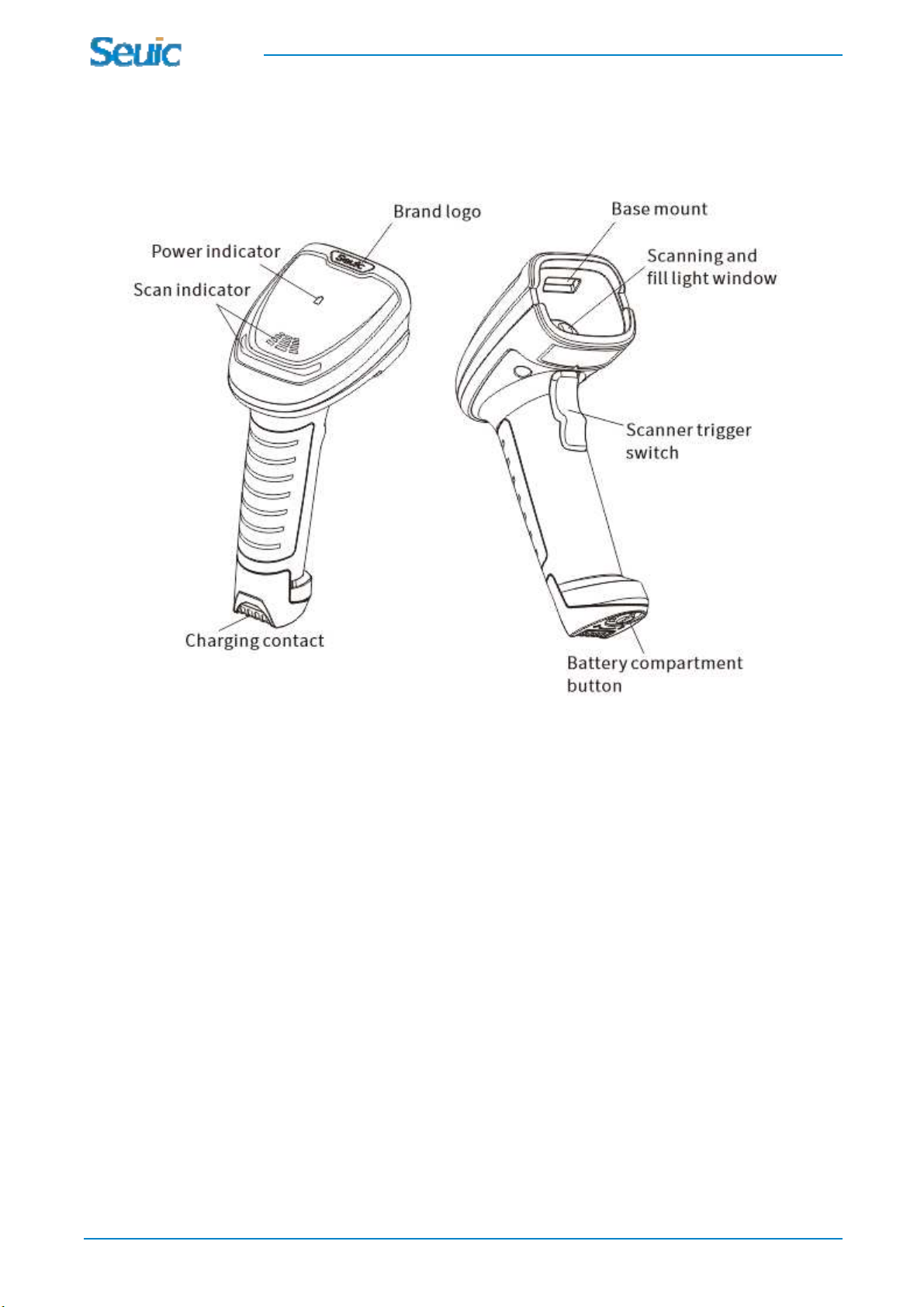
Power indicator
Power indicator in green 51-100% power
Power indicator in yellow 21-50% power
Power indicator in red, indicating low battery
power
0-20% power
Flash in blue (fast/fast/slow) Paging status
Press and hold the scan button for 3 seconds, and the indicator will show the battery power; it will
automatically go off within 5 seconds;
Scan indicator
Off The barcode scanner is turned on and ready to
scan, but the scanner is not powered
Flashing in green The barcode has been successfully decoded
Red Transmission error (off by default)
Yellow Communication failure
Troubleshooting
The wireless scanner does not work
The scanner is not powered Check if the battery power is low
The wireless scanner successfully decodes the barcode, but fails to upload the data to the
host
The host interface is incorrectly configured Scan the appropriate host interface setting code
The cable is loose Make sure that all cable are securely connected
The wireless scanner is not paired with the
cradle
Scan the cradle pairing setting code to ensure
they are paired and connected properly