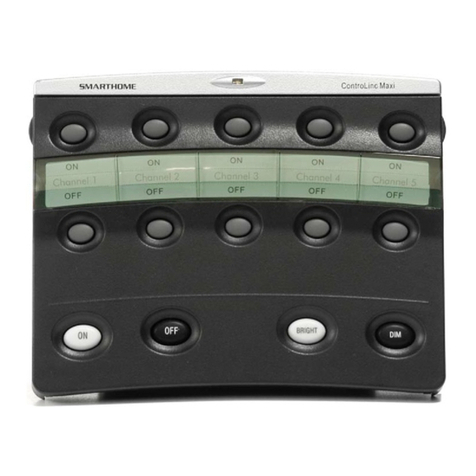
ControLinc Maxi User’s Guide
TABLE OF CONTENTS
ABOUT CONTROLINC ................................................................................................................................3
Key ControLinc Features...........................................................................................................................4
HOW TO INSTALL CONTROLINC MAXI....................................................................................................5
ControLinc Installation Tips.......................................................................................................................5
Installing ControLinc Maxi .........................................................................................................................5
BASIC OPERATION.....................................................................................................................................6
Sending PLC Commands..........................................................................................................................6
Using Preset Dim Feature.........................................................................................................................6
USING PRE PROPGRAMMED BUTTONS..................................................................................................7
Using the Pre Programmed Buttons to Setup Scenes:.............................................................................7
Using the Pre Programmed Buttons to Setup Scenes Fade Rates:.........................................................8
Using the Pre Programmed Buttons to Delete Scenes:............................................................................8
ADVANCED CONTROLINC MAXI FEATURES..........................................................................................9
Overview of User Defined Buttons ............................................................................................................9
Programming All User Lights On and Units Off Buttons: ..........................................................................9
Programming Addresses into a Button Pairs ..........................................................................................10
Programming Individual Buttons .............................................................................................................11
CONTROLINC MAXI FEATURES..............................................................................................................12
Turning the Audible Sounder On and Off................................................................................................12
Turning the Status LED On and Off ........................................................................................................12
Turning Polite Mode On and Off..............................................................................................................13
Factory Resetting the ControLinc Maxi...................................................................................................13
HOW TO USE CONTROLINC MAXI..........................................................................................................14
Using ControLinc Maxi’s Buttons ............................................................................................................14
Using the ON and OFF Button Pairs.......................................................................................................15
Using the ON and OFF Buttons (Lower Left, with Cover Closed)...........................................................15
Using the BRIGHT and DIM Buttons.......................................................................................................15
MOUNTING OPTIONS FOR CONTROLINC MAXI....................................................................................17
Tabletop Mounting...................................................................................................................................17
Changing the Button Labels....................................................................................................................17
TROUBLESHOOTING................................................................................................................................18
SPECIFICATIONS......................................................................................................................................19
ControLinc Maxi’s Specifications.............................................................................................................19
Certification..............................................................................................................................................20
Limited Warranty .....................................................................................................................................20