SonicAire XT200
Owner’s Manual
10
4 Damage from unapproved environmental conditions, accident, misuse, abuse, fire,
floods, or acts of God.
5 Damage from use in conjunction with products not approved by SonicAire.
6 Repairs to parts or fan unit to correct product damage or defects caused by improper
service, alteration or modification of the fan unit.
7 Cosmetic damage including scratches, dents, chips,and other damage to the fan unit
finishes, unless such damage results from defects in materials and workmanship
and is reported to SonicAire within 45 days of shipment from factory.
8 Discoloration, rust, or oxidation of surfaces resulting from caustic or corrosive
environments including but not limited to high salt concentrations, high moisture or
humidity, exposure to chemicals, or elevated ambient temperatures. Standard Pro
Series fans are warrantied to 130°F/55°C. Extreme Temperature Fans and Parts are
available for warrantied parts to 170°F/75°C. Contact SonicAire Parts and Service
at 1-336-712-2437 for more information.
9 Housekeeping expenses due to inoperative condition of a fan unit.
10 On-site field labor, removal, re-installation, or shipping costs of returning fan unit
back to factory for repairs.
The cost of the repair or replacement under any of these excluded circumstances shall
be borne by the customer.
iDrive
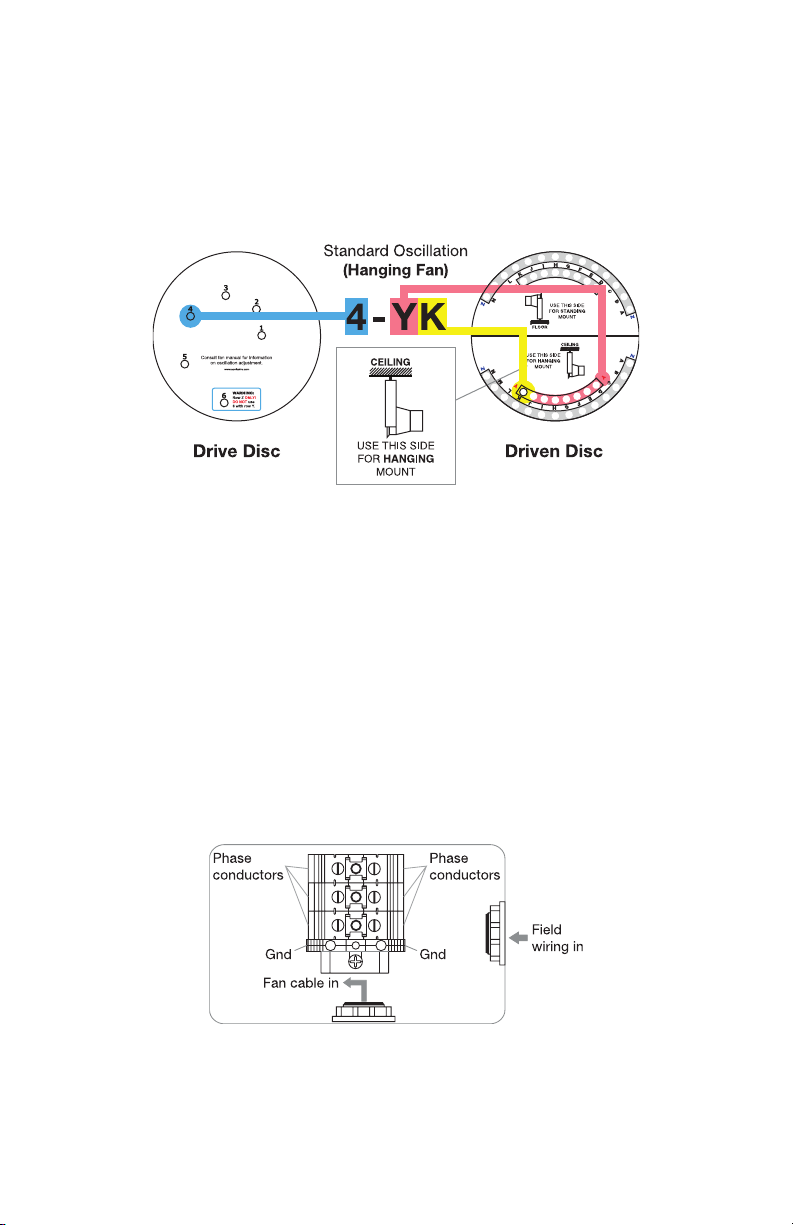
The iDrive system allows you to adjust the preferred cleaning area by changing the
vertical oscillation angle. The iDrive system (Figure 2.1) allows the user to make simple
adjustments to achieve a custom cleaning angle.
Connecting Link
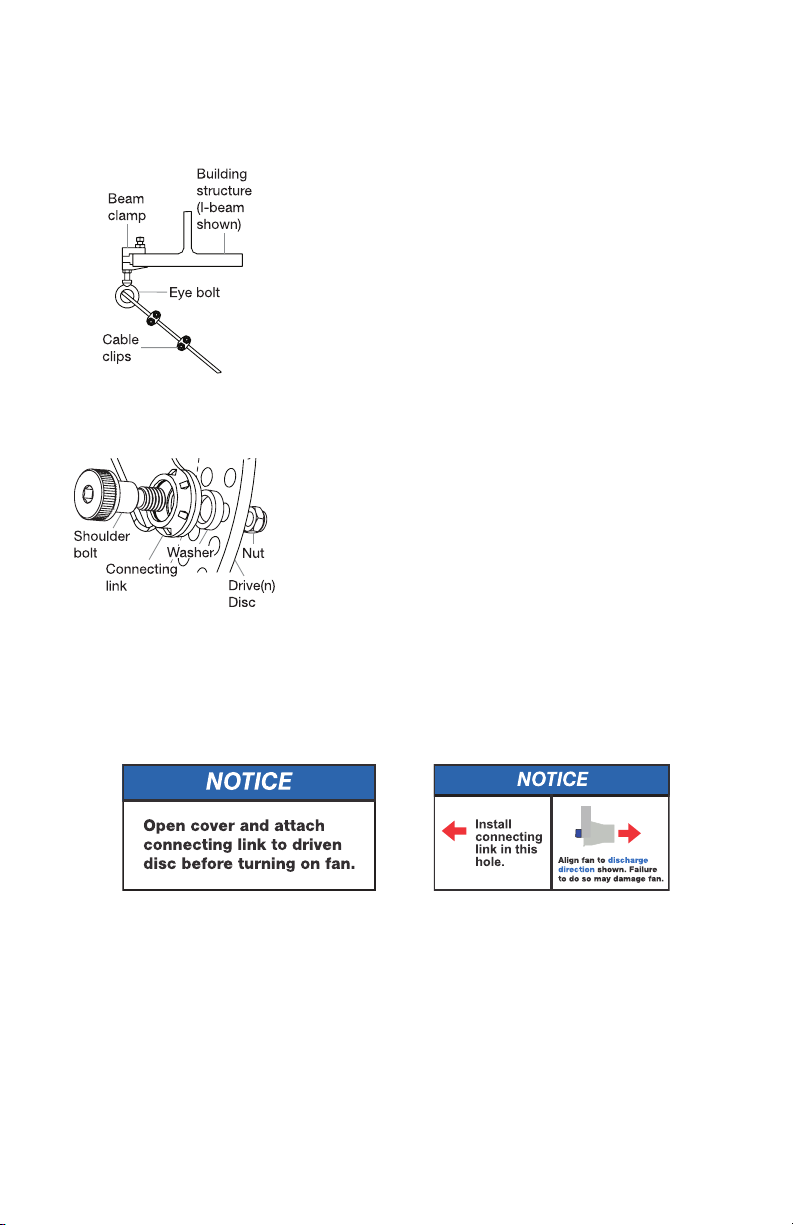
The Connecting Link connects the Drive and Driven Discs. Figure 1.6 shows the proper
assembly order of the Connecting Link.
Drive Disc
The Drive Disc is located at the top of the iDrive assembly. This disc determines the
magnitude of oscillation.
Driven Disc
The Driven Disc is located at the bottom of the iDrive assembly. This disc determines