AZAMERICA S808 Bedienungsanleitung

S808

GENERAL INFORMATION
INSTALLATION
MENU INFORMATION
3
7
9
Main Features
For your Safety
Unpacking
General Operation
RCU
3
4
5
5
6
Front Panel
Rear Panel
Connecting to TV using RCAsupport
Connecting to Digital Amplifier
7
7
8
8
Main Menu
1. Channel List
1.1 TV Channel List
1.2 Radio ChannelList
1.3 DeleteAll
2. Installation
2.1 AntennaConnection
2.2 Satellite List
2.3 AntennaSetup
2.4 Single SatelliteSearch
2.5 Multi SatelliteSearch
2.6 TP List
3. System Setup
3.1 Language
3.2 TV
3.3 Local Time setting
3.4 TimerSetting
3.5 Parental Control
3.6 OSD Setting
3.7 Favorite
3.8 Other
9
10
10
13
13
13
13
14
15
17
17
18
19
19
19
20
20
20
21
21
21

4. Tools
4.1 Information
4.2 Factory Setting
4.3 Upgrade byUSB
4.4 ConditionalAccess
4.5 USB
5. Game
6. REC
6.1 Record Mangager
6.2 PVR Setting
6.3 HDD Information
7. Hot key
7.1 Info
7.2 EPG
7.3 Find
7.4 Numer
7.5 TV/Radio
7.6 Up/Down
7.7 Left/Right
7.8 Mute
7.9 Pause
7.10 OK
7.11 Audio
7.12 Recall
7.13 Fav
7.14 Teletext
7.15 Zoom
21
22
22
22
22
23
24
25
25
25
25
26
26
26
26
27
27
27
27
27
27
27
27
28
28
28
28
29

A Digital Satellite Receiver is a convenient product that allows you to view a variety
of programs provided through satellite. This user's guide covers the installation of
the DSR and the necessary steps to implement various features. This also explains
special features available only in thisDSR in detail, which will allow you to make full
use of thesefeature.
Information confirmed in this document is subject to change. We reserves the right,
without notice, to make change in product design or performances as progress in
engineering or technology.
Main Features
MPEG-2 digital &fully DVB-S compliant
SCPC and MCPC receivable from C/Kuband satellite
Automatic PAL/NTSC conversion
4000 channels TV and Radioprogrammable
32 different favorite groups selection
On Screen Displaywith multi-language
Fully support to7 days ElectronicProgram Guide(EPG)
Picture in Graphics(PIG)support
256 colors OnScreen Display
Automatic network searchfor newly addedtransponders
DiSEqC 1.0/1.1/1.2/1.3 fullysupport, 13/18V, 0/22K
Various channel editing function(favorite,move, lock, renameand sort)
Parental control forchannels
Easy to useMenu System
Software upgrades throughRS232 port andReceiver to receiver
Automatic turn on/off by Timer setting(multiple options)
Subtitle support DVBEN300743 and EBU
Teletextsupport DVB ETS300472by VBI andOSD
Automatic save forlast channel
Channel list canbe sorted byalphabetic A-Z
Up to 3X3pictures on screen,only 1 active
Video zoom function with 1/2/4/6/8/12/16ratio
Supprot FAT16/FAT32/FAT12
Only list JPEG/BMPfiles
Default 2 hours,user can settingthe end time
Based on sizeof HDD, 512M~8Gsize will reservefor time shifted
recording
Lock/Delete/Rename,Preview playback,Browse recordfiles information
Play/Pause/Stop/Step
Fast Forward/Fast Backward2/4/8/16/24, Slow Forward/SlowBackward
1/2, 1/4, 1/8,Jump to userselected time point
RJ45

For Your Safety
Be sure to turn the Receiver off and
disconnect the AC power cord before
cleaning the Receiver surface. If the
surface is dirty, wipe clean with a cloth
which has been dipped in a weak soap-and-
water solution and wrung out thoroughly,
and then wipe again with a dry cloth.
Switch the receiver off whenever it remains
out of service for an extended period.
Do not touch the receiver during thunder,
since that might create electric-shock
hazards.
Do not block ventilation holes of the
Receiver so that air can circulate freely.
Do not expose the receiver un-der the
sunlight. And keep it away from the heat
source.
Keep the receiver away from flower vases,
tubs, sinks, etc., in order to avoid damaging
the equipment.
To avoid electric-shock hazards, do not
open the cabinet, refer servicing to qualified
personnel only.
When the abnormal phenomenon occur,
you should cut off the power immediately.

General Operation
Throughout this manual you will notice that the everyday operation of the receiver is
based on a series of user friendly on screen display and menus. These menus will
help you get the most from your receiver, guiding you through installation, channel
organizing, viewing andmany other functions.
All functions can be carried out using the buttons on the RCU, and some of the
functions can alsobe carried outusing the buttonson the frontpanel.
The receiver is easy to use, always at your command and adaptable for future
advances.
Please be awarethat new softwaremay change thefunctionality of thereceiver.
Should you experience any difficulties with the operation of your receiver, please
consult the relevant section of this manual, including the Problem Shooting, or
alternatively call yourdealer or acustomer service adviser.
Remote Control Guide
Audio/Video cable

RCU
Key Function
Turns power ON/OFF of theDSR
When watching achannel, mute thesound
Switches between TVand Radio mode
0~9
MENU
EXIT
OK, LIST
PR+, PR-
Enter number ofthe required menu item or
select a channelnumber to watch
Press this keyone time to run menu onscreen
Return to theprevious menu on the menu
screen or escapefrom the menu
Press once topause the screen picture, press
once again togo to the normal mode
TV/RADIO
PR
Switches back toprevious channel
Displays the favoritegroup list
Show information ofthe current channel
Switch to teletextor subtitle mode
Moves up /down a page in the list
FAV
INFO
Executes the selecteditem in the menu screen
or enters thedesired value in any input mode
When watching achannel, change channels or
move to thenext higher or lower item inthe menu
When watching achannel, adjust the volume or
move to theleft or right item in themenu
Call up the EPG (Electronic Program Guide)
Display the Audio window.
Switch between TV and AV modes
EPG
L
R
TV/AV
PAUSE
FIND Display the Findwindow
ZOOM
Enter into thezoom in mode
SLEEP
Enter into thesleep in mode
Enter into thenine-pictures mode displayed
on the screen.
TXT
SHIFT
RECORD
Play and stopthe program
Press to fastForward or fastbackward
Record the program
Timeshift function key
,
Press to slowforward or slow backward

Rear PanelRear Panel
Rear PanelFront Panel
POWER ON/OFF
CONNECT VIDEO TO TV USING RCAJACK
LNB IN: CONNECTTO SATELLITE ANTENNA
LNB OUT:CONNECT TOTHE OTHER RECEIVER
RF IN: CONNECTTO CABLE SINGAL
RF OUT: CONNECT TO TV ANT INPUT
CONNECT TO ADIGITAL AMPLIFIER
CONNECT TO AUDIO R/L TO TV OR AUDIO TUNER
CONNECT TO A PC
FOR S/W UPGRADE
CONNECT TOUSB DEVICE
COMPONENT VIDEO OUTPUT,
ANALOGUE, HIGH DEFINITION.

Connecting to TVusing RCA support
Satellite
Dish
Connecting to DigitalAmplifier
Satellite
Dish
DIGITALAUDIO
CONVERTOR OR
AMPLIFIER
SPEAKER
DIGITAL AUDIO
LR
LR
IN VIDEO
TV
AUDIO

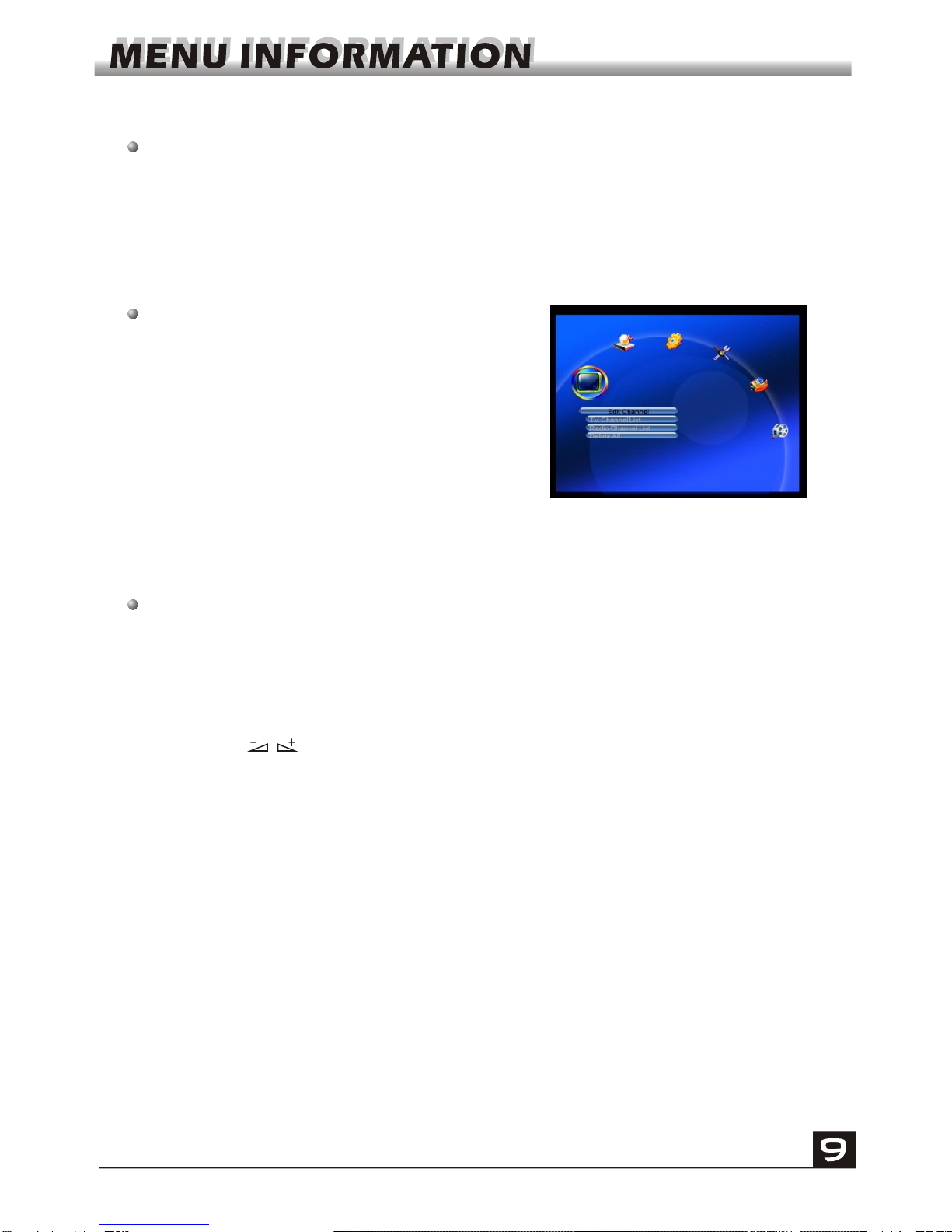
Main Menu
This menu consistsof 6 majormain menus
as follow.
- Edit Channel
- Installation
- System Setup
- Tools
- Game
-REC
During the installation the OK key confirms a selection and LIST key shows Down
List Box if the column has 34 mark. You can also use the numeric keys on the
RCU to enternumeric value.
Use the PR+,PR- key to move upwards and downwards from one line to another
line and use key to move from main menu to sub menu and move from left
side to rightside or versa.
Meantime, you want to escape the menu system, please press MENU or EXIT key
on the RCU.
Make sure that you have properly installed and connected the cables of the
receiver.If the receiver is the factory status or there is no program list, when power
on, the MainMenu window willbe displayed onthe screen.
During the normal TV/Radio mode, press MENU key on the RCU to enter into the
Main Menu window.
Dieses Handbuch passt für folgende Modelle
1
Inhaltsverzeichnis
Andere AZAMERICA Empfänger Handbücher