Fujitsu ETERNUS2000 model 100 Bedienungsanleitung


ETERNUS2000 Disk storage systems Server Connection Guide (SAS) for Linux
3Copyright 2010 FUJITSU LIMITED
P3AM-4212-02ENZ0
Preface
This document briefly explains the operations that need to be performed by the user in order to
connect an ETERNUS2000 model 100 or 200 Disk storage system to a server running Linux via
a SAS interface.
This document should be used in conjunction with any other applicable user manuals, such as
those for the ETERNUS2000 model 100 or 200 Disk storage system, server, OS used, SAS
cards, drivers, etc.
Note that this manual refers the following documents.
•Server Support Matrix
•ETERNUS2000 Disk storage systems Server Connection Guide (SAS) ETERNUS Disk
Storage System Settings
•ETERNUSmgr Install Guide
•ETERNUSmgr User Guide
Also, note that in this document the ETERNUS2000 models 100 and 200 Disk storage systems
are collectively referred to as ETERNUS Disk storage systems.
Second Edition
December 2010
The Contents and Structure of this Manual
This document is composed of the following 11 chapters.
•Chapter 1 Workflow
This describes how to connect the ETERNUS Disk storage systems to a server running Linux
•Chapter 2 Checking the Server Environment
This describes which servers can be connected to ETERNUS Disk storage systems.
•Chapter 3 Notes
This describes issues that should be noted when connecting the ETERNUS Disk storage
systems and server.
•Chapter 4 Installing and Setting Up ETERNUSmgr
This describes how to install ETERNUSmgr.
•Chapter 5 Setting Up the ETERNUS Disk Storage Systems
This describes how to set up the ETERNUS Disk storage systems using ETERNUSmgr.

Preface
ETERNUS2000 Disk storage systems Server Connection Guide (SAS) for Linux
4Copyright 2010 FUJITSU LIMITED
P3AM-4212-02ENZ0
•Chapter 6 Installing the SAS Card Drivers
This describes how to install the SAS card drivers and set up the server.
•Chapter 7 Setting Up the Server
This describes how to connect the server and ETERNUS Disk storage systems.
•Chapter 8 LUN Recognition
This describes how to recognize the ETERNUS Disk storage system logical units from server.
•Chapter 9 Setting Up and Checking the ETERNUS Multipath Driver
This describes how to set up and check the ETERNUS Multipath Driver.
•Chapter 10 Setting Up and Checking the device-mapper multipath
This describes how to set up and check the device-mapper multipath.
•Chapter 11 Setting Up the File System
This describes how to create a file system on the ETERNUS Disk storage systems.
Safe Use of this Product
■Using this manual
This manual contains important information to ensure the safe use of this product. Be sure to
thoroughly read and understand its contents before using the product. After reading, store this
manual in a safe place for future reference.
FUJITSU has made every effort to ensure the safety of the users and other personnel, and to
prevent property damage. When using this product, carefully follow the instructions described in
this manual.
Acknowledgments
•Linux is a trademark or registered trademark of Linus Torvalds in the USA and other
countries.
•Red Hat, PRM, and all Red Hat-based trademarks and logos are trademarks or registered
trademarks of Red Hat, Inc. in the USA and other countries.
•SUSE is a registered trademark of SUSE Linux AG., a subsidiary of Novell, Inc.
•LSI and the LSI logo design are trademarks or registered trademarks of LSI Logic
Corporation or its subsidiaries.
•The company names, product names and service names mentioned in this document are
registered trademarks or trademarks of their respective companies.

Preface
ETERNUS2000 Disk storage systems Server Connection Guide (SAS) for Linux
5Copyright 2010 FUJITSU LIMITED
P3AM-4212-02ENZ0
Naming Conventions
■Product Names
•Red Hat Enterprise Linux series products are as described below.
"xxx" in the following table indicates an architecture name (example: x86), and "x" indicates a
version number.
•SUSE Linux Enterprise Server series products are as described below.
"xxx" in the following table indicates an architecture name (example: x86), and "x" indicates a
version number.
Product Names Abbreviation
Red Hat Enterprise Linux RHEL
Red Hat Enterprise Linux 5 RHEL5
Red Hat Enterprise Linux 5.x RHEL5.x
Red Hat Enterprise Linux 5 (for xxx) RHEL5 (xxx)
Red Hat Enterprise Linux 5.x (for xxx) RHEL5.x (xxx)
Red Hat Enterprise Linux AS v.4 RHEL-AS4
Red Hat Enterprise Linux AS v.4 Update x RHEL-ASS4 Update x
Red Hat Enterprise Linux AS 4.x RHEL-AS4.x
Red Hat Enterprise Linux AS (v.4 for xxx) RHEL-AS4 (xxx)
Red Hat Enterprise Linux AS (v.4 for xxx) Update x RHEL-AS4 (xxx) Update x
Red Hat Enterprise Linux AS (4.x for x86) RHEL-AS4.x (xxx)
Red Hat Enterprise Linux ES v.4 RHEL-ES4
Red Hat Enterprise Linux ES v.4 Update x RHEL-ES4 Update x
Red Hat Enterprise Linux ES 4.x RHEL-ES4.x
Red Hat Enterprise Linux ES (v.4 for xxx) RHEL-ES4 (xxx)
Red Hat Enterprise Linux ES (v.4 for xxx) Update x RHEL-ES4 (xxx) Update x
Red Hat Enterprise Linux ES (4.x for xxx) RHEL-ES4.x (xxx)
Product Names Abbreviation
SUSE Linux Enterprise Server SLES
SUSE Linux Enterprise Server 11 SLES11
SUSE Linux Enterprise Server 11 Service Packx SLES11 SPx
SUSE Linux Enterprise Server 11 for xxx SLES11 (xxx)
SUSE Linux Enterprise Server 11 Service Packx for xxx SLES11 SPx (xxx)
SUSE Linux Enterprise Server 10 SLES10
SUSE Linux Enterprise Server 10 Service Packx SLES10 SPx
SUSE Linux Enterprise Server 10 for xxx SLES10 (xxx)
SUSE Linux Enterprise Server 10 Service Packx for xxx SLES10 SPx (xxx)

Preface
ETERNUS2000 Disk storage systems Server Connection Guide (SAS) for Linux
6Copyright 2010 FUJITSU LIMITED
P3AM-4212-02ENZ0
■Other names
•"SAS card" refers to the SAS interface module normally used by the server. A "Host Bus
Adapter" (HBA) or "Channel Adapter" (CA) may be used instead, depending on the server.
•"SAS cable" refers to the SAS interface cables used to connect the ETERNUS Disk storage
system and server.
•Italics are used to show variables such as values and characters that appear in command
parameters and output examples.
Copyright 2010 FUJITSU LIMITED

ETERNUS2000 Disk storage systems Server Connection Guide (SAS) for Linux
7Copyright 2010 FUJITSU LIMITED
P3AM-4212-02ENZ0
Contents
Chapter 1 Workflow ...................................................................................9
1.1 When the Multipath Driver is not Used ............................................................... 9
1.2 When the Multipath Driver is Used ................................................................... 11
Chapter 2 Checking the Server Environment........................................13
2.1 Server Hardware .............................................................................................. 13
2.2 Basic Software ................................................................................................. 13
2.3 SAS Cards ....................................................................................................... 13
2.4 ETERNUS Multipath Driver or device-mapper multipath ................................. 13
Chapter 3 Notes .......................................................................................14
3.1 SAS Card Notes ............................................................................................... 14
3.2 Server Startup and Power Supply Control Notes ............................................. 14
3.3 RHEL Notes ..................................................................................................... 14
3.4 SLES Notes ...................................................................................................... 14
Chapter 4 Installing and Setting Up ETERNUSmgr ..............................15
Chapter 5 Setting Up the ETERNUS Disk Storage Systems ................16
Chapter 6 Installing the SAS Card Drivers ............................................17
6.1 For Fujitsu SAS Cards ..................................................................................... 17
6.2 For LSI Logic SAS Cards ................................................................................. 17
Chapter 7 Setting Up the Server.............................................................18
7.1 For Fujitsu SAS Cards ..................................................................................... 18
7.2 For LSI Logic SAS Cards ................................................................................. 18
Chapter 8 LUN Recognition ....................................................................19
8.1 Making the Server Recognize the LUNs .......................................................... 19
8.2 Displaying the Recognized Logical Units ......................................................... 20
8.2.1 For Red Hat Enterprise Linux .................................................................................................... 20
8.2.2 For SUSE Linux Enterprise Server ............................................................................................ 21

Contents
ETERNUS2000 Disk storage systems Server Connection Guide (SAS) for Linux
8Copyright 2010 FUJITSU LIMITED
P3AM-4212-02ENZ0
Chapter 9 Setting Up and Checking
the ETERNUS Multipath Driver .............................................22
Chapter 10 Setting Up and Checking
the device-mapper multipath ................................................23
10.1 For RHEL ......................................................................................................... 23
10.1.1 Modifying "/etc/multipath.conf" .................................................................................................. 23
10.1.2 Enabling the device-mapper multipath ...................................................................................... 24
10.1.3 Rebooting the Linux Server ....................................................................................................... 24
10.1.4 Recognizing the Post device-mapper multipath LUNs .............................................................. 24
10.1.5 Checking the device-mapper multipath Status and Created Devices ....................................... 25
10.2 For SLES .......................................................................................................... 25
10.2.1 Editing "/etc/multipath.conf" ....................................................................................................... 25
10.2.2 Enabling the device-mapper multipath ...................................................................................... 26
10.2.3 Rebooting the Linux Server ....................................................................................................... 27
10.2.4 Recognizing the Post device-mapper multipath LUNs .............................................................. 27
10.2.5 Checking the device-mapper multipath Status and Created Devices ....................................... 27
Chapter 11 Setting Up the File System ....................................................29

ETERNUS2000 Disk storage systems Server Connection Guide (SAS) for Linux
9Copyright 2010 FUJITSU LIMITED
P3AM-4212-02ENZ0
Chapter 1 Workflow
Which documents need to be referred to varies with the connection environment. Refer to the
workflow that follows to determine which documents are required.
Required Documents
•ETERNUS2000 Disk storage systems Server Connection Guide (SAS) for Linux
(This manual)
•Server Support Matrix
•ETERNUS2000 Disk storage systems Server Connection Guide (SAS) ETERNUS Disk
Storage System Settings
•ETERNUSmgr Install Guide
•ETERNUSmgr User Guide
•Other manuals provided with each product (server, SAS Cards, and Multipath Driver)
1.1 When the Multipath Driver is not Used
The documents and workflow required when a multipath driver is not used are as follows.
Workflow
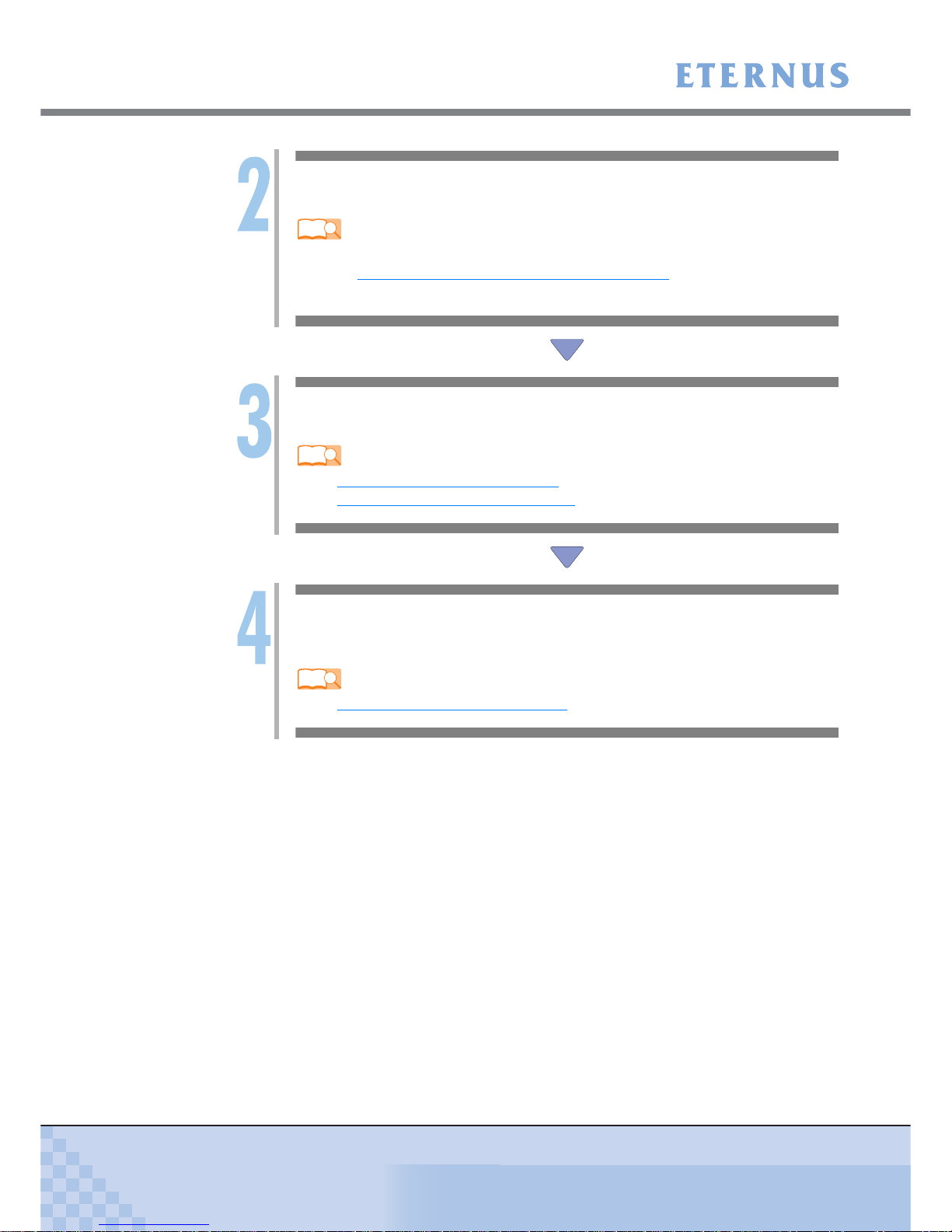
Install ETERNUSmgr and Set Up the ETERNUS Disk Storage System
If ETERNUSmgr is to be used, install it and set up the ETERNUS Disk storage system.
Refer
-"Chapter 2 Checking the Server Environment" (page 13)
-"Chapter 4 Installing and Setting Up ETERNUSmgr" (page 15)
-"Chapter 5 Setting Up the ETERNUS Disk Storage Systems" (page 16)
-Installing ETERNUSmgr
•"ETERNUSmgr Install Guide"
-Checking the setup and maintenance operations
•"ETERNUSmgr User Guide"
-Setting up the ETERNUS Disk storage system
•"ETERNUS2000 Disk storage systems Server Connection Guide (SAS) ETERNUS
Disk Storage System Settings"

Chapter 1 Workflow
> 1.1 When the Multipath Driver is not Used
ETERNUS2000 Disk storage systems Server Connection Guide (SAS) for Linux
10 Copyright 2010 FUJITSU LIMITED
P3AM-4212-02ENZ0
Install the SAS Card Driver
Install the appropriate driver for the SAS card being used.
Refer
-Checking the SAS Card driver versions
•"Chapter 6 Installing the SAS Card Drivers" (page 17)
•"Server Support Matrix"
Set Up the Linux Server
Set the parameters required for connection to the ETERNUS Disk storage system.
Refer
-"7.1 For Fujitsu SAS Cards" (page 18)
-"7.2 For LSI Logic SAS Cards" (page 18)
Set the Server to Recognize the Logical Units
Set up the server so that it can recognize the ETERNUS Disk storage systems' LUN
(logical units).
Refer
-"Chapter 8 LUN Recognition" (page 19)
Andere Handbücher für ETERNUS2000 model 100
1
Inhaltsverzeichnis
Andere Fujitsu Netzwerkspeicherserver Handbücher
Beliebte Netzwerkspeicherserver Handbücher anderer Marken

HP
HP NetStorage 6000 Bedienungsanleitung

Seagate
Seagate U10 ST320423A Bedienungsanleitung

Synology
Synology RackStation RS816 Handbuch

D-Link
D-Link ShareCenter Pro DNS-1200-05 Bedienungsanleitung

Avid Technology
Avid Technology VideoRAID ST Sicherheitsleitfaden

Western Digital
Western Digital My Cloud Home Duo Bedienungsanleitung

PrimeArray
PrimeArray 4xxx Bedienungsanleitung

Buffalo
Buffalo TeraStation WSS WSH5010N6 Bedienungsanleitung

Planex
Planex MZK-NAS01SG Bedienungsanleitung

Intel
Intel SS4000-E - Entry Storage System NAS Server Bedienungsanleitung

Synology
Synology RS2212+ Bedienungsanleitung

Allnet
Allnet ALL69000 Bedienungsanleitung