iVina BulletScan S300 Bedienungsanleitung

iVina
Hybrid Sheetfed and Mobile
Scanner
User’s Manual
Aug 2010

ii
Regulatory model: FF-0803S
Trademarks
Microsoft is a U.S. registered trademark of Microsoft
Corporation. Windows and Windows Vista are trademarks of
Microsoft Corporation.
IBM, IBM PC are registered trademarks of International Business
Machines Corp.
ENERGY STAR®is a U.S. registered mark.
Other brands and product names herein are trademarks or
registered trademarks of their respective holders.
Copyright
All rights reserved. No part of this publication may be
reproduced, transmitted, transcribed, stored in a retrieval
system, or translated into any language or computer language,
in any form or by any means, electronic, mechanical, magnetic,
optical, chemical, manual, or otherwise, without the prior
written permission of iVina Inc.
Material scanned by this product may be protected by
governmental laws and other regulations, such as copyright
laws, the customer is solely responsible for complying with all
such laws and regulations.
Warranty
The information contained in this document is subject to
change without notice.
iVina makes no warranty of any kind with regard to this
material, including, but not limited to, the implied warranties
of fitness for a particular purpose.
iVina shall not be liable for errors contained herein or for
incidental or consequential damages in connection with the
furnishing, performance, or use of this material.

S300 Manual V.5 Aug 2010
iii
FCC Radio Frequency Interference Statement
This product has been tested and found to comply with the
limits for a class B digital device, pursuant to Part 15 of the
FCC rules. Operation is subject to the following two
conditions: (1) this device may not cause harmful
interference, and (2) this device must accept any
interference received, including interference that may
cause undesired operation. The FCC Class B limits are
designed to provide reasonable protection against harmful
interference in a residential installation. This equipment
generates, uses, and can radiate radio frequency energy
and, if not installed and used in accordance with the
instructions, may cause harmful interference to radio
communications. However, there is no guarantee that
interference will not occur in a particular installation. If this
equipment does cause harmful interference to radio or
television reception, which can be determined by turning
the equipment off and on, the user is encouraged to try to
correct the interference by one or more of the following
measures:
Reorient or relocate the receiving antenna.
Increase the separation between the equipment and
receiver.
Connect the equipment into an outlet on a circuit
different from that to which the receiver is connected.
Consult your point of purchase or service representative
for additional suggestions.
CE Warning
This product satisfies the Class B limits of EN55022, EN55024
and safety requirements of EN 60950.

iv
Disposal of Waste Equipment
This symbol on the product or on its packaging indicates that
the product can not be disposed of with your other household
waste. Instead it should be sent to appropriate facilities for
recovery and recycling in an effort to protect human health and
the environment. For more information about where you can
drop off your waste equipment for recycling, please contact
your local city office, your household waste disposal service or
the shop where you purchased the product.
As an ENERGY STAR®Partner, iVina Inc. has
determined that this product meets the ENERGY
STAR guidelines for energy efficiency.
System Requirements
Microsoft Windows XP/Vista/7
1.2 GHz CPU or greater *
512 MB RAM for Windows XP (2+ GB RAM
recommended)
1 GB RAM for Windows Vista and 7 (2+ GB RAM
recommended)
500 MB available on the Hard Drive for complete
software installation
USB 2.0 Port
CD-Rom drive
Display supporting full color (32 bit) at 800 x 600
* File conversion speeds and OCR performance are linked to
CPU speed. The faster the processor, the better the results.

S300 Manual V.5 Aug 2010
v
Table of Contents
1. Introduction.............................................. 1-1
2. Scanner Installation..................................2-1
2.1 Docking the Scan Module ............................. 2-2
2.2 Installing the Scanner Driver and Cables ........ 2-4
3. Completing Your First Scan ....................... 3-1
3.1 Placing Your Document ................................ 3-1
3.2 Verifying Your Scanner Installation ................ 3-7
3.3 A Glance of the Scanner Properties Dialog Box3-11
4. Using the Scanner Properties Dialog Box .. 4-1
4.1 Buttons on the Scanner Properties Dialog Box. 4-2
4.2 The Image Tab............................................ 4-3
4.3 The Compression Tab .................................4-23
4.4 The Color Dropout Tab ................................4-25
4.5 The Paper Tab............................................4-29
4.6 The Multi-Feed Detection Tab.......................4-38
4.7 The Preview Tab.........................................4-42
4.8 The Options Tab.........................................4-42
4.9 The Setting Tab .........................................4-50
4.10 The Information Tab ...............................4-53
5. The ISIS Interface Operation .................... 5-1
6. Using The Buttons ..................................... 6-1
6.1 The BulletScan Manager ............................... 6-2
6.2 Scanning From One Touch of the Buttons ....... 6-2
7. Care and Maintenance ............................... 7-1
7.1 Cleaning the Scanner Glass .......................... 7-1
7.2 Cleaning the rollers and ADF pad................... 7-3
7.3 Replacing the ADF Roller .............................. 7-7
7.4 Replacing the ADF pad module.....................7-11
8. Troubleshooting ........................................ 8-1

vi
8.1 Clearing a Paper Jam ................................... 8-1
8.2 Frequently Asked Questions.......................... 8-3
8.3 Technical Service ........................................ 8-4
9. Specifications............................................ 9-1
Index .................................................................. a

S300 Manual V.5 Aug 2010
1-1
1. Introduction
Congratulations on your purchase of the BulletScan S300
document scanner.
With this scanner, you can quickly scan documents both at
your desk and on the road to increase productivity.
Before you install and operate the new scanner, please take
a few minutes to read through this manual. It provides
proper instructions for you to unpack, install, operate and
maintain the scanner.
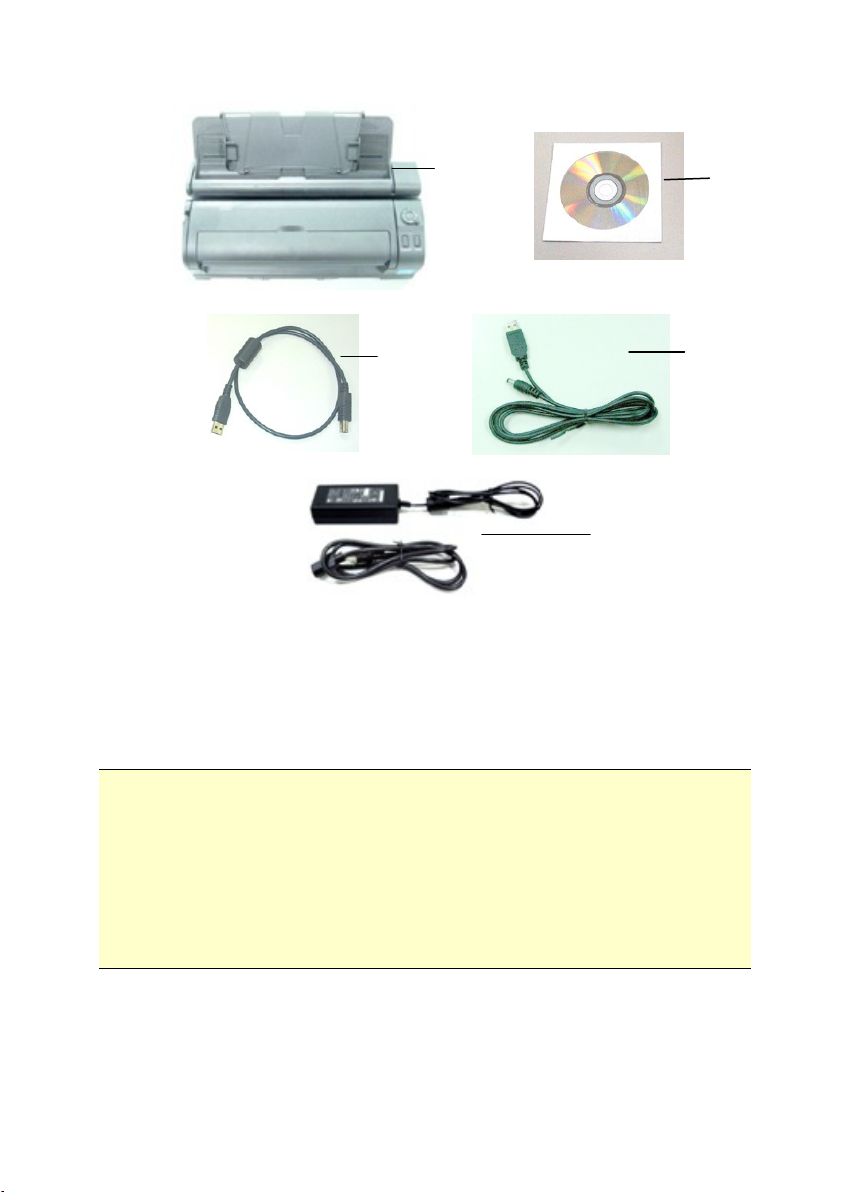
The following figure indicates the package contents. Please
check all the items against your checklist. If you do not
receive all the items, please contact your authorized local
dealer immediately.

1-2
1. Scanner main unit
2. Quick guide/CD
3. USB cable
4. USB power cable
5. Power adapter
Note:
1. Only use the BulletScan Type 1 AC adapter (HEG42-
240100-7L by HITRON / DA-24C24 by ADP) included in the
machine. Using other AC adapters may damage the
machine and void the warranty.
2. Please unpack the packing carefully, and check the contents
against the checklist. If any items are missing or damaged,
please contact your dealer immediately.
1
2
3
4
5

S300 Manual V.5 Aug 2010
2-1
2. Scanner Installation
Precautions
Keep the scanner out of direct sunlight. Direct exposure
to the sun or excessive heat may cause damage to the
unit.
Do not install the scanner in a humid or dusty place.
Be sure to use a properly grounded AC power source.
Place the scanner securely on an even, flat surface.
Tilted or uneven surfaces may cause mechanical or
paper-feeding problems.
Retain the scanner box and packing materials for
shipping purposes.

2-2
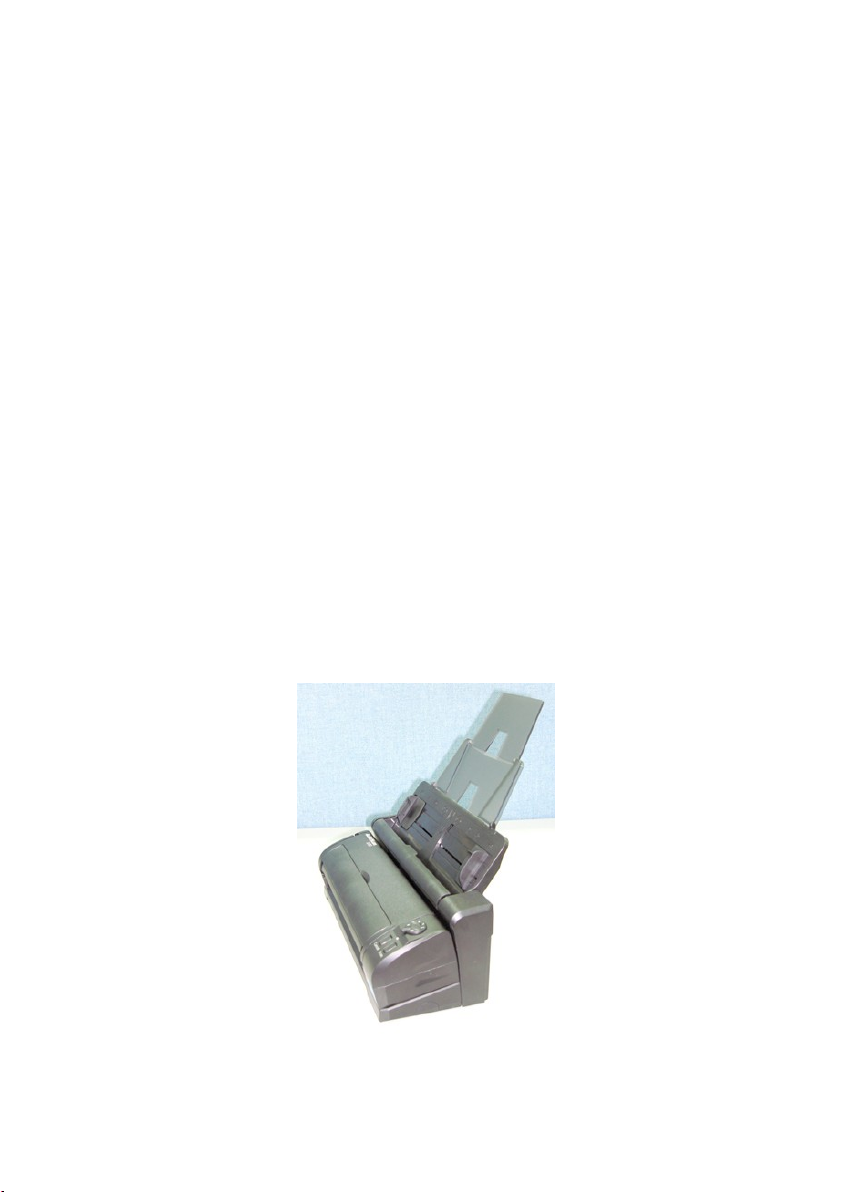
2.1 Docking the Scan Module
The scan module is detachable from the automatic document
feeder. The scan module without the automatic document
feeder can be conveniently carried around.
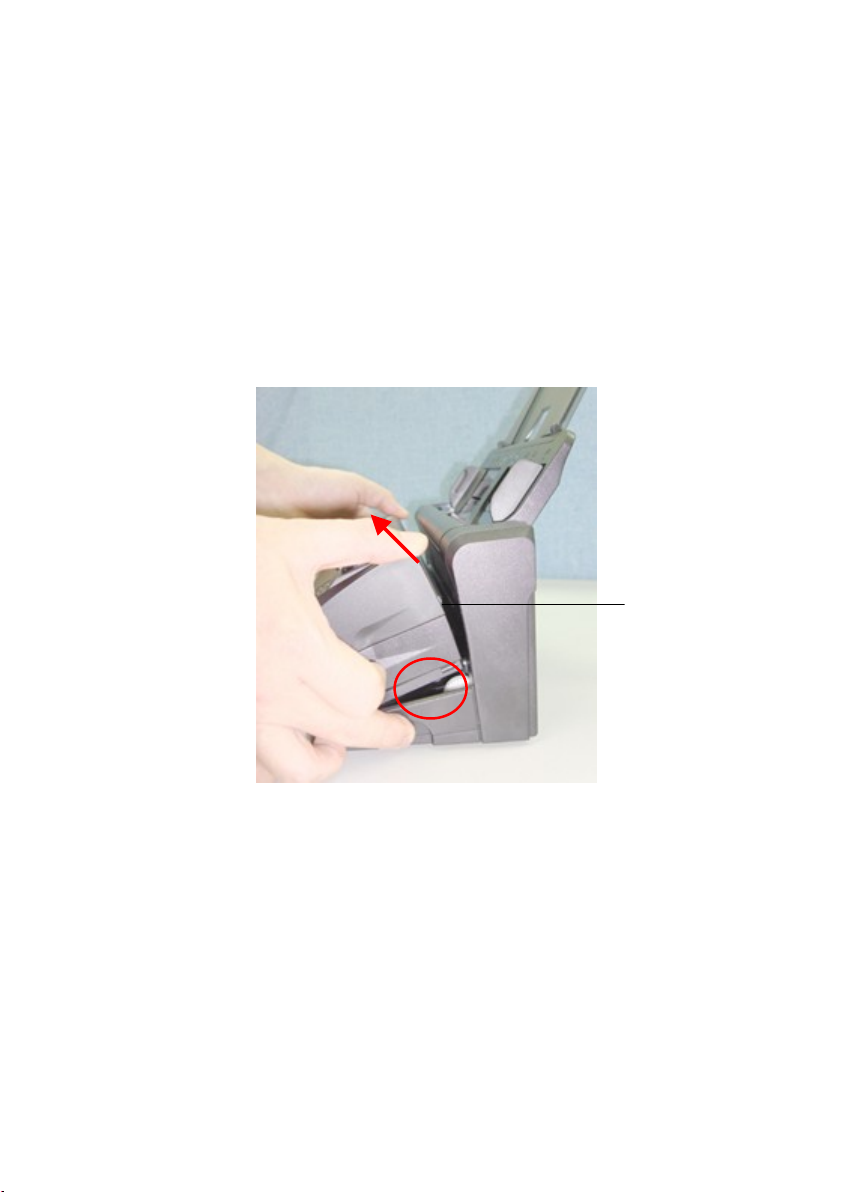
Ejection Steps:
Press the release button on bottom right corner and lift up the
scan module. The scan module can be easily removed.
The scan
module
Inhaltsverzeichnis
Andere iVina Scanner Handbücher

iVina
iVina BulletScan M80 Bedienungsanleitung

iVina
iVina 1200U Bedienungsanleitung

iVina
iVina 1200P Bedienungsanleitung

iVina
iVina 1200U Bedienungsanleitung

iVina
iVina FS-0913B Bedienungsanleitung

iVina
iVina BulletScan F200 Bedienungsanleitung

iVina
iVina BulletScan F600 Bedienungsanleitung

iVina
iVina BulletScan F200 Bedienungsanleitung