
raditeq Pro Series Bedienungsanleitung
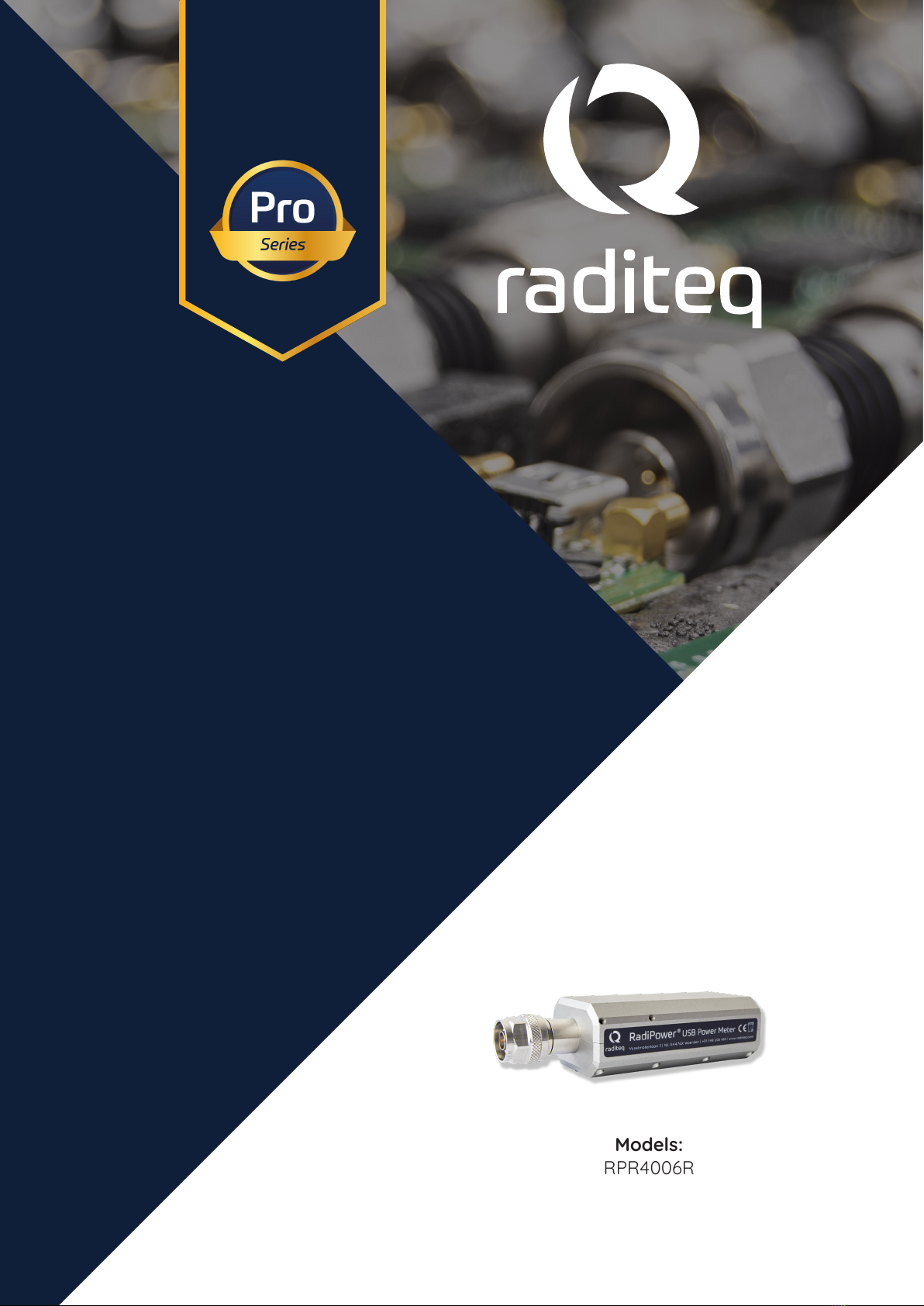
Models:
www.raditeq.com
RPR4006R
RadiPower®
Product Manual
RF Power Meter

Page 1 of 16
Publish date: 08/08/2023
Version: 1
RadiPower® product manual
This product manual refers to the RadiPower® pro series.
Models: RPR4006R
Made by Raditeq B.V.
Carefully read the content of this manual before operating the product and make sure all the safety
instructions are strictly followed.
For your convenience, a Quick Start Guide has been added to this product. This Quick Start Guide
contains the basic start-up steps and main safety warnings.
Please keep the Quick Start Guide (and this regular manual) close at hand when you operate your new
Raditeq product(s).
Please contact your local reseller if you have any questions.
Supplier Information
Raditeq B.V.
Vijzelmolenlaan 3
3447 GX, Woerden
The Netherlands
Tel.: +31 (0)348 200 100
Internet: www.raditeq.com
Email: [email protected]
All trademarks used in this manual are the property of their respective owners
RadiPower® Product Manual
RPR4006R
Page 1 of 16
This product manual is subject to change without notice
Copyright © 2008 - 2023 Raditeq B.V.

Page 2 of 16
Page 2 of 16
This product manual is subject to change without notice
Copyright © 2008 - 2023 Raditeq B.V.
RadiPower® Product Manual
RPR4006R
Table of contents
WARNINGS & PRECAUTIONS 3
Introduction 4
The RadiPower® 4000 Series 5
Theory of operation 5
RadiPower® Installation 6
Stand-alone Conguration 6
Software Conguration 7
Stand-alone command set 9
RPR4006R - RadiPower Status & Setting Commands 9
RPR4006R - RadiPower Status Commands - Continued 10
RPR4006R - Measurement Commands 11
RPR4006R - Measurement Commands - Continued 12
Specications RPR4000 Pro Series 13
Warranty Conditions 14
Page 3 of 16
RadiPower® Product Manual
RPR4006R
Page 3 of 16
This product manual is subject to change without notice
Copyright © 2008 - 2023 Raditeq B.V.
WARNINGS & PRECAUTIONS
Read the contents of this product manual carefully and become familiar with the safety markings, the product instructions
and the handling of the system. Please refer to the applicable product manual(s) for further information regarding the
operation and control of the product(s).
Only Raditeq qualied maintenance personnel is allowed to perform maintenance and/or repair service on the equipment.
This product® contains materials that can be recycled and reused to minimize material waste. At the ‘end-of-life’, specialized
companies can dismantle the discarded system to collect the reusable and recyclable materials. If your product is at its
‘end-of-life’, please return it to your local reseller or to Raditeq for recycling.
For cleaning, use a clean, dry cloth (or a damp cloth where needed) and wipe the surface of equipment.
This product contains no hazardous substances as described in the RoHS Directive (2011/65/EU).
This Product contains embedded software, which is (stand a lone) upgradeable using the RadiMation® Software.

Page 4 of 16
This product manual is subject to change without notice
Copyright © 2008 - 2023 Raditeq B.V.
RadiPower® Product Manual
RPR4006R
Introduction
This manual contains information about the RadiPower® RPR4000 Pro series range of RF power meters.
An accurate power meter is indispensable to perform reliable EMC measurements. The RadiPower® 4006R Pro
is a RF power meter especially designed for power measurements during EMC tests. The RadiPower® is an
aordable, accurate and fast power meter. It provides accurate RMS measurements over a wide frequency
range, which enables eective measurements in accordance with the latest EMC standards.
Each RadiPower® RF power meter has an USB port that allows direct connection and control from any Microsoft®
Windows PC.
Please read this manual carefully and make sure to pay special attention to the chapters regarding your new
product(s).
RadiMation® Software
RadiMation® is the brand independent EMC automation software from Raditeq.
RadiMation® places the EUT in the center. The software is designed to perform all
EMC tests required to certify an EUT. As a result, the test data of all dierent tests is
collected in one single software package, allowing fully automated report generation.
Our advanced report generation tool streamlines the process of creating test reports following EMC
(Electromagnetic Compatibility) tests. With its user-friendly interface and ecient functionality, generating a
comprehensive test report has never been easier. By simply pressing a single button, the tool automatically
compiles all the necessary data and formats them into a professional and organized report.
This automation signicantly reduces the time and eort traditionally required to manually compile and format
test reports. Our tool ensures consistency and accuracy in report generation, minimizing the risk of errors or
omissions.
Furthermore, the report generation tool supports the inclusion of all relevant graphs, charts, tables, and
explanatory notes to provide a comprehensive understanding of the test results.
By simplifying the report generation process, our tool empowers EMC test engineers to focus more on their
core tasks, such as analyzing results and implementing mitigation strategies if necessary. This improves overall
productivity and eciency in the testing workow, enabling faster turnaround times for delivering test reports
to clients or internal teams.
Device drivers for all main manufactures are freely made available or are made for free when required, as long
as the equipment is standard comercially available and still supported by the original manufacturer. This allows
you choose the best suited EMC test equipment for each specic application, instead of being locked in by a
vendor.
RadiMation
RadiPower® Product Manual
RPR4006R
Page 5 of 16
This product manual is subject to change without notice
Copyright © 2008 - 2023 Raditeq B.V.
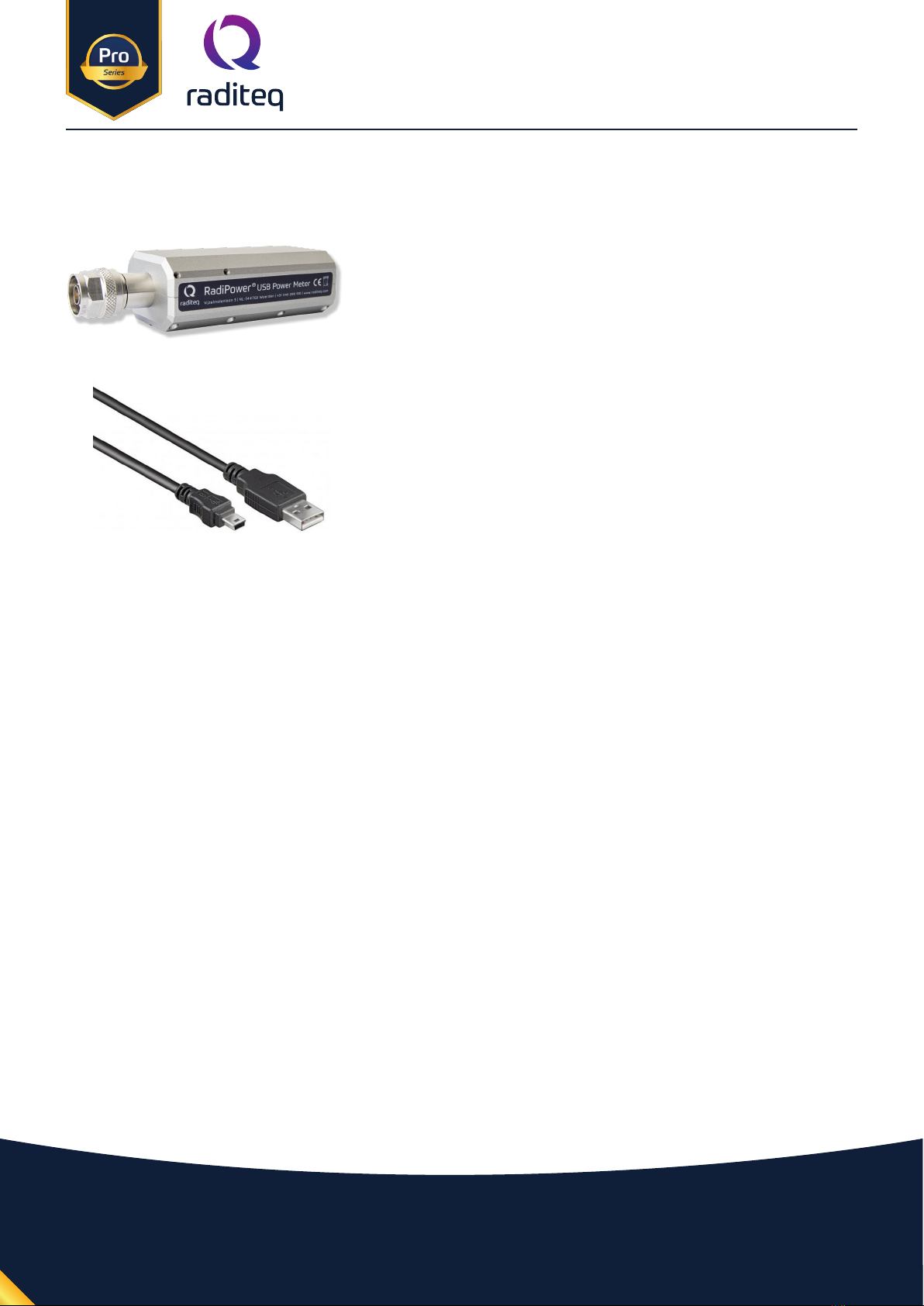
Shielded USB cable
Model: USB A male to Mini USB
Used to connect the RF power sensor with the PC.
The RadiPower® 4000 Series
The RadiPower® RF power sensor
Model: RPR4006R
True RMS Power Meter for measurements of (non) sinusoidal
singals.
Standard delivered with USB stick containing the following documents:
• The user manual and Quick Start Guide.
• The installation of RadiMation® Free software and drivers.
• Optional - The calibration certicate for the power meter (if a calibration was requested).
Theory of operation
The RadiPower® RPR4006R incorporates a hardware RMS detector, enabling direct measurement of (non)-sinusoidal
signals with exceptional accuracy. This advanced feature eliminates the need for additional signal processing or
waveform assumptions, making it a versatile device for a wide range of applications.
RadiPower® Product Manual
RPR4006R
Page 6 of 16
This product manual is subject to change without notice
Copyright © 2008 - 2023 Raditeq B.V.
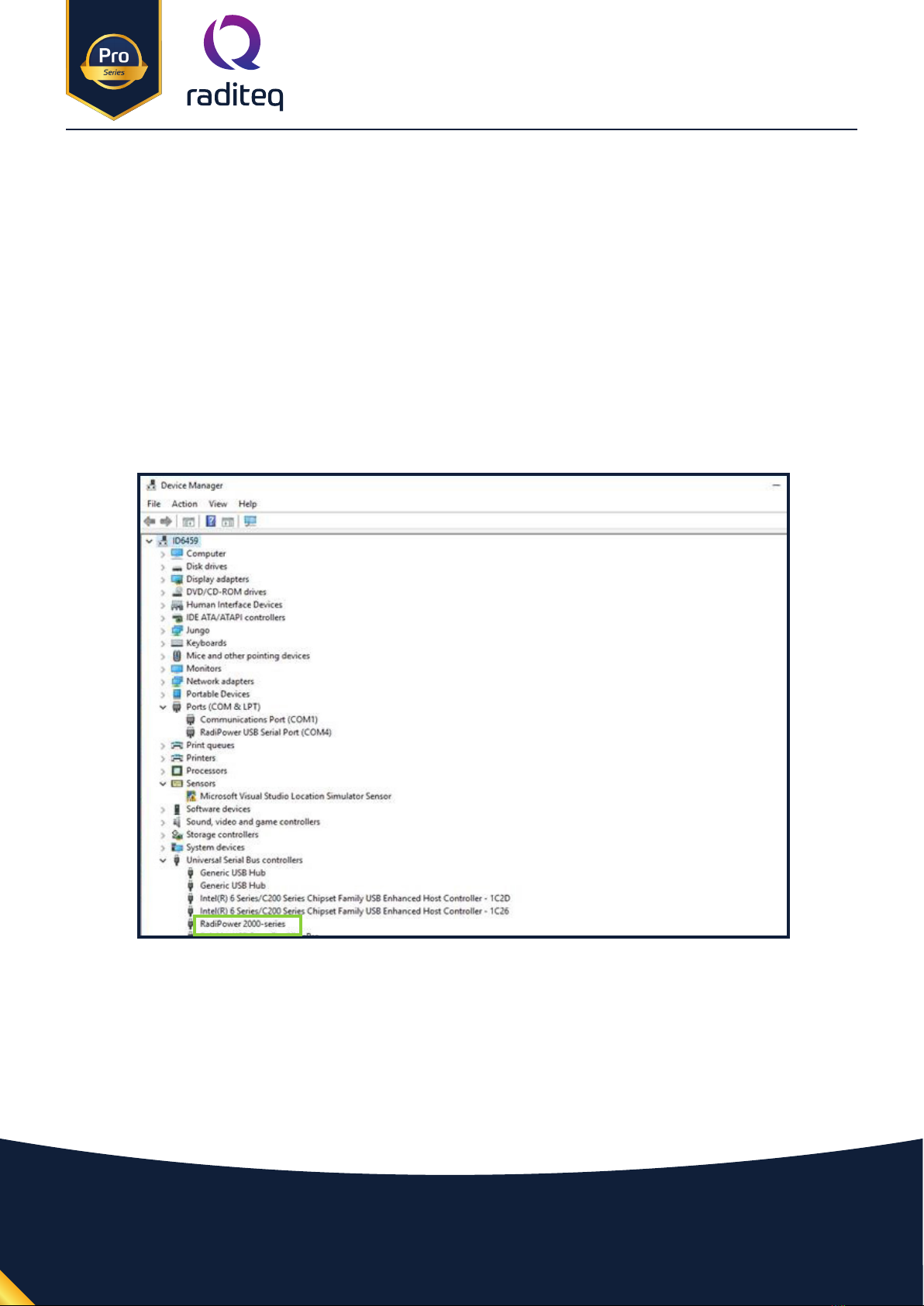
Connect the RadiPower® sensor to a Windows computer with a USB port for ‘stand-alone’ use. Use the supplied
USB cable to connect the sensor to your computer. Windows will prompt that new hardware has been found. The
USB-driver for the RadiPower® is Windows certied and will be loaded automatically from the Windows update.
If the drivers are not loaded automatically, these can be installed manually from the supplied USB-key. Follow
the normal instructions from Windows to install the drivers manually.
Once the drivers are loaded successfully, the RadiPower® will be shown in the device list.
RadiPower® Installation
Stand-alone Conguration
Connect the RadiPower® sensor to a Windows computer with a USB 2.0 (USB 3.0 preferred). Use the supplied USB
cable to connect the RadiPower® sensor. The hardware installation for the RadiPower® sensor is now complete.
Page 7 of 16
This product manual is subject to change without notice
Copyright © 2008 - 2023 Raditeq B.V.
RadiPower® Product Manual
RPR4006R
In order to control the RadiPower® from a computer, the RadiMation® EMC software package can be used.
RadiMation® from Raditeq is sold separately. A free-ware version of RadiMation® is available on: https://www.
raditeq.com/automated-emc-software/radimation-free/. If the RadiPower® is operated manually, this chapter
can be skipped.
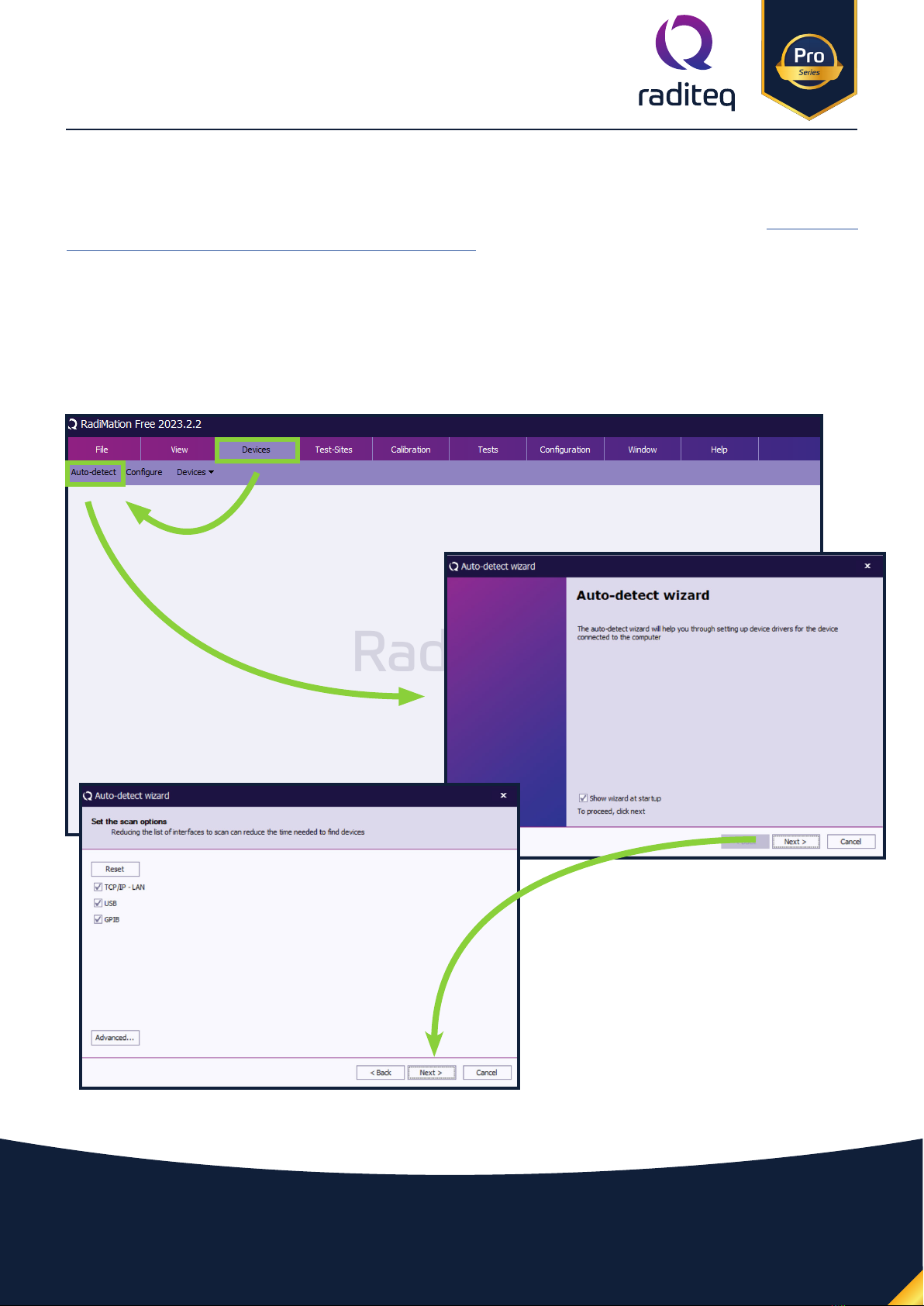
RadiMation comes after version 2022.2 with an Auto Detect feature. This makes it possible to automatically
detect Raditeq (and other hardware) and congure it.
The Auto detect start when you rst download and install RadiMation. Or click Devices -> Auto-detect.
Software Conguration
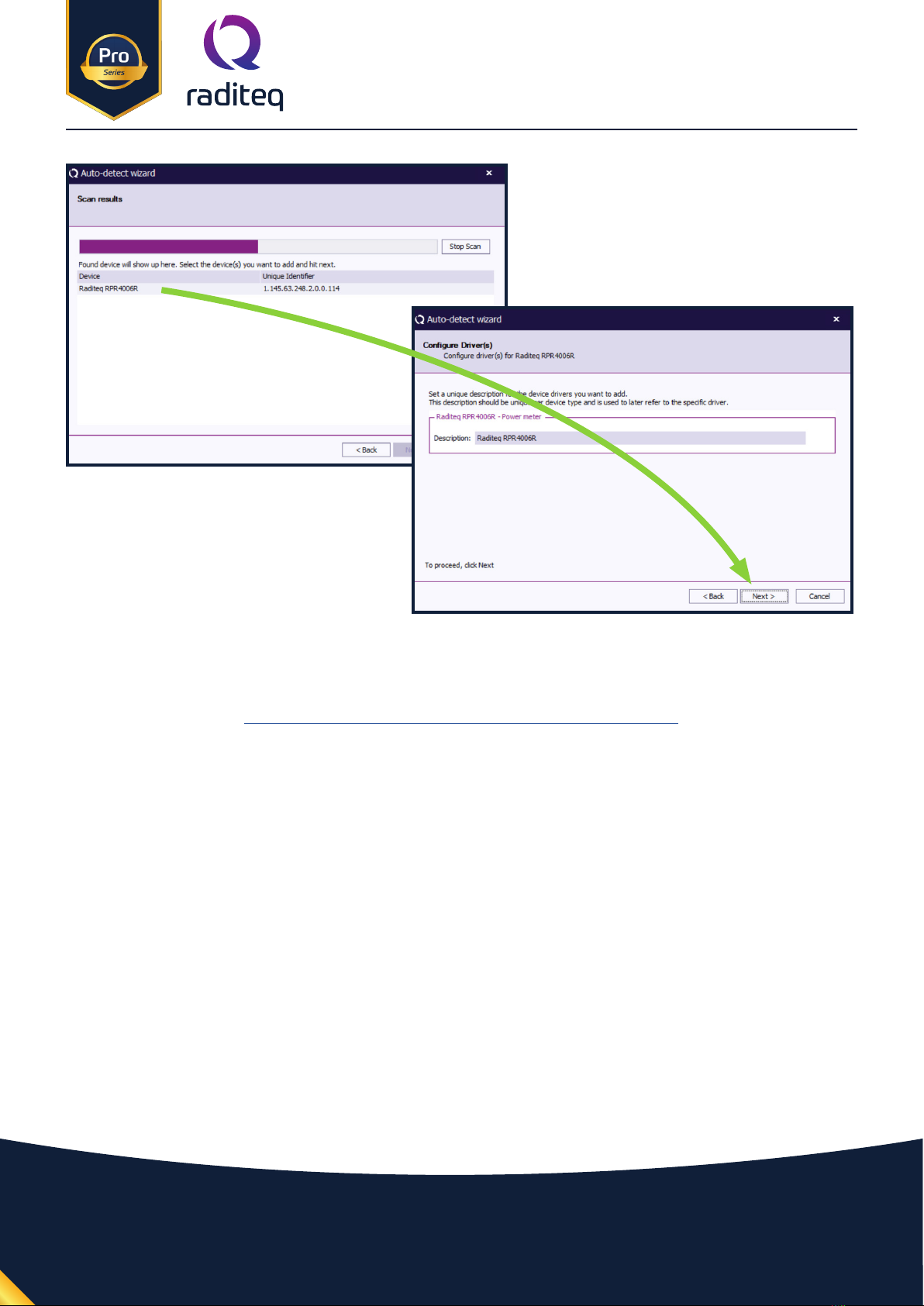
Select the correct interfaces used by your
device. In the case of a RadiPower®, USB.
RadiPower® Product Manual
RPR4006R
Page 8 of 16
This product manual is subject to change without notice
Copyright © 2008 - 2023 Raditeq B.V.
After Click the all setting on and press continue till the auto detect wizard completes and select (all) Devices to
be added to your conguration. For more information and a instructional video go to:
https://www.raditeq.com/radimation-auto-detect-feature/
RadiPower® Product Manual
RPR4006R
Page 9 of 16
This product manual is subject to change without notice
Copyright © 2008 - 2023 Raditeq B.V.
Stand-alone command set
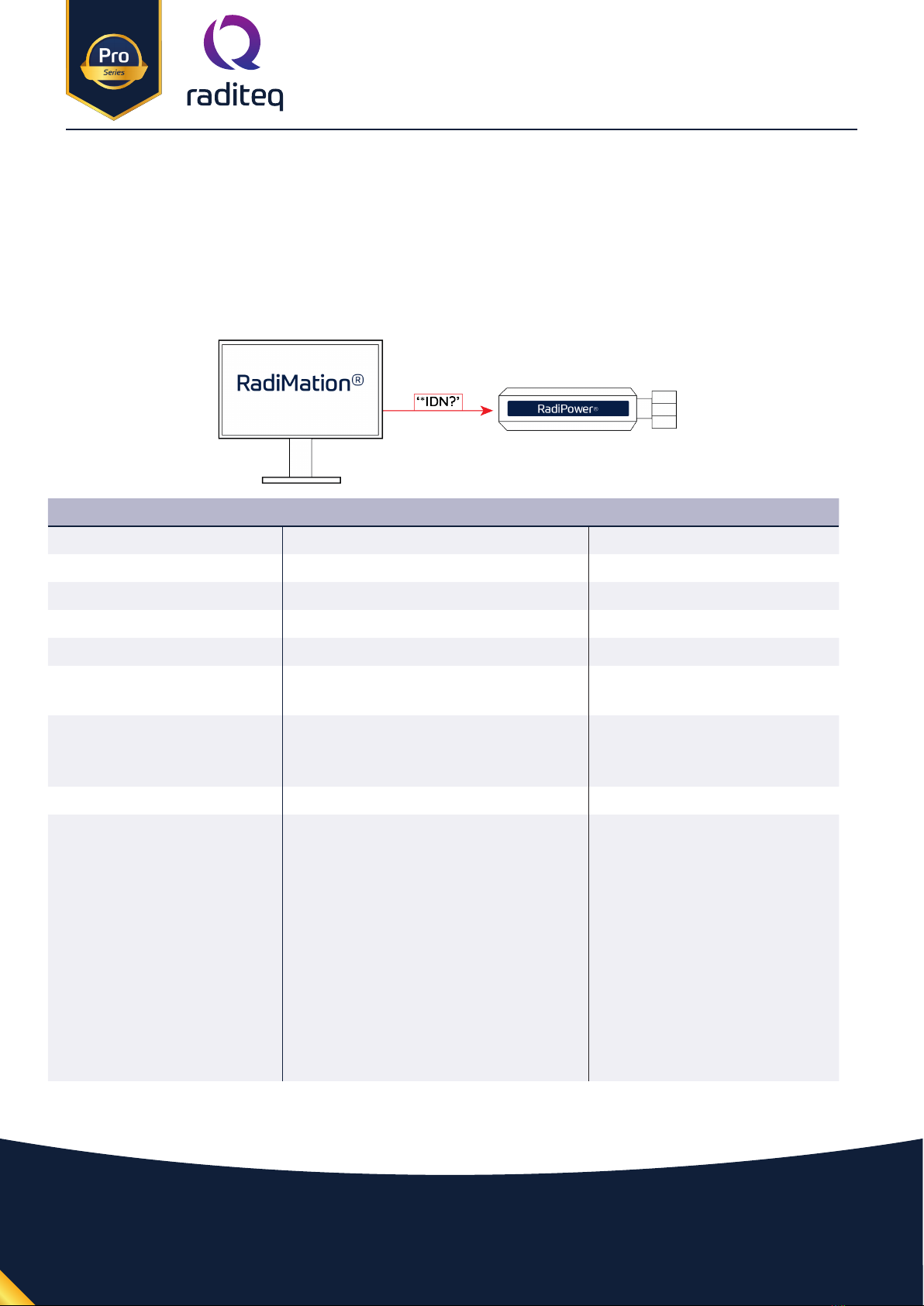
The RadiPower® sensor can also be directly connected to a PC.
Communication with the RadiPower® sensor is possible using a virtual COM-port (VCP)
RPR4006R - RadiPower Status & Setting Commands
Command Descritption Power meter Reply
*IDN? Returns the ID of the RadiPower Raditeq, RPR4006R, 4.2.0
ID_NUMBER? Returns unique identier number. For example: "1.58.95.146.21.0.0.124"
VERSION_SW? Returns the software version For example: "4.0.3"
VERSION_HW? Returns the hardware version For example: "4"
STATUS? Check wheter an error is raised OK or error code
REBOOT SYSTEM Restart the RadiPower embedded
software
OK
CLEAR Error messages are cleared (if the error is
still present after clear, the error is raised
again)
OK
LOCAL Return to local mode OK
RESET Reset the module. The following things
are reset:
• Frequency: 1.3 GHz
• ACQ Speed: 1 MS/sec
• Filter: 12
• Auto store: O
• Power oset: 0.00 dB
• Power units: dB
*After resetting the user parameter, the
em-bedded software is restarted.
OK
Dieses Handbuch passt für folgende Modelle
1
Inhaltsverzeichnis
Andere raditeq Messgerät Handbücher


