
Seville Classics GloGlobe Bedienungsanleitung
1
Instruction Manual
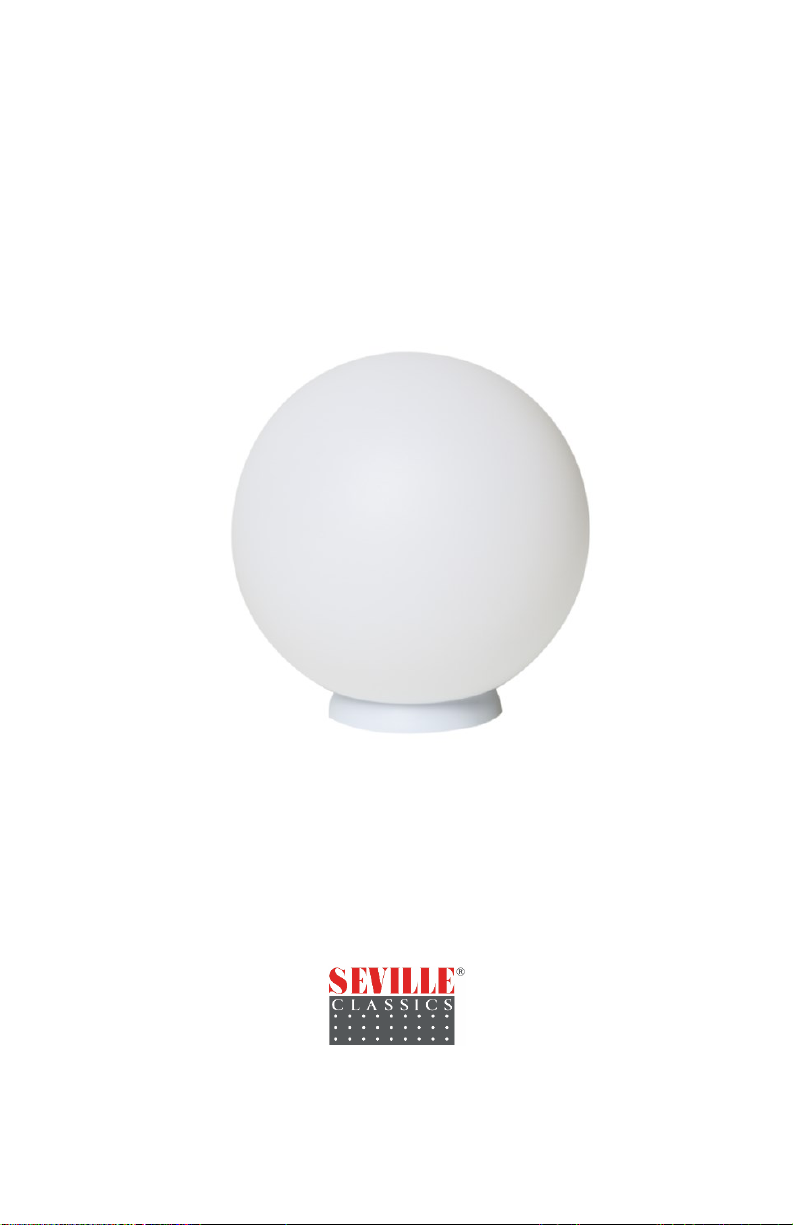
GloGlobe® Wireless Rechargeable Floatable Light
ITM. / ART. 322713
M# EHF10231
IMPORTANT: RETAIN FOR FUTURE REFERENCE. READ CAREFULLY.
Customer Service (North America):
Tel 1.310.533.3800 | Tel 1.800.323.5565
(English and Spanish)
Fax 1.310.533.3899
Monday through Friday 9:00 am - 4:30 pm
(Pacific Time)
English: support@sevilleclassics.com
Seville Classics, Inc.
Torrance, CA 90501 USA
www.sevilleclassics.com
©2020 Seville Classics, Inc.
201021
1
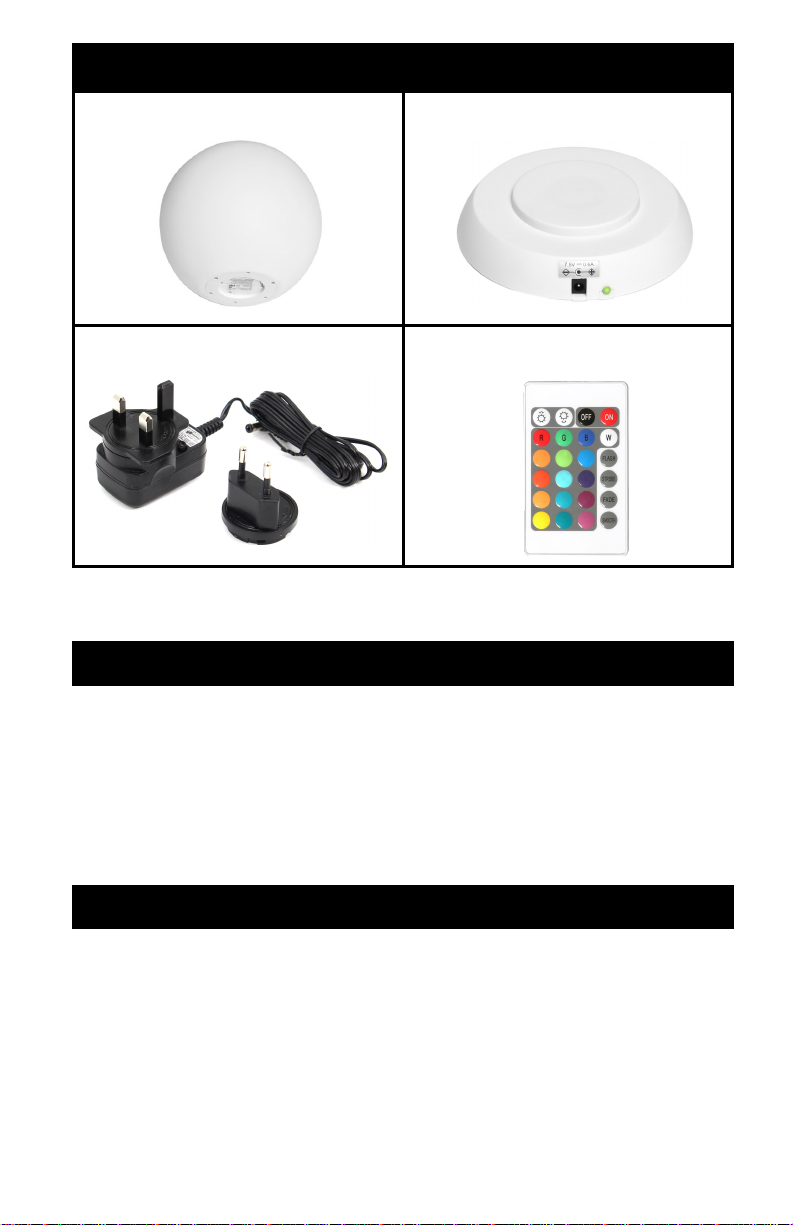
A. GloGlobe®B. Charging Base (1)
C. Adapter (1) D. Remote Control (1)
Parts List
Unpack and remove all parts from the box. If there are missing or
broken parts, please contact our CUSTOMER SERVICE.
Features
8 - 12 hours of single-color operation
16 LED color options (with dimmer)
IPX7 Waterproof Rating
4 Modes (flash/strobe/fade/smooth)
24-key remote control
Stainless-steel hanger
Wireless rechargeable lithium-ion battery
Specifications
Adapter: Input 100-240V 50/60Hz, Output 7.5 V-0.6 A
12 RGB + 6 White LEDs
Rechargeable lithium-ion battery 3.7V 2000mAh
Charging time: 7 to 9 hours
8 to 12 hours of operation
IR remote control range: 13 feet (4 meters)

2
Warnings
This is not a toy, keep out of the reach of children.
Keep this product away from chemicals, or high heat.
Regarding the adapter (Part C) and charging base (Part B):
Only use the adapter and charging base to charge the bat-
tery of the GloGlobe® (Part A).
The adapter and charging base should not be used out-
doors, or exposed to rain, humidity, liquids or heat.
Keep the adapter and charging base out reach of children.
Disconnect the adapter from power when not in use.
Never attempt to open the adapter or the charging base.
Keep the remote control away from water, liquids and heat.
Do not put the GloGlobe® on the water if damage/crack is found.
Never throw the GloGlobe® into the pool.
Place the product onto the water gently.
Take the GloGlobe® out of the pool when not in use.
Never jump, sit, or stand on the product.
CAUTION: To avoid the risk of electric shock or a damaged product,
wipe the light till dry before charging.
For long lasting care and maintenance of built-in GloGlobe® battery,
please charge and operate in the following conditions:
GloGlobe® Charging Temperature: 32-113 °F (0-45 °C).
Charging the GloGlobe® at a very low temperature will lower the capacity
and reduce cycle life of the battery.
GloGlobe® Use/Storage Temperature: 14-113 °F (-10-45 °C)
Keeping the battery charged protects circuits when stored for longer than
three months.
GloGlobe® Lithium-ion Battery Care
3
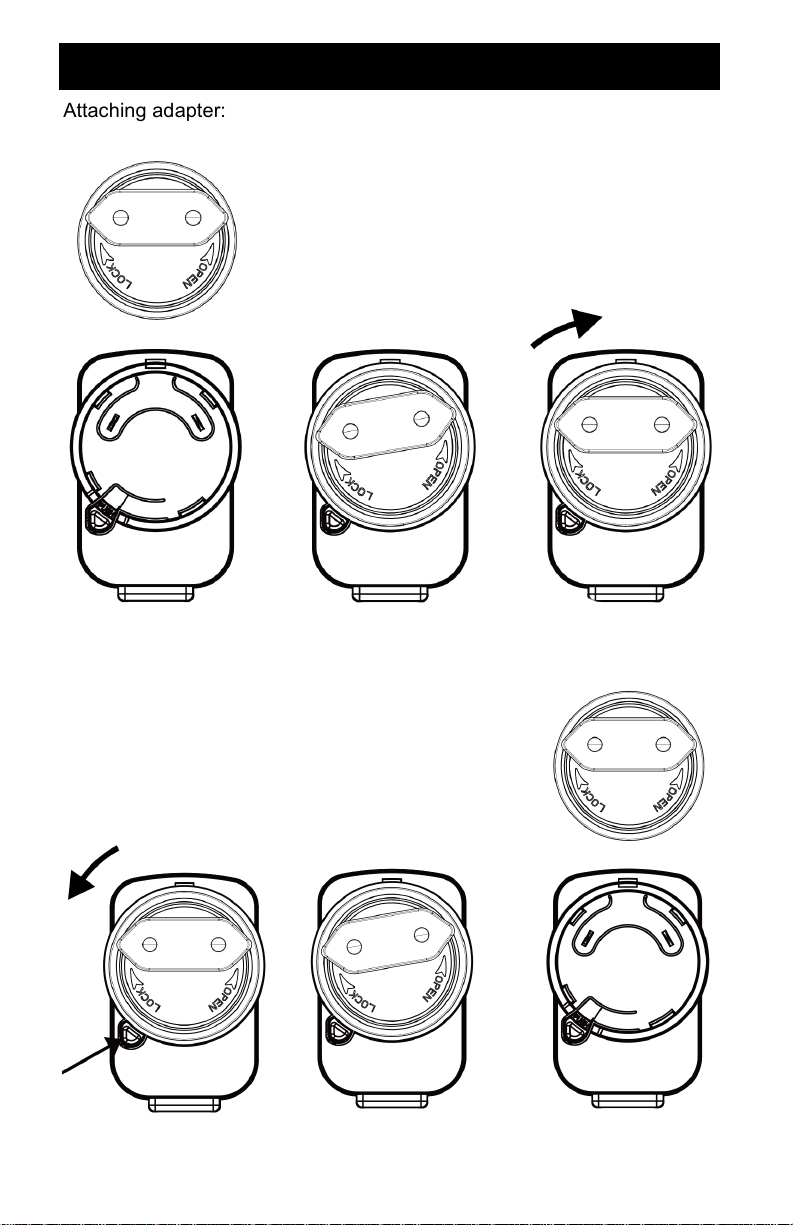
EU Plug
Attaching adapter:
Removing adapter:
4
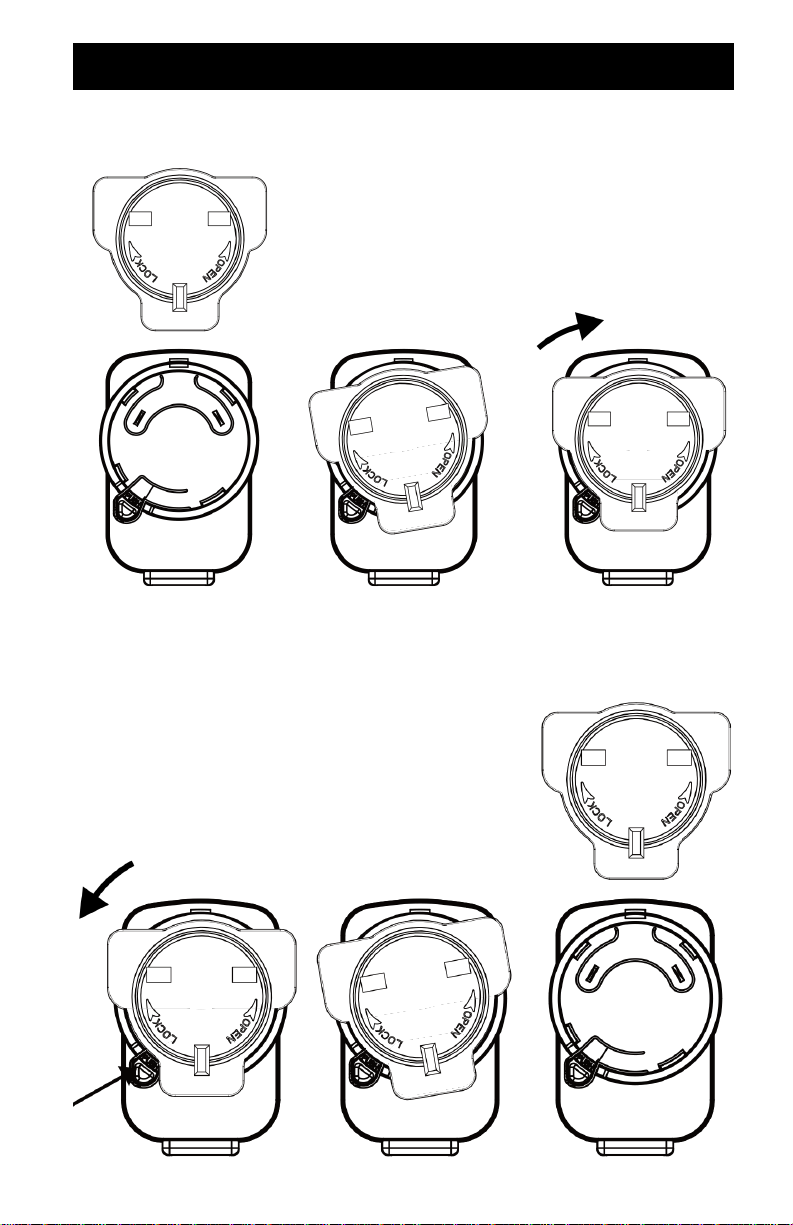
UK Plug
Attaching adapter:
Removing adapter:
5
Charging Instructions
Please ensure GloGlobe® is fully charged before first use.
Place the charging base on a dry and level surface.
Use a clean and dry cloth to clean the surface of the charging base
and the bottom of the GloGlobe®.
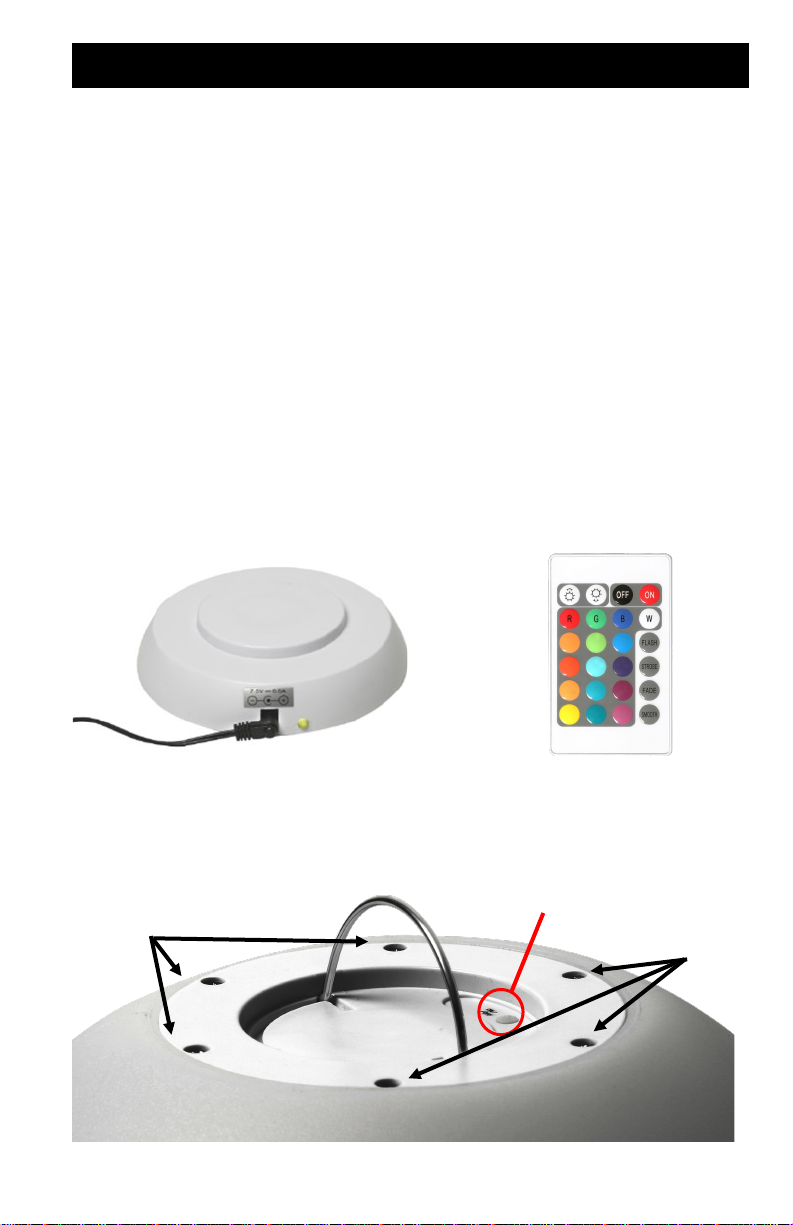
Insert the adapter in the socket on the side of the charging base
(PHOTO 1).
Connect the adapter to the electrical outlet.
Indicator light on charging base will turn green when connected.
Place the GloGlobe® on the base. The indicator light will turn red
while charging.
The indicator light will turn green when the battery is fully charged.
After charging, disconnect the adapter from the outlet and remove
the GloGlobe® from the charging base.
LED module
Hanger On/O/Mode
Buon
Screws
PHOTO 2PHOTO 1
PHOTO 3
Screws
6
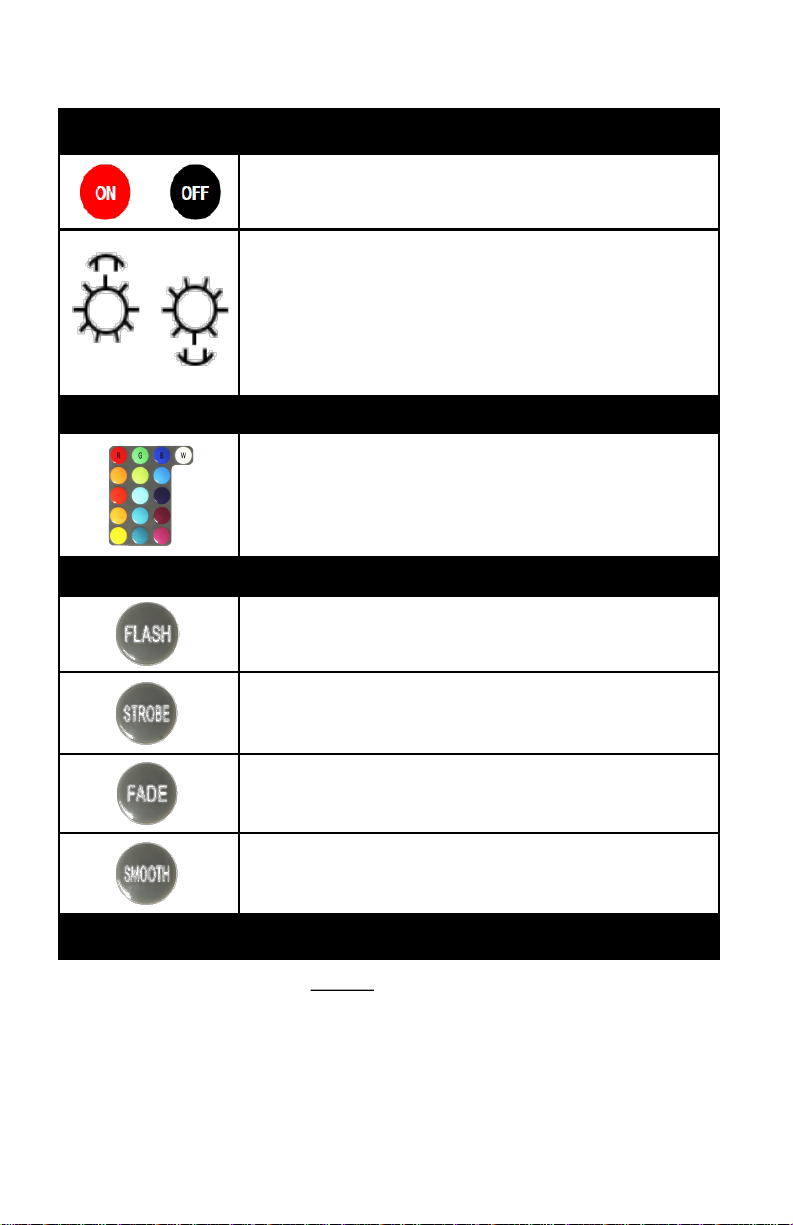
Turn GloGlobe® On/Off
Brighten/Increase Speed - Increases the brightness of
the light in single color mode or increases speed of color
change in multi-color mode
Dim/Reduce Speed - Reduces the brightness of the light
in single color mode or reduces speed of color change in
multi-color mode.
Single Color Mode
Choose from 16 solid colors, including white.
Multi-Color Modes
FLASH – Colors flash red, green, and blue.
STROBE – 7 colors flash.
FADE – Colors fade from one to the next through all 16
colors. This mode will have the shortest run time.
SMOOTH – Colors slowly transition through red, green,
and blue. This mode will have the longest run time.
Manual Operation
To operate GloGlobe® without remote control, press and hold the
On/Off/Mode button (PHOTO 3) for 3 seconds to turn on.
Press and hold for 3 seconds to turn off.
When GloGlobe® is first turned on by remote control, it will default
to the last setting used. When turned on by On/Off/Mode button, it
will default to FADE option. Push On/Off/Mode button to cycle
through the 4 modes (flash/strobe/fade/smooth).
Use stainless-steel hanger to hang GloGlobe® (PHOTO 3).
Remote Control Instructions
Note: Before using the remote control for the first time, remove the
plastic sheet from the battery cover and discard.
7
Troubleshooting
Problem Solution
Remote
control is not
functioning.
The small plastic sheet on battery cover remote control
was not removed. Remove it to activate the remote.
The battery of the remote control is dead. Remove it and
replace with a new one. Note the polarity of the battery
on the cover and direction when installing the new
battery in the remote control.
Water is
inside of
GloGlobe™.
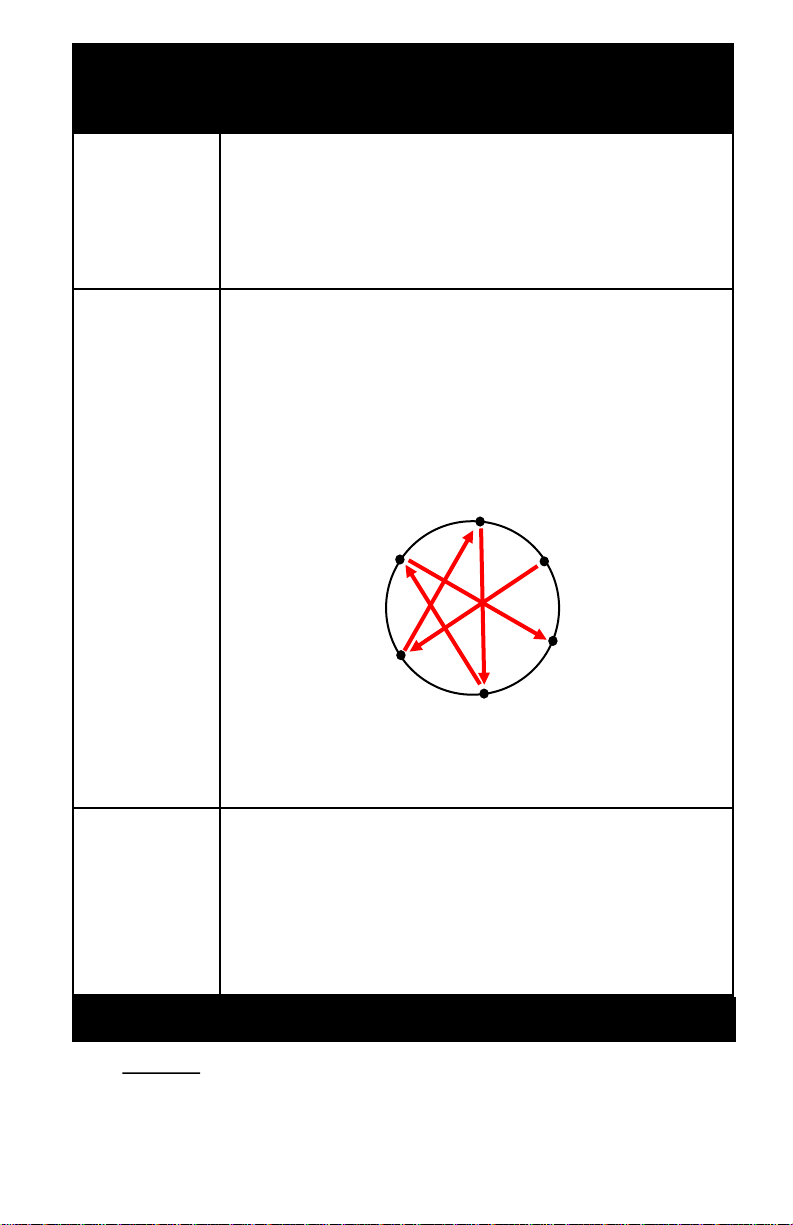
Carefully remove all screws and washers (PHOTO 3).
Set aside in a safe place.
Remove LED module (PHOTO 3) from outer housing.
DO NOT OPEN LED module.
Drain all water from outer housing. Wipe inside of
GloGlobe® and outside of LED module dry with cloth.
When reinstalling LED module, tighten the screw
opposite the last one tightened in a criss-cross pattern.
Do not fully tighten screws until all are partially installed.
Screws should be tightened with a maximum torque of
2.65 lbs./1.2 kgs.
GloGlobe™
turns off too
quickly.
Reduce brightness. Operation time depends on the
setting being used. Full brightness will cause operation
time to decrease.
Fully charge GloGlobe® before using. Indicator light will
turn green when GloGlobe® is fully charged.
Operation time slowly degrades with each use which is
standard for lithium-ion batteries.
Maintenance and Care
DO NOT fully submerge into water.
Always turn off after each use.
Store indoors when not in use.
Store out of the reach of children.
Clean with soap and water.
1
6
5
4
2
3
8
Remote Control Battery Replacement
If the remote control doesn't
activate the light, replace battery
(CR2025).
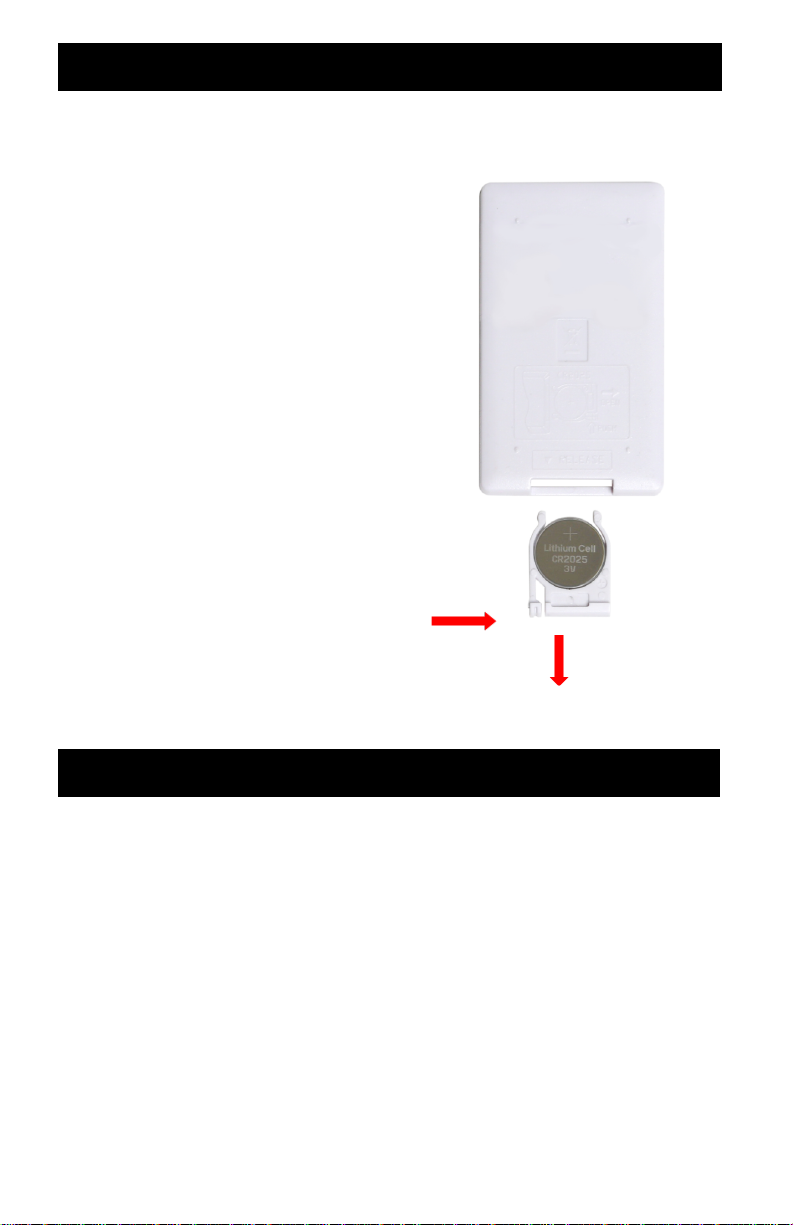
Press the tab on the side of
battery cover and slide it out of
the remote control.
Exchange the battery.
Pay attention to the polarity
shown on the battery cover to
ensure proper operation.
Remote control requires a
single CR2025 button battery
for operation (included).
It is recommended that the
batteries be removed should
the remote not be in use for an
extended time.
Install the 1-piece button
battery shown.
PUSH
TAB
IN
Remote Control Battery Warning
This product contains a button battery.
If swallowed, it could cause severe injury or death in just 2 hours.
Seek medical attention immediately.
Clean battery contacts and those of the devices prior to
battery installation if product is left unused for a long time.
Dispose of used button batteries immediately and safely.
Button batteries can still be dangerous.
Tell others about the risk associated with button batteries and how
to keep their children safe.
Make sure that the battery is inserted correctly to avoid a
short-circuit.
PULL OUT
to RELEASE
Back of Remote

9
KEEP BATTERIES OUT OF REACH OF CHILDREN
This product contains a button battery.
If swallowed, it could cause severe injury or
death in just 2 hours. Seek medical attention
immediately.
Swallowing may lead to serious injury in as
little as 2 hours or death, due to chemical
burns and potential perforation of the
esophagus.
If you suspect your child has swallowed or inserted a button
battery, immediately seek urgent medical assistance.
Examine devices and make sure the battery compartment is
correctly secured, e.g. that the screw or other mechanical fastener
is tightened. Do not use if compartment is not secure.
Dispose of use button batteries immediately and safely.
Flat batteries can still be dangerous.
Tell others about the risk associated with button batteries and how
to keep their children safe. Clean the battery contacts and also
those of the devices prior to battery installation if product is left
unused for a long time.
The equipment generates, uses, and can radiate radio frequency
energy, and if not installed and used in accordance with the
instructions, may cause harmful interference to radio or television
reception, which can be determined by turning the equipment off and
on. The user is encouraged to try to correct the interference by one or
more of the following measures:
Reorient or relocate the receiving antenna.
Increase the separation between the equipment and the receiver.
Connect the equipment into an outlet on a circuit different from that
to which the receiver is connected.
Consult the dealer or experience radio/tv technician for help.
WARNING: Changed or modifications to this unit not expressly
approved by the party responsible for compliance could void the user
authority to operate the equipment.
Dieses Handbuch passt für folgende Modelle
1
Inhaltsverzeichnis
Sprachen:
Beliebte Außenleuchte Handbücher anderer Marken


LIGMAN
LIGMAN BAMBOO 3 Bedienungsanleitung

Maretti
Maretti TUBE CUBE WALL 14.4998.04 Bedienungsanleitung

Maxim Lighting
Maxim Lighting Carriage House VX 40428WGOB Bedienungsanleitung

urban ambiance
urban ambiance UQL1273 Bedienungsanleitung

TotalPond
TotalPond 52238 Bedienungsanleitung

Donner & Blitzen
Donner & Blitzen 0-02661479-2 Bedienungsanleitung