
Stack ST500 Bedienungsanleitung

0
4
5
6
7
8910
2
1
3
200227-001
Quartz
kRPM
0
4
5
6
7
8910
2
1
3
200227-001
Quartz
kRPM
Model ST500
Tach-Timer
542047-003

The Tach-Timer is supplied with its
Demonstration Mode active.
Connecting power will start
the Demonstration Mode.
Change the Cylinders setting to disable
the Demonstration Mode (see page 46)
IMPORTANT

Quick Start
Install the Tach-Timer and connect it to the switched
battery circuit, e.g. Ignition (B+) and battery negative (B-).
Install and connect the controls (follow the instructions
starting on page 11).
Connect the Tach-Timer ‘ES’ wire to the ignition low
tension circuit.
Connect any additional sensors supplied.
Turn on the ignition.
Use the Demonstration Mode to check that the Tach-
Timer is functioning normally.
Take the Tach-Timer out of its Demonstration mode:
Press the rotary selector for longer than one second,
then turn it clockwise to select ‘CYLINDERS’. Press and
turn the control to set the correct number of cylinders.
Turn the control clockwise to EXIT and then press the
control.
Use the Driver button to select LCD layers.
Use the rotary selector to select the Memory review and
Setup modes on the LCD.
Use the rotary selector to setup the Tach-Timer.
1
2
3
4
5
6
7
8
9
10


ST500 Tach-Timer
© Stack Limited 1
CONTENTS
3 ............................................................................. INTRODUCTION
5 ...................................................................... How to use this manual
5 ......................................................................................... Safety Issues
6 ................................................................. Unpacking and Inspection
7 ................................................................................ INSTALLATION
7 ............................................................................Product Installation
7 ................................................................................. Instrument Panel
8 .................................................................................... Wiring Harness
10 .......................................................................... Tach–Timer Display
11 .............................................................................................. Controls
12 ..............................................................Engine Speed Measurement
14 .......................................................... Lap Timing Sensor (optional)
16 ..................................................... Trackside I.R. Beacon (optional)
17 ........................................................Manual Lap Timing (optional)
18 .........................................................Wheel Speed Sensor (optional)
20 ......................................................... External shift light (optional)
21 ............................................................................ Battery connection
22 .....................................................................................OPERATION
22 ................................................................................ Switch functions
24 ................................................................. Power-on the Tach–Timer
25 ............................................................ Changing the display layers

ST500 Tach-Timer
© Stack Limited
2
29 .......................................................................... Lap and Split Times
31 ........................................................................... Manual Split Setup
32 .......................................................................Automatic Split Setup
35 ..............................MEMORY REVIEW AND SYSTEM SETUP
35 ................................................................... Memory review features
38 ......................................................................................... Setup mode
48 ........................................................................................... TESTING
50 ............................................................................. MAINTENANCE
50 ................................................................................. Troubleshooting
59 .................................................................... Who to contact for help
60 ........................................................................... SPECIFICATIONS

ST500 Tach-Timer Introduction
© Stack Limited 3
INTRODUCTION
Thank you for selecting the Stack Tach–Timer as your choice of vehicle’s
instrumentation – we feel sure that you are going to be delighted by
your purchase!
The Tach–Timer is a superb quality instrument that integrates a number
of performance functions into a single display product. The functions
enabled on your unit are specific to your selection, however any Tach–
Timer can be upgraded to include any combination of the available
functions.
Standard functions on all Tach–Timers:
•Engine RPM – with maximum RPM telltale
•Vehicle speed (MPH/KPH – user selectable) – with maximum speed
telltale
•Battery voltage and low voltage alarm
•Adjustable backlighting intensity
•Single level shift light
Optional functions available:
•Odometer (Miles/Kilometres – user selectable)
•Multi level shift light
•Lap times

Introduction ST500 Tach-Timer
© Stack Limited
4
•Lap time memory (75 Lap memory)
•Lap split times (2 per lap)
•Lap segment time memory (3 per lap)
•Acceleration time between speeds (user selectable)
•Standing 3-mile acceleration time
•Last corner and last straight speed readout
The Tach–Timer requires only a connection to the vehicle battery supply,
the engine ignition system and the driver controls to operate as a standard
tachometer. For Tach–Timers that include a speed and odometer display,
you will also require a Stack ST670 or ST669 wheel speed sensor.
If your Tach–Timer includes the option to trigger lap times automatically,
you will also require a vehicle-mounted infra-red (IR) sensor and a track-
side IR beacon.
Refer to the following section of this user guide for instructions to install
the Tach–Timer.
Depending on the model you have chosen, your Tach–Timer may not include
some of the features described in this user guide.

ST500 Tach-Timer Introduction
© Stack Limited 5
How to use this manual
The manual tells you how to:
•Install the Tach–Timer display instrument and its wiring harness
•Install and connect the optional wheel speed and lap timing sen-
sors
•Install the optional external shift light
•Setup the Tach–Timer for your vehicle
•Operate and read the Tach–Timer during and after a run
Throughout this manual, you will see the following symbol:
These are special or important notes and tips that you should read and under-
stand.
Safety Issues
You must take note of the following safety advice when you install the
Tach–Timer on your vehicle:
•Follow the instructions to attach all components of the system se-
curely to the vehicle so that they do not vibrate loose and fall off.
•The wiring harness supplied with the Tach–Timer is certified for
use in high temperature applications up to 105°C. Do not substitute
wires that have a lower temperature rating than this. Contact Stack

Introduction ST500 Tach-Timer
© Stack Limited
6
for advice if you are in any doubt.
•Route all wires and the wiring harness so they do not snag against
any moving parts of the vehicle.
•Do not apply sharp bends or other severe stresses to the wiring
harness.
•Avoid positioning the sensors or their wires close to any sources of
intense heat or vibration or close to the leads of the ignition HT or
fuel injection systems.
•Use cable clips to secure the wiring harness.
•Use suitable glands or grommets to protect the wiring harness where
it passes through vehicle bulkheads or panels.
Unpacking and Inspection
When you unpack your ST500 Tach–Timer, check all the items against
the packing list.
Inhaltsverzeichnis
Andere Stack Messgerät Handbücher
Stack
Stack Dash-2 Bedienungsanleitung

Stack
Stack ST8150 Montage- und Bedienungsanleitung
Stack
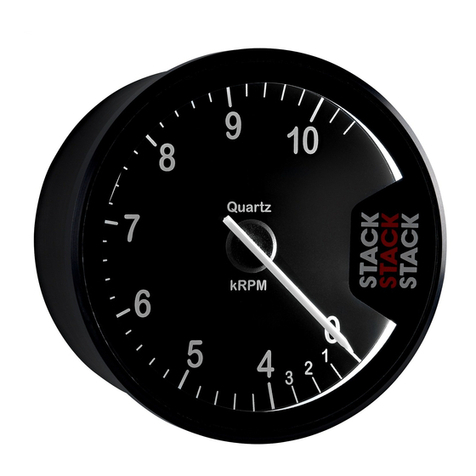
Stack ST200 Bedienungsanleitung

Stack
Stack Clubman ST200 Bedienungsanleitung
Stack
Stack ST8120 Bedienungsanleitung
Stack
Stack ST8956 Montage- und Bedienungsanleitung

Stack
Stack Clubman ST200 Bedienungsanleitung

Stack
Stack ST8382 Pro DVR Bedienungsanleitung


