
Vip2 VK2-1080BXDN Bedienungsanleitung

1
VK2-1080BXDN
Configuration and user manual
VK2-1080BXDN manual V1.0
2
WARNING
TO REDUCE THE RISK OF FIRE OR ELECTRIC SHOCK, DO NOT EXPOSE THIS PRODUCT TO RAIN OR
MOISTURE. DO NOT INSERT ANY METALLIC OBJECTS THROUGH THE VENTILATION GRILLS OR
OTHER OPENINGS ON THE EQUIPMENT.
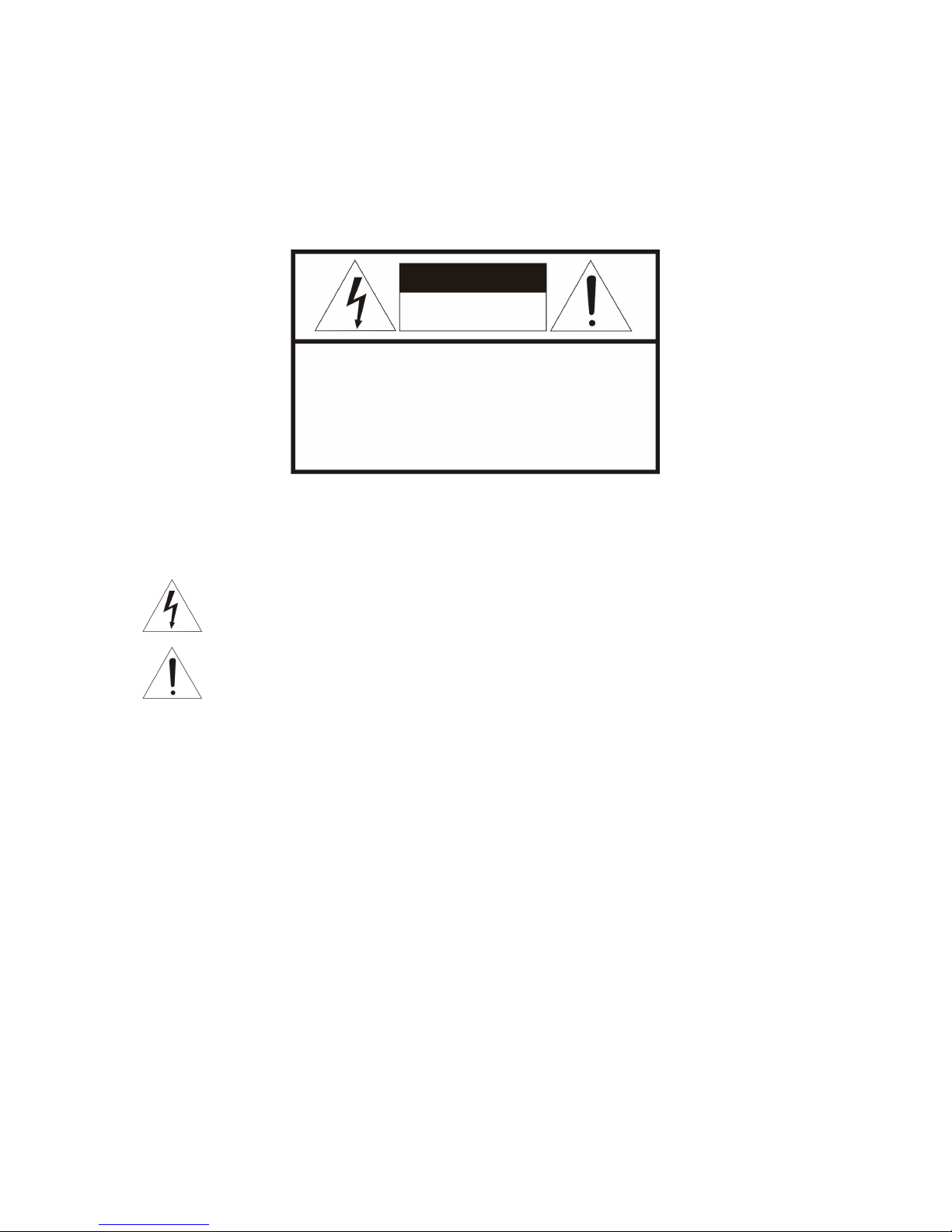
CAUTION
EXPLANATION OF GRAPHICAL SYMBOLS
The lightning flash with arrowhead symbol, within an equilateral triangle, is intended to alert
the user to the presence of un -insulated "dangerous voltage" w ithin the product's enclosure
that may be of sufficient magnitude to constitute a risk of electric shock to persons.
The exclamation point within an equilateral triangle is intended to alert the user to the
presence of important operating and maintenance (servicing) instructions in the literature
accompanying the product.
PRECAUTIONS
Safety ---------------------------------- Installation -----------------------------
Cleaning ----------------------------------
CAUTION
RISK OF ELECTRNIC SHOCK
DO NOT OPEN
CAUTION: TO REDUCE THE RISK OF ELECTRIC SHOCK,
DO NOT REMOVE COVER (OR BACK).
NO USER-SERVICEABLE PARTS INSIDE.
REFER SERVICING TO QUALIFIED SERVICE PERSONNEL.
Should any liquid or solid object fall into the cabinet,
unplug the unit and have it checked by the qualified
personnel before operating it any further.
Unplug the unit from the wall oulet if it is not goin g to
be used for several days or more. To disconnect the
cord, pull it out by the plug. Never pull the cord itself.
Allow adequate air circulation to prevent internal heat
build -up. Do not place the unit on surfaces (rugs,
blankets, etc.) or near materials (curtains, draperies)
that may block the ventilation holes.
Height and vertical linearity controls located at the rear
panel are for special adjustments by qualified
personnel only.
Do not install the unit in an extremely hot or humid place
or in a place subject to excessive dust, mechanical
vibration.
The unit is not designed to be waterproof.
Exposure to rain or water may damage the unit.
Clean the unit with a slightly damp soft cloth.
Use a mild household detergent. Never use strong
solvents such as thinner or benzene as they might
damage the finish of the unit.
Retain the original carton and packing materials for safe
transport of this unit in the future.

3
CE COMPLIANCE STATEMENT
WARNING
This is a Class A product. In a domestic environment this product may cause radio interference in
which case the user may be required to take adequate measures.
CAUTION
RISK OF EXPLOSION IF BATTERY IS REPLACED BY AN INCORRECT TYPE.
DISPOSE OF USED BATTERIES ACCORDING TO THE INSTRUCTIONS

VK2-1080BXDN manual V1.0
4
IMPORTANT SAFETY INSTRUCTIONS
1. Read these instructions.
2. Keep these instructions.
3. Heed all warnings.
4. Follow all instructions.
5. Do not use this apparatus near water.
6. Clean only with dry cloth.
7. Do not block any ventilation openings. Install in accordance with the
Manufacturer’s instructions.
8. Do not install near any heat sources such as radiators, heat registers, stoves, o
r other apparatus (including amplifiers) that produce heat.
9. Do not defeat the safety purpose of the polarized or grounding-type plug.
A polarized plug has two blades with one wider than the other. Grounding
type plug has two blades and a third grounding prong. The wide blade or the
third prong are provided for your safety. If the provided plug does not fit into
your outlet, consult an electrician for replacement of the obsolete outlet.
10. Protect the power cord from being walked on or pinched particularly at plugs
convenience receptacles, and the point where they exit from the apparatus.
11. Only use attachments/accessories specified by the manufacturer.
12. Use only with the cart, stand, tripod, bracket, or table
specified by the manufacturer, or sold with the apparatus.
When a cart is used, use caution when moving the
cart/apparatus combination to avoid injury from tip-over.
13. Unplug this apparatus during lightning storms or when
unused for long periods of time.
14. Refer all servicing to qualified service personnel. Servicing is
required when the apparatus has been damaged in any way, such as power-
supply cord or plug is damaged, liquid has been moisture, does not operate
normally, or has been dropped.
15. CAUTION – THESE SERVICING INSTRUCTIONS ARE FOR USE BY
QUALIFIED SERVICE PERSONNEL ONLY. TO REDUCE THE RISK
OF ELECTRIC SHOCK DO NOT PERFORM ANY SERVICING OTHER
THAN THAT CONTAINED IN THE OPERATING INSTRUCTIONS
UNLESS YOU QRE QUALIFIED TO DO SO.
16. Use satisfy clause 2.5 of IEC60950-1/UL60950-1 or Certified/Listed Class
2 power source only.
17. ITE is to be connected only to PoE networks without routing to the outside plant.

5
CONTENTS
DESCRIPTION ----------------------------------------------------------------------------------------------------7
Key Features --------------------------------------------------------------------------------------------7
Components --------------------------------------------------------------------------------------------8
Camera Layout ----------------------------------------------------------------------------------------9
INSTALLATION ---------------------------------------------------------------------------------------------------11
Before Installation -------------------------------------------------------------------------------------11
Starting Installation ------------------------------------------------------------------------------------11
DC Auto Iris Lens Installation & Adjustment -------------------------------------------------------12
Audio Connection --------------------------------------------------------------------------------------13
Alarm Connection --------------------------------------------------------------------------------------13
OPERATION -------------------------------------------------------------------------------------------------------14
Minimum conditions for using web browser -------------------------------------------------------14
Accessing the IP camera ------------------------------------------------------------------------------14
Main Menu ----------------------------------------------------------------------------------------------15
LIVE VIEW --------------------------------------------------------------------------------------------------------16
Live Video Page Icons ---------------------------------------------------------------------------------16
PLAYBACK ---------------------------------------------------------------------------------------------------------18
Playback View ------------------------------------------------------------------------------------------18
SETUP --------------------------------------------------------------------------------------------------------------21
Users -----------------------------------------------------------------------------------------------------22
Network -------------------------------------------------------------------------------------------------25
Image ----------------------------------------------------------------------------------------------------27
Audio -----------------------------------------------------------------------------------------------------29
Date & Time --------------------------------------------------------------------------------------------31
Live View – Source ------------------------------------------------------------------------------------33
Image – Basic ------------------------------------------------------------------------------------------36
Image – AE & AWB ------------------------------------------------------------------------------------38
Image – Day & Night ----------------------------------------------------------------------------------40
Image – WDR & 3D-DNR -----------------------------------------------------------------------------42
Image – Privacy Mask ---------------------------------------------------------------------------------45
Video & Image – Stream1 ----------------------------------------------------------------------------47
Video & Image – Stream2 ----------------------------------------------------------------------------49
Video & Image – Stream3 ----------------------------------------------------------------------------51
Video & Image – Stream4 ----------------------------------------------------------------------------54
Video & Image – Webcasting ------------------------------------------------------------------------57
Audio – Basic -------------------------------------------------------------------------------------------58
Event In – Alarm-In ------------------------------------------------------------------------------------60
Event In – Manual Trigger ----------------------------------------------------------------------------62
Event In – VMD Stream1 -----------------------------------------------------------------------------63

VK2-1080BXDN manual V1.0
6
Event In – VMD Stream3 -----------------------------------------------------------------------------65
Event In – VMD Stream4 -----------------------------------------------------------------------------67
Event Out – SMTP --------------------------------------------------------------------------------------69
Event Out – FTP& JPEG -------------------------------------------------------------------------------71
Event Out – HTTP Server -----------------------------------------------------------------------------73
Event Out – Audio Alert -------------------------------------------------------------------------------75
Event Out – Audio Alert – Audio Recorder -------------------------------------------------------76
Event Out – PTZ Preset--------------------------------------------------------------------------------78
Event Out – Record ------------------------------------------------------------------------------------79
Event Map -----------------------------------------------------------------------------------------------80
Event Map – Add ---------------------------------------------------------------------------------------82
Device – PTZ --------------------------------------------------------------------------------------------85
Device – RS485 -----------------------------------------------------------------------------------------86
Security – Users ----------------------------------------------------------------------------------------87
Security – HTTPS -------------------------------------------------------------------------------------90
Security – IP Filtering --------------------------------------------------------------------------------92
Date & Time ------------------------------------------------------------------------------------------ 93
Network – Basic ---------------------------------------------------------------------------------------95
Network – DDNS --------------------------------------------------------------------------------------97
Network – RTP ----------------------------------------------------------------------------------------98
Network – UPnP --------------------------------------------------------------------------------------100
Network – QoS ----------------------------------------------------------------------------------------101
Language ----------------------------------------------------------------------------------------------102
Maintenance -------------------------------------------------------------------------------------------103
Support -------------------------------------------------------------------------------------------------105
About ---------------------------------------------------------------------------------------------------106
Technical Specifications ---------------------------------------------------------------------------------------107
Image --------------------------------------------------------------------------------------------------107
Electrical / Connector --------------------------------------------------------------------------------107
Mechanical ---------------------------------------------------------------------------------------------107
Video ---------------------------------------------------------------------------------------------------107
Audio ---------------------------------------------------------------------------------------------------108
System Integration -----------------------------------------------------------------------------------108
Environmental -----------------------------------------------------------------------------------------109
Physical ------------------------------------------------------------------------------------------------109
Troubleshooting -------------------------------------------------------------------------------------------------110
Upgrading the Firmware -----------------------------------------------------------------------------110
General Troubleshooting ----------------------------------------------------------------------------110

7
DESCRIPTION
-------------------------------------------------------------------------------------------------------------------------------------
The VK2-1080BXDN camera is an internet protocol based megapixel network camera with a built-in
web based viewer on Internet Explorer®. The camera has a connection feature for third-party
applications and compatible with supplied Utility software for easy installation and Client software to
search, configure, manage, live view, record and playback.
The camera supports dual compression formats and multiple streaming simultaneously. The two
standard compression formats include H.264 and MJPEG. The multiple streams can be configured to
a variety of resolutions, bit rates and frame rates.
The camera uses 1/2.8 inch CMOS sensor and complies with CS mount lens and also supports PoE
(Power over Ethernet), DC12V, and AC24V.
Key Features
- HDTV Video Quality
The VK2-1080BXDN is capable of providing the outstanding image quality with HDTV performance
and profiles (High, Main, and Baseline) in H.264 compression.
- Multiple Streaming
Each stream can be programmed independently and transmitted using different configurations.
- ROI (Region of Interest)
The ROI features that transmit specially selected area in the primary stream using different FPS,
Resolution, Bit Rates and Picture Quality.
- WDR / BLC
The VK2-1080BXDN is capable of providing the Wide Dynamic Range / Back Light Compensation
function to view the object clearly in backlight conditions.
- 3D-DNR
3Dimensional-Digital Noise Reduction technology dramatically cleans up the noise in video frames
and solves the problem of low- light sensitivity where it can display high image resolution even in
extremely low light conditions.
- DIS
Digital Image Stabilization function minimizes the appearance of shaky images caused by low-
frequency vibration.
- Day and Night
The VK2-1080BXDN provides clear monitoring images even in low light conditions using IR-cut filter.

VK2-1080BXDN manual V1.0
8
- Easy Focus
Easy Focus helps to reduce the installation efforts especially video image focusing of the camera.
- Dual Codec (H.264, MJPEG)
The VK2-1080BXDN supports two standard compressions formats H.264 and MJPEG.
- Digital PTZ
Supports maximum 10x digital zoom.
- Intelligent Video Motion Detection
The VK2-1080BXDN offers intelligent & sophisticated video motion detection for each multiple
streams.
- Triple Power (Power over Ethernet, DC12V, AC24V)
This camera supports Power over Ethernet (PoE), which supplies power to the camera through the
network. If the network has not PoE, connect a DC12V or AC24V power connector.
- SD Local Recording
The VK2-1080BXDN provides local video recording function. When camera detects video motion or
alarm events or manual trigger, it can record video stream by itself.
- Voice Alert Linked to Alarm Detection
The VK2-1080BXDN can play the audio file stored in the camera in synchronization with alarm
detection by the sensor input or the motion detection function.
- Network Flow Control
The VK2-1080BXDN provides a flow control function which enhances network efficiency by
significantly restricting user video streams with designating the maximum bandwidth.
- ONVIF Certificate
The VK2-1080BXDN network camera complies with the ONVIF certificate. ONVIF (Open Network
Video Interface Forum) is an open industry forum for the development of a global standard for the
interface of network video products.
Components
Quantity Description
1 Camera
1 Installation CD
1 C- Mount Ring
1 Auto DC-Iris Connector
NOTE
Lens, installation hardware and Adapter for DC12V / AC24V are not supplied.

9
Camera Layout
RJ-45 connector: Supplies power to the camera through the network using PoE. If PoE is not
available, supplies DC12V or AC24V power source to the POWER connector.
ETHERNET link indication LED: Flashes green to indicate that data is being TX/RX by the
camera.
ETHERNET activity indication LED: Glows solid amber to indicate that a live connection is
established.
STATUS indication LED: Flashes amber about one time per second to indicate normally
working and flashes green about 2~3 time per second while upgrade.
POWER indication LED: Glows solid red if power is supplied properly.
SPEAKER connector: Connect external speaker for audio output.
MIC connector: Supplies external microphone as an audio input source.
POWER connection: Supplies DC12V or AC24V as the power source comply with Class2.
RESET button: Restores the camera’s factory default settings. This button is recessed. Use a
small tool, such as a paper clip, to press the reset button.
To reset the camera:

VK2-1080BXDN manual V1.0
10
1. Power off
2. Press and hold the RESET button
3. Supply the camera with power
4. Hold the RESET button for 15 seconds
ALARM connection: Connect one or two physical alarm input signal into the device and one
alarm output signal that can be used to control an external alarm circuit.
BNC connector: Connect BNC cable for composite video output.
Top bracket connector: 0.25 Inch (0.64cm) UNC-20 screw, top of camera housing.
Bottom bracket connector: 0.25 Inch (0.64cm) UNC-20 screw, bottom of camera housing.
FOCUS ADJUSTING / FIXING screw: Tighten this screw after focus the lens of a camera.
AUTO IRIS LENS connector: Connect the DC auto iris lens 4-pin connector into this
connector to control the amount of light allowed through the lens.
CS MOUNT LENS: connection: Attach the CS type lens.
RS485 connection: Connect RS485 compatible device for PTZ control.
SD Card: Insert SD card for local recording.
Inhaltsverzeichnis
Andere Vip2 Sicherheitskamera Handbücher


