
Artic FUSION SPLICER 4.3 Bedienungsanleitung

HANDHELD FTTX FUSION SPLICER
FUSION SPLICER 4.3
AR-FUSPLICE-4.3
USER
MANUAL

1. Noticebeforeusing...............................................................................................3
1.1. Safetyinstruction.................................................................................................................................3
1.2. Note...............................................................................................................................................................3
1.3. Legalstatement....................................................................................................................................3
2. Starttocomprehendsplicer...............................................................................4
2.1. Overviewofsplicer............................................................................................................................4
2.2. Keyboard...................................................................................................................................................4
2.3. Technicalparameters......................................................................................................................8
3. Acompletesplice..................................................................................................9
3.1. Poweron...................................................................................................................................................9
3.2. Preparationoffiberendface.....................................................................................................9
3.3. Fiberclamping....................................................................................................................................11
3.4. Opticalfiberfusion..........................................................................................................................12
3.5. Heat-shrinkable..................................................................................................................................12
3.6. Cooling.....................................................................................................................................................13
4. Menuinstruction.................................................................................................13
4.1. Parametersettingmenu...........................................................................................................14
4.2. Setup..........................................................................................................................................................16
4.3. Function..................................................................................................................................................19
4.4. Maintenance........................................................................................................................................21
4.5. Heater........................................................................................................................................................24
4.6. Electrodes...............................................................................................................................................25
4.7. Status.........................................................................................................................................................26
4.7. Information...........................................................................................................................................27
5. Routinemaintenance.........................................................................................27
5.1. Cleaning..................................................................................................................................................27
5.2. Replacingelectrode.......................................................................................................................29
5.3. Electrodeaging.................................................................................................................................30
5.4. Softwareupgrade............................................................................................................................30
6. Commonfaultandsolution.............................................................................. 31
7. AppendixA...........................................................................................................32
CONTENTS

1. Notice before using
1.1Safetyinstruction
Pleasereadthefollowinginformationbeforefirstusing.
1.Usingthespecifiedbatteryandadaptor,otherwiseitmaycauseanexplosionorperma-
nentdamagetothemachine.
2.Don'tusethemachineinahightemperature,flammableorexplosiveenvironment(suchas
agasstationnearby).
3.Don'tattempttodisassemblethemachineoritsaccessories,onlyauthorizedagenciescan
repairit.
4.Pleasedon'ttouchelectrodesduringworkingtime,oritmaycausepersonalinjury.
5.Whenliquidorforeignbodyintothemachine,orsmoke,odor,noise,etc.,orastrong
impact,pleaseimmediatelyshutdownthemachine,andpullouttheACpower.
1.2.Note
Whenusingthemachine,improperoperationmaycausedamageforthemachineoreven
dangertohumanhealth.Itissuggestedtooperateinthefollowingway.
1.Thismodelmachineonlyappliestoquartzglassfibersplicing,nottoanyotherthings.
2.Don'tuseorstorethemachineinahightemperatureorhumidityenvironment(otherwiseit
maydamagetheequipmentorreducetheperformanceofthemachine).
3.Whileusingthemachineindustenvironment,trytoavoidadustasfaraspossible.
4.Whenmovingthemachinefromlowtemperaturetohightemperature,thereshouldbe
anyheatingprocesstoeliminatecondensation.
5.Pleaseusehigh-purityanhydrousalcohol(purity>99%)tocleanmagnifyinglens,reflector
andfiberv-groovesurface.
6.Thesplicingmachinemustbehandledgentlytoavoidstrongvibrationorimpact,andwith
acarryingcasefortransportationorstorage.
7.Maintainthewholemachineonceayear.
1.3.Legalstatement
Withoutthewrittenconsentofourcompany,anyunitorindividualwillnotbeallowedtoextract
orcopypartofthecontentsofthismanual,ortransmittedinanyform.Productsdescribedin
thismanual,includingourcompanysoftware,unlessapprovedbytherelatedoblige,otherwi-
senoonecanbeinanyformforthesoftwaretocopy,distribute,modify,excerpts,decompi-
ling,disassembling,decryption,reverseengineering,lease,transfer,sublicenseandother
ACTSofinfringingthesoftwarecopyright.
Attention:Themanualdescribessomefeaturesandfunctionsoftheproductanditsacces-
sories,relatedtotheproductionbatch,therefore,thedescriptioninthismanualmaynotexactly
matchtheproductyoupurchased,aswellasitsaccessories.
3
USER MANUAL HANDHELD FTTX FUSION SPLICER FUSION SPLICER 4.3
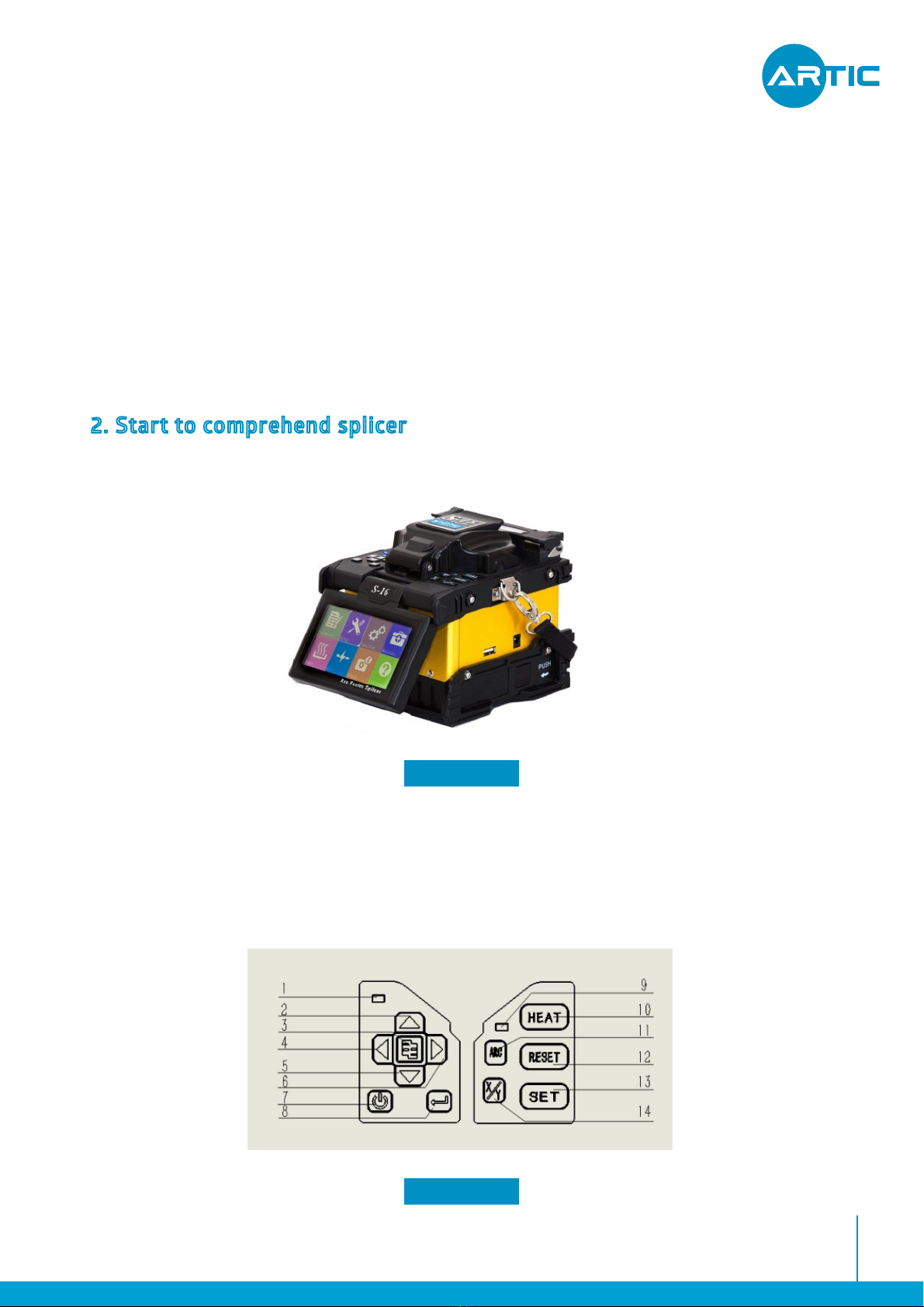
2. Start to comprehend splicer
2.1.Overviewofsplice
4
OurCompanyreservestherighttomodifyanyinformationinthismanualatanytime,without
anypriornoticeanddoesnotundertakeanyresponsibility.
Limitationofliability:Withinthescopeofapplicablelaw,ourcompany,inanycase,donʼt
compensateforanyspecial,incidental,indirect,secondarydamageduetousingthismanual
ortheproduct,andalsodonʼtcompensateforanylossofprofits,data,goodwilloranticipated
savings.
FIGURE 2.1
USER MANUAL HANDHELD FTTX FUSION SPLICER FUSION SPLICER 4.3
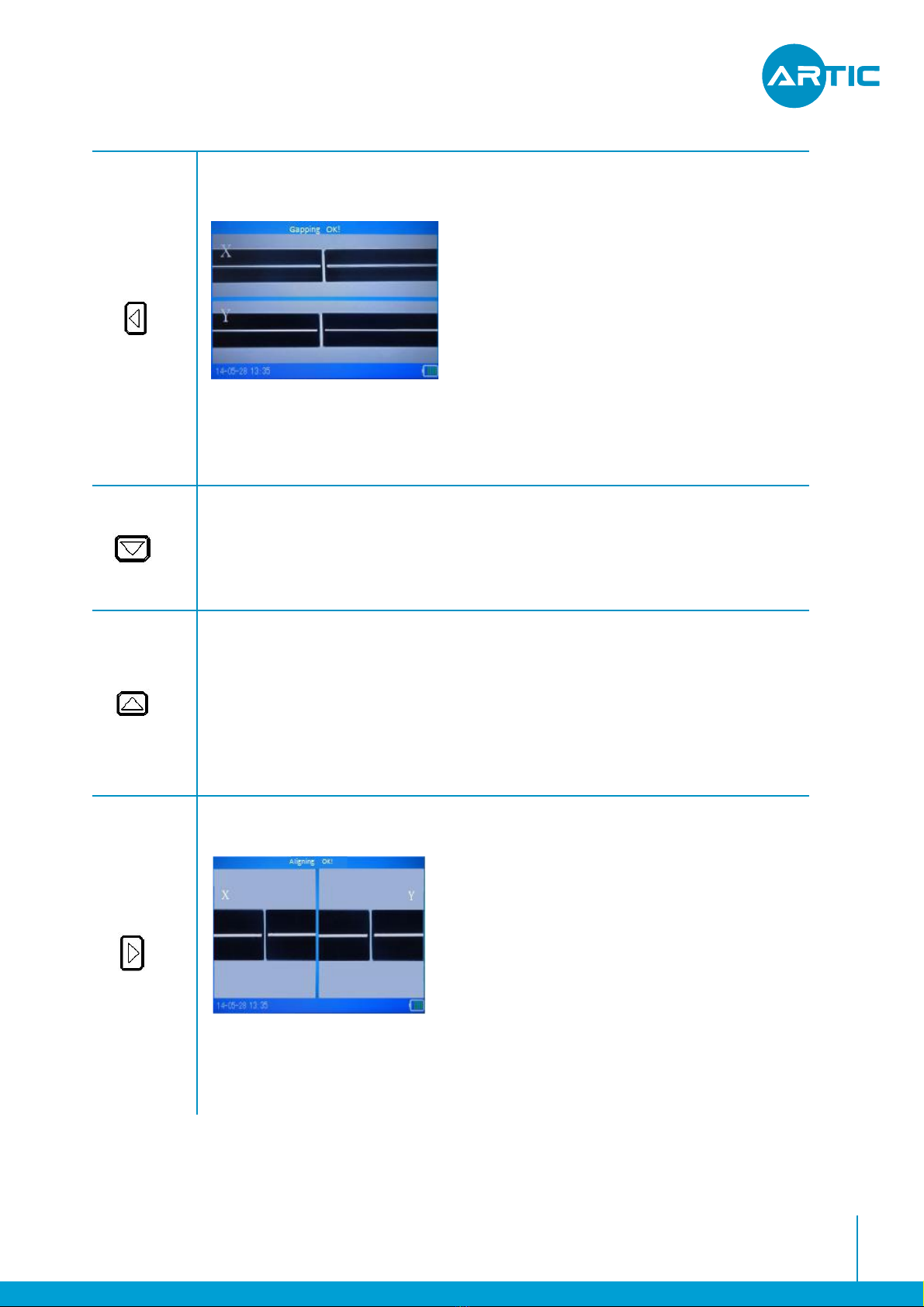
2.2.Keyboard
2.2.1.Keyboardappearance
FIGURE 2.2
Withinthescopeofapplicablelaw,inanycase,ourcompanywillundertakethegreatest
responsibilityforthelossessufferedintheuseoftheproductdescribedinthismanualinthe
limitofthepriceyoupaidfortheproduct.(Exceptincasesinvolvingofpersonalinjuryaccor-
dingtoapplicablelawfordamages)

2.2.2.Keyboardfunctions
Table2.2
5
•WhilePowerOn,pressthiskeytoshutdown.
.
•WhilePowerOFF,pressthiskeytoPowerOn.
•Underthestandbyinterface,pressthiskeytodischargeaweakarc.
•Inthemenu,pressthiskeytoenterthenextsubmenu.
•Ifpermitted,pressthiskeytorun.
•Ifpermitted,pressthiskeytoswitchbetweentheleftandrightsidesofCMOS
Sensor,Motorsandsoon.
Underthestandbyinterface,pressthiskeytoenterthemainmenu.
Underthemainmenuinterface,pressthiskeytoreturntheuppermenu.
•Underthestandbyinterface,pressthiskeytoincreasetheLCDbacklight.
•IntheCMOSsensorstep,pressthiskeytoincreasetheCMOSsensorbacklight.
•Inmotoradjustment,pressthiskeytodriveupthefiber.
•Ifpermitted,pressthiskeytomoveupthecursor.
USER MANUAL HANDHELD FTTX FUSION SPLICER FUSION SPLICER 4.3
Table2.1
1PowerLight
4Left
7Menu/Exit
10Heat
13Switchvideo
2Up
5Enter
8Power
11Arc
14AutoSplice
3Right
6Down
9Heatinglight
12Reset
6
•Underthestandbyinterface,pressthiskeytogapthefiber.
•Underthemainmenu,pressthiskeytoselectthelefticon.
•Inmotoradjustment,pressthiskeytodrivethecorrespondin
theleft.
gmotortomoveto
•Underthestandbyinterface,pressthiskeytoenterthemainmenu.
•Underthemainmenuinterface,pressthiskeytoreturntheuppermenu.
•Underthestandbyinterface,pressthiskeytodecreasetheLCDbacklight.
•InthesetupoftheCMOSsensor,pressthiskeytodecreasetheCMOSsensorbacklight.
•Infunctionofamotortest,pressthiskeytomovedownthecorrespondingmotor.
•Ifpermitted,pressthiskeytomovedownthecursor.
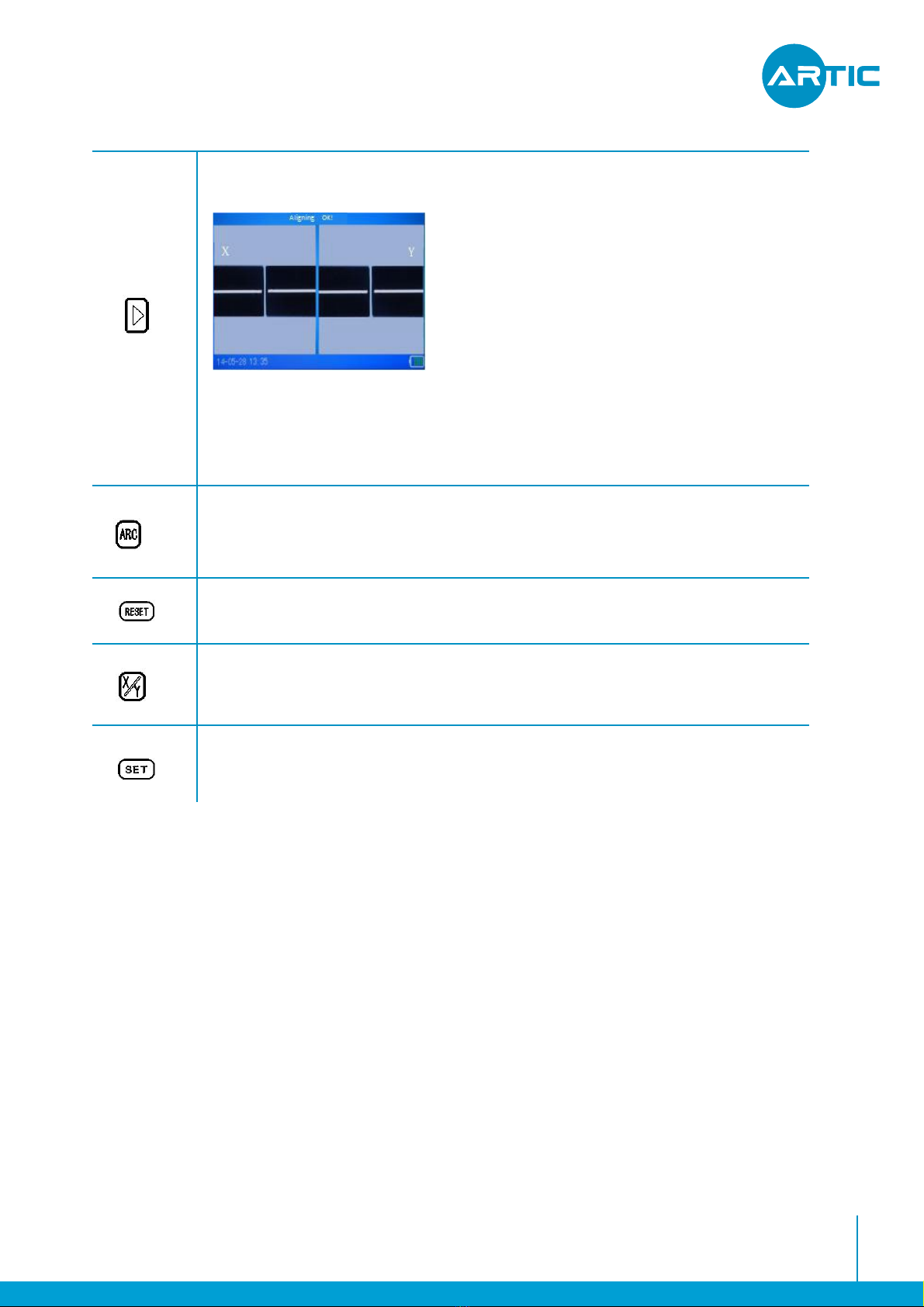
•Underthestandbyinterface,pressthiskeytoalignthefiber.
•Underthemainmenu,pressthiskeytoselecttherighticon.
•Inmotoradjustment,pressthiskeytodrivethecorrespondingmotortomoveto
theright.
USER MANUAL HANDHELD FTTX FUSION SPLICER FUSION SPLICER 4.3
7
•Underthestandbyinterface,pressthiskeytoalignthefiber.
•Underthemainmenu,pressthiskeytoselecttherighticon.
•Inmotoradjustment,pressthiskeytodrivethecorrespondingmotortomoveto
theright.
•Underthestandbyinterface,pressthiskeytofuse.
•InthePowerOnstate,pressthiskeytoresetthemotorposition.
•Underthestandbyinterface,pressthiskeytoswitchthevideomode..
•Underthestandbyinterface,pressthiskeytorunautosplice.
USER MANUAL HANDHELD FTTX FUSION SPLICER FUSION SPLICER 4.3

8
INSTALLATION MANUAL FIBER ACCESS TERMINAL CLOSURE AR-DB16F
Applicablefiber
Claddingdiameter
Coatingdiameter
Typicalloss
Returnloss
Cuttinglength
Program
Operationmode
Autotoheat
Splicetime
Heatingtime
Magnification
Observationmode
FusionRecords
Estimateloss
Tension
OperationInterface
Batterycapacity
Powersupply
Electrodestimes
Interface
OperationEnvironment
Volume/weight
SM,MM,DS,NZDS,others
80-150um
100-1000um
SM:<=0.02dB;MM:<=0.01dB;
DS:<=0.04dB;NZDS:<=0.04dB
>60dB
10-16mm(CoatinglayerDiameter:<250µm)
16mm(CoatinglayerDiameter:250~1000µm)
40groups
AutomodeandManualmode
Supported
Lessthan9seconds
34seconds(heat-shrinkingtubewidthis40mmor60mm)
100times/doubleshow,200times/singleshow
HighsensitivityCMOSsensor,ColorLCDof4.3inchwithpixels480x280
Supporttostore4000groupsofFusionRecords
Supported
Supported,1.8~2.2N
GUI
5200mAh;Typical250timesfusion;Showremainingreal-time
Adapter:AC100-240V(50/60HZ);Output:DC11~13.5V
3000times
12VDCpowerinput,USB2.0
Altitude:0-5000m;Humidity:0-95%;Temp:-10℃-+50℃;Airspeed:<=15m/s
149mm(L)×120mm(W)×130mm(H)/2.25kg(BatteryIncluded)
2.3.Technicalparameters
9
3. A complete splice
Afullfiberspliceprocedureincluding:thefiberendfacepreparation,fibersplicing,tension
test,heatingandcoolingofshrinktube.Thischapterwillintroducedetailsofthespecific
processofthefibersplice.
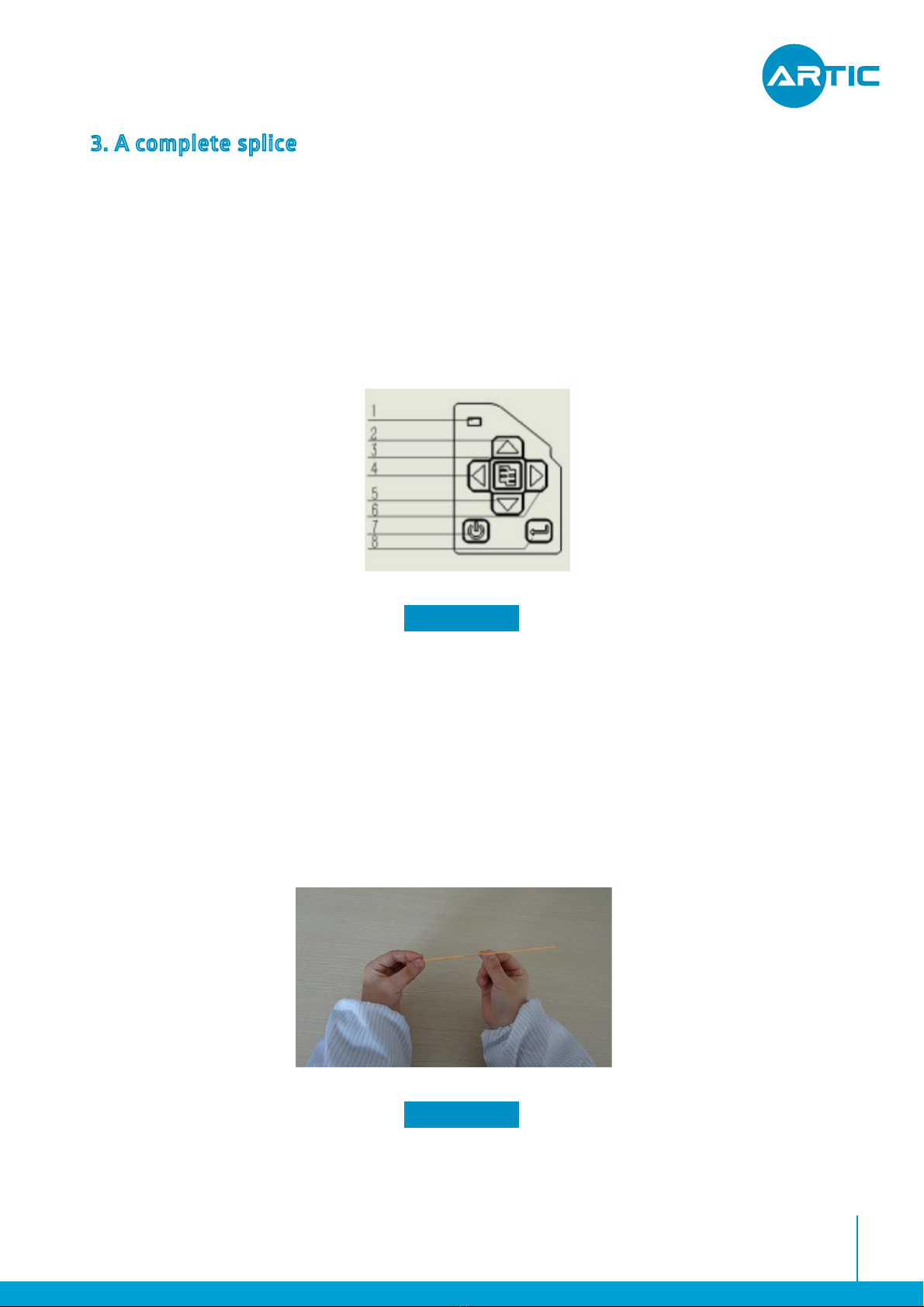
Pressandholdthepowerbuttonuntilthepowerindicatorlight,then,LCDalsoentersthe
self-testscreen.
Preparetwoopticalfibers,asshowninFigure3.2,inwhichanopticalfiberissetintotheheat
shrinktube.
3.1.Poweron
3.2.Preparationoffiberendface
FIGURE 3.1
FIGURE 3.2
USER MANUAL HANDHELD FTTX FUSION SPLICER FUSION SPLICER 4.3

10
AsshowninFigure3.3,clenchedfibercleaver,placethefiberintothetoothoftheclampbythe
lefthand,reservebarefiber30to40mmstrippedfibercoating.Useacottonballdippedin
anhydrousalcohol(purity>99%)wipeopticalfibercoatinglayerthatresidualdebris,Figure3.4
shows.
Putthecleanedfiberintothecutterpositionedgroove,theedgealignmentofthefiber
coatingcutterruler“13”scaleoutside(thescaleisgreaterthan13,showninFigure3.4).Close
smallplaten,requiringthatthebarefiberstraightontheleftandrightrubberonthechop-
pingblock.Togetherwithclosethelargeplate,andpushthecutterbladeslidertotheotherend
tocutoffthefiber.
FIGURE 3.3
FIGURE 3.4
USER MANUAL HANDHELD FTTX FUSION SPLICER FUSION SPLICER 4.3
AfterCutting,openthelargeplatentotakeawaycuttingbrokenfiberintothewastefiber
storagebox.(Brokenfiberhasgreatharmtohumanhealth,so,pleasebesuretocollectand
chopbrokenfiber).Openthesmallplaten,andcarefullytakeoutthecutendfacefiber.Donʼt
makethefibercrosssectiontouchinganyotherobjects,toordertoavoiddamageorconta-
minationendface.
Inhaltsverzeichnis
Andere Artic Baumaschinen Handbücher


