Bang & Olufsen Beoline 2 Bedienungsanleitung

BeoLine2
Base – Guide

For the US-market only!
NOTE: This equipment has been tested and found to comply
with the limits for a class B digital device, pursuant to part
15 of the FCC Rules. These limits are designed to provide
reasonable protection against harm ful interference in a
residential installation.
This equipment generates, uses and can radiate radio
frequency energy and, if not installed and used in
accordance with the instructions, may cause harmful
interference to radio communications. However, there is
no guarantee that interference will not occur in a particular
installation. If this equipment does cause harmful
interference to radio or television reception, which can
be determined by turning the equip ment off and on, the
user is encouraged to try to correct the interference by
one or more of the following measures:
– Reorient or relocate the receiving antenna.
– Increase the separation between the equipment and
receiver.
– Connect the equipment into an outlet on a circuit
different from that to which the receiver is connected.
– Consult the retailer or an experienced radio/TV
technician for help.
For the Canadian market only!
This class B digital apparatus meets all require ments of the
Canadian Interference-Causing Equipment Regulations.
WARNING: To reduce the risk of fire or
electric shock, do not expose this appliance
to rain or moisture. Do not expose this equip-
ment to dripping or splashing and ensure
that no objects filled with liquids, such as
vases, are placed on the equipment.
To completely disconnect this equipment
from the AC Mains, disconnect the mains
plug from the wall socket. The disconnect
device shall remain readily operable.
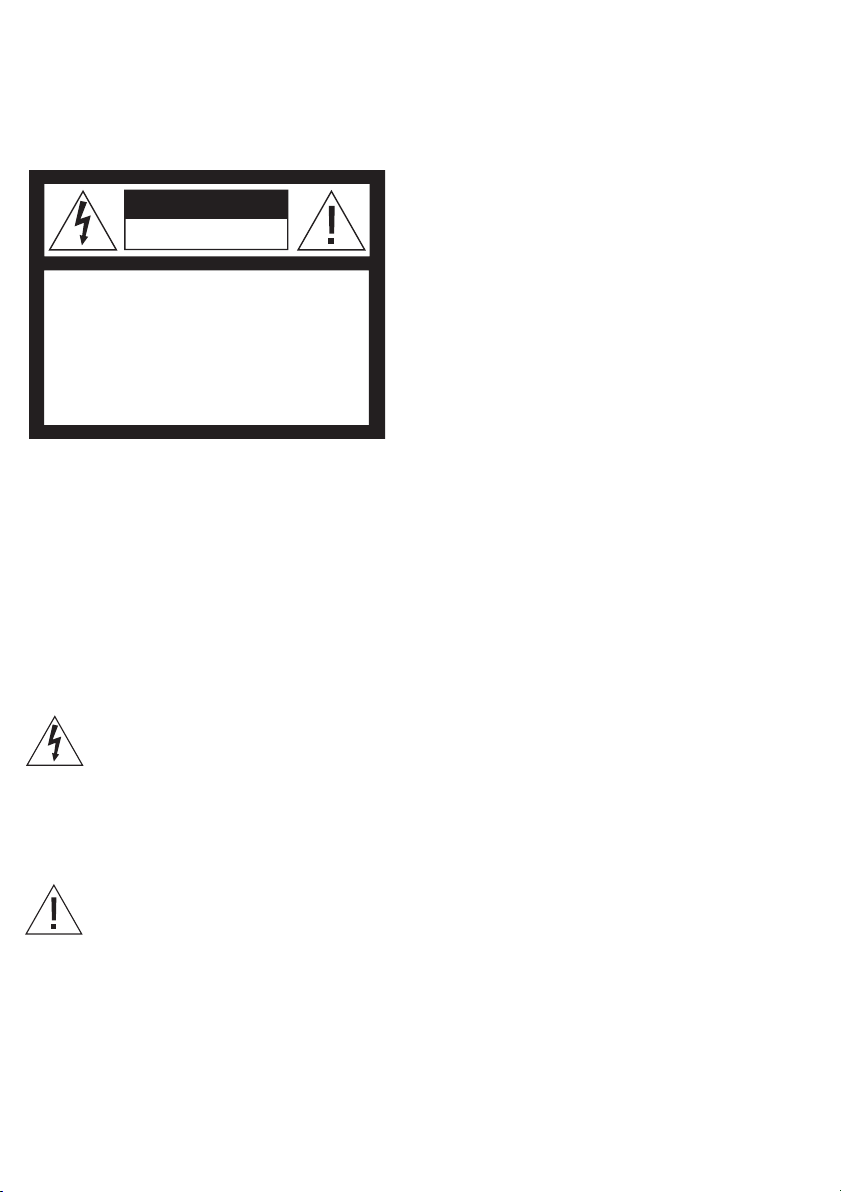
The lightning flash with arrowhead symbol
within an equilateral triangle, is intended
to alert the user to the presence of un-
insulated “dangerous voltage” within the
product’s enclosure that may be of sufficient
magnitude to constitute a risk of electric
shock to persons.
The exclamation point within an equilateral
triangle is intended to alert the user to the
presence of important operating and main-
tenance (servicing) instructions in the
literature accompanying the product.
CAUTION
RISK OF ELECTRIC SHOCK
DO NOT OPEN
CAUTION: To reduce the risk of
electric shock, do not remove
cover (or back).
No User-serviceable parts inside.
Refer servicing to qualified service
personnel.

POWER
L1/L2
A
L2
Line 1/2
~
POWER
L1/L2
A
L2
Line 2
Line 1
~
4

Important information about
BeoLine2 base
The base is intended for use on
public analogue networks. The
base supports services such as
Caller ID, as long as the automated
service in question is offered by
your telephone company. Some
services require you to take out
special subscriptions with the
telephone company. Not all supple-
mentary services offered by the
different service providers are avail-
able in all countries.
Your base can only be expected to
function in the country for which it
was manufactured, as transmission
systems, legal requirements and
automated services may vary from
country to country. The packaging
will state for which country your
base is manufactured. The national
identity letters can be found above
the lowest bar code on the label. If
you are in any doubt about the use
of your base, contact your retailer
for more information.
The base should only be used with
the enclosed mains adaptor.
Manufacturer: Friwo
Type: FW7711/0.7
Plug type: 15.2078
15.2894
15.2040.511-177 EU
15.2077.501-177 UK
15.2079.501-177 AUS
Connections
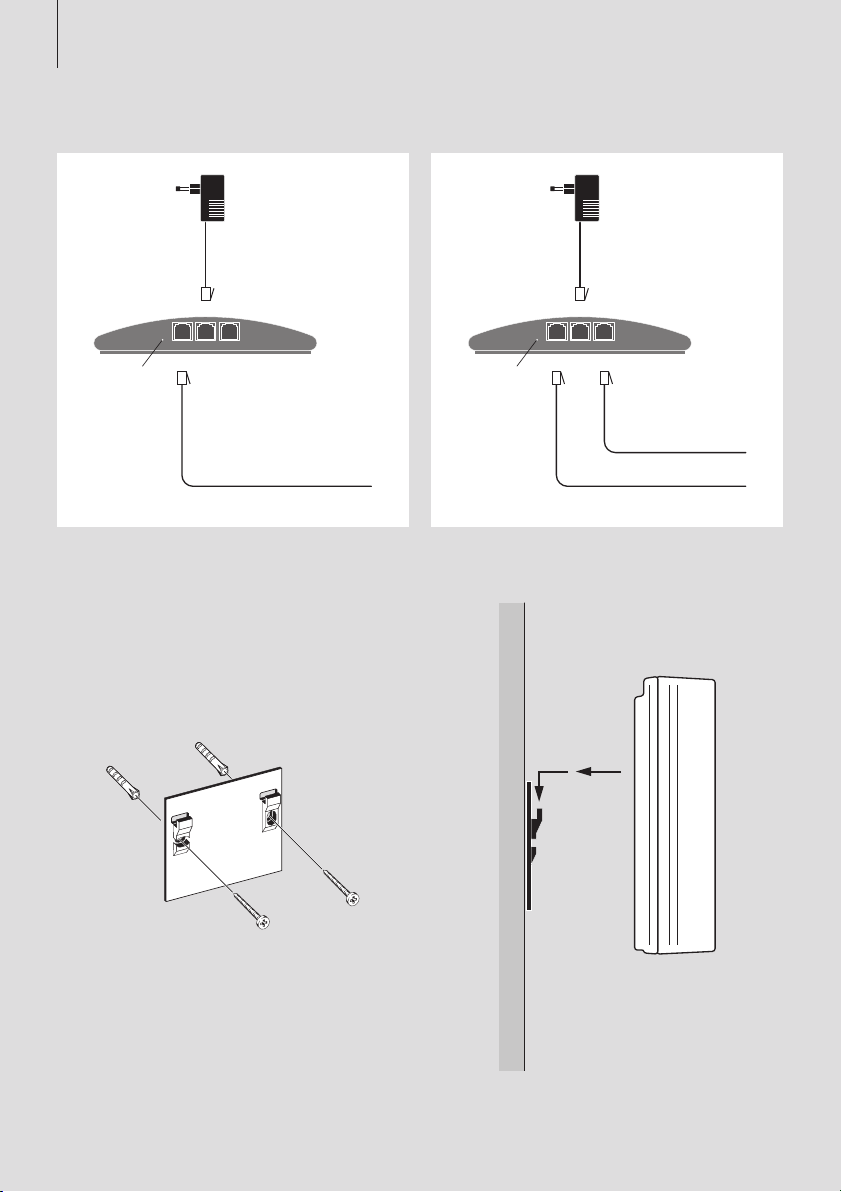
> If your phone lines are combined
in a single socket, or you have a
single line connection, make the
connections as shown in the left
diagram on page4. If your two
phone lines have separate sockets,
make the connections as shown
in the right diagram on page4.
> The base indicator light (A)
ashes red, indicating that the
base is open for registration of
handsets.
> Refer to the Guide enclosed with
your handset for information
about how to proceed with your
handset.
If the mains adaptor is not plugged
in, or if the power supply is cut off,
your phone will not function. Make
alternative arrangements for access
to emergency services.
Placement
Use the enclosed bracket, screws,
and wall plugs to fasten the base
to the wall. Drill two holes
(∅5mm –0.2”) in the wall. When
marking up where to drill the holes,
use the bracket as a template. Make
sure to leave enough space around
the bracket for the base.
To obtain the best range, place the
base in a high and free-standing
location, and do not mount it on a
metal plate.
Do not place the base in damp,
dusty or dirty environments, and
do not expose it to moisture or
direct sunlight. Do not place it near
microwave ovens or similar
appliances. The base is designed
for use within a temperature range
of 10–40ºC (50–105ºF).
Mounting was evaluated for use on
a drywall surface.
Maintenance
Use a soft, damp cloth with a few
drops of mild detergent added to
clean the base.
Do not extend or alter the power
cord of the base in any way, as this
will cause the product in question
to malfunction!
The base should only be used
with the enclosed mains adapter.
The mains adapter cable should
not be connected to other units,
for example, a computer or other
USB supplies.
English 5

>> English
Feedback – indicator light
The indicator light on the base (A)
informs you about the current
state of the base. The signals are
explained below:
Light off … power off. Connect
the base to the mains.
Solid green … power on, one or
more handsets registered.
Solid red … Power on, no hand-
sets registered.
Flashing red … Power on, base
open for registration of handsets.
Upon connection to the power
outlet, the base is open for ve
minutes, after which the light
shines either green or red
(depending on whether or not
you registered a handset in that
time). If you choose to register
an additional handset, a new
ve-minute period begins, and
you can register the next
handset.
Register handset to base
You can register eight handsets to
BeoLine2. When you register one
handset, that handset then
prompts you to register more
handsets.
If you want to register more
handsets to a base, and one or
more of these handsets are
BeoCom6000 or BeoCom2, the
oldest handset model should be
registered rst. The menu options
will then be limited to match the
options of the oldest handset
registered.
You can open the base for
registration using the handset.
Access the Open base menu by
selecting Settings in the main
menu and then the Base menu.
Note: If you have an ADSL
connection, we recommend that
you use a filter when connecting
the base to the phone line. Contact
your ADSL service provider for
further assistance.
6

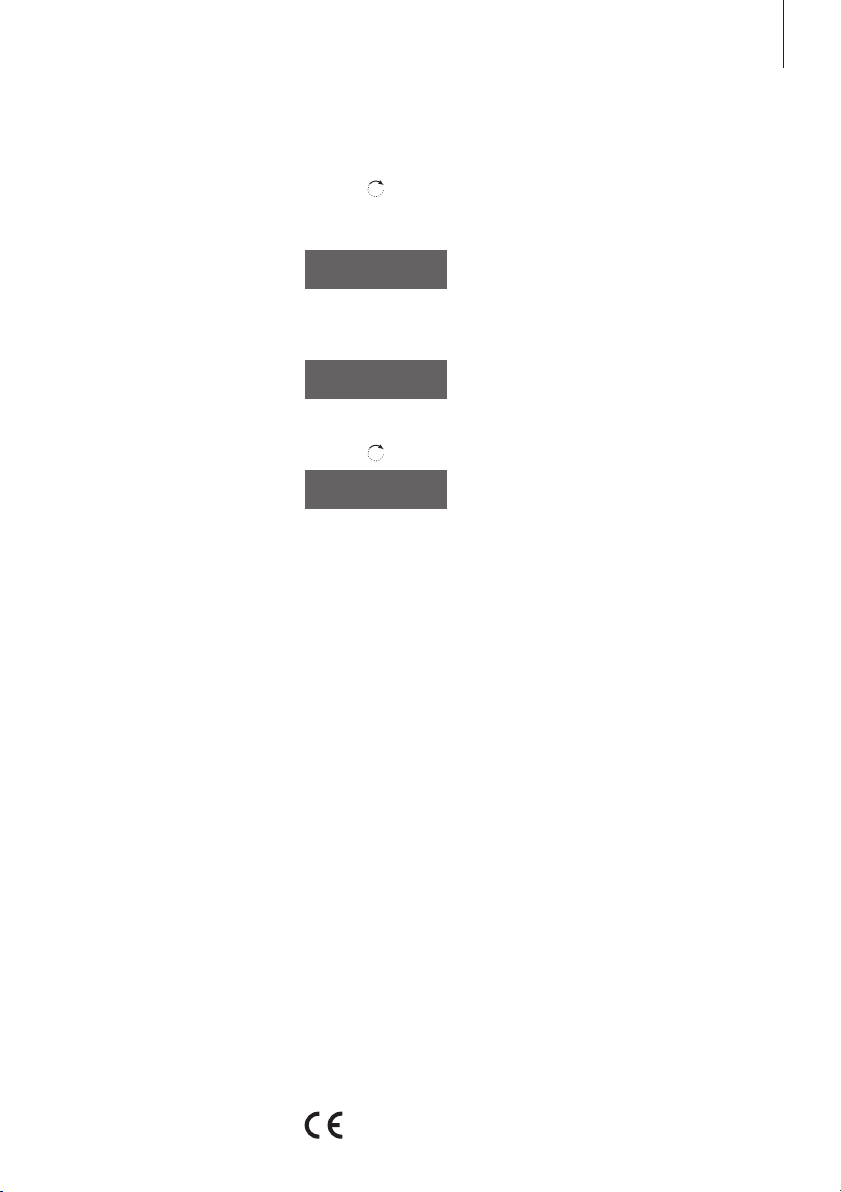
Press to switch on the handset. The Language
menu appears. Turn the wheel to select the
desired menu language and press OK
Register handset to base? is shown in the display
Press OK. The handset searches for an open base
When a base is located, the PARK number* for
the base is shown. Check the number against
the number on the base
If the numbers do not match, turn the wheel to
move through the available bases, if more than
one is available. If your base is not shown, open
the base for registration once more and repeat
the procedure
If the numbers match, press to register the
handset to the base
If the base prompts you for a pincode, enter the
pincode and press OK. The display tells you
when registration is complete.
*The PARK number can be found on a label on
the base.
First-time registration to the
base…
Disconnect the base from the
mains for at least two seconds and
then reconnect it. The indicator
light ashes, and the base is open
for registration for ve minutes.
OK
OK
Register handset
to base?
OK
Base found
36.000077123456
Base found
36.000077234567
OK
0 –9
OK
7
This product is in conformity with the provisions of the Directives
1999/5/EC and 2006/95/EC.
Andere Handbücher für Beoline 2
1
Inhaltsverzeichnis
Andere Bang & Olufsen Zubehör Handbücher