
Raytech Micro Junior 2 Bedienungsanleitung

ENGLISH
INSTRUCTION MANUAL
MICRO JUNIOR 2
Micro Junior 2
RAYTECH AG , OBEREBENESTRASSE 11, CH-5620 BREMGARTEN, SWITZERLAND

Contents
1 Warranty Con itions 4
1.1 Limit tion of W rr nty..........................................................................................................4
1.2 Arbitr tion............................................................................................................................5
2 Safety Precautions 6
2.1 S fe oper tion.....................................................................................................................6
2.2 Keep w y from live circuits................................................................................................6
2.3 Do not oper te in n expolive tmosphere..........................................................................6
2.4 Do not subsitute p rts or modify Instrument........................................................................6
2.5 Before pplying power.........................................................................................................7
2.6 Ground the Instrument.........................................................................................................7
3 Unpacking 8
3.1 Option l Items.....................................................................................................................8
4 Technical Specifactions 9
5 Quick Start Gui e 10
5.1 Oper tion........................................................................................................................... 10
5.2 Single................................................................................................................................. 11
5.3 Cont...(Continuous)............................................................................................................11
5.4 Auto (Autom tic)................................................................................................................11
5.5 Cross Current me surements (Forw rd / Reverse)...........................................................12
6 Intro uction 13
6.1 E se of use.......................................................................................................................13
6.2 Impressive ccur cy..........................................................................................................13
6.3 Unique me suring technique.............................................................................................13
6.4 Oper tion........................................................................................................................... 13
6.5 Comp ct design.................................................................................................................13
6.6 Simple m inten nce..........................................................................................................13
6.7 Adv nced protection.......................................................................................................... 13
7 A vantages & Features 14
8 System Details 15
8.1 B ttery check.....................................................................................................................15
8.2 Li-Ion Ch rger.................................................................................................................... 15
8.2.1 Prec utions..............................................................................................................15
8.2.2 Fe tures.................................................................................................................. 15
8.2.3 Ch rging Instructions...............................................................................................16
8.2.4 Expl n tion of Ch rging Function............................................................................16
8.3 Limit tions of Resist nce Testing.......................................................................................17
8.4 Tr nsformer windings........................................................................................................17
8.5 Low Resist nce Testing.....................................................................................................17
90081-2.11 Micro Junior 2 P ge 2 of 44

9 Front Panel Description 18
9.1 Typic l displ y screens......................................................................................................22
10 Operation Menu 23
10.1 Menu Structure................................................................................................................ 23
11 Main Menu 24
11.1 R nge Selection Screen..................................................................................................24
11.2 Archive Screens...............................................................................................................24
11.2.1 Show......................................................................................................................24
11.2.2 Print.......................................................................................................................25
11.2.3 Er se..................................................................................................................... 25
11.3 Setup Menu Screens.......................................................................................................25
11.3.1 Clock......................................................................................................................26
11.3.2 Interv l Test............................................................................................................26
11.3.3 Contr st................................................................................................................. 27
11.3.4 Printer....................................................................................................................27
11.3.5 Temper ture Correction.........................................................................................28
11.3.6 Length Correction (specific Resist nce).................................................................30
12 Testing Screen Description 31
12.1 R nge Selection..............................................................................................................31
12.2 Testing............................................................................................................................. 32
12.2.1 Single..................................................................................................................... 32
12.2.2 Cont (Continuous)..................................................................................................32
12.2.3 Auto.......................................................................................................................33
12.2.4 Inter… (Interv l).....................................................................................................34
12.2.5 Timer......................................................................................................................34
12.3 X10A / x1A (Forw rd / Reverse test)................................................................................35
12.3.1 Single..................................................................................................................... 35
12.3.2 Auto.......................................................................................................................36
12.4 Print.................................................................................................................................36
12.5 Store................................................................................................................................37
13 Measurement Parameters 38
Appendix....................................................................................................40
A Troubleshooting 41
B System Upgra es 43
C Contacts 44
D In ex 45
90081-2.11 Micro Junior 2 P ge 3 of 44

1 Warranty Con itions
R ytech AG Switzerl nd sh ll t their option nd expense, rep ir or repl ce ny p rt or p rts th t
prove to be defective within the w rr nty limit tion period- irrespective of the oper ting time of the
test equipment provided th t the c use of the defect occurred prior to the time t which the risk
w s p ssed.
W rr nty cl ims re subject to w rr nty limit tion period of 24 months from the d te of shipment.
The purch ser is oblig ted to immedi tely notify R ytech AG Switzerl nd in writing of ny defects
of the supplied test equipment.
R ytech AG Switzerl nd must lw ys be given the opportunity to rectify defect within
re son ble mount of time. The purch ser sh ll gr nt n dequ te mount of time th t the test
equipment sh ll be rep ired.
R ytech AG Switzerl nd covers the costs ssoci ted with the rep ir of the defect; especi lly the
costs for the m teri l nd work. Cost for sending the f ulty test equipment sh ll be borne by the
purch ser. R ytech AG Switzerl nd sh ll not be li ble for m teri l d m ge, or fin nci l loss due to
the loss of production, loss of d t , loss of inform tion, d t or interest, reg rdless of their leg l
b sis.
W rr nty cl im rights on repl cement p rts s well s rep ir of defective p rts sh ll expire fter 12
months.
W rr nty limit tion period sh ll be extend ble ccording to the price list. The purch ser h s the
right to extend the w rr nty period by purch sing ddition l w rr nty ye rs.
1.1 Limitation of Warranty
The foregoing w rr nty sh ll not pply to defects resulting from:
•Improper nd un uthorized modific tions or misuse nd buse of the product, negligence,
lter tion, modific tion, f ulty inst ll tion by the customer, customer’s gents or
employees.
•Attempted or ctu l dism ntling, dis ssembling, service or rep ir by ny person, firm, or
corpor tion not specific lly uthorized in writing by R ytech GmbH Switzerl nd.
•Defects c used by or due to h ndling by c rrier, or incurred during shipment, tr ns-
shipment, or other move.
•In dequ te m inten nce by the customer, second source supplied softw re or interf cing,
oper tion outside the environment l limits, or improper site prep r tion.
90081-2.11 Micro Junior 2 P ge 4 of 44

Exclusive remedies provided herein re the customer’s sole nd exclusive remedies.
R ytech Switzerl nd sh ll not be li ble for ny d m ges resulting from the use of this equipment
whether direct, indirect, speci l, incident l, or consequenti l d m ges, or whether b sed on
contr ct, tort, or ny other leg l theory.
1.2 Arbitration
All disputes rising out of or in connection with the contr ct between the purch ser nd R ytech
GmbH Switzerl nd nd including those reg rding the leg l v lidity of this contr ct nd this
rbitr tion cl use sh ll be settled out of court nd sh ll be referred to rbitr tion for fin l decision.
Any disputes between the purch ser nd R ytech AG Switzerl nd sh ll be settled ccording to the
rules of settlement nd rbitr tion of the ch mber of commerce in Zurich by one or more rbitr tors
ppointed lso ccording to the rules of rbitr tion of the ch mber of commerce in Zurich
Switzerl nd.
P ge 5 of 44
90081-2.11 Micro Junior 2 P ge 5 of 44
INFO:
INFO:
NO OTHER WARRANTY IS EXPRESSED OR IMPLIED.

2 Safety Precautions
The following s fety prec utions must be observed during ll ph ses of oper tion, service nd
rep ir of this instrument. By purch sing this equipment the purch ser ssumes ll li bility for the
oper tion nd use of this equipment. The intended use of the instrument, its design nd
m nuf cture, is to be conducted within the prec utions or other specific w rnings loc ted within
this m nu l. F ilure to comply with these prec utions nd other specific w rnings viol tes the
s fety st nd rds of design, m nuf cture, nd intended use. R ytech ssumes no li bility for the
oper tion nd use of this equipment.
2.1 Safe operation
Only qu lified, knowledge ble persons should be permitted to or ttempt to oper te this test
equipment. All test personnel should fully f mili rize themselves with the correct pplic tion nd
oper tion of this nd ll test equipment prior to oper tion. Persons directly nd indirectly eng ged
in the oper tion of this test equipment should keep cle r of ll high volt ge pp r tus while
conducting tests nd me surements.
2.2 Keep away from live circuits
Oper ting personnel must not remove instrument covers. Component repl cement nd intern l
rep irs must be m de by qu lified service personnel. Do not repl ce components or service this
instrument with the power c ble connected. To void injuries, lw ys disch rge circuits, disconnect
power nd remove extern l volt ge sources before touching components.
2.3 Do not operate in an expolive atmosphere
Do not oper te the instrument in the presence of fl mm ble g ses or fumes.
2.4 Do not subsitute parts or mo ify Instrument
Bec use of the d nger of introducing ddition l h z rds, do not inst ll substitute p rts or perform
ny un uthorized modific tion to the instrument. Return the instrument to R ytech service
dep rtment for service to ensure proper oper tion nd th t s fety fe tures re m int ined.
Instruments, which ppe r d m ged or defective, should be m de inoper tive nd secured g inst
unintended oper tion until they c n be rep ired by qu lified service personnel.
90081-2.11 Micro Junior 2 P ge 6 of 44
WARNING !
WARNING !
Never connect the instrument to n energized Test Object!

2.5 Before applying power
Re d this m nu l c refully before oper ting the system.
The Micro Junior 2 is line oper ted. It oper tes within wide r nge of power input from 100V c to
250V c nd The system is designed to be used with either 50Hz or 60Hz
Do not v ry the input power source volt ge level when v ri ble AC power source is connected.
2.6 Groun the Instrument
To minimize shock h z rd, the Ground Termin l on the instrument must be properly connected to
n E rth grounded point. In m ny c ses, the qu lity of the s fety ground termin l provided by the
power cord does not fulfill the s fety requirements.
Also the power cord supplied with the equipment must be connected to n electric l recept cle
with n electric l ground (s fety e rth ground).
90081-2.11 Micro Junior 2 P ge 7 of 44

3 Unpacking
The Micro Junior 2 consists of the following items:
The Instrument Test Le d Power Current 2x3m Test Le d Potenti l 2x3m
C ble B g Power Cord, Ch rger User M nu l
If ny of the bove items re missing or d m ged, cont ct your loc l represent tive or R ytech AG
Switzerl nd immedi tely.
3.1 Optional Items
Temper ture Probe Kelvin Probe Set (MJO-201) P per rolls
90081-2.11 Micro Junior 2 P ge 8 of 44

4 Technical Specifactions
The Micro Junior 2 is speci lly designed for f st nd e sy field me surement with the well known
high precision nd qu lity of R ytech.
Type
Size
Weight
Ext. Power Unit
B ttery
Test Current
P nel Displ y
Front P nel
Interf ce
Printer
Memory Stor ge
Micro Junior 2
L: 410 mm (16.1”) W: 337 mm (13.3”) H: 178 mm (7”)
6.3 kg (13.88 lbs.)
100 to 250 VAC 50 / 60 Hz, utom tic r nging
Li-Ion b ttery p ck, 14.8V / 6Ah
User Select ble: 10, 1, 0.1, 0.01, 0.001 Ampere
LCD Gr phic with b ck lighting
Se led nodized with multi- ctu tion rot ry knob
9 Pin RS232 seri l
Inern l p nel mount printer
Intern lly stores up to 2000 complete test results
Oper ting Temper ture
Stor ge Temper ture
-10°C to 60°C
-20°C to 70°C
90081-2.11 Micro Junior 2 P ge 9 of 44
INFO:
INFO:
The Micro Junior 2 Fieldc se is w terproof design with pressure relief
v lve. This v lve should be slightly open when encountering tmospheric
ch nges; i.e... Airpl ne Tr vel, High ltitudes, etc... Close the v lve when
tr nsporting the equipment in wet conditions.

5 Quick Start Gui e
5.1 Operation
This section describes typic l, step by step, oper tion of the Micro Junior 2
Open the top protection lid of the c se nd tt ch the test le ds to the test set.
The Two (2) connections on the front pl te m rked +I & -I re the current le ds.
The Two (2) connections on the front pl te m rked +P & -P re the Potenti l or Volt ge le ds.
By connecting test specimen to the Current le ds nd pplying the potenti l le ds ( See figure )
cross the specimen the resist nce re dings will be determined.
Turn the Power switch to the “ON” position.
The Instrument will m ke the initi l
c libr tion check. Then the Initi l R nge
selection screen will ppe r.
Select the current or resist nce r nge
expected to be me sured with the rot ry
knob.
(Selecting the cross current, X10A & X1A me surement r nge.)
Press the rot ry knob when the indic tor is pointing t the resist nce nd current level to be
me sured (If unsure of current level, then st rt t the 1 mA r nge nd incre se the current r nge
until v lid re ding ppe rs).
After the current r nge is selected press the rot ry knob g in. The following me suring modes
c n then be ccessed: Single, Cont... (Continuous), Auto (Autom tic), Inter... /Interv l).
90081-2.11 Micro Junior 2 P ge 10 of 44
WARNING !
WARNING !
Before Oper ting this or ny other test equipment, re d ll s fety w rnings
nd underst nd them fully
Andere Handbücher für Micro Junior 2
1
Inhaltsverzeichnis
Andere Raytech Messgerät Handbücher

Raytech
Raytech TR-Mark III 250V Bedienungsanleitung

Raytech
Raytech WR14 Bedienungsanleitung

Raytech
Raytech MC2 Bedienungsanleitung

Raytech
Raytech WR14 Bedienungsanleitung
Raytech
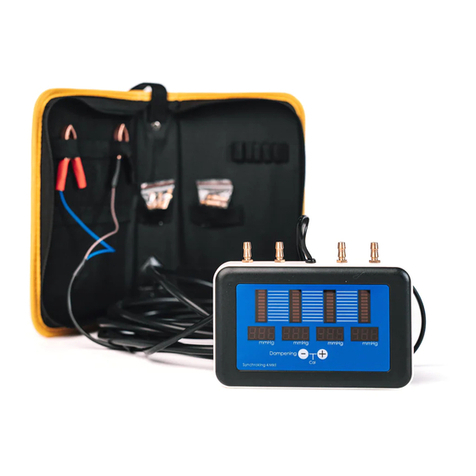
Raytech SynchroKing 4S Mk2 Bedienungsanleitung

Raytech
Raytech TR-MARK III Bedienungsanleitung

Raytech
Raytech T-REX Bedienungsanleitung

Raytech
Raytech WR14-R Bedienungsanleitung

Raytech
Raytech SynchroKing 2 Mk2 Bedienungsanleitung

Raytech
Raytech WR50-12 Bedienungsanleitung


