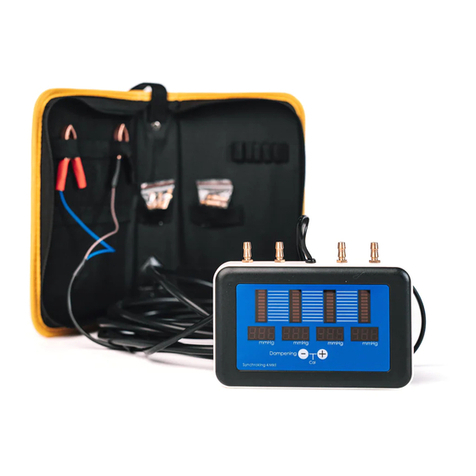
Raytech Micro Junior 2 Bedienungsanleitung

RAYTECH USA, Inc.
118 S. 2nd Street
Perkasie, PA 18944 USA
Tel. 888 4 THE SPY
Tel. 26 404 26 6
Fax. 26 404 2685
10 Amp Digital Micro-Ohm Meter
Model: Micro Junior 2
Instruction Manual Ver. 1.04

Raytech USA, Inc. All rights reserved. No portion may e reproduced without written consent 2
RAYTECH USA, Inc.
Table of Contents
0 – 1
Section Page
Table of Contents 0 – 1 2
Safety Precautions 1 – 0 3
Uncrating Procedure 2 – 0 4
Introduction
3 – 0 5
Technical Specifications
4 – 0 6
Front Panel Description
5 – 0 7
Front Panel Descript. Cont. 5 – 1 8
Front Panel Display screens
6 – 0 9
Screen Descriptions, Settings & Selections 6 – 1 10
Range Selection 10
Archive Menu 10
• Show 10
• Print 10
• Erase 10
Set Up Menu 11
• Clock Screen 11
• Interval Test 12
• Contrast 12
• Printer 13
Testing Screen Descriptions 6 – 2 13
Range Selection 13
• Single mode 14
• CONT mode (Continuous) 14
• AUTO mode (Automatic) 15
• INTER mode (Interval) 15
• Cross Current Measurements 16
Print Command 17
Store Command 17
System Details
– 0 18
Battery Check – 1 18
Li-Ion Charger – 2 18
Limitations of Testing – 3 19
Transformer Windings – 4 19
Low Resistance Testing – 5 19
Getting Started Quickly 8 – 0 20
Operation 8 – 1 20
Single, Continuous, and Automatic Modes 20, 21
Cross Current Measurements 8 – 2 21
Test Report 8 – 3 21
Troubleshooting 9 – 0 22
Warranty 10 – 0 23

Raytech USA, Inc. All rights reserved. No portion may e reproduced without written consent 3
SAFETY PRECAUTIONS!
1 – 0
The following safety precautions must e o served during all phases of operation, service, and
repair of this instrument. By purchasing this equipment the purchaser assumes all lia ility for the
operation and use of this equipment. The intended use of the instrument, its design and
manufacture, is to e conducted within the precautions or other specific warnings located within
this manual. Failure to comply with these precautions and other specific warnings violates safety
standards of design, manufacture, and intended use. Raytech assumes no lia ility for the
operation and use of this equipment.
SAFE OPERATION
Only qualified knowledgea le persons should e permitted or attempt to operate this test
equipment. All test personnel should fully familiarize themselves with the correct application and
operation of this and all test equipment prior to operation. Persons directly and indirectly
engaged in the operation of this test equipment should keep clear of all high voltage apparatus
while conducting tests and measurements.
BEFORE APPLYING POWER
Read this manual carefully efore operating the system. The Micro Junior 2 is attery operated.
The attery pack is charged via an external power supply which can handle input voltage from
100 to 240 vac 50/60Hz (auto-sense).
DO NOT OPERATE IN AN EXPLOSIVE ATMOSPHERE
Do not operate the instrument in the presence of flamma le gases or fumes.
KEEP AWAY FROM LIVE CIRCUITS
Operating personnel must not remove instrument covers. Component replacement and internal
adjustments must e made y qualified service personnel. Do not replace components with
power ca le connected. To avoid injuries, always disconnect power, discharge circuits, and
remove external voltage sources efore touching components.
DO NOT SUBSTITUTE PARTS OR MODIFY INSTRUMENT
Because of the danger of introducing additional hazards, do not install su stitute parts or perform
any unauthorized modification to the instrument. Return the instrument to a Raytech USA
service department for service to ensure proper operation and that safety features are maintained.
Instruments, which appear damaged or defective, should e made inoperative and secured against
unintended operation until they can e repaired y qualified service personnel.
TEST WARNINGS!
1. Do not use on live circuits.
2. Do not use test probes when testing inductive loads (Motors, transformers).

Raytech USA, Inc. All rights reserved. No portion may e reproduced without written consent 4
UNCRATING: 2 – 0
Unpack your new MICRO JUNIOR 2 and check to see that you have the following items:
Micro Junior 2
1
Manual + Current / - Current / Safety
Potential Potential Ground
Leads Leads Lead
Cable Carry Case Battery RS-232 Extra Roll
Charger Cable of paper
w/power cord
If any of the a ove items are missing or damaged contact your local representative or
Raytech USA, Inc. immediately.
RAYTECH Toll free service & support telephone: 1 888 4 THE SPY (888 484 3 9)
1. The Micro Junior 2 Fieldcase is a waterproof design that may incorporate a pressure relief valve. This
valve should e slightly open when encountering atmospheric changes; i.e... Airplane Travel, High
altitudes, etc... Close the valve when transporting the equipment in wet conditions.

Raytech USA, Inc. All rights reserved. No portion may e reproduced without written consent 5
INTRODUCTION 3 – 0
Raytech Digital Micro ohm meter, Micro Junior 2 was designed for high degree of accuracy for
the measurement of very low resistance. This technology was then packaged into a porta le test
system for use y apparatus manufacturers, re uild shops, and electrical maintenance crews.
Ease of use: This intelligent system has an easy to use operation screen, which allows quick
selection of the current level and resistance level to e measured. The system has the a ility to
reverse current flow automatically and provide extremely accurate results.
Impressive Accuracy: The Micro Junior 2 is a high precision, fully automatic, microprocessor
ased system. This system is designed for highly accurate readings on-site with la oratory precision.
Unique Measuring Technique: This newly designed technique of measurement incorporates a
high precision measurement circuit which will automatically measure with current flow in one
direction, then the system will reverse the current flow and display very accurate results to 0.1µ
Ohm. The system allows long term measurements at 10 amperes without frequent recharging.
Operation: The Micro Junior 2 applies a preset current level and resistance range selected y the
user. The results of the test are displayed within a few seconds automatically. The results are
reported on the easy to read liquid crystal display.
Compact Design: The Micro Junior 2 is a lightweight system that comes complete with its own
rugged waterproof Fieldcase.
Simple Maintenance: There is No maintenance required. There is No cali ration procedure (No
potentiometers to turn). This is due to the utilization of high precision components in the design.
Advanced Protection: Upon powering on the system initializes itself with a self-cali rating,
circuit checking sequence. If any pro lems are detected during this initialization period, or
during operation, the operator is immediately notified. The system constantly monitors the
condition when turned on. The Micro Junior 2 has extensive protection uilt in to the circuitry.
This is one of the many reasons we can extend our warranty to 5 years.

Raytech USA, Inc. All rights reserved. No portion may e reproduced without written consent 6
TECHNICAL
SPECIFICATIONS 4 – 0
MODEL: Micro Junior 2
SIZE: L: 16” (406 mm) W: 13” (330 mm) H: 7” (178 mm)
WEIGHT: 12.5 l s. (5.6 kg)
INPUT POWER: 100 to 250 Vac 50 / 60 Hz Auto-ranging attery charger
INTERNAL POWER: Lithium-Ion Battery, 14.8V / 6 Ah
TEST CURRENT: User Selecta le: 10, 1, 0.1, 0.01, 0.001 Ampere
PANEL DISPLAY: LCD Graphic with ack lighting
FRONT PANEL: Sealed anodized with a multi-actuation rotary kno
INTERFACE: 9 Pin RS232 Serial
MEMORY STORAGE: Internally stores up to 2000 complete test results
RESISTANCE RANGE:
0.1µΩ to 400kΩ
MEASUREMENT PARAMETERS:
Current Range Measuring Range Accuracy Resolution
10 Amp (A.F/R) : 0.1µΩ ... 40mΩ ± 0.1µΩ ± 0.1% Rdg 5 Digits or 0.01 µΩ
10 Amp : 1µΩ … 40mΩ ± 1µΩ ± 0.1% Rdg 5 Digits or 0.1 µΩ
1 Amp (A.F/R) : 1µΩ … 1Ω ± 1µΩ ± 0.1% Rdg 5 Digits
1 Amp : 10µΩ ...1Ω ± 10µΩ ± 0.1% Rdg 5 Digits
0.1 Amp : 100µΩ ...10Ω ± 0.1mΩ ± 0.1% Rdg 5 Digits
0.01 Amp : 1mΩ ...400Ω ± 1mΩ ± 0.1% Rdg 5 Digits
0.001 Amp : 10mΩ ...40kΩ ± 10mΩ ± 0.1% Rdg 5 Digits
0.001 Amp : 40kΩ ...400kΩ ± 10mΩ ± 1% Rdg 5 Digits
TEMPERATURE: Operating: -10° C to 60° C Storage: -20° C to 70° C
CABLE SET / ACCESSORIES:
Current and voltage lead set - 5 Meters, Ground Ca le, Power supply cord, Battery charger,
Instruction Manual, RS-232 ca le, and ca le ag.
MICRO JUNIOR 2 FEATURES:
• Microprocessor ased system
• Automatic measurements of Low Resistance
• Automatic current reversal mode for greater accuracy
• Internal storage for 2000 test results
• Response time less than 2 seconds
• Single push utton operation
• Automatic shut-off to extend attery life
• MJ 05 – Lithium Battery power source
• Runs for more than 5 hours continuous at 10 amps
• Complete automatic cali ration system
• Heavy duty protection circuitry
• Internal Panel Mount Printer
• External connection Port & RS232 (serial) Interface
• 5 Year standard warranty
MICRO JUNIOR 2 OPTIONAL ITEMS:
Part No - MJ 01 – Kelvin clip set
Part No - MJ 02 – Custom clamping devices (user specified)
Part No - MJ 04 – Kelvin pro e set
Part No - WR50-1A – External power supply (50A / 50V)
Part No - TP 02 – External Temperature pro e
* Specifications are su ject to improvement at anytime.

Raytech USA, Inc. All rights reserved. No portion may e reproduced without written consent 7
FRONT PANEL DESCRIPTION: 5 – 0
This is the power on switch. Turning the switch to the “ON” position applies power to the test set.
Turning the switch to the “OFF” position turns off the instrument. The switch defaults to the “Automatic off”
position and will automatically turn off after eing idle for a certain period (dependent upon attery charge).
Lithium Ion Charger Emergency OFF
Input Press to stop - Turn Clockwise to release
Earth Ground Terminal
External
This port is used for an external connection to the 50A/50V Transformer Winding Resistance
Power Supply Option: WR50-1A.
This port can also e used with an optional temperature pro e TP 02.

Raytech USA, Inc. All rights reserved. No portion may e reproduced without written consent 8
FRONT PANEL DESCRIPTION: Cont. 5 – 1
Test Connections:
+I = Positive Current connection
+P= Positive Potential (voltage) connection
-I = Negative Current connection
-P= Negative Potential (voltage) connection
Computer Connection:
Serial RS232 Computer and external serial printer connection
Buttons:
This is a multi-actuation rotary kno which is the main control and input.
This rotary kno allows the user:
To select the current and Resistance range.
To start a test sequence.
To store a test.
To put the test set into various measuring modes
To view Archive data (previous Test Reports saved into memory).
To print a test.
Printer:
This panel mount printer allows the user to print out stored results or current results.
The single utton on the printer is for Form-Feed.
To tear paper, pull paper towards the front of the instrument against the serrated cutting edge.

Raytech USA, Inc. All rights reserved. No portion may e reproduced without written consent 9
TYPICAL DISPLAY SCREENS:
6 – 0
START UP CURRENT & RANGE ARCHIVE
SELECTION HIGHLIGHTED
ARCHIVE ARCHIVE ARCHIVE
MEMORY LOC. SHOW MENU ERASE MENU
SETUP SETUP SETUP
HIGHLIGHTED MENU CLOCK
SETUP SETUP SETUP
INTERVAL TEST CONTRAST PRINTER
10A RANGE x 10A RANGE 10A RANGE
PRETEST REVERSE TEST AUTO. TEST
Further details of these menus and screens are located on the following pages.

Raytech USA, Inc. All rights reserved. No portion may e reproduced without written consent 10
SCREEN DESCRIPTIONS, SETTINGS & SELECTIONS:
6 – 1
RANGE SELECTION Screen:
Allows setting of Resistance & Current levels. Selection is made y turning the rotary kno to the
desired Current or Resistance range then pressing the rotary kno to confirm selection.
ARCHIVE Screens:
This is where the memory locations are kept.
In the RANGE SELECTION Screen, position the pointer with the rotary kno to highlight
“Archive”.
Press the rotary kno to view the Archive (memory locations) and this screen will appear:
SHOW: This selection allows viewing of all of the memory locations.
Press down on rotary kno to scroll through stored tests, the following screen will appear:
Press stop to revert ack to the previous screen.
PRINT: This selection will print the highlighted memory location.
Position the pointer with the rotary kno to highlight “SETUP” and return the RANGE SELECTION
screen.
ERASE: This selection will erase all of the memory locations.
Press “OK” to erase all of the stored results.
* If you do not wish to erase the stored results, position the pointer with the rotary kno to highlight
“STOP” and press the rotary kno to cease this action. *
Andere Handbücher für Micro Junior 2
1
Inhaltsverzeichnis
Andere Raytech Messgerät Handbücher

Raytech
Raytech MC2 Bedienungsanleitung

Raytech
Raytech SynchroKing 2 Mk2 Bedienungsanleitung

Raytech
Raytech Micro Junior 2 Bedienungsanleitung

Raytech
Raytech WR14 Bedienungsanleitung

Raytech
Raytech T-REX Bedienungsanleitung

Raytech
Raytech WR14-R Bedienungsanleitung

Raytech
Raytech SynchroKing 4S Mk2 Bedienungsanleitung

Raytech
Raytech WR50-12 Bedienungsanleitung

Raytech
Raytech TR-1P Bedienungsanleitung

Raytech
Raytech TraceTek TTDM-128 Bedienungsanleitung